How To Repair iPhone 5S Blue Screen Problem Error 9 Solution
Some of the most common problems that have been reported so far by the users of iPhone 5S is the Blue Screen of Death problem. This “Blue Screen of Death” is not the name given by Apple, but by the people who are experiencing this issue. Previously Apple was not able to point out the reason of this problem and they only said that they are working on a new iOS update that will help people to resolve their problem; however this problem isn’t resolved so far.
Hardware Solution:
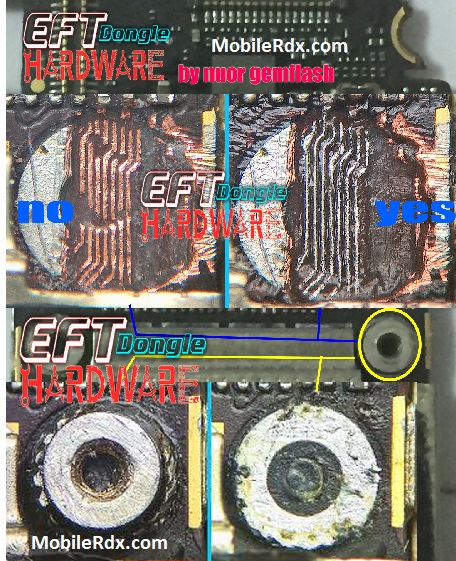
Let’s have a look at some of the problems that happen when your iPhone 5S goes through the issue of Blue Screen of death.
Problems
- IPhone 5S crashes to a blue screen and restarts when Home button is pressed while you are doing document editing. It also happens during the usage of other apps.
- Phone goes into a loop of continuous reboot.
Reasons of Problems
- IPhone 5S is equipped with a 64 Bit Processor and it crashes when someone tries to run apps that are developed for 32 Bit Processor.
Potential Solution
Till now there is no fix solution of this problem, however there are a number of potential fixes that will help you in overcoming the blue screen of death, which are explained as under.
- The very first thing that you can do in order to avoid this issue is to press back when you are planning to come out of a document instead of pressing Home button. In beginning this might be a bit difficult for you, but you will surely get used to it after 4 to 5 failed attempts.
- The next thing that you need to do is to disable iCloud Sync for the iWork app which is done by:
- Go to Settings.
- iCloud.
- Go into Documents and Data.
- From there turn the tab from ON to OFF in “Sliding Pages, Keynote and Number” option.
- Make sure that you are using applications that Apple Inc. has already updated for their 64 Bit processor, as 32 Bit Apps are causing this problem, as they are not upgraded as per the needs of 64 Bit. This might take some time but Apple Inc. is overcoming this problem at a much faster pace.
- If everything else fails in order to overcome this problem than the only thing that you need to do is to contact iPhone Customer Support in order to overcome this issue in the best possible manner, as Apple might offer you a replacement phone for that problematic phone or at least will fix it.