Download EFT Pro Dongle Latest Setup V5.6.2
EFT Pro Dongle is one of the best professional mobile repairing tools. It provides a simple solutions to repair, unlock, flash, and fix both Android & iOS-powered devices includes iPhone, Xiaomi, Samsung, Huawei, OPPO, Vivo, Realme, OnePlus, and other brands.
It works with almost all Android devices in ADB and Fastboot mode. Also supports Huawei in download mode and Samsung in download and normal modes. Use the keygen file to activate the tool on your PC. Below we cover the features and changelog.
What is the EFT Pro Dongle
The EFT dongle connects to your PC via USB and gives access to Samsung, Huawei, and Qualcomm chipset devices. You get FRP remove, firmware flash, SIM unlock, screen lock remove, and bootloader operations from one interface. It covers most Android models on the market.
EFT Pro Dongle works with MTK, Qualcomm, and SPD Unisoc CPU You can remove passwords, unlock accounts, unlock bootloaders, and flash firmware. There are no costs to purchase or pay per use for activation.
Key Features of EFT Pro Dongle
✅ Android & Samsung:
Android 16 FRP: Added support for Factory Reset Protection (FRP) operations on the latest Android 16 security patches.
✅ Enable ADB via QR Code (Samsung)
Quickly activate ADB mode using a QR code method (FRP must be OFF).
✅ KG Lock Removal via ADB (BETA)
Supports Samsung devices running Android 13 to Android 16.
✅ Improved Samsung Servicing Support
Enhanced compatibility with newer firmware and security patches.
✅ No Complex Hardware Required
Operations performed via ADB — no need for risky hardware procedures.
✅ Faster Workflow for Technicians
Simplifies device preparation for flashing, unlocking, and maintenance.
✅ Build 001 Stability Improvements
Performance optimizations and internal fixes for smoother operation.
Supported Devices
- Samsung Galaxy S24 / S25 / S26 series (Android 14-16)
- Samsung Galaxy A series (A15 to A56)
- Samsung Galaxy M and F series
- Huawei Mate, P, and Nova series
- Xiaomi Redmi, POCO, and Mi series
- Qualcomm chipset devices in EDL mode
- MediaTek (MTK) chipset devices
- Apple iPhone XS to iPhone 11 Pro Max (Diag mode)
EFT Pro Dongle Update V5.6.2 Changelog:
Release Date: 09-15-2026
What’s New in This Update?
[MOTO]
- Lenovo / Moto Full (Login + Search + Download)
- Search by IMEI
- Search by SN
- Browse Models & Download
MOTO Supported Models
- XT2205-3 Moto Edge (2022)
- XT2305-1 Moto Edge (2023)
- XT2139-1 Moto Edge 20 Lite
- XT2303-2 Moto Edge 40 (2023)
- XT2307-1 Moto Edge 40 Neo 5G (2023)
- XT2409-2 Moto Edge 50 Neo 5G (2024)
- XT2519-1 Moto Edge (2025)
- XT2505-3 Moto Edge 60
- XT2509-1 Moto Edge 60 Neo
- XT2503-1 Moto Edge 60 Fusion
- XT2503-2 Moto Edge 60 Fusion
- XT2507-1 Moto Edge 60 Pro
- XT2607-2 Moto Edge 70 Pro
- XT2163-1 Moto G Pure
- XT2163DL Moto G Pure (TracFone)
- XT2213-3 Moto G 5G (2022)
- XT2613-1 Moto G (2026)
- XT2513-1 Moto G 5G (2025)
- XT2173-3 Moto G31
- XT2625-6 Moto G37
- XT2167-1 Moto G41
- XT2625-5 Moto G47 5G
- XT2149-1 Moto G50 5G (2021)
- XT2343-1 Moto G54 5G
- XT2435-1 Moto G55 5G (2024)
- XT2435-2 Moto G55 5G (RETEU)
- XT2529-1 Moto G56 5G (2025)
- XT2133-1 Moto G60s
- XT2431-1 Moto G64 5G
- XT2529-3 Moto G66j 5G
- XT2621-3 Moto G67 (2026) / Moto G77 5G
- XT2255-3 Moto G72
- XT2237-1 Moto G73 5G (2023)
- XT2527-2 Moto G86 5G
- XT2527-1 Moto G86 5G
- XT2527-6 Moto G86 Power 5G
- XT2413-1 Moto G Play 5G (2024)
- XT2271-5 Moto G Play (2023)
- XT2615-1 Moto G Play (2026)
- XT2165-5 Moto G Power (2022)
- XT2311-3 Moto G Power 5G (2023)
- XT2415-5 Moto G Power 5G (2024)
- XT2515-2 Moto G Power 5G (2025)
- XT2211-2 Moto G Stylus (2022)
- XT2317DL Moto G Stylus (2023)
- XT2453-1 Moto Razr 50 / Razr (2024)
- XT2553-1 Moto Razr 60 / Razr (2025)
[Apple]
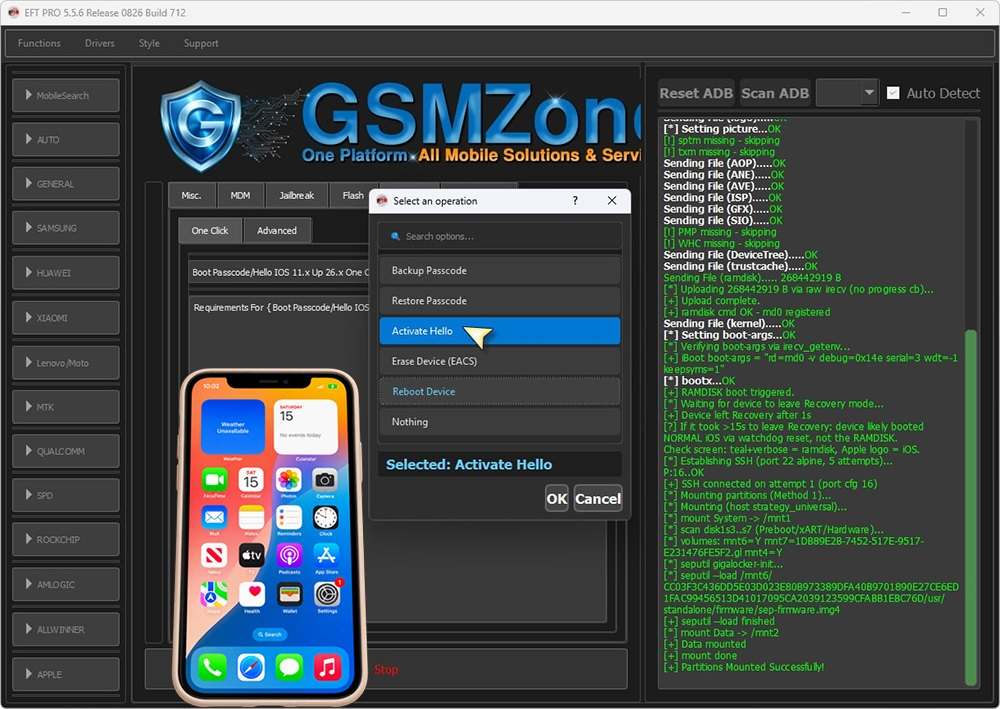
Bypass Hello Mode No Change SN Ramdisk A12-A13
 Supported Devices:
iPhone XS
iPhone XS Max
iPhone XR
iPhone SE2
iPhone 11
iPhone 11 Pro
iPhone 11 Pro Max
iPad Mini (5th generation)
iPad Air (3rd generation)
iPad (8th generation)
SERVICE FULLY WORKING 
 iCloud Login (َApp Store Only)
Reboot
Apple Pay
FaceTime
OTA & Reset Block
 Supported RP2350 Boards
• Waveshare RP2350 USB-A
• Waveshare RP2350 Zero
• Pimoroni TINY2350
• Raspberry Pi Pico 2
 Steps Bypass Hello Mode No Change SN Ramdisk (A12-A13) on Channel Youtube

Download EFT Pro Dongle – Latest Version
Update: EFT Pro Dongle Update V5.6.2 – Download (80 MB) – PASS: 123
For New User >EFT_Dongle_Full_Setup_V2.7.1 – Download (594MB)
Download UnlockTool Latest Setup From Here
How to Update EFT Pro Dongle to V5.6.2
- Download the EFT Pro Dongle V5.6.2 update file.
- Close the EFT Pro Dongle tool if it is running.
- Connect the EFT Pro Dongle to your PC.
- Open the EFT Pro Dongle installation folder.
- Copy the downloaded V5.6.1 EXE file into the installation folder.
- Run the EXE file as Administrator.
- Wait for the update process to complete.
- Open EFT Pro Dongle after the update.
- New users: Install the full EFT Dongle Full setup first instead of using the update file.
How To Install EFT Pro Dongle
- Download the latest setup version of the EFT Pro V5.6.2. Plug the dongle into your computer.
- Run the tool as an administrator.
- Click on Register or Login.
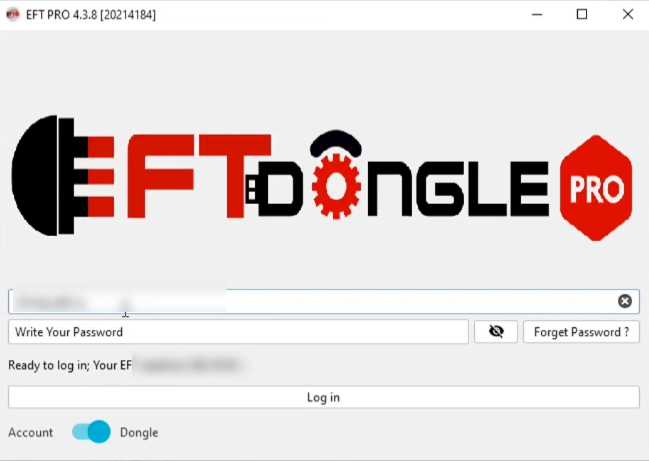
- Purchase the activation; it has 1 year of activation.
- Now type your registered EMAIL ID & PASSWORD in the tool.
- Click Login.
- Now you can use the tool on your computer.
- First, Select the operations you want to use.
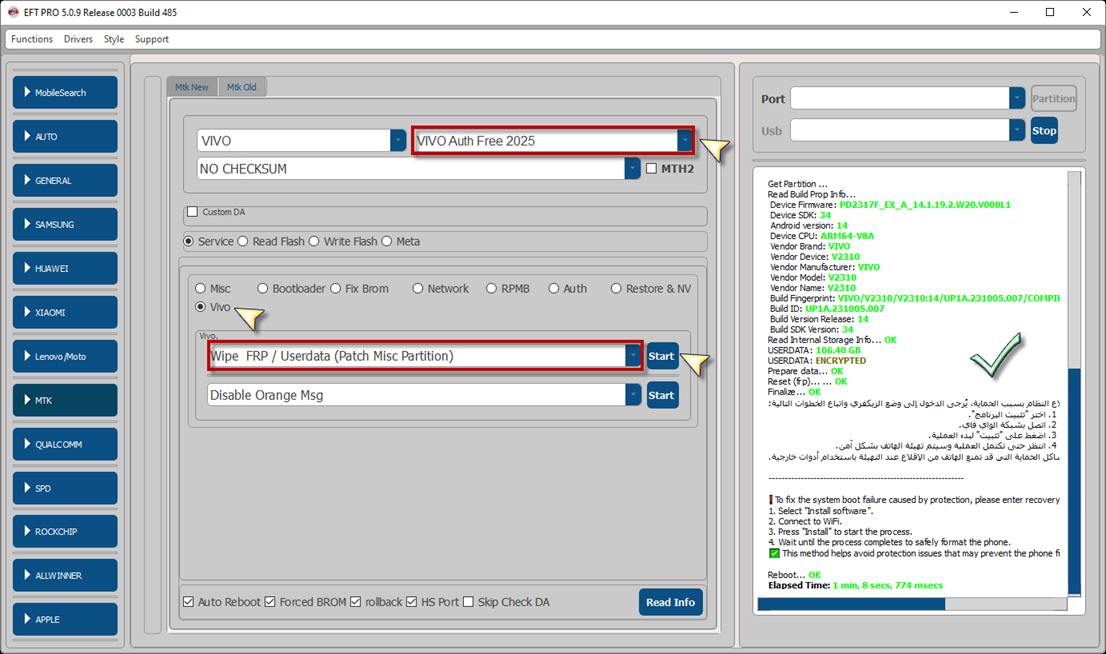
- Then connect the device as shown.
- Click Start on the EFT Pro Dongle Tool.
- Now the phone will be detected on the tool & start the process.
- That’s it.
Frequently Asked Questions
EFT Pro Dongle is used for FRP removal, firmware flashing, network unlocking, bootloader operations, KG lock removal, and ADB activation on Samsung, Huawei, Xiaomi, and Qualcomm devices.
No, EFT Pro Dongle requires a paid activation to use. You can purchase 1-year activation and log in with your email and password.
EFT Pro supports most Samsung Galaxy devices running Android 13 to Android 16, including FRP removal, KG lock removal, ADB enable via QR, and bootloader operations.
Yes, the latest update, V5.6.2, adds Apple Diag/Purple Mode support for reading SN/MAC, factory wipe, and erase operations on iPhone XS to iPhone 11 Pro Max and iPads.
The password for the EFT Pro Dongle Update V5.6.2 file is: 123
- Download UnlockTool V2026.09.23.0 Setup [Latest Version]
- Cheetah Tool Pro v2026.09.17.193.0 Setup [Latest Version]
- UMT Tool Setup QCFire v14.3 – MTK2 v3.7 – [Latest Version]
- Download EME Mobile Tool EMT v4.10.00 Latest Version