Lava X38 Flash File And Tool [ Flash Lava X38]
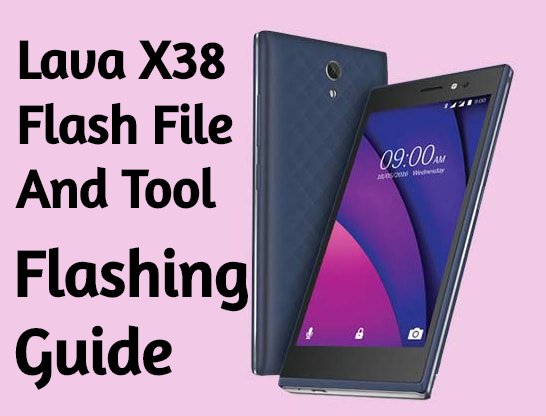
Official Lava X38 stock ROM is here to download. Here in this flashing guide, we are adding official firmware for Lava X38 with flash tool.
Just download Lava X38 flash file, drivers, tool and then follow the tutorial to install stock ROM on Lava X38 android Smartphone. Flashing firmware on Lava X38 is the perfect solution, in case you are facing any software related issues like stuck on logo, stuck in bootloop or want to unlock pattern lock or PIN lock etc.
Lava X38 is an MTK chipset based android device and it’s firmware come with
But here in this post we are going to use Sp flash tool as a Lava X38 flash tool which is 100% working and tested flash tool forLava X38 mobile.
Important: Flashing firmware on Lava X38 will wipe all user data and phone data completely or one wrong step may brick the device permanently. So do it on your own risk. We are not forcing you to flash your device.
Download Lava X38 Flash File, Tool And Drivers
Lava X38 Stock ROM [ Flash File ] : DOWNLOAD Or Mirror
Lava X38 Flash Tool [ Sp flash Tool ]: DOWNLOAD
Lava X38 Drivers [ MTK] : DOWNLOAD
How To Install Stock ROM On Lava X38 Using Sp Flash Tool
As we already told you, you can use any flash tool which is able to flash scatter file based firmware like Sp flash tool or Sp multiport download tool or miracle tool etc. For easy to understand, we are flashing Lava X38 with sp flash tool which is a highly recommended flash tool for Lava X38 mobile.
Let’s see how to flash Lava X38 with Sp flash tool safely?
- Download Tool, Driver, Firmware
- Then extract firmware.zip, Tool, driver.
- Now install USB drivers.
- After that open the Smart Phone Flash tool (flash_tool.exe).
- Then click the Scatter-loading button and browse and select the extracted firmware [MT6735M_Android_scatter.txt] file which you have already downloaded.
- Now hit the download button.
- Switch off your phone and connect your phone to the PC by pressing vol down key.
- After the flashing, a green tick will appear.
- Disconnect your phone and turn it on.
Note: The first time it takes 5-10 minutes to boot.