Moto E4 Plus FRP Lock Remove Without Box – Latest Method
Moto E4 XT1770 FRP Remove With Miracle Box [Flash/FRP/Format]
Remove Moto E4 Plus frp or Google account verification using Miracle crack tool box. If you are using Moto E4 XT1770 android smartphone and the device is stuck in Google account verification [FRP] after factory reset then this post may help you to bypass Moto E4 frp within single click. Moreover, we will show you how to create scatter file for Moto E4 Plus using Miracle tool. Once you have Moto E4 Plus scatter loading file, you can flash it via sp flash tool or using any other scatter file flashing tool.
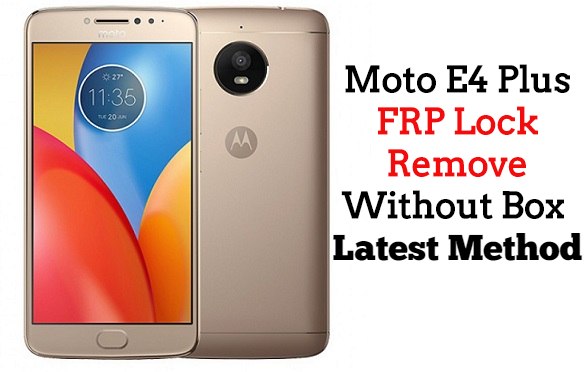
Moto E4 Plus you can easily solve any problem with this method if you are fresher technician or experienced technician in android software related if the error occurs of USB not recognized then your USB is not working.if a battery is not charged,your USB socket will not proper work and you will fail in this method. if any issues please write your questions in the comment box I will try my best to help you. This method can be used in any chines box and it is important to installing phones driver, you can’t flash or upgrade if it is not installed on your computer or laptop it must be installed and also available in this post, here all are linked that tested and working fine just in one try.
Required
- Moto E4 Plus phone with good charge battery
- Miracle box
- Moto E4 Plus USB Driver
- Micro USB Cable
- Computer or Laptop
Download Miracle 2.58 Setup
Password: GSM1X
Procedure
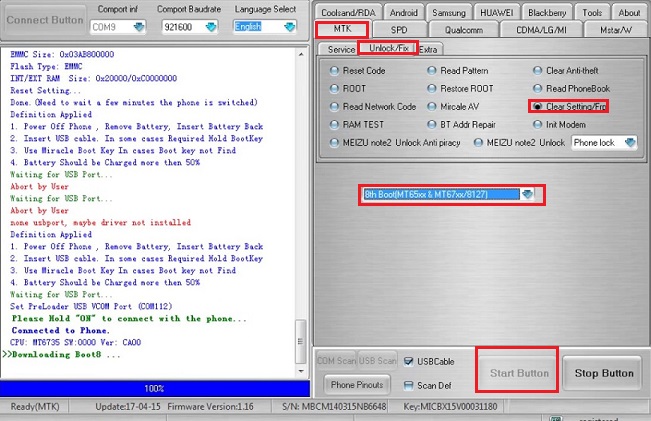
- Open Miracle box
- Go to “MTK” tab
- Again go to “Services” tab
- Select Model “Format”
- Uncheck Safe Mode and Tick on “Auto” and “Advance[FRP]” Option
- Boot Select “8th Boot(MT65xx & MT67xx/8127)”
- Click on “Start” button
- Insert USB cable to device