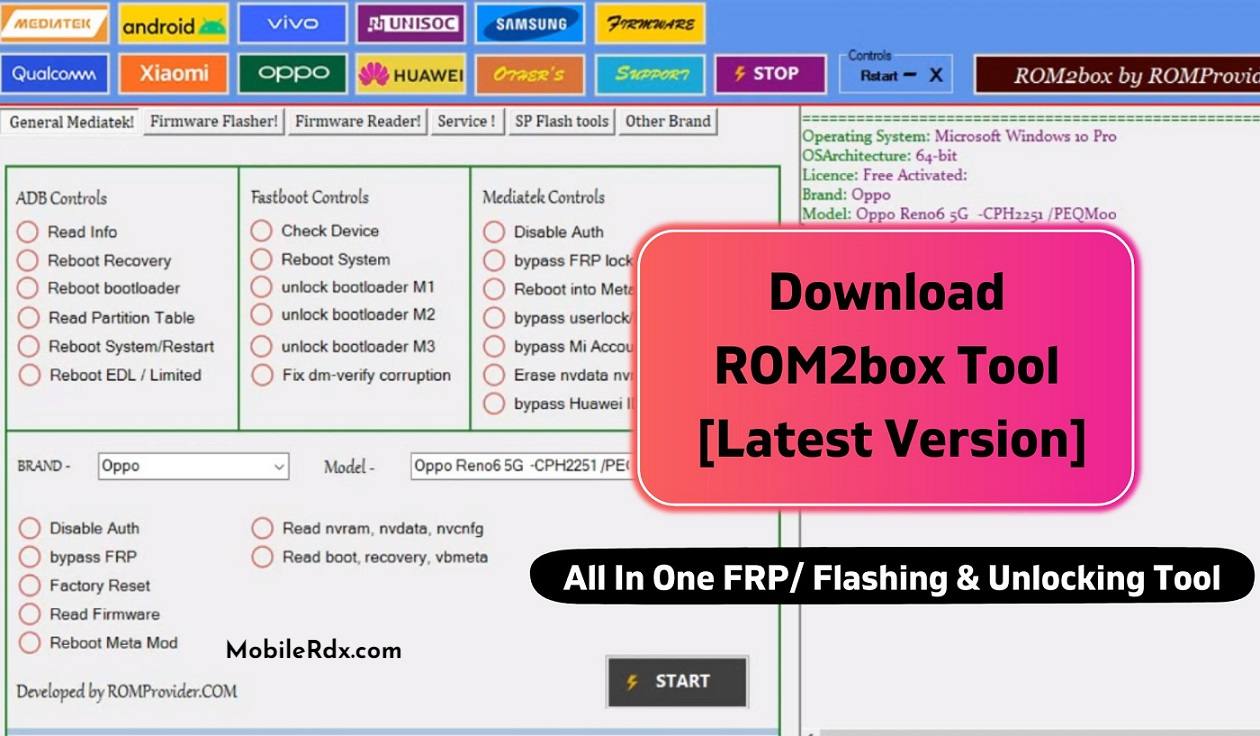
The ROM2box V3.8 All In One FRP/ Flashing & Unlocking Tool is a highly capable and flexible tool that enables users to flash stock ROMs, unlock FRP-locked devices, and perform a range of other tasks. Its user-friendly interface makes it accessible to users of all skill levels. For Android users who are serious about device management, this tool is an essential addition to their toolkit.
ROM2box V3.8 is an all-in-one tool for FRP bypass, flashing firmware, and unlocking devices. Its versatility and power make it an effective solution for a range of device management tasks. The tool is user-friendly and can be used on different devices with ease. Additionally, it is reasonably priced, making it an affordable option for users looking for a comprehensive device management tool.
The most recent version of ROM2Box, V3.8, includes several noteworthy enhancements and modifications. Notably, a problem that previously caused certain issues during smartphone repairs has been resolved in this update. Furthermore, the update has introduced preliminary functionality for resetting and eliminating FRP on Tecno/Infinix helio G99 devices.
ROM2Box v3.8 Features
- MTK Preloader Auth Support
- MTKClient Integration
- Qualcomm Device Support
- ADB Commands
- Fastboot Commands
- Device Information Reader
- Reboot to Recovery/Fastboot
- Bootloader Operations
- Factory Reset
- FRP Reset (Supported Models)
- Flashing Support
- User-Friendly Interface
- Free to Use
Supported Platforms
- MediaTek (MTK)
- Qualcomm Snapdragon
- Android 8 to Android 16 (Supported Models)
- Windows 10 & Windows 11 (64-bit)
Changelog v3.8 Notes
Ad-Free Build: Completely removed unwanted browser redirects inside the application.
Preloader Fixes: Resolved sudden bricking issues specifically affecting Vivo preloader configurations.
Partition Repairs: Added full native support for
pgptprimary partition table recovery tasks.Dual-Architecture Engine: Seamlessly integrated both Qualcomm and MediaTek core platforms inside a single unified dashboard.
Note: The specialized MTKClient Edition does not process raw text-based scatter profiles.
❌ Unsupported Functions & Prohibited Uses:
To ensure compliance with global cybersecurity frameworks and manufacturer intellectual property protections, ROM2Box does not support, facilitate, or execute the following modifications. Do not attempt to use this utility for:
Security Bypass Operations: ROM2Box completely lacks the functionality to wipe security locks, bypass Factory Reset Protection (FRP), or circumvent Xiaomi Mi Account locks.
Cellular Identifier Modifications (IMEI): This utility cannot change, rewrite, or modify a device’s International Mobile Equipment Identity (IMEI). It does not support reading or writing NV data for identity alteration purposes.
Carrier Restrictions: ROM2Box cannot alter carrier data, bypass network locks, or execute unauthorized carrier unlocking procedures.
Security Exploitation: Any feature intended to exploit hardware security zones or bypass official manufacturer server authentications is strictly unsupported.
Download ROM2box Tool:
You can download the latest ROM2Box v3.8 package for Windows using the links below. Two packages are available: one focused on MediaTek (MTK) with Preloader Auth and another that includes Qualcomm, MTKClient, ADB, and Fastboot support
| 📄 Software Build Name | Package Focus | Direct Download Link |
|---|---|---|
| ROM2Box v3.8 (MTK) | MTK Only, Preloader Auth | 📁 Download ROM2Box v3.8 Pack |
| ROM2Box v3.8 Latest | QCOM, MTKClient, ADB, Fastboot | 📁 Download ROM2Box v3.8 Pack |
Link First install – 3.2 Full Setup | Next: 3.4 Update FILE
Require USB Driver:
USBDK
MTK VCOM Driver
SPRD USB COM driver
QCOM 9008 USB driver
OPPO MTK QCOM Driver
How To Use the ROM2box Tool?
- First, you need to download the zip file from the link below
- Next, you can unzip all files at c: drive (important)
- Ensure you have disabled the antivirus before running the installation
- Next, extract the latest version of ROM2Box 3.4 files in the same directory and run the “install.bat” file
- Next, again open the ROM2Box Folder
- Run the “ROM2box.exe.” “
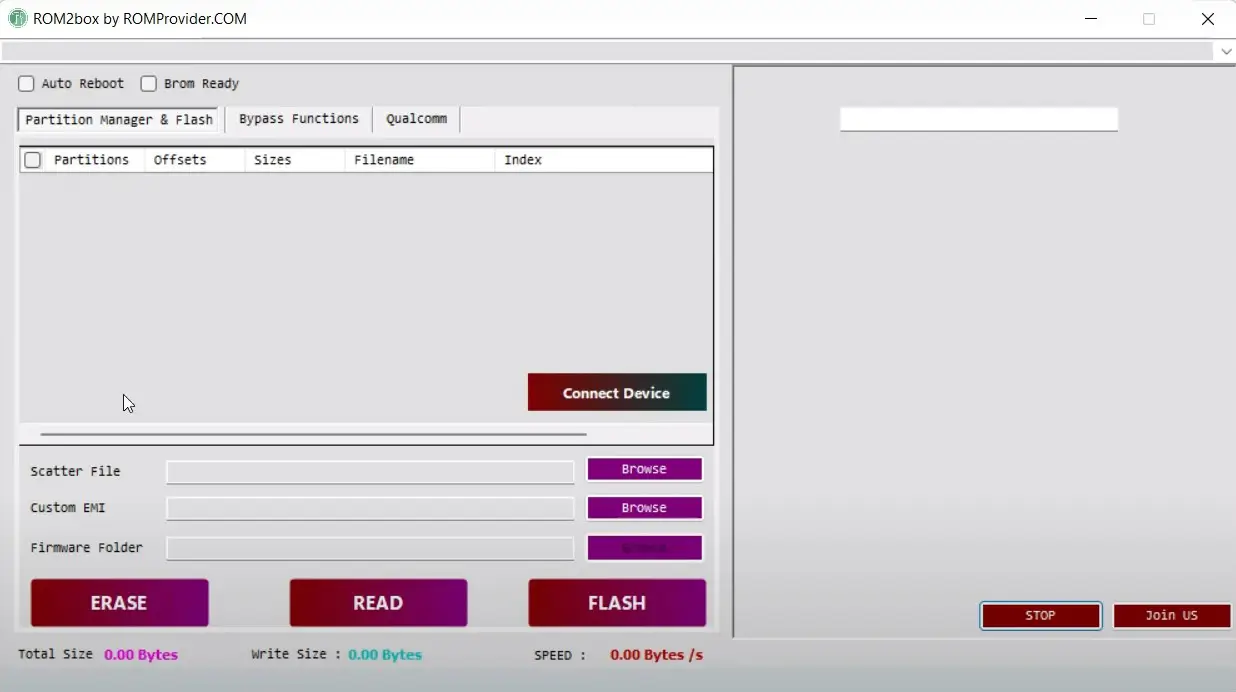
- Next, you can install all drivers; if you have already installed them, skip this step
- Connect the phone and try to use any function
- Enjoy!!