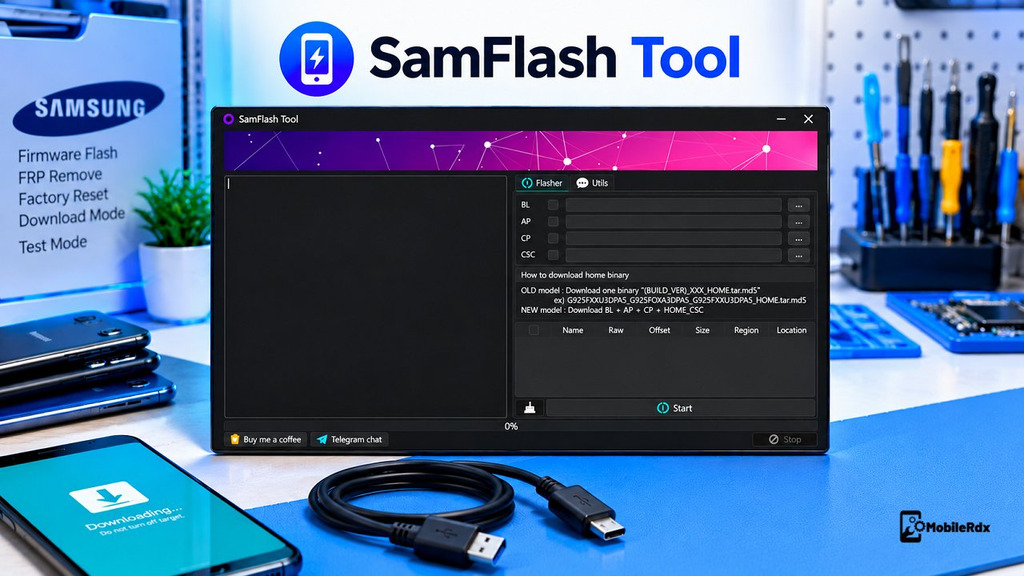
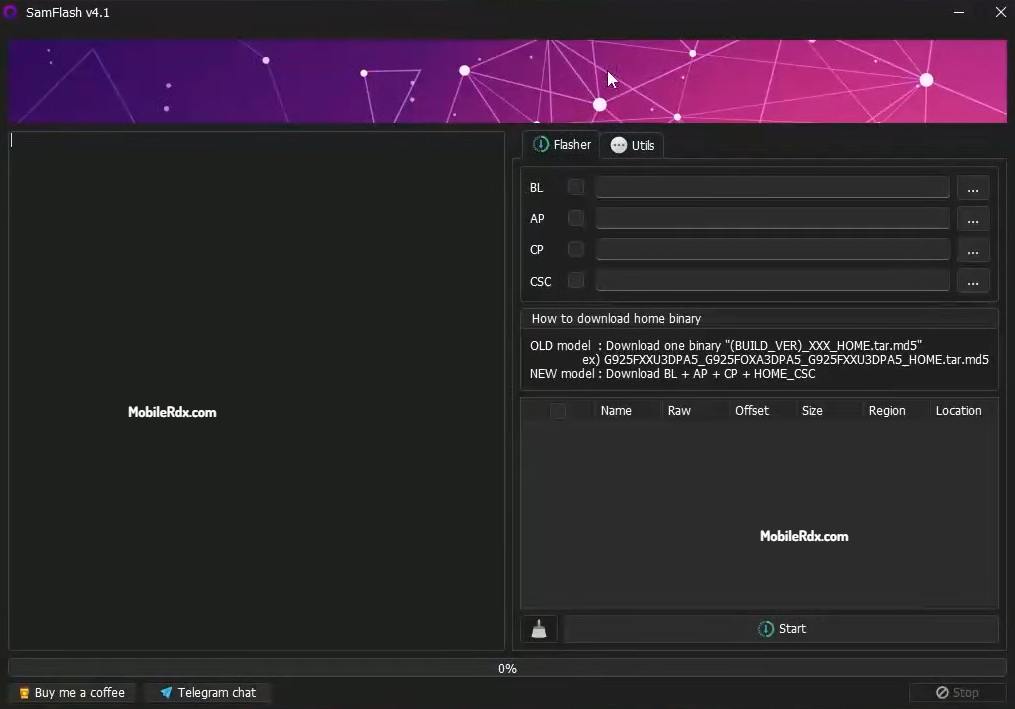
SamFlash Tool v4.1 is a free Windows tool that lets you flash firmware and perform FRP and factory resets on Samsung phones running Android 12, 13, and 14 by Download Mode, Test Mode, MTP, EDL or BROM wihout any porblem and easily.
In this post, we will show you the main features of the SamFlash Tool version 4.1, supported connection modes, and installation steps for Windows PC. functions of the Samsung device model, Android version, security level, chipset, bootloader revision, and authorization.
What is SamFlash Tool?
SamFlash Tool is a small utility for Windows that performs flashing of stock ROMs, reads device information, performs factory resets and certain FRP operations. It mainly works with Samsung Download Mode and Test Mode but some models also connect via MTP, Qualcomm EDL or MediaTek BROM.
The tool can be useful when a Samsung phone is stuck on the logo, needs a clean firmware installation, or is not responding to a normal software process. For another Android information utility, read our Android Utility Tool V200 Guide
.
Core Features
- Flash Samsung stock firmware
- Load BL, AP, CP, and CSC firmware files
- Samsung device information reading
- Enable ADB through supported Test Mode methods
- Selected MTP FRP service
- Samsung QR Code ADB method on supported models
- Samsung MediaTek FRP through supported BROM or Download Mode
- Samsung Qualcomm service through supported EDL mode
- Samsung MTK authentication bypass on supported models
- Factory reset and userdata erase
- Screen-lock service on selected devices
- Firmware loading and operation log
Read more: Android Win Tool for flashing and repair
What’s New in SamFlash Tool v4.1?
- Updated SamFlash Tool to v4.1
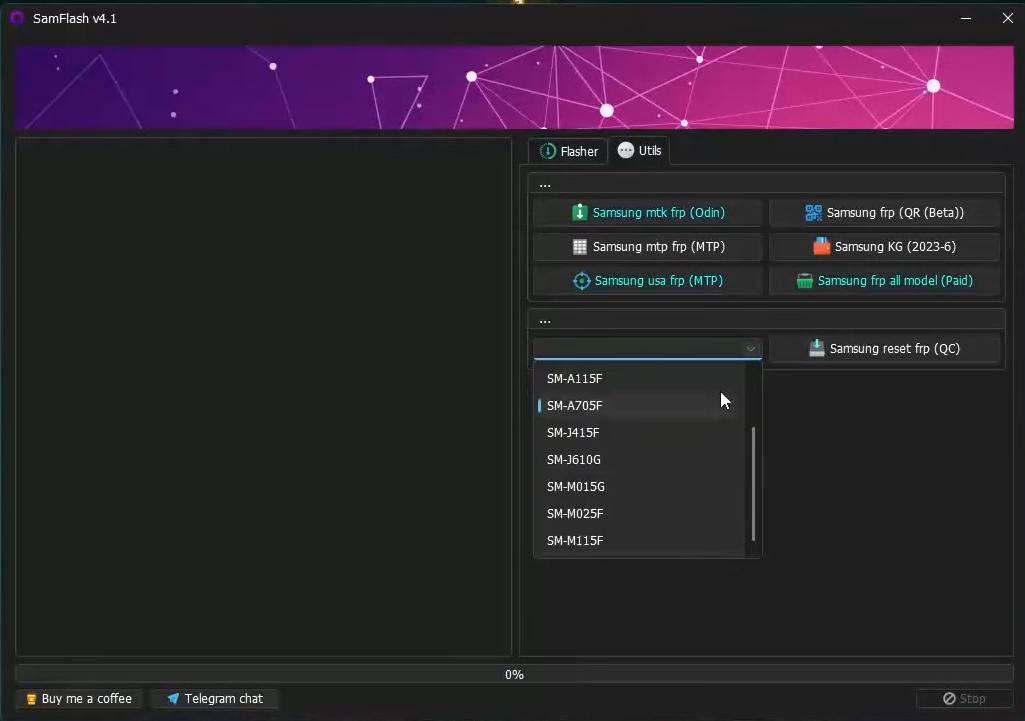
- Added MTP erase FRP for selected Samsung USA models
- Added Samsung QR method for enabling ADB
- Added Samsung MTP Test Mode FRP using the supported dialer method
- Improved firmware loading
- Fixed reported bugs
- General stability and compatibility improvements
Added & Supported Samsung phones
Below listed Samsung models are supported in the tool for unlocking, flashing, or factory resetting through download, EDL, auth & brom mode.
| Samsung Phone Model | Model Numbers |
|---|---|
| Samsung Galaxy J2 Prime | SM-G532G, SM-G532F |
| Samsung Galaxy A01 Core | SM-A013F, SM-A013G, SM-A013M |
| Samsung Galaxy A02 | SM-A022M, SM-A022F, SM-A022G |
| Samsung Galaxy A03s | SM-A037U, SM-A037F, SM-A037M |
| Samsung Galaxy A04 | SM-A045F |
| Samsung Galaxy A04e | SM-A042F |
| Samsung Galaxy A05 | SM-A055F, SM-A055F/DS, SM-A055M, SM-A055M/DS |
| Samsung Galaxy A10s | SM-A107F, SM-A107M |
| Samsung Galaxy A12 | SM-A125F, SM-A125M, SM-A125N, SM-A125U, SM-A125U1 |
| Samsung Galaxy A13 5G | SM-A136B, SM-A136U, SM-A136W |
| Samsung Galaxy A13 | SM-A137F |
| Samsung Galaxy A14 5G | SM-A146U, SM-A146U1 |
| Samsung Galaxy A15 | SM-A155F, SM-A155F/DS, SM-A155M, SM-A155M/DS, SM-A155P, SM-A155R |
| Samsung Galaxy A21 | S215DL, SM-1215U1, SM-A215U, SM-A215W |
| Samsung Galaxy A22 | SM-A225F, SM-A225M |
| Samsung Galaxy A22 5G | SM-A226B, SM-A226B/DS, SM-A226BR, SM-A226L |
| Samsung Galaxy A24 4G | SM-A245F, SM-A245F/DS, SM-A245F/DSN, SM-A245M, SM-A245M/DS, SM-A245N |
| Samsung Galaxy A31 | SM-A315F, SM-A315G, SM-A315N |
| Samsung Galaxy A32 5G | SM-A326B, SM-A326BR, SM-A326U, SM-A326W, SM-S326DL |
| Samsung Galaxy A32 | SM-A325F, SM-A325M, SM-A325N |
| Samsung Galaxy A34 5G | SM-A346E |
| Samsung Galaxy A41 | SM-A415F |
| Samsung Galaxy F04 | SM-E045F, SM-E045F/DS |
| Samsung Galaxy F22 | SM-E225F |
| Samsung Galaxy F42 5G | SM-E426B, SM-E426B/DS |
| Samsung Galaxy Jump 5G | SM-A326K |
| Samsung Galaxy M01 Core | SM-M013F |
| Samsung Galaxy M01s | SM-M017F |
| Samsung Galaxy M02 | SM-M022F, SM-M022G, SM-M022M |
| Samsung Galaxy M13 5G | SM-M136B, SM-M136B/DS |
| Samsung Galaxy M22 | SM-M225F |
| Samsung Galaxy M32 | SM-M325F, SM-M325FV |
| Samsung Galaxy M53 5G | SM-M536B |
| Samsung Galaxy Tab A7 Lite | SM-T225N, SM-T225, SM-T227 |
Download SamFlash Tool v4.1
The latest update features new functions, improved features and support for more Samsung Galaxy phones. The tool now supports FRP and KG service for Samsung smartphones running Android 12, 13 and 14. Below is a direct link for downloading the latest version and check full list of new features and improvements included in this release.
- Tool Name: SamFlash Tool
- Version: v4.1
- Platform: Windows PC
- Type: Samsung flashing and service utility
- Main Functions: Firmware, FRP service, factory reset, Download Mode, MTP, EDL, and BROM
- License: Verify the package and service terms before use
For another professional multi-brand service solution, compare our Hydra Tool setup guide.
Required Files and Drivers
- Windows 8, 10, or 11 computer
- Samsung USB driver
- Good-quality USB data cable
- Correct Samsung firmware
- Stable USB port
- SamFlash Tool v4.1 setup
- Backup of important user data
- Authorised device and service permission
How to Install and Use SamFlash Tool v4.1
- Download the SamFlash Tool v4.1 package.
- Extract the package using WinRAR or 7-Zip.
- Install the Samsung USB driver.
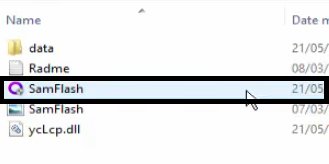
- Run SamFlashTool.exe as administrator.
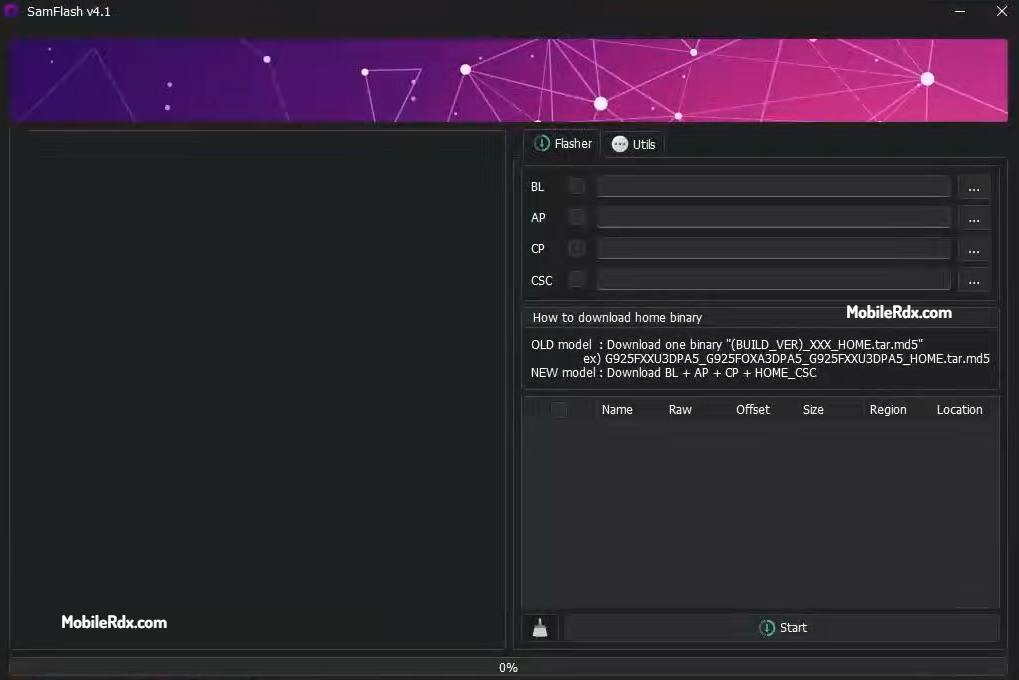
- Now the tool will open.
- Check the exact model number and bootloader bit.
- Download firmware for the same model and region.
- Power off the phone.
- Enter Download Mode with the correct key combination.
- Connect the phone to Windows
- Load the BL, AP, CP, and CSC files when supported.
- Use HOME_CSC when you need to preserve data, and the firmware allows it.
- Use CSC for a clean installation when a data wipe is required.
- Click Flash and wait for the message to complete.
- Do not disconnect the USB cable during flashing.
- That’s it.
Disclaimer: Use the SamFlash Tool only on your own devices or those you are authorized to service. FRP is security against theft. Firmware or factory reset operations can erase data or damage phones if incorrect files are used.
Frequently Asked Questions
SamFlash Tool v4.1 is a Windows Samsung utility for firmware flashing, download mode, MTP, factory reset, and selected FRP service operations.
The release lists MTP erase FRP for selected Samsung USA models, QR ADB enable, MTP Test Mode FRP, firmware-loading fixes, and bug fixes.
Yes, it is designed to flash supported Samsung firmware through Download Mode. Always match the model, region, and bootloader bit.
Select FRP functions through MTP, Test Mode, EDL, BROM, and Download Mode, but compatibility depends on the model, security patch, chipset, and authorisation.
You normally need the Samsung USB driver. Qualcomm or MediaTek drivers may also be needed for selected EDL, BROM, or chipset-specific operations.