Bypass Xiaomi Mi Cloud Account Redmi 3S Prime Using RB Soft Tool
Remove Screen Lock & Redmi 3S Prime FRP Bypass using Tool
Here is a complete step by step tutorial to remove Mi Cloud android device including FRP lock. In short, if you are device is locked then unlock Redmi 3S Prime plus easily. Same as, if you were using any Google account on the same device and it’s asking for Google account verification then this method may help you to remove Mi Cloud on Redmi 3S Prime within few steps.
How To Byepass Redmi 3S Prime Mi Cloud Account:
First Download RBSoft_V1.6_Mobile_Tool.rar DOWNLOAD
-Turn off your antivirus software, otherwise you won’t be able to use this tool.
-Now extract the downloaded software from archive.
-Go to extracted folder, and then install “RB Soft 1.6” setup from there.
-Setup will ask you for the pass, just go to “PASS” file and then copy and past “Setup Pass” for starting setup installation.
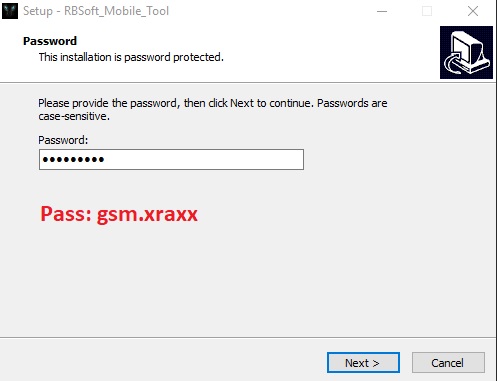
-Once the installation finish, now we need to run this tool.
-After that installation done, right click on “RB Soft Tool” icon and then run as administrator.
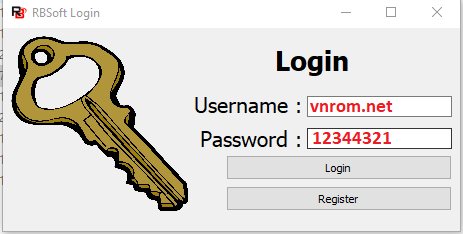
Note: You will be asked for the (Username | Password), get your username and password from “Password.txt” file, this file is available in your extracted”Rb soft 1.6 folder”.
-Once you enter both username + password, now click on “Login Button” to run this tool.
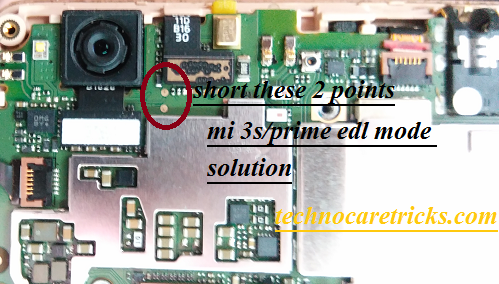
Connect Xiaomi Redmi 3S Prime Via EDL Cable:
It will create “Qualcomm HS-USB QDLoader 9008 port under the “Device Manger” on pc. That means device is properly connected with pc into EDL mode.
-Go to “RB Soft 1.6”, and click on “XIAOMI” tab from top left corner of the software.
-Now click on “Remove Account”.
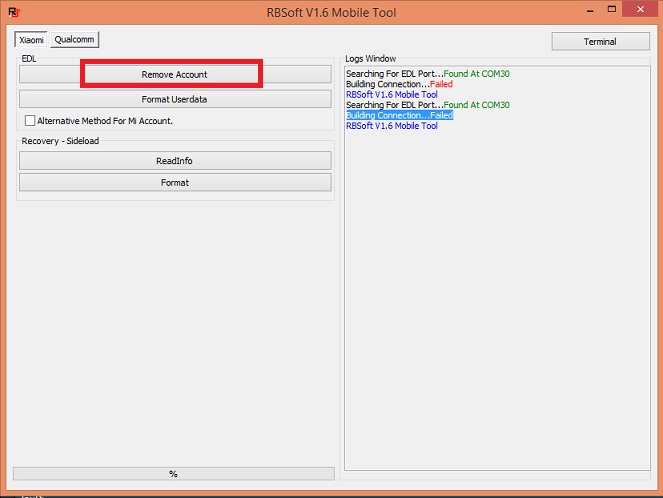
-Wait few minute until RB Soft 1.6 finish to bypass Xiaomi Mi Cloud Account.
-Now disconnect device from computer.
-Complete initial setup, we hope you will not be asked to entered forgotten Mi Account.