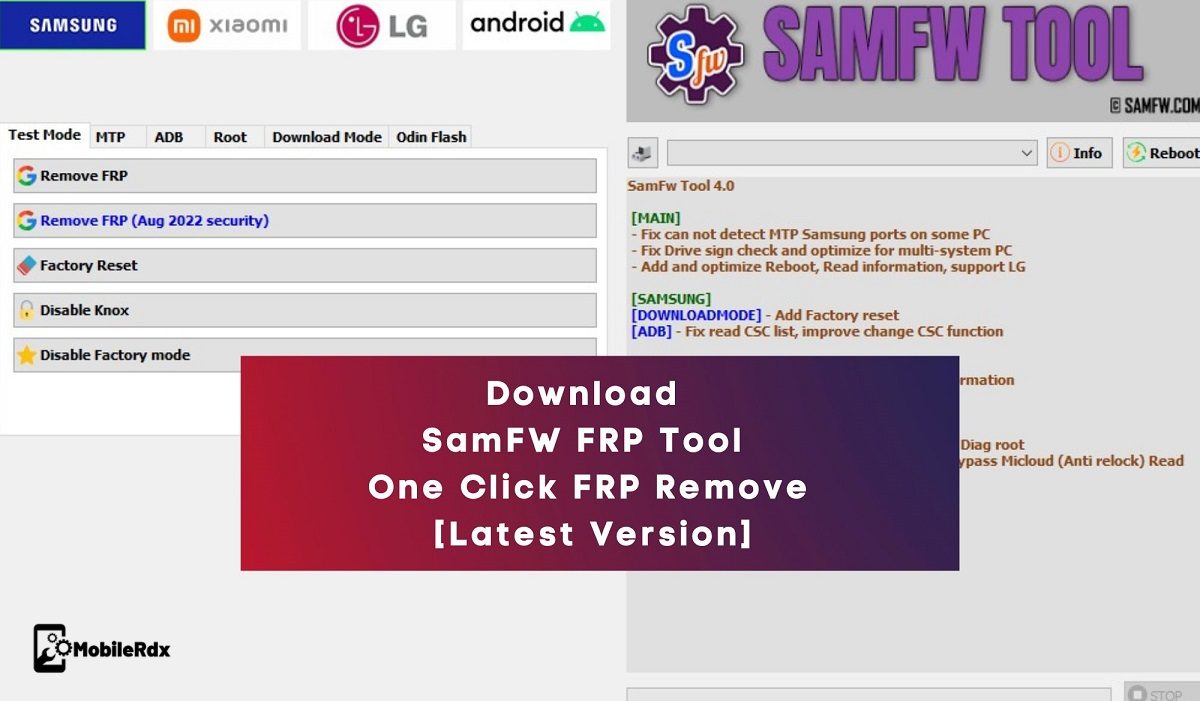
The SamFW FRP Tool v6.0.1 is specialized software for Samsung devices that provides a one-click solution to remove FRP locks. With support for Android versions 9 through 16, this tool enables ADB Mode and USB debugging through the Samsung #0# Test Mode. In addition to unlocking FRP locks, the SamFW Tool allows users to perform a factory reset, disable Knox, root their device, and more. To enjoy a hassle-free FRP unlocking experience, download the latest version of SamFW Tool V5.3 to your computer today.
To use the SamFW FRP Tool, simply launch the program on your computer. From there, tap on “Emergency Call” and enter #0# to access the test mode. Next, connect your phone to the computer, then click “Remove FRP.” The tool will automatically recognize your device and activate ADB, unlocking the FRP lock in just a matter of minutes. That’s all there is to it!
Features Of SamFW FRP Tool
Samsung Functions
- Remove FRP (All Security Levels)
- Remove FRP (New Security Patch Support)
- Remove FRP 2024 (USA Models Supported)
- Remove FRP Android 16
- Remove Samsung Account (Settings Only)
- KG Unlock (Untested)
- Change CSC (Normal & Root Mode)
- Block CSC Change when SIM Inserted
- Change Serial Number (Beta)
- Enable Secret Code (Verizon Devices)
- Enable Mobile Data Toggle (AT&T Devices)
- Disable Knox (Test Mode)
- Disable Factory Mode
- Factory Reset (Normal & Test Mode)
- Soft Brick Fix
- Download Mode / Exit Download Mode
- Odin Flash with Auto Detect & Auto Extract ZIP
- Ignore MD5 Checksum
- Save Recent Flash Files
Samsung ADB & MTP Functions
- FRP Bypass via MTP Mode
- Open ADB Mode Functions
- Factory Reset via ADB
Xiaomi Functions
ADB Mode
- Bypass MiCloud (Android 8.1)
- Enable Diag Mode (Root Required)
Fastboot Mode
- Remove FRP (Unlocked Devices)
- Factory Reset
- Sideload Support
- Reset MiCloud
Qualcomm (EDL 9008)
- Factory Reset
- Reset FRP
- Reset MiCloud
- Anti-Relock MiCloud Bypass
- Remove Anti-Relock Bypass
- Read Offline MiCloud Info
Android General Functions
- ADB Battery Information
- Disable/Enable OTA Updates
- Set Device Language
- Hide Developer Options
- Open Network Settings
- Open Browser (FRP Mode)
- Remove FRP (Universal Method)
App Manager Features
Manage Installed Applications
- Enable / Disable / Uninstall Apps
- Clear App Data (Single & Multiple)
- Install APK / XAPK Files
- Install Apps on Dual Messenger
- Remove Bloatware (Korea, Japan, USA Variants)
Root Features
- Remove Screen Lock (Root Required)
Qualcomm Features
- EDL 9008 Partition Manager (Read / Write / Erase)
- Reset FRP via EDL
- Factory Reset via EDL
- Erase Userdata
MediaTek (MTK) Functions
- Factory Reset
- Format User Data
- Remove FRP
- Unlock / Relock Bootloader
- Bypass Auth (Secure Boot Devices)
Extra Utility Tools
- Check Driver Signature Enforcement Status
- Enable / Disable Driver Signature Enforcement
- Install Samsung USB Drivers
- Install VC++ 2015 Runtime (ADB Support)
Upcoming Features
- Install XAPK Directly
- Install Apps on Samsung Dual Messenger
- Disable Factory Mode (Extended)
- Change Serial Number (Root)
- Change Battery Cycle (Root)
- View Saved WiFi Password (Root)
- MTK Advanced Module
- Xiaomi Sideload Solution
Remove FRP with one click
- Connect the phone to the PC, and install the Samsung driver if you have not yet installed
- Go to emergency call then type *#0*#
- Click Remove FRP on the Tool
- Click Accept USB debugging on the phone if it appears
- The phone will finish and reboot after removing FRP
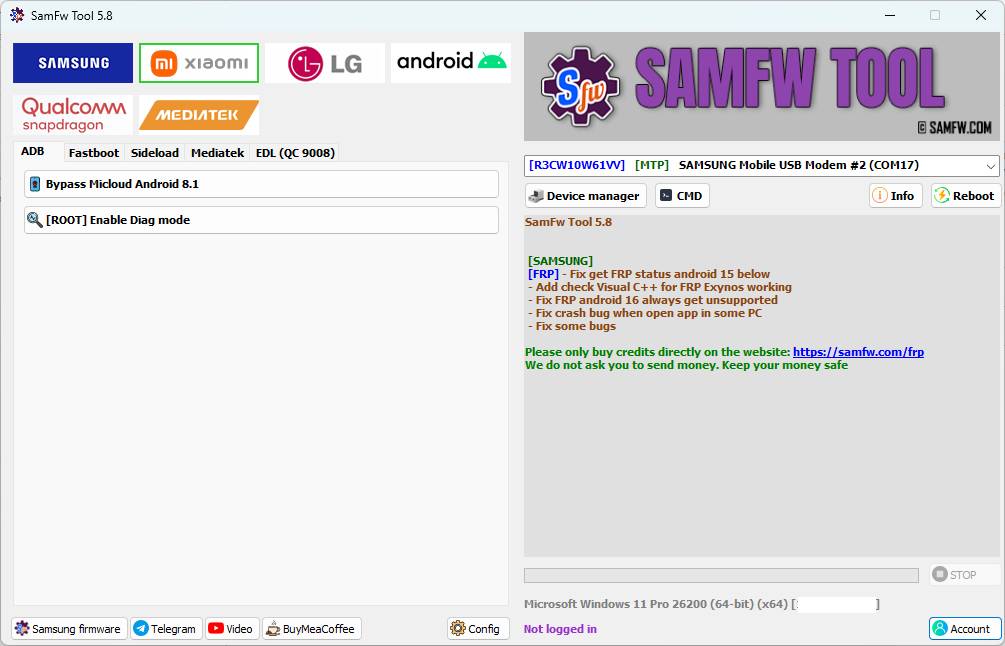
SamFw Tool 5.2
[SAMSUNG]
– Optimize FRP android 16
– Fix the samfw.comapi error when change the SN
– Allow FRP 2024 USA unlock model end with U1
[ANDROID]
[ADB] – Battery info show both ASOH and BSOH
– Optimize port information, show serial number
– Trying to fix the X509Certificates error
– Fix some bugs
SamFw Tool 5.1
[SAMSUNG]
– Optimize FRP android 16
– Optimize FRP USA 2024
SamFw Tool 4.9
[MAIN]
– Optimize read information faster
– Fix MTP reboot sometime return FAIL
[SAMSUNG]
– Add FRP 2024 (USA models)
– Move change CSC to MTP tab. Accept change without ADB
[FRP] – Add recheck paid service status
– Add auto write log to file
– Fix the X509 Certificate problem when run application
– Fix some bugs
[ADB] – Added Bypass Micloud for Android 8.1 and Enable Diag Root functions
[SIDELOAD] – Added Factory Reset, Remove FRP, Bypass Micloud (Anti-relock), and Read Offline Micloud Data functions
Remove FRP with one click
Connect the phone to the PC, and install the Samsung driver if you have not yet installed
Go to emergency call then type *#0*#
Click Remove FRP on the Tool
Click Accept USB debugging on the phone if it appears
The phone will finish and reboot after removing FRP
SamFw Tool v5.6 Changelog
[SAMSUNG] [FRP] - Optimize Exynos unlock, auto accept USB debugging - Fix reboot download mode on old device [EDL] - Add SM-A057G bit B, SM-A057F bit E, SM-E145F bit C, SM-F946B bit 7 [EDL] - Add SM-G990B bit K, SM-G990U bit N, SM-S921U bit 6, SM-S928B bit 6 [EDL] - Add SM-S918B bit A, SM-T630 bit B
[MEDIATEK] - Fix stuck load module
[OTHER] - Update 7z to new version - Fix some bugs
SamFw Tool 5.7 Changelog
[SAMSUNG]
[FRP] – Optimize Exynos unlock, fix small error
[EDL] – Add SM-A736B bit C, SM-F731N bit 6, SM-F741U bit 4, SM-F936B bit C
[EDL] – Add SM-F946U bit 8, SM-F956U bit 4, SM-G990U2 bit L, SM-G9910 bit G
[EDL] – Add SM-S901U bit A, SM-S906U bit A, SM-S908E bit E, SM-S908U bit A
[EDL] – Add SM-S926U bit 6, SM-S928U bit 6, SM-T737 bit 9, SM-X218U bit C
- Fix some bugs
SamFw Tool 5.9 Changelog
[SAMSUNG]
[FRP] – Fix some Exynos unlock bugs
[EDL] – Add SC52E bit 1, SM-A235N bit C, SM-S908N bit 9
[EDL] – Add SM-S911N bit 8, SM-S916N bit 8, SM-S928N bit 6
[QUALCOMM]
- Fix error Chunk too large
- Fix read information on EROFS system device
- Fix some bugs
SamFw Tool 6.0.1 Changelog
[SAMSUNG]
- Add read IMEI2 and Security Patch Level on MTP Information
[FRP] – Optimize Exynos FRP unlock, fix some issue
[EDL] – Add SM-F711N bit E, SM-F721B bit C, SM-F926B bit I
[EDL] – Add SM-F956B bit 4, SM-G9980 bit G, SM-G998U bit J
[EDL] – Add SM-S901E bit E, SM-S911B bit A, SM-S916B bit A
[EDL] – Add SM-S918U bit 8, SM-S918W bit 8
[APPLE]
- Add support basic iPhone/iPad read information Normal/Recovery/DFU mode
- Add Reboot to Recovery mode, Reboot to Normal mode
- Fix some bugs
Download SamFW FRP Tool V6.0.1
File Name: SamFW_FRP_Tool_V6.0.1.zip
Size: 54 MB
Compatibility: Windows 10/7/8/7
System supported: 32-bit and 64-bit
If you are getting Error X509, install dotnet 4.7.1
More Tools:
How to Use the SamFW FRP Tool
Using the SamFW FRP Tool is simple and easy to follow. Here is a step-by-step guide on how to use the tool to remove the FRP lock on your Samsung device:
1. Download the SAMFW Tool V6.0.1, setup & extract it to your computer.
2. Now Run the SamFwFRPTool. Set up as admin.
3. Next, install setup files at c drive (important)
4. Install the tool.
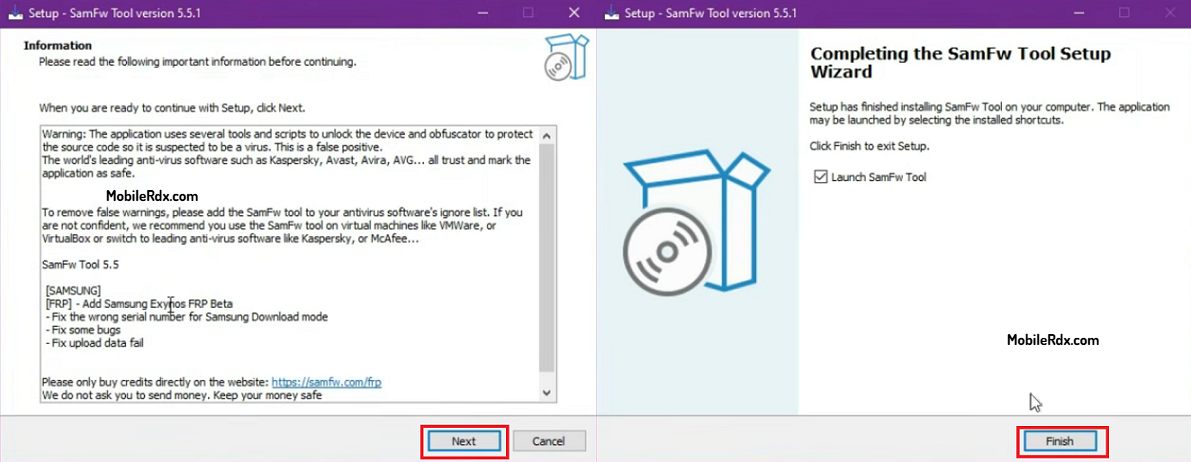
5. Go to the Desktop & run SamFW.exe.
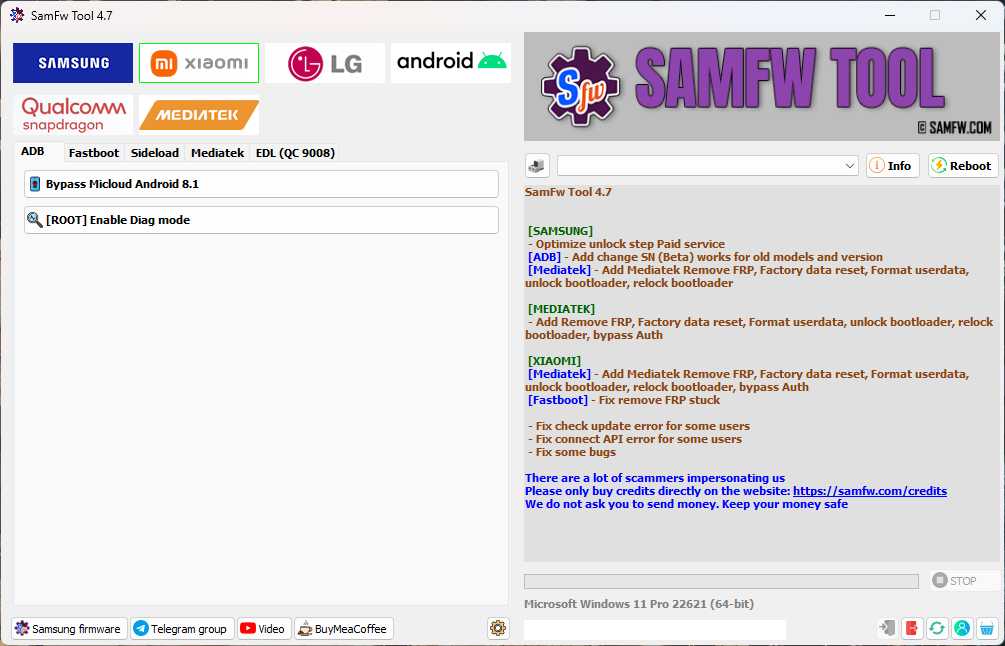
6. Install the Samsung USB driver on your computer before using the tool.
7. Tap on “Emergency Call” and enter #0# to access the test mode on your Samsung device.
8. Connect your phone to the computer using a USB cable.
9. Click on “Remove FRP.”
10. The tool will recognize your device and activate ADB, unlocking the FRP lock.
11. Wait for the FRP lock to be removed by tapping Allow on the phone.
12. Wait a few minutes for the process to complete.
FAQs
A free Windows utility to bypass FRP lock on Samsung, Xiaomi, and LG devices.
Yes, basic FRP removal is free. Some advanced features for new USA models require payment.
Samsung (Exynos, Qualcomm, MediaTek), plus limited support for LG and Xiaomi. Works with 2025 security patches.
One-click FRP bypass
CSC change
Firmware flashing
Odin Flash
Disable Knox (Test mode)