Download Infinity CM2AW Allwinner v1.04 – Latest Version
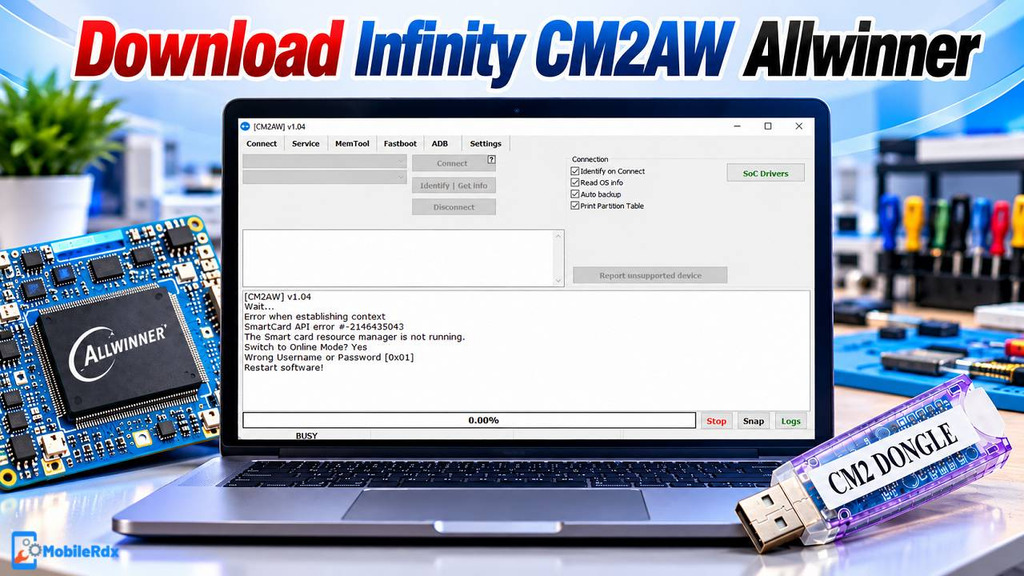
Infinity CM2AW v1.04 is a useful servicing module for smartphones, tablets, IoT, and automotive head units based on Allwinner chips. It enables technicians to identify SoC and check the health of eMMC memory, reset user data, fix bootloader problems, and carry out supported FRP operations. For technicians currently using an Infinity CM2 box or dongle, this update adds additional troubleshooting and repair tools for Allwinner devices.
The v1.04 update focuses on repair of black or gray boot screens, slot handling, destruction of userdata and correction of autobackup reading. Service functions require use of hardware from Infinity CM2 and an active supported license. It is not a free standalone tool.
What Is Infinity CM2AW Allwinner?
Infinity CM2AW is a combined servicing module based on Allwinner technology and part of the Infinity CM2 platform. It supports smartphones, tablets, embedded hardware, IoT devices and car heads. Module identifies supported Allwinner SoCs and displays available servicing functions through CM2 interface and helps technicians to diagnose and repair compatible devices.
Allwinner chipsets are commonly used in budget tablets, Android devices, development boards, IoT products, and automotive head units. Before starting any servicing operation, make sure you have the correct firmware, USB drivers, storage information, and device mode. For more Android servicing options, check our TSM Tool Pro Latest Version guide..
Key Features of Infinity CM2AW Allwinner v1.04
- SoC autodetect: Detects the connected Allwinner platform when the device and driver respond correctly.
- eMMC health report: Reads available health information from supported eMMC flash chips.
- Format or reset userdata: Clears supported user-data partitions after confirmation.
- FRP reset: Provides an FRP reset option for supported Allwinner devices.
- Bootloader unlock and lock: Unlock or relock the bootloader where the device and firmware allow it.
- Black or grey boot repair: v1.02 adds a repair path for selected stuck boot-screen cases.
- Slot functions: Set, swap, and repair slot information on supported A/B devices.
- Destroy userdata: Adds a deeper userdata erase option for compatible service cases.
- Autobackup fix: Improves the automatic backup reading process reported in the previous build.
Supported Allwinner SoCs
- A523
- A527
- T527
- MR527
- H728
What’s New in Infinity CM2AW v1.04?
- Repair option for supported devices stuck on a black or grey boot screen.
- Set slot function for A/B partition devices.
- Swap active slots when the firmware layout supports it.
- Repair slot information on supported Allwinner hardware.
- Destroy userdata function added for selected service operations.
- Autobackup read issue fixed from the previous module build.
- Allwinner car-radio and device images tested in the update notes.
- Battery must be inserted for the tested connection workflow.
- Functions can depend on the firmware version and release date.
Infinity CM2AW Allwinner v1.04 Download
Infinity CM2AW Allwinner is a servicing module for the Infinity CM2 platform, not a free standalone tool. You can download it through the official update or support channels linked to your account. To use its servicing functions, connect a compatible Infinity CM2 box or dongle to your PC.
- Module Name: Infinity CM2AW Allwinner
- Version: v1.04
- Platform: Windows PC
- Device Types: Phones, tablets, IoT devices, and car head units
- Supported SoCs: A523, A527, T527, MR527, and H728
- Hardware: Infinity CM2 box or dongle required
- License: CM2 activation or supported license required
- Drivers: Install the Allwinner USB drivers before connection
Do not download a random “free” CM2AW archive that claims to work without hardware. For another Windows Android repair package, read our Android Win Tool setup guide.
How to Install Infinity CM2AW Allwinner
- Download & extract the CM2AW_Allwinner Setup to your computer
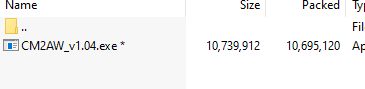
- Connect the Dongle to the PC
- Run the InfinityBox_install_CM2AW_Allwinner_v1.04.exe.
- Tick on I accept the terms of the License Agreement
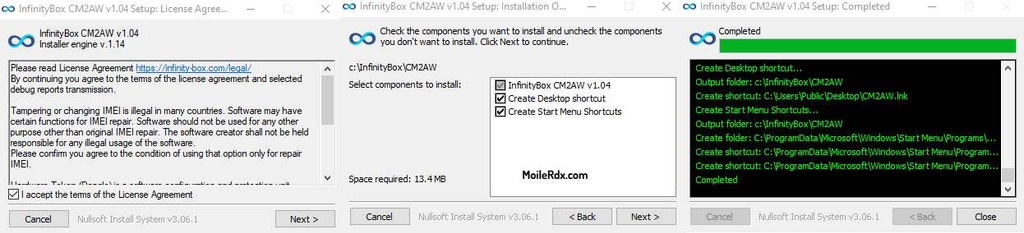
- Click on Next =>> Next =>> Install
- The installation process will begin
- It will take some time
- Again, tap on Next
- Tick on “I Accept the Agreement” and click Next
- Now launch the tool
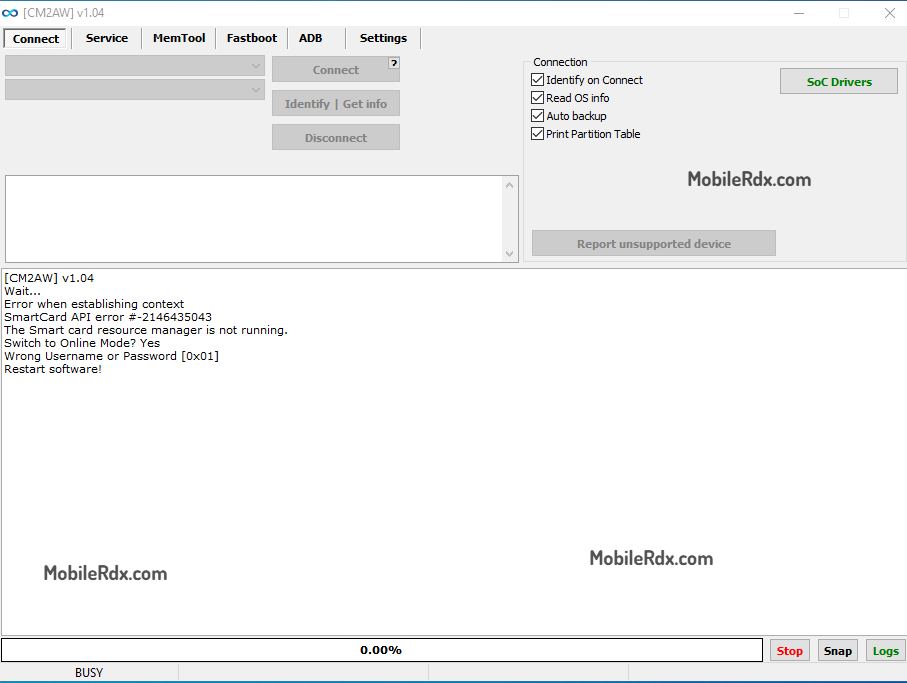
How to Use Infinity CM2AW Allwinner
Start SoC detection before choosing reset, boot repair, FRP or slot operation. The phone or board must be in the mode required by the CM2 interface. Keep the battery inserted if the selected method uses battery power.
Detect the Allwinner SoC
- Connect the CM2 box or dongle.
- Open CM2AW Allwinner.
- Install the correct USB driver.
- Connect the powered device using the required Allwinner service method.
- Click the detect or connect function.
- Confirm that the displayed SoC matches the hardware.
Check eMMC Health
- Detect the device and confirm the Allwinner chip.
- Open the eMMC health report option.
- Read the available flash information.
- Save the report before attempting a format or firmware operation.
Repair Boot or Slot Problems
- Read the device information and save a backup when possible.
- Use the black/grey boot repair function only on a supported device.
- Check the A/B slot state before swapping or repairing slots.
- Use Set Slot, Swap Slot, or Repair Slot only after confirming the firmware layout.
- Wait for the log to show completion before disconnecting the device.
Reset Userdata or FRP
- Confirm device ownership or written service permission.
- Detect the supported Allwinner SoC.
- Back up important data if the device still allows access.
- Select Format/Reset Userdata or FRP Reset.
- Confirm the warning and wait for the operation to finish.
- Restart the device and complete the initial setup.
These operations to format, destroy user data, FRP reset and bootloader unlock can erase data or change security of a device. Use them only on authorised hardware.
System Requirements and Safety Notes
- Windows computer with administrator access
- Infinity CM2 box or dongle with supported activation
- Current Infinity CM2 software and Allwinner module
- Correct Allwinner USB drivers
- Good-quality USB data cable
- Battery inserted when required by the connection process
- Exact firmware and board model information
- Backup of important data before reset or bootloader work
Infinity CM2AW Allwinner FAQs
It is an Infinity CM2 module for servicing supported Allwinner phones, tablets, IoT devices, and automotive head units.
The current update covered in this guide is v1.02, which adds boot repair, slot functions, userdata destruction, and an autobackup read fix.
The listed SoCs include A523, A527, T527, MR527, and H728.
The module is not a free standalone tool. An Infinity CM2 box or dongle and supported activation are required.
Version v1.02 adds a repair function for supported devices affected by black or grey boot-screen problems.
The module includes an FRP reset function for supported Allwinner devices, but results depend on the SoC, firmware, security state, and CM2 support.
Infinity CM2AW Allwinner v1.04 is designed for technicians working with phones, tablets based on Allwinner SoC, IoT devices, and car heads. It supports SoC detection, checks for eMMC health, resets userdata, performs FRP operations, and fix the bootloader. The update also adds useful functions for boot screens and slots. It is practical for technicians who have an Infinity CM2 Dongle; this tool is not free and is not standalone.