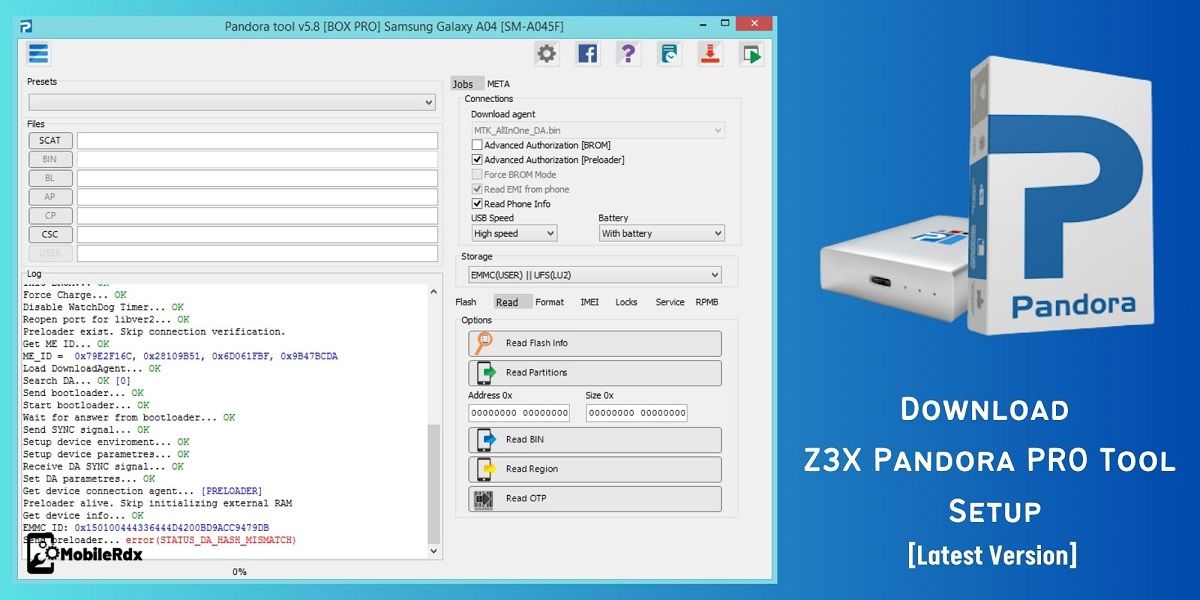
Download Z3X Pandora PRO Tool V10.2.20 Setup (Latest Version – 2026)
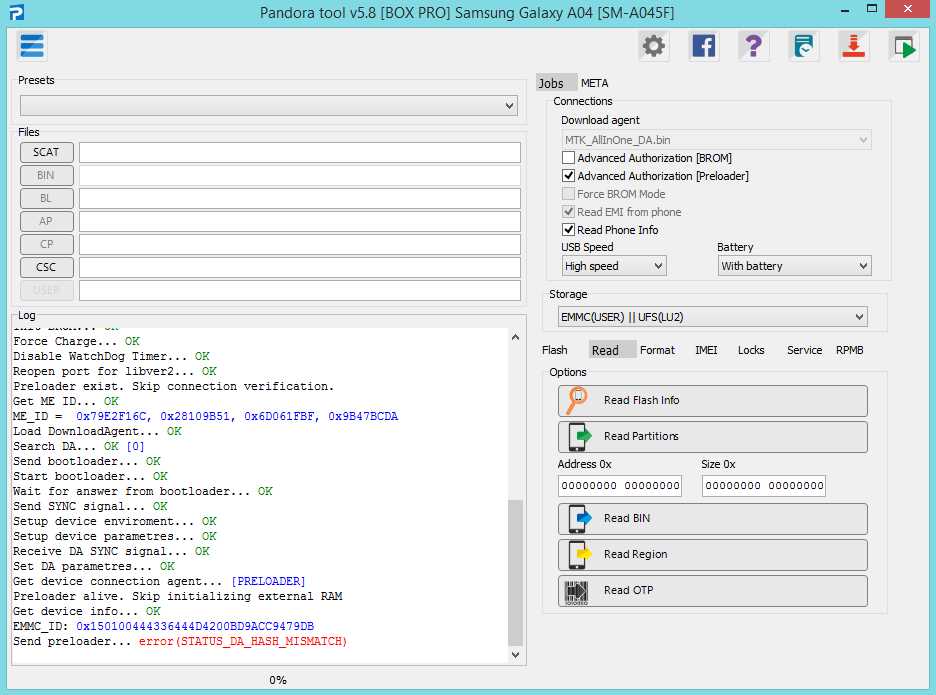
The Z3x Team presents a new tool for its users called Pandora Box. This tool is designed to repair MediaTek devices. With the release of Pandora Box v10.2 Online, the world’s first update for IMEI Repair for OPPO MTK devices is now available. You can download the latest version of the Pandora box setup here.
The Pandora Box will be available to the general public in 2021, but the beta version was released to beta testers about two years ago. They have already added MTK Exploit to OPPO Vivo models but haven’t released a public version. In the meantime, the team is working hard to update this tool and provide its users with many new and unique features.
The program is a premium one that is activated and used for a small fee. Once you’ve created an account with the tool, you can contact the Z3x team or a reseller to activate it and start using it.
Features Of Z3X Pandora PRO Tool
- Reading Devices Service Info
- Unlocking Network
- Repairing Bootlooped Devices
- Reading Network Unlock Codes
- Making And Restoring Devices Backup
- Repairing Erased Or Wrong Flashed Preloader
- Working With Memory Regions Directly
- Changing Bootloader State
- Formatting Flash Memory
- Rebooting To Different Service Mods
- Erasing Frp
- Access To a Big Database Of Flash Files
What’s New In Pandora Tool PRO V10.2.20 Update
Pandora Ultra 10.3.0 Update Released
NEW FEATURES
Motorola MediaTek
– Added temporary network unlock support for Motorola MediaTek devices.
Flash Scatter from ZIP
- Flash Scatter firmware directly from ZIP archives.
- No need to extract firmware files manually.
- TGZ archives are also supported.
OTA Firmware Update
– Added firmware update support using Android OTA ZIP files and payload.bin.
MEDIATEK
- Added META bootloader unlock.
- Added META Partition Manager.
- Fixed unlocking for some MediaTek-branded phones.
FLASHING
- Added LG KDZ firmware flashing support.
- Added Nothing Phone NTPI firmware flashing support.
XIAOMI
- Added a new CERT patching method.
- No bootloader unlock is required for this method.
UNISOC T107 / T117 / T127 SUPPORT
New support for Nokia and HMD feature phones based on Unisoc T107, T117, and T127 platforms.
Supported Functions
- Flash Firmware
- Restore from Backup
- Partition Manager
- Read Device Information
- Read Partitions
- Read Full Flash
- Wipe Partitions
- Factory Reset
- Read IMEI
SUPPORTED NOKIA / HMD MODELS
Nokia 105 Series
- Nokia 105 4G (2023) [T107]: TA-1538, TA-1546, TA-1547, TA-1551, TA-1553, TA-1555
- Nokia 105 4G [T127]: TA-1651, TA-1653, TA-1657, TA-1679
- Nokia 105 4G (2024) [T127]: TA-1654, TA-1659
- Nokia 105 4G 2nd Edition [T107]: TA-1691
- Nokia 105 (2024) [T127]: TA-1627, TA-1683, TA-1684
Nokia 110 Series
- Nokia 110 4G (2023) [T107]: TA-1543, TA-1545, TA-1549, TA-1556, TA-1559, TA-1563
- Nokia 110 (2023) [T107]: TA-1565, TA-1567, TA-1568
- Nokia 110 4G (2024) [T127]: TA-1655, TA-1663, TA-1667, TA-1694
- Nokia 110 4G 2nd Edition [T107]: TA-1661
Other Supported Models
- Nokia 125 4G [T127]: TA-1674
- Nokia 215 4G (2024) [T107]: TA-1611, TA-1613, TA-1617, TA-1621
- Nokia 225 4G (2024) [T107]: TA-1610, TA-1625
- Nokia 235 4G [T107]: TA-1612, TA-1614, TA-1616, TA-1622
- Nokia 3210 4G [T107]: TA-1615, TA-1618, TA-1619, TA-1628, TA-1686
- Nokia 5710 XpressAudio
- Nokia 8210 4G [T107]
- HMD 15
Fixed:
Fingerprint generating on some PCs
Unisoc Patch CERT and repair
Download Pandora Tool PRO Setup—Latest Version
You can download the most recent Z3X Pandora PRO Tool V10.2.20 update here. The tool is paid, so you must activate it before using it. It does not come with any credits, either.
File name: Pandora Box V10.2.20
File Size: 213.48 MB
Developer: Z3X
Free or Paid: Paid
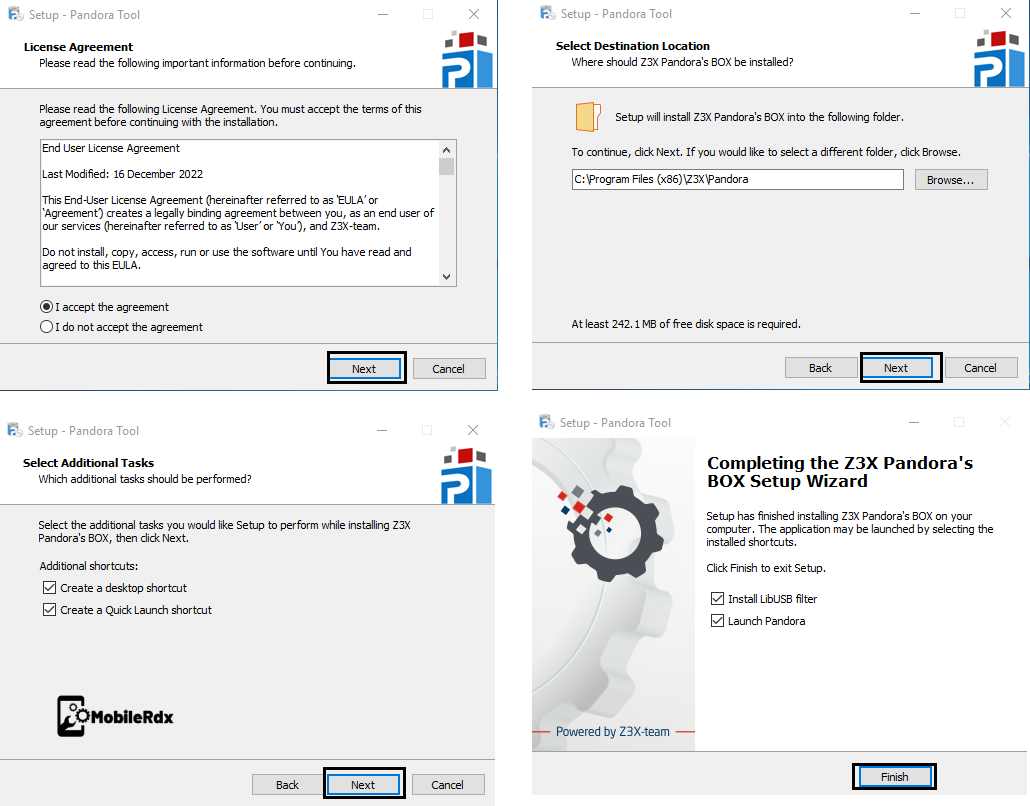
How to Install Pandora Tool PRO Setup
- Download the recent version of Z3X Pandora Box Pro V10.3.0 to your computer.
- Open the folder that you extracted
- Run the tool as an administrator.
- Now, install the tool on your computer.
- Pick the language you want and click OK.
- Mark “I agree to the terms” and click “Next.”
- Click “I’ve read and agree to the terms,” then click “Next.”
- Then click Next after selecting the “Create a desktop shortcut” box.
- Or, you can click Next, then Install, then Finish.
Frequently Asked Questions
The Pandora PRO Tool is a paid tool. After creating your account, you must contact the Z3X team or an authorized reseller to activate it before use.
Pandora Box supports MediaTek (MTK) devices plus Google Pixel models (Pixel 6 to Pixel 10 series), Xiaomi 17 series, Unisoc phones from Meizu and Inoi, and Infinix, Tecno and Itel FRP reset.
Yes. Pandora Box v10.0 Online introduced the first IMEI repair support for OPPO MTK devices, and the tool handles IMEI repair across supported MTK models.
No. The tool does not come with any credits. You activate the software for a small fee and then use it for supported operations.