Hello technicians, in this guide, we share the latest Octoplus Samsung Tool v5.1.6 setup with Exynos CPU FRP support and Samsung BIT security. It is the most used Samsung service tool for professional repair shops. It supports FRP removal, network unlocking, IMEI repair, and partition management for Exynos and Qualcomm Samsung devices.
The new v5.1.5 release adds support for Reset FRP on newer Samsung devices based on the Exynos 1580 and 1680 platforms, including the Samsung Galaxy Tab S10 FE (SM-X520). It also brings Samsung BIT support for additional operations. If you run a repair shop, Octoplus is one of the few tools that consistently work with the latest Android 16 security patches.
What is Octoplus Samsung Tool?
Octoplus Samsung Tool is a professional service and FRP bypass software for Samsung mobile phones and tablets. It is part of the Octoplus Box / Octopus Box family, which also includes Octoplus Huawei Tool, Octoplus LG Tool, and Octoplus FRP Tool. The tool requires an Octoplus dongle or activation to function, but it can also be used with server credits for specific operations.
Octoplus is widely used in GSM repair shops across India the Middle East, and Europe because it supports older Exynos devices that many other tools have dropped. It is also one of the first tools to add support for new security patches, which makes it a go-to choice for technicians who work on the latest Samsung flagships.
Key Features of Octoplus Samsung Tool
- Reset FRP for Exynos devices (extended support in v5.1.6)
- New Exynos 1580 and 1680 platform support
- Samsung BIT support for new operations
- Network / Carrier unlock on supported Samsung models
- IMEI repair for damaged or lost IMEI
- Read / Write firmware to phone via Download Mode
- Carrier relock on supported devices (v5.1.3+)
- Partition Manager for advanced users
- Support for Android 7.0 through Android 16
- Compatible with Octoplus Box, Octopus Box, and Octoplus Dongle

What’s New in v5.1.6?
The v5.1.5 update focuses on extending FRP reset support to Exynos-based devices that were previously unsupported. Key changes:
- Extended Reset FRP support for Exynos devices (Exynos Download Mode)
- New support for Exynos 1580 and Exynos 1680 platforms
- Samsung Galaxy Tab S10 FE (SM-X520) added to supported list
- Samsung BIT support for additional operations
- Improved stability on Android 16 devices with the 2026-07-05 security patch
- Bug fixes reported by users in v5.1.3 and v5.1.4
Supported Samsung Devices
Octoplus Samsung Tool supports a wide range of Samsung phones and tablets across multiple generations:
- Galaxy S Series – S SC-02B to latest S25 series
- Galaxy Note Series – Note 1 to Note 20 Ultra
- Galaxy A Series – A3, A5, A7, A10, A20, A50, A52, A54, A56, and newer
- Galaxy M and F Series – M31, M51, F41, F62, and newer
- Galaxy Tab Series – Tab S, Tab A, Tab Active, Tab S10 FE (SM-X520)
- Galaxy J Series – J2, J5, J6, J7, J8, and older
Download the latest version of the Octoplus Samsung Software V5.1.6 from here. It is a paid tool you no need activate or credit in-order to use the tool with your Samsung phone.
File Name: OctoPlus_Samsung_SoftwareV5..1.6.zip
File Size: 300MB
Type:.exe
Credit: OctoPlus Team
How to Install Octoplus Samsung Tool
1. Download the Octoplus Samsung Tool v5.1.5 setup from the official site or trusted mirror.
2. Disable antivirus temporarily—installers often trigger false positives.
3. Extract the ZIP file using WinRAR or 7-Zip.

4. Run the setup file as administrator.
5. Follow the on-screen instructions to install.

6. Install the Octoplus Box USB drivers if not already done.
7. Restart your computer after installation.
8. Connect your Octoplus Dongle to a USB port.
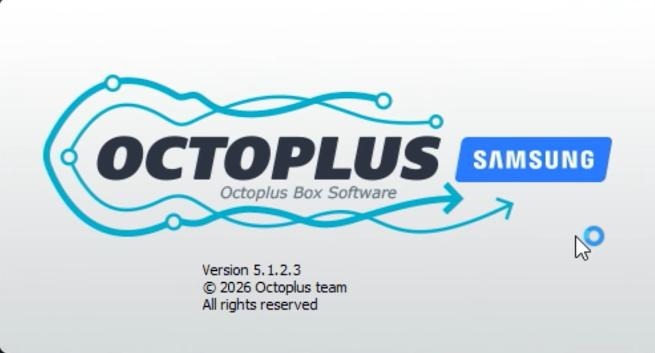
9. Launch the tool—it should detect your dongle automatically

How to Use Octoplus Samsung Tool for FRP Reset
- Put the Samsung device into Download Mode (Vol Down + Home + Power, or use cable method on newer devices).
- Connect the device to your PC using a good-quality USB cable.
- Open Octoplus Samsung Tool v5.1.5.
- The tool should detect your device and show model info in the top panel.
- Click the “Reset FRP” button or “Exynos Download Mode” for Exynos devices.
- Wait for the operation to complete — typically 2–10 minutes.
- Disconnect the device and reboot it normally.
System Requirements
- Windows 7 / 8 / 10 / 11 (32-bit or 64-bit)
- 2 GB RAM minimum (4 GB recommended)
- 1 GB free disk space
- USB 2.0 or higher port
- Octoplus Dongle or activated box
- Stable internet connection for server-based operations
- Original or good quality USB cable
Pros and Cons
| Pros | Cons |
|---|---|
| Wide device support including new Exynos 1580/1680 | Requires paid Octoplus Dongle or activation |
| Quick FRP reset — typically 2–10 minutes | Some operations use server credits |
| Works on Android 7.0 to Android 16 | Windows-only — no macOS or Linux support |
| Regular updates for latest security patches | Antivirus false positives during install |
| Professional-grade tool trusted by repair shops worldwide | — |
Frequently Asked Questions
The latest version is v5.1.6, released in August 2026. It adds extended Exynos FRP support and Samsung BIT support for newer devices.
No. Octoplus requires a paid dongle or activation. The software is free to download, but you need a license to use it.
Yes. The v5.1.6 release adds support for Android 16 devices with the 2026-07-05 security patch, including Exynos 1580 and 1680 platforms.
Octoplus Box and Octopus Box are the same product line. The tool was rebranded from Octopus to Octoplus but the brand is still used interchangeably. Both work with the same dongle.
Yes. Octoplus Samsung Tool supports IMEI repair on supported Samsung devices. This is one of its key features for professional repair shops.