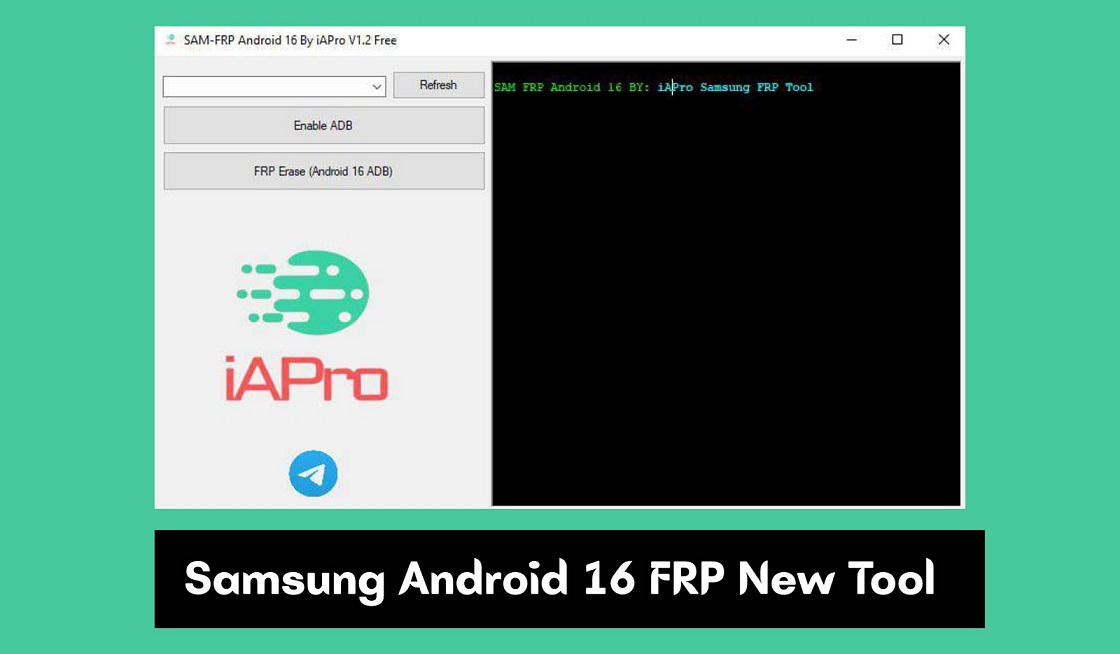
Download The Samsung Android 16 FRP New Tool V1.2, developed by the iAPro Team, is a new solution for mobile technicians and Samsung customers with Google Account locks. This tool will provide a much easier way for you to bypass the Factory Reset Protection (FRP) feature that now comes standard with the most up-to-date version of the Android operating system (version 16).
The Samsung Android 16 FRP New Tool V1.2 takes advantage of a recently identified vulnerability that was introduced in one of the last few Android security updates. It provides the ability to enable USB debugging via MTP mode and then allows the removal of the FRP lock from your device, all without requiring you to use any of the previously used, sometimes risky, methods, such as “flashing” and making firmware modifications.
Key Features
- Android 16 Support: Specially designed to work with the latest Android 16 updates, including the November security patch.
- One-Click Removal: The tool is designed to be processed in just a few clicks, making it accessible to even those without advanced technical knowledge.
- No Flashing Required: Not Like many other methods, this tool does not require you to flash firmware or downgrade the device, no risk of bricking the phone.
- Enter MTP Mode: This mode utilizes MTP to automatically enable ADB (Android Debug Bridge), which is the key to unlocking the device.
- Universal Tool: While built for Android 16, it reportedly works on older security patches as well.
Download Links
Click the link below to download the Samsung Android 16 FRP New Tool directly to your computer. It works like a champ on Samsung phones.
File Name: SAM_FRP_Android_16_By_iAPro_Team_V1.2
Size: 10Mb
Type:exe
Compatible OS: Windows (32-bit & 64-bit)
How This Tool Works
The conventional way to bypass FRP typically requires performing complex steps to fool the device into allowing a browser or settings to be opened. This tool makes the hardest part of that process easier to accomplish:
- Enable ADB via MTP: The tool uses MTP mode to send commands to the locked Samsung phone when it is connected to the computer, enabling USB debugging and allowing ADB access.
- Remove Lock: After ADB has been activated by the tool, it sends a command to wipe the FRP partition, which will unlock the device.
How to use the Tool
A step-by-step guide to FRP removal using the Samsung Android 16 FRP New Tool V1.2, is very simple according to the release notes.
- Connect your Samsung device to a computer via a USB cable while the device is turned on.
- The device needs to be connected to the computer at this point and be on the FRP lock screen.
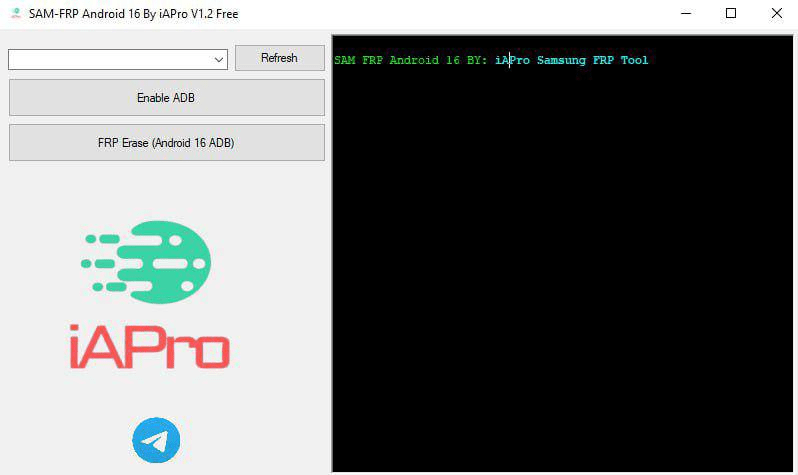
- Start the Samsung Android 16 FRP New Tool V1.2 and click “Enable ADB,” then wait until the connection is established with the device.
- After the connection has been made, click “FRP Erase”, and the phone will automatically restart and remove the Google lock from the device.
Note: Use this tool only for the correct reasons (i.e., when you forget your password or for an authorized mobile repair service). Ensure that you are authorized to unlock a device before proceeding.
Disclaimer: This information is provided for educational purposes only; modifying software on your device may void the warranty of your device and may pose other risks.
Frequently Asked Questions (FAQs)
Q: Does it work on the latest update?
A: Yes, it supports Android 16 and the November security patch.
Q: Do I need internet on the phone?
A: No, only your PC needs an internet connection.
Q: Is flashing required?
A: No, this tool works without flashing firmware.
Q: Will I lose my data?
A: Yes, unlocking FRP will erase all user data.
Q: Is it safe to use? A:
Yes, it uses official ADB commands and is safe for the hardware.