
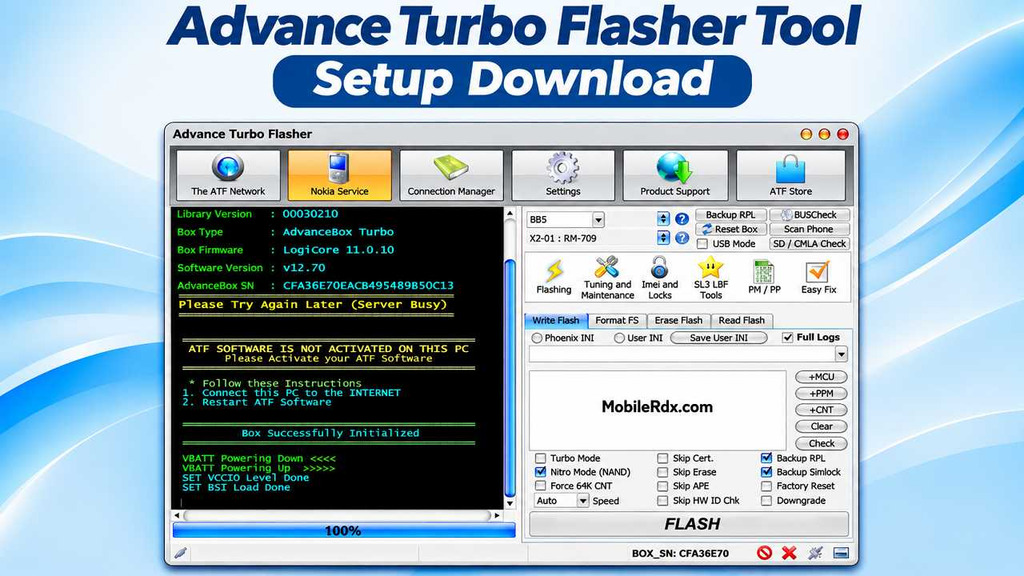
If you are a mobile phone repair technician working with older Nokia phones, the Advance Turbo Flasher (ATF) Tool is a useful servicing solution. It is designed to help technicians flash firmware, repair software-related problems, read device information, and perform supported Nokia servicing operations.
In this post, you can learn about the Advance Turbo Flasher Tool v12.70, its main features, installation process, supported platforms, and USB driver requirements. We have also included important information to check before using the ATF Box with your computer.
What is Advance Turbo Flasher Tool?
Advance Turbo Flasher, also known as ATF Box, is a professional mobile servicing tool primarily developed for Nokia mobile phones. It works with dedicated ATF hardware to perform firmware flashing, unlocking, maintenance, and selected repair operations.
The tool supports several legacy Nokia platforms, including BB5, DCT4, and selected newer Nokia platforms supported by its software and hardware.
ATF v12.70 is an older software release that was introduced on March 31, 2017. It remains useful for technicians who maintain compatible legacy Nokia devices, but it should not be considered a modern Android servicing tool.
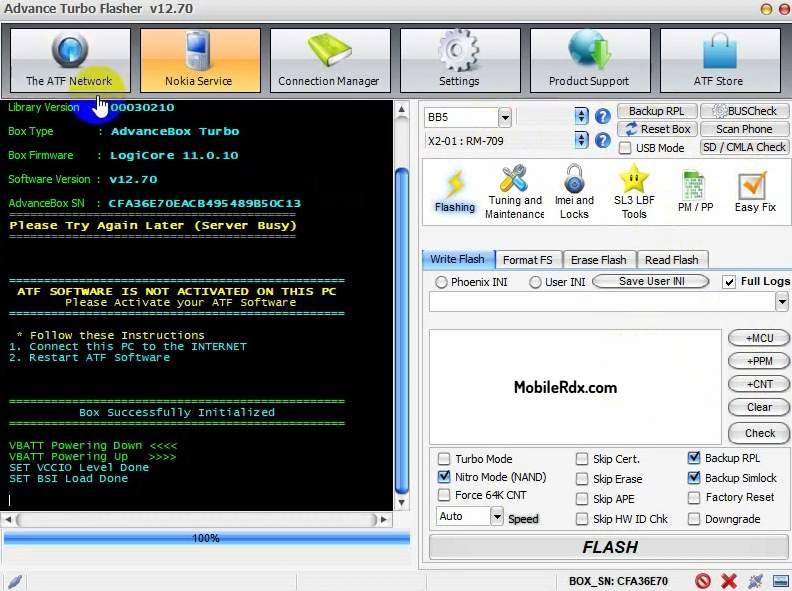
Advance Turbo Flasher v12.70 Features
Here are some of the important functions available in the ATF software.
1. Nokia Firmware Flashing
- Flash supported Nokia mobile phones.
- Reinstall compatible stock firmware.
- Support for selected new-protocol devices.
- Dead USB flashing on supported models.
- High-speed F-Bus flashing.
2. Nokia Phone Unlocking
- Supported SL1 and SL2 SIM-lock operations.
- Selected SL3 code-based unlocking support.
- RPL-based SIM-lock operations on compatible devices.
- Supported lock and security maintenance functions.
3. Repair and Maintenance
- Super Dongle Key repair on supported models.
- Factory reset operations.
- Production data editing.
- Warranty data editing where supported.
- Life timer read, reset, and write functions.
4. Additional Functions
- Read and write camera configuration.
- Permanent Memory (PM) read and write.
- Supported IMEI and security-related servicing.
- Device information reading.
- Various Nokia software maintenance operations.
Note: Available functions depend on the phone model, firmware version, security level, ATF hardware, and activation status.
Download Advance Turbo Flasher Tool v12.70
Below is the software information for technicians looking for the ATF Box v12.70 setup package.
| File Information | Details |
|---|---|
| Software | ATF Box Setup |
| Version | 12.70 |
| Package | Full Installer |
| File Format | EXE / ZIP |
| Driver | ATF USB Driver |
| Operating System | Windows |
Download and reference links:
- ATF v12.70 release discussion: https://forum.gsmhosting.com/vbb/f609/atf-v12-70-update-public-discussion-thread-2210162/
- ATF software V12.70 : Download
How to Install Advance Turbo Flasher v12.70
- Download the Advance Turbo Flasher v12.70 setup file.
- Extract the downloaded ZIP or RAR package.
- Run the setup file as administrator.
- Follow the installation instructions.
- Install the required ATF USB drivers.
- Connect the ATF Box to your computer using a USB cable.
- Open the ATF software as administrator.
- Check where the software detects your ATF Box.
- Verify the activation and connection status.
- Select your Nokia device model and start the required servicing operation.