If you work with Android phones and need a tool that bypasses MTK auth, removes FRP, and handles multiple chipset platforms without a paid license, Android Utility Tool V200 is worth keeping on your PC. Developer Mofadal El-Tayeb built it for MediaTek, Qualcomm, and Spreadtrum devices — and it works without a smart card.
What Is Android Utility Tool?
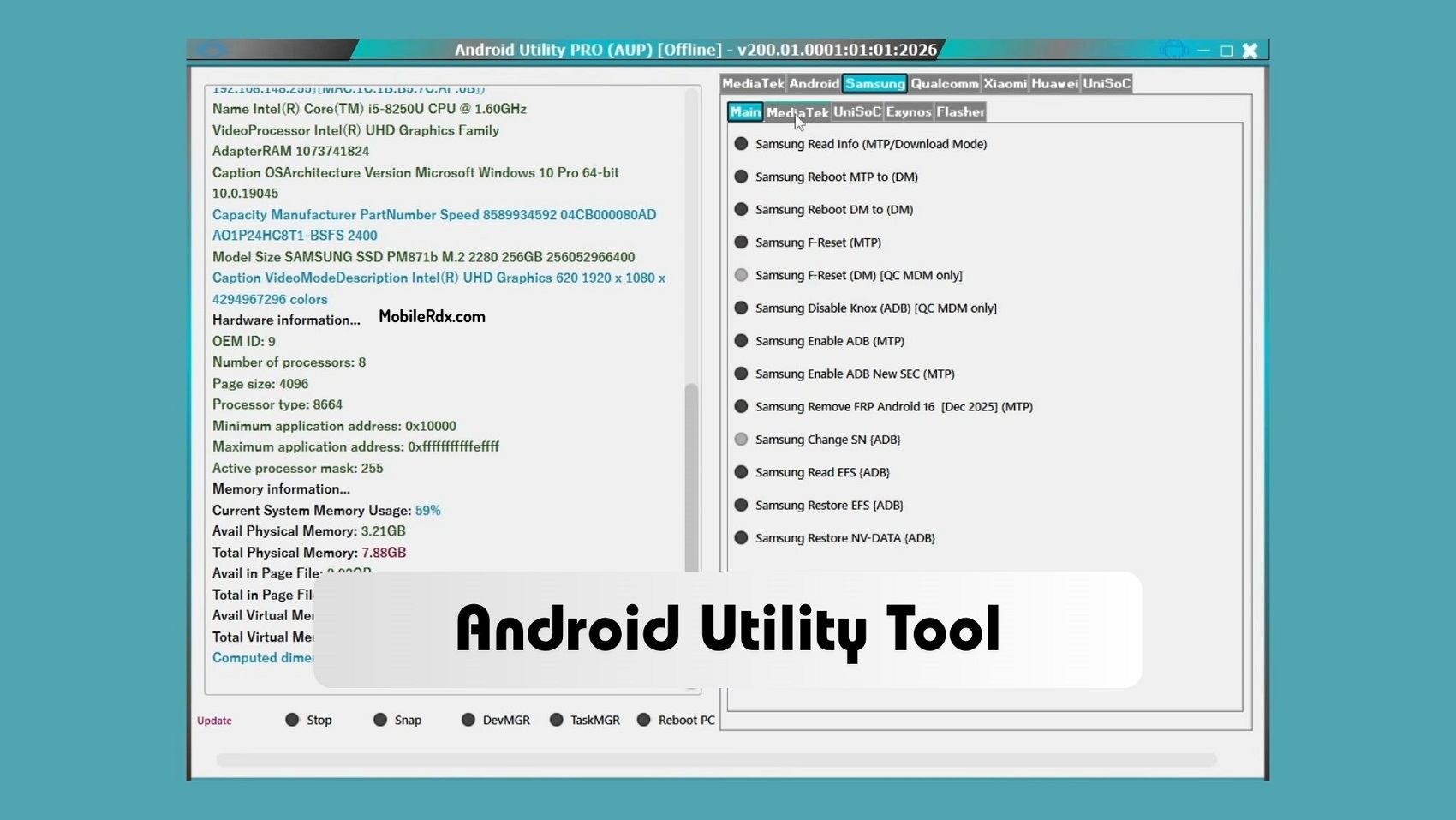
Android Utility Tool, also known as Android Utility Pro V200, is a free Windows-based Android servicing software. It allows technicians to bypass MTK DAA and SLA authentication (Secure Boot protection), remove FRP locks, format partitions, factory reset devices, and reset pattern or PIN locks on MTK, Qualcomm, and SPD-based Android phones. The tool works offline in its latest v200 release, so no internet connection or server verification is needed.
New Update in Android Utility V200
The v200 update brings several important additions and improvements:
- Samsung MTP FRP Bypass for Android 16 (2025 security patch)
- Enhanced Security Key Decoder
- Infinix, Tecno, iTel ADB-enable option via META MODE
- Samsung Galaxy A24 4G (SM-A245F) Helio G99-V6 FRP removal via BROM mode (up to Bit 8)
- MTK META Repair support
- Motorola SPD Read/Write and FRP Reset
- Motorola UniSoc Dump support
- Xiaomi 14c/15c RAM check option — works without DA file
- Fully offline build — no internet required
- Minor bug fixes and stability improvements
Key Features of Android Utility Tool
MTK Auth Bypass: Bypass DAA/SLA protection on MediaTek smartphones for free. Boot devices in BROM and Preloader mode to perform repairs, unlock, and flash firmware.
FRP Bypass: Remove Google FRP (Factory Reset Protection) on Samsung, MTK, Huawei, Qualcomm, and other Android devices. Supports Android 9 to Android 16.
Multi-Chipset Support: Works with MediaTek (MTK), Qualcomm (Qcom), and Spreadtrum (UniSoc/SPD) chipsets covering most Android brands in the market.
Bootloader Unlock: Unlock bootloader on supported devices for custom ROM flashing and advanced modifications.
Factory Reset and Format: Perform factory reset and format operations on locked or pattern-protected devices.
META Mode Utility: Detect Oppo, Vivo, Tecno, Xiaomi Redmi, Infinix, and other MTK phones in META mode for flashing and repair via SP Flash Tool, Miracle Box, UMT, MRT, and other dongles.
Offline Operation: The v200 build works completely offline with no online verification, no login, and no server check required.
Easy User Interface: Clean and simple UI. Select your desired function and follow the on-screen instructions to connect the phone to the PC.
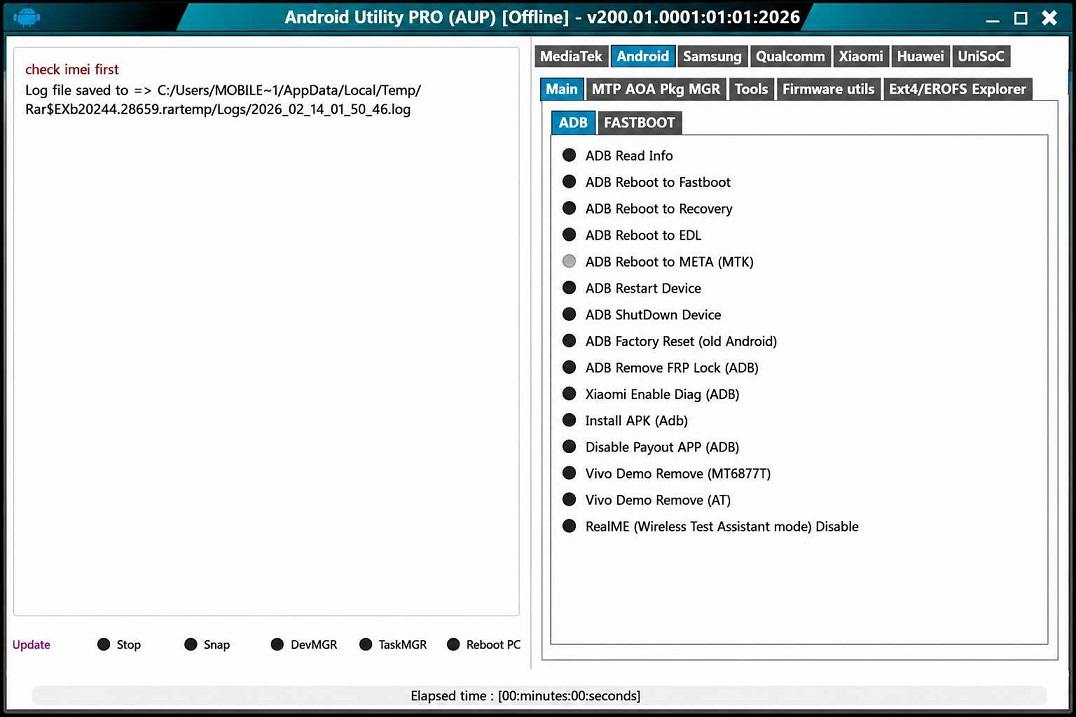
Supported Brands
- Samsung — FRP bypass via MTP and BROM mode (Android 9 to 16)
- Xiaomi / Redmi — MTK and Qualcomm models
- Oppo / Vivo / Realme — MTK META mode support
- Tecno / Infinix / iTel — ADB enable via META MODE
- Motorola — SPD Read/Write and FRP Reset
- Huawei — FRP removal on supported models
- Qualcomm devices — EDL mode operations
- Spreadtrum (UniSoc) devices — Dump and repair
System Requirements
- Windows 7, 8, 8.1, 10, 11 (32-bit or 64-bit)
- 2 GB RAM minimum (4 GB recommended)
- 500 MB free storage space
- USB port for device connection
- Samsung USB Drivers / MTK USB Drivers / Qualcomm Drivers installed
- .NET Framework 4.5 or higher
- WinRAR or 7-Zip for extracting files
Download Android Utility Tool V200
Download the latest Android Utility Tool V200 setup below. Extract the zip file using WinRAR and run the application as Administrator.
| Tool Name | Android Utility Tool V200 |
| File Name | AndroidUtility.v200.zip |
| File Size | 260 MB |
| Type | Free / No Smart Card Required |
| Developer | Mofadal El-Tayeb |
| Compatible | Windows 7/8/8.1/10/11 |
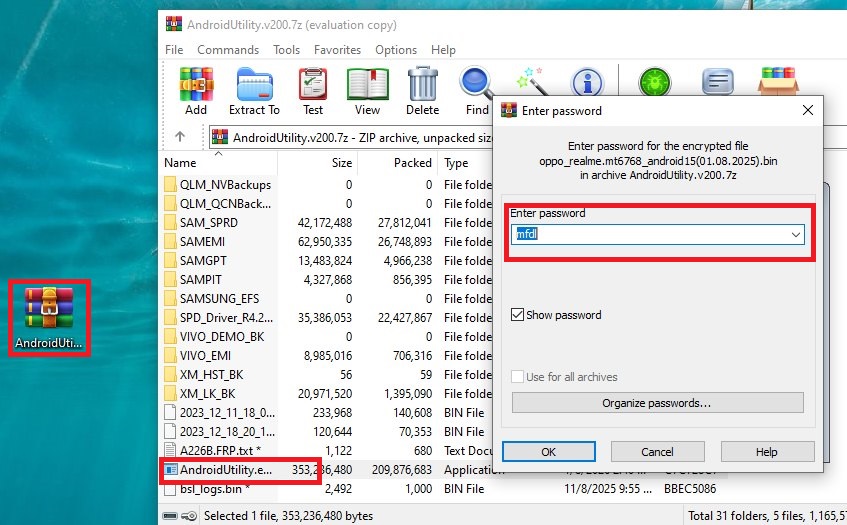
| Password | mfdl |
Caution: Bypassing FRP locks on stolen devices is illegal. This guide is for educational purposes only and for technicians repairing devices with proper authorization.
How to Use Android Utility Tool
Follow these steps:
- Download and extract the Android Utility V200 zip file using WinRAR.
- Use extraction password: mfdl
- Install the required USB drivers (Samsung, MTK, or Qualcomm) based on your device.
- Run AndroidUtility.exe as Administrator (right-click → Run as Administrator).
- Select your device chipset tab: MTK, Qualcomm, or SPD.
- For FRP bypass on Samsung: Click the FRP Bypass option and select Samsung Android 16.
- Connect your phone to PC via USB cable in the required mode (Download Mode, MTP, or BROM).
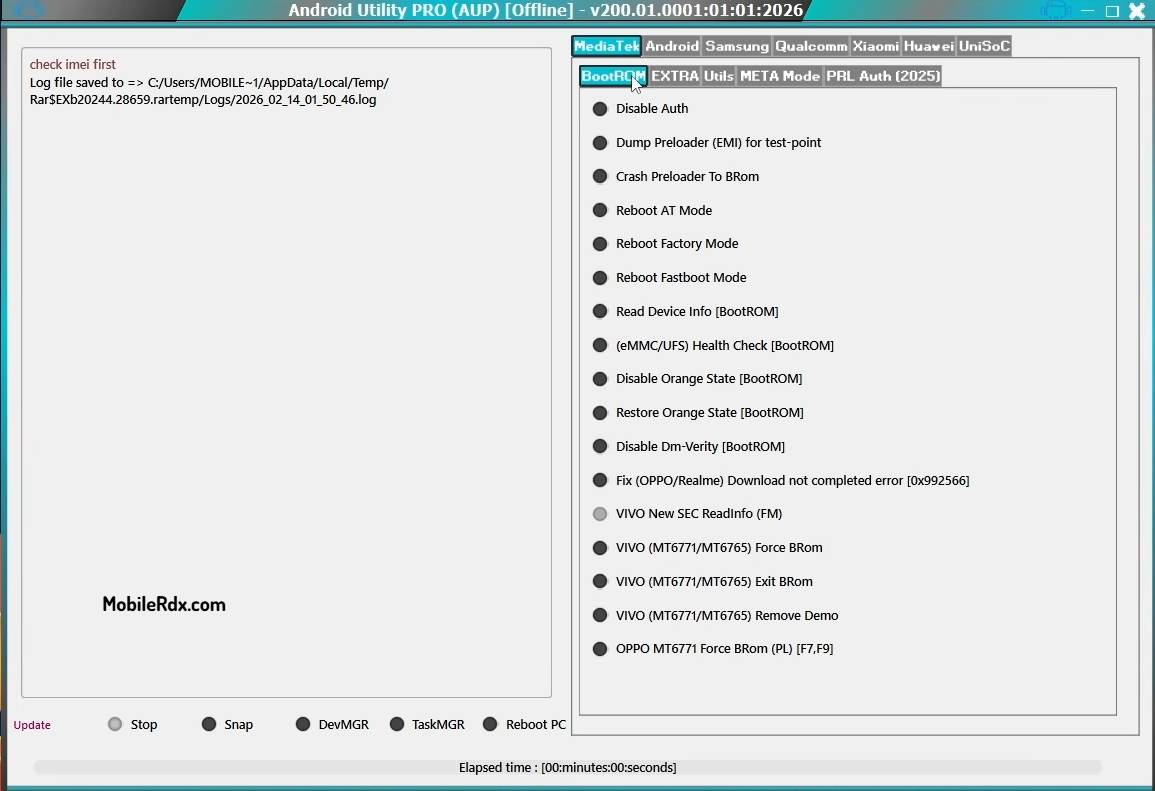
- Wait for the tool to detect the device and follow on-screen instructions.
- The process will complete automatically. The phone will restart once finished.
- Disconnect the phone and set it up with a new Google account.
Troubleshooting Common Issues
Device Not Detected: Install correct USB drivers. Try a different USB cable or port. Run the tool as Administrator.
BROM Mode Not Working: For MTK devices, press Volume Up + Volume Down while connecting USB. Use the Force BROM option if available.
FRP Still Locked: Ensure the device runs Android 16 on the latest security patch. Some newer patches require an updated tool version.
Frequently Asked Questions
Yes, it is completely free. No license or smart card required.
Yes, v200 includes Samsung Android 16 FRP bypass via MTP mode.
The password is: mfdl
Yes, the v200 offline build works without any internet connection.
MediaTek (MTK), Qualcomm, and Spreadtrum (UniSoc/SPD).
Download the No Smart Card Edition (v200.R2). No dongle required.
Final Thoughts
Android Utility Tool V200 is a free tool that handles MTK Auth bypass and FRP removal on Samsung, Xiaomi, Oppo, Vivo, Tecno, and Infinix devices. The v200 build works offline — no internet check, no server login. Keep it in your toolkit for quick Android repairs.