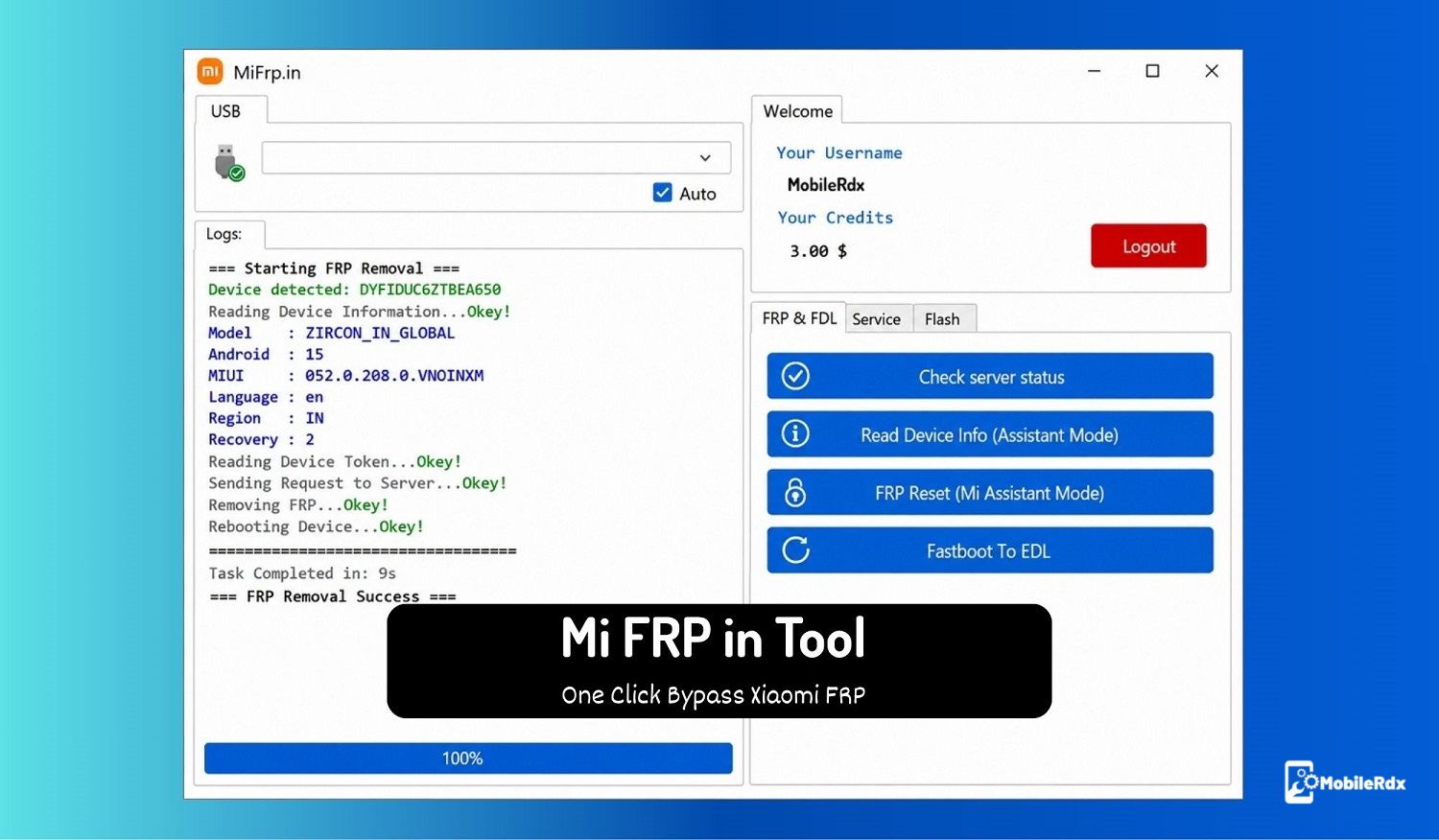
Stuck with a Xiaomi, Redmi, Mi, or Poco phone locked on Google verification? The Mi FRP in Tool is a credit-based online service that clears FRP with a single click — no complex manual steps, no multiple software. Just connect the phone, pick the operation, and let the server do the work.
What is Mi FRP in Tool?
Mi FRP in Tool is an online credit-based Windows utility developed for direct FRP unlock and repair of Xiaomi, Redmi, Mi, Poco, and Realme devices. It works through official auth servers, so you don’t need any box or dongle — just a Windows PC, an internet connection, and credits in your account.
The tool handles FRP bypass through Mi Assistant mode, FDL mode entry, bootloader unlock, EDL services, and Fastboot mode operations. With the latest updates, it also covers Realme MTK, Qualcomm, and SPD devices for Google account lock removal through the official auth server.
Key Features
- One-click FRP bypass for Xiaomi, Redmi, Mi, and Poco devices
- Realme, Oppo, and OnePlus factory reset + FRP support
- Enter FDL mode, read device info, and unlock bootloader
- EDL services access through Mi sideload or Fastboot mode
- MTK BROM bypass for Realme devices
- Reset Mi Cloud and erase Google account lock
- Flash official stock firmware and format user data
- Regular updates with new models and bug fixes
- Simple interface — works for beginners and pros
Download Mi FRP in Tool
Download the latest Mi FRP in Tool setup for Windows below. This version supports Windows 8, 10, and 11 (32-bit and 64-bit).
| Tool Name | Mi_FRP_in.exe |
| Version | v5.3 (Latest) |
| File Size | ~10 MB |
| Type | Credit-based Paid |
| Compatible OS | Windows 7 / 8 / 10 / 11 (32-bit & 64-bit) |
| Internet | Required |
What’s New in v5.3
- Xiaomi Mi Assistant mode FRP unlock added
- Realme / OnePlus / Oppo factory reset + FRP support
- Improved server response and stability
- Bug fixes and new model support
How to Use Mi FRP in Tool
Follow these steps to set up and start unlocking with Mi FRP in Tool:
1. Download and extract the setup using WinRAR or 7-Zip.
2. Disable antivirus/Windows Defender temporarily — it may block the tool.
3. Run MiFRp.exe as Administrator.
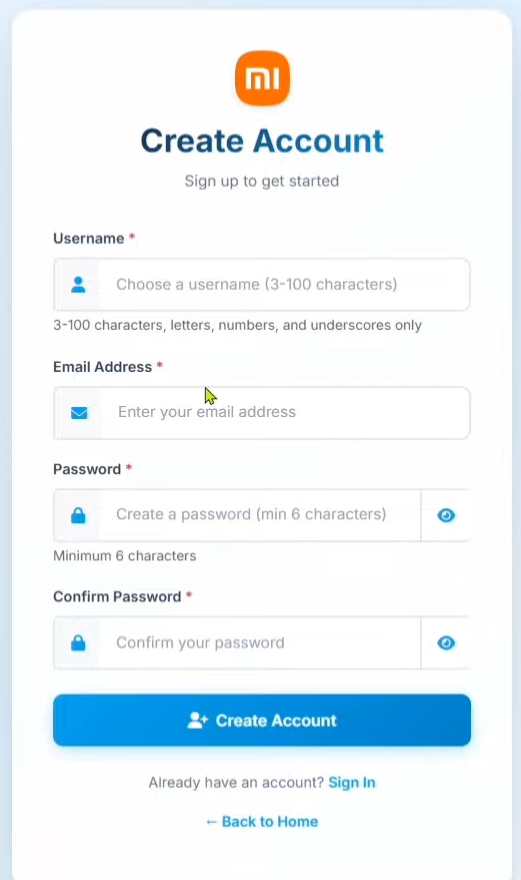
4. Click Register for a new account in https://mifrp.in/auth/register.php, or log in with your email and password.
5. Check the server status before buying credits.
6. Purchase credits from the official team or an authorized reseller.
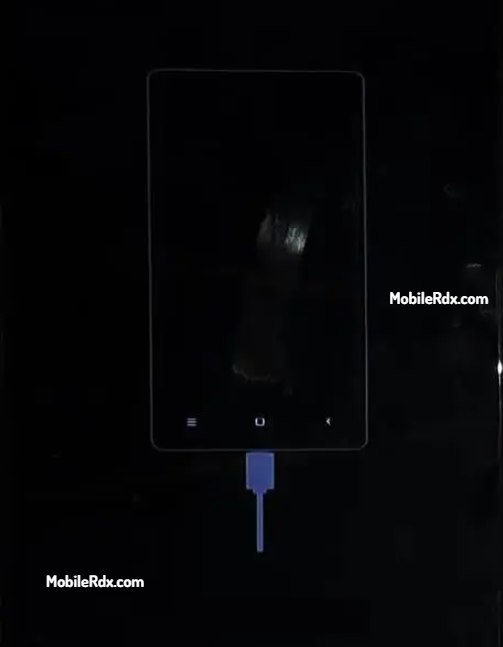
7. Connect your Xiaomi phone via USB in Mi Assistant mode.
8. Go to the FRP/FDL tab in the tool.
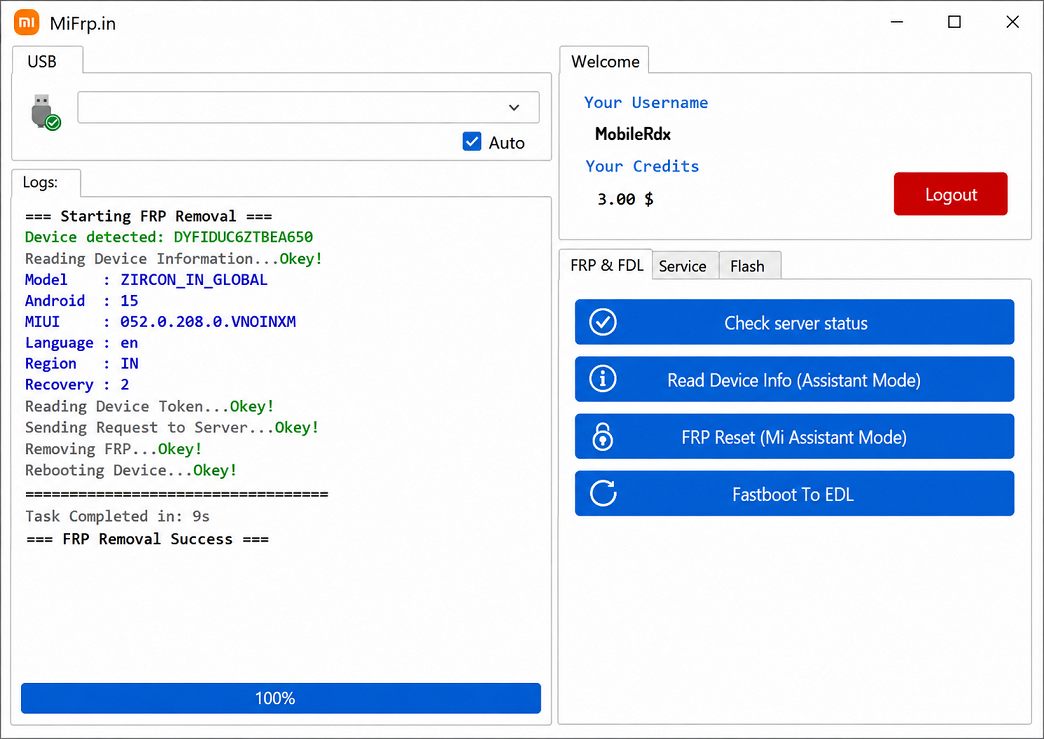
9. Select the operation — FRP Reset, Read Info, or Flash.
10. Wait for the server to finish. The phone restarts automatically after FRP reset.
System Requirements
- OS: Windows 7 / 8 / 10 / 11 (32-bit or 64-bit)
- Internet: Required for login, credits, and server operations
- Drivers: USB drivers for MTK, Qualcomm, or Spreadtrum chipsets
Final Thoughts
Mi FRP in Tool is a practical credit-based option for Xiaomi and Realme FRP jobs. The one-click workflow saves time compared to manual methods, and the live server status keeps you from wasting credits. Always check the server status before buying credits, and only use the tool on devices you own or have authorization to service.
Frequently Asked Questions
The tool download is free, but it is a credit-based service. You need to purchase credits to unlock FRP or use server operations.
It supports Xiaomi, Redmi, Mi, Poco, and Realme devices. Recent updates also added Oppo and OnePlus factory reset plus FRP support.
No. It works through official auth servers over the internet. You only need a Windows PC, USB cable, and credits in your account.
Boot the phone into Recovery, select “Connect with Mi Assistant”, connect USB, then in the tool choose FRP Reset (Mi Assistant Mode). The phone restarts automatically when done.