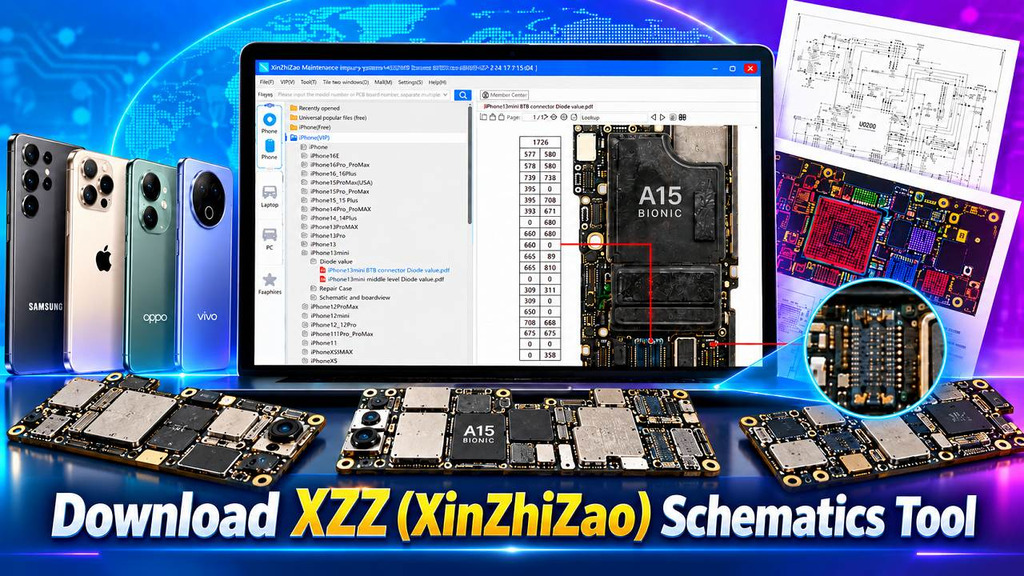
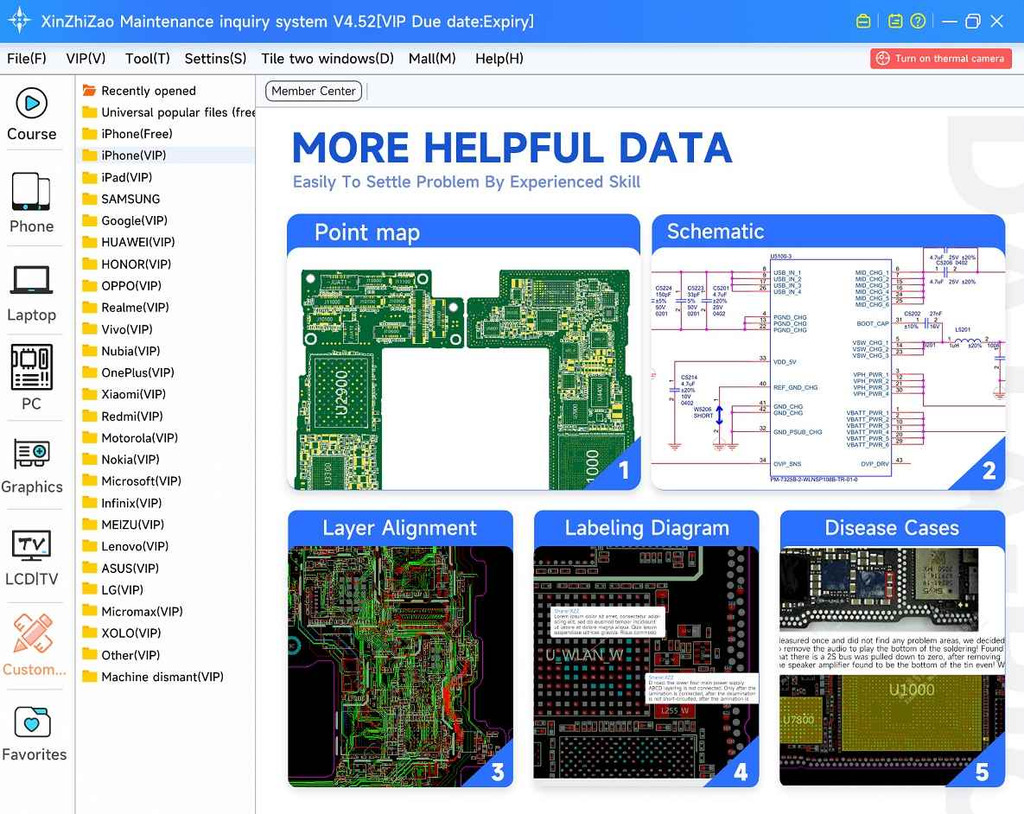
XZZ (XinZhiZao) is a simple and useful Windows program for technicians who service mobile phones and laptops. It helps you to easily check circuit schematics, PCB layers, and board views and handle repair cases. If you are looking for a way to trace a circuit, find the position of a component or verify diode values on a board, you can use this tool to repair phones and laptop easily.
This tool includes important features for repairs at board level. It also lets you look at schematics and the board simultaneously using two windows and store repair notes in the cloud and check instant resistance values for new models. Key features are detailed below.
What is XZZ (XinZhiZao) Schematics Tool?
XZZ (Xin Zhi Zhao) is a system for routine maintenance queries produced by ChinaFix. It is one of the world’s biggest databases for repair at the component level for electronics, including smartphones, tablets, laptops, graphics cards, monitors, motherboards, as well as consoles like Nintendo and drones.
XZZ (XinZhiZao) Schematics uses a cloud-based database to provide access to a large collection of mobile repair schematics and technical information. After registration, users can enjoy a 3-day free trial. You can create an account for free, while VIP activation provides full access to the available schematic library. The database is updated frequently, with new schematics and repair data added almost every day.
Key Features of the XZZ Schematics Tool:
- Schematic diagrams and circuit references for board-level repair
- PCB layer viewing for board structure analysis
- Easy model and schematic search
- BoardViewer and bitmap data for component location
- File search with fuzzy query support
- Maintenance marking with cloud-saved notes
- Double display — schematic and BoardViewer side by side
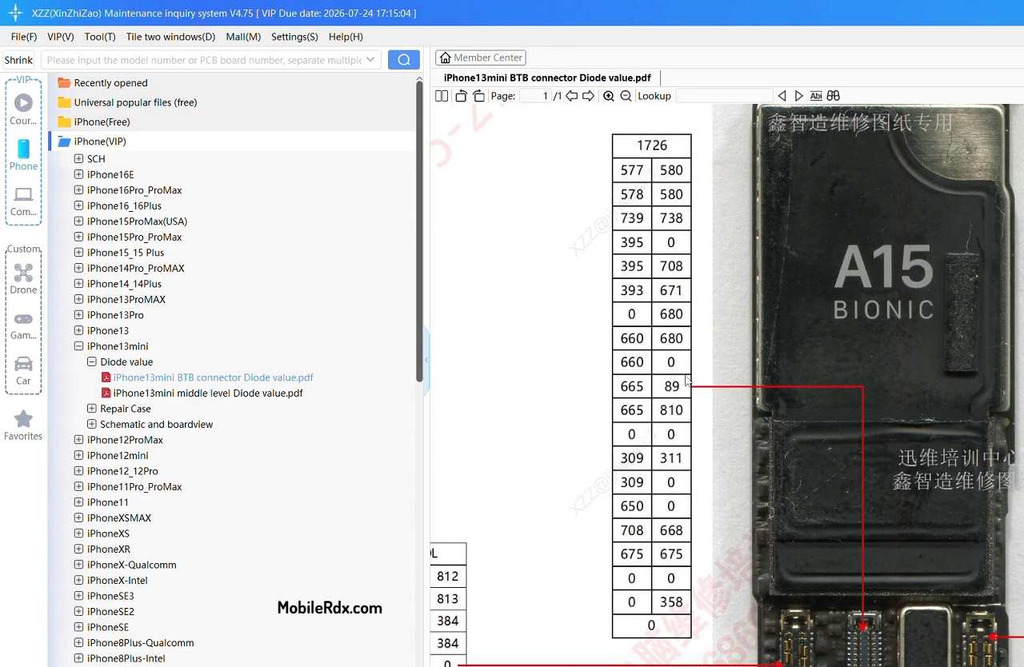
- Diode value check for component testing
- CPU, eMMC, UFS and memory-related information
- IC and component identification
- BoardView and PCB-related information
- One-click resistance values for new models
- Repair case database for fault analysis
- Useful for mobile technicians and hardware repair professionals
- Large library of mobile phone schematics
- Multi-language support — 11 languages including Spanish, Portuguese, Korean, and Japanese
- Windows and macOS support
- Free registration + 3-day trial

Supported Devices:
Smartphones:
The likes of iPhone, Samsung, Xiaomi, OPPO, Vivo, Honor, Realme, Huawei, OnePlus, Pixel from Google, Motorola, Sony, ZTE, Nokia, Lenovo, Tecno, Infinix and Itel
Laptops:
Apple MacBook, Lenovo, Dell, HP, Samsung, and more.
Extra Modules:
Graphics cards, monitors, motherboards, servers, drones, and game consoles (Nintendo) through separate modules.
Download XZZ Schematics v5.0.6
Download XZZ Schematics v5. 0. 6 from the link below or globalwmdang.com and get a free 3-day trial, download the installer, and register immediately to start using right away.
| Software Name | XZZ Schematics (XinZhiZao) |
| Version | v5.0.6 |
| Platform | Windows, macOS |
| Developer | ChinaFix |
| License | Free registration + 3-day trial; VIP activation for full access |
| VIP Price | ~$35.9/year (1 account) via official resellers |
| Account Types | 1 user and 3 Users options |
| Main Uses | Schematics, PCB Layers, Boardview, Bitmaps, Repair Cases |
How to Install and Activate XZZ Tool:
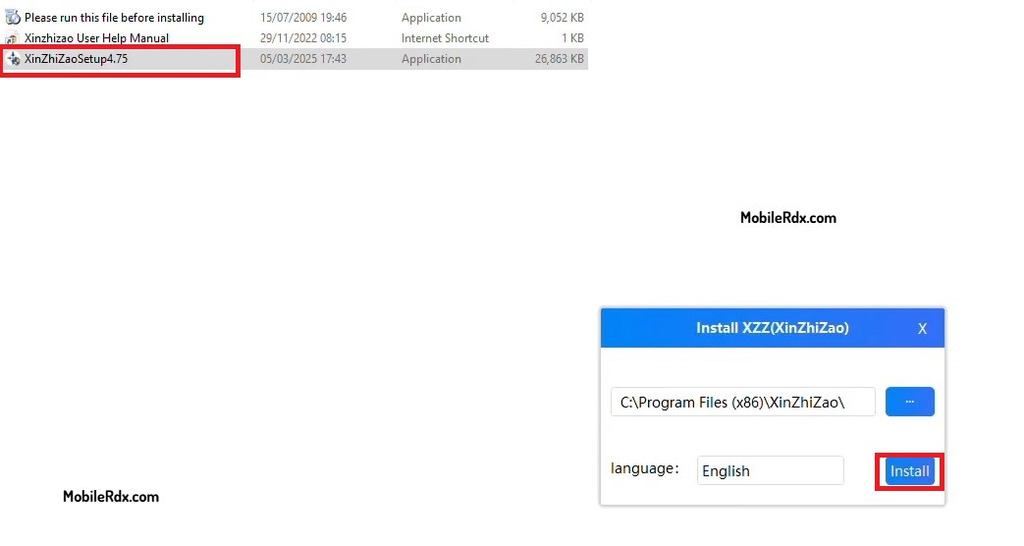
- Download the XZZ Schematics installer from the Adobe link.
- Run the setup and complete the installation.
- Open the tool and register for a free account—registration is free.
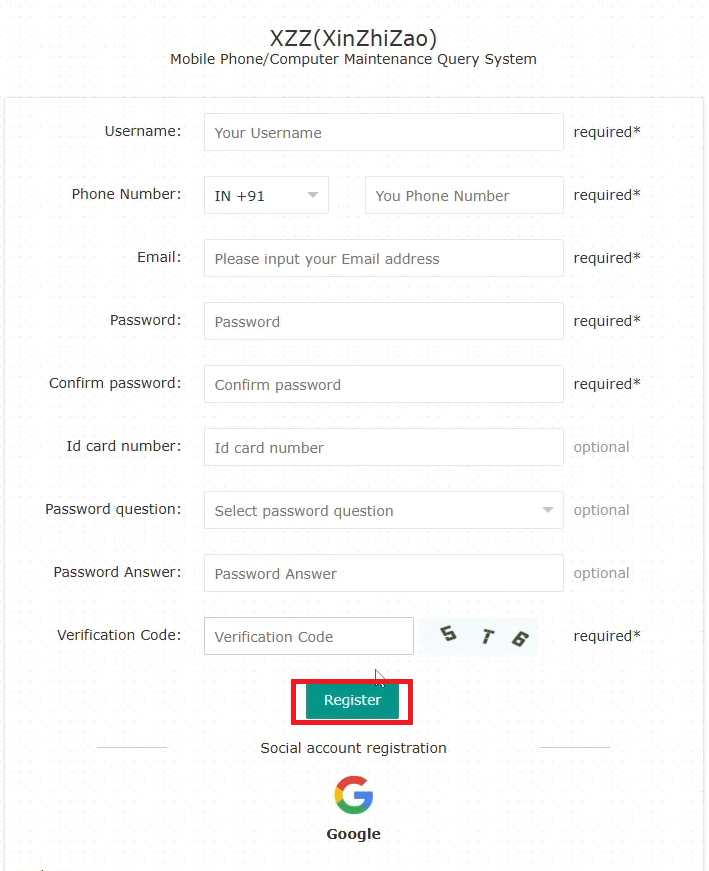
- Also, you can use a Google account to register
- Login with your account to start the 3-day free trial.
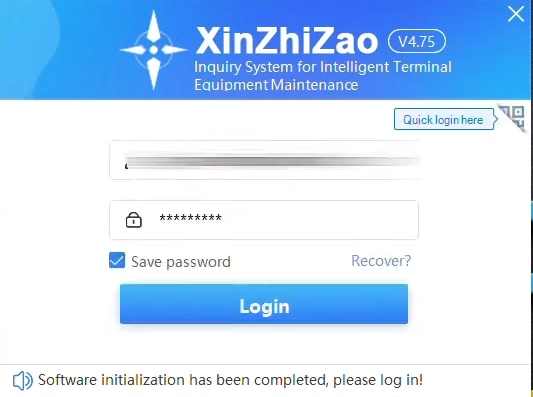
- For full access, buy a VIP activation code from an official reseller.
- Run XinZhiZao software and login to your account.
- Go to the Activation Code tab and enter the code you received.
- Your VIP access activates and the full library opens.
How to Use XZZ for Board Repair:
- Open the search bar and type the model name or board number — fuzzy search works with partial names.
- Select the device from the results and open the schematic.
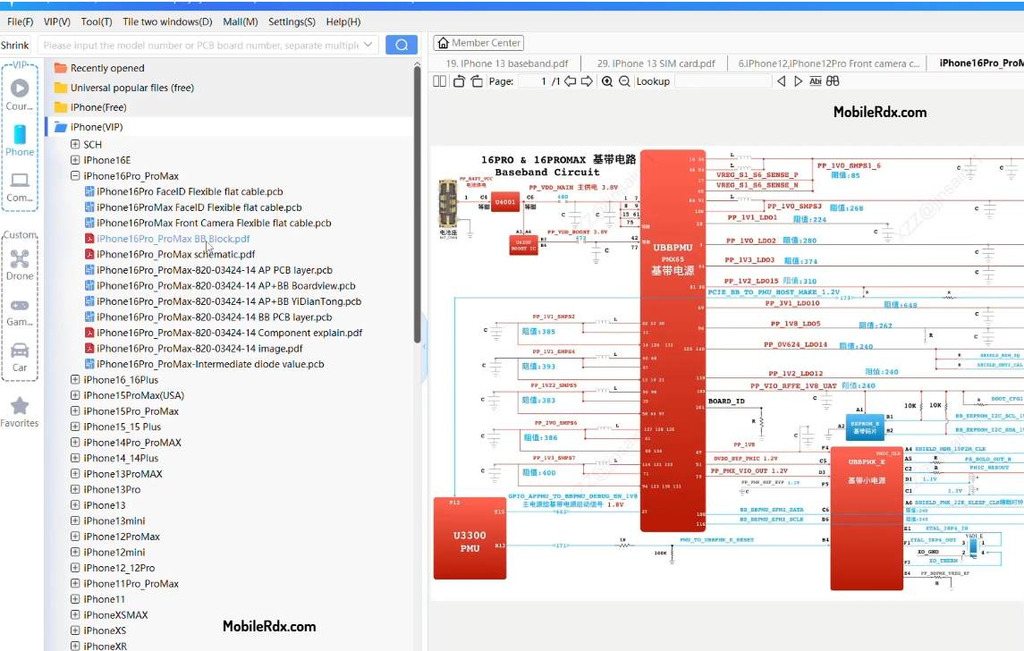
- Use the double display mode to view schematic and BoardViewer together.
- Click on a component in the boardview to locate it in the schematic.
- Switch PCB layers to trace lines across the board structure.
- Check diode values on components before measuring on the real board.
- Use the marking feature to save repair notes to your account.
- Check the repair case database for known faults on that model.
Common Problems and Fixes:
- Antivirus flags the tool: the software passed Windows security certification—add it to the trust list or temporarily disable the antivirus.
- Trial expired: buy a VIP activation code or refer a friend through the affiliate link for free VIP days.
- PDF export not working: PDF saving is limited on some accounts — take a screenshot of the section you need instead.
- Model not found: check the board number (like 2AC266-0) instead of the marketing name — the database indexes by board code.
Frequently Asked Questions
XZZ (XinZhiZao) is a maintenance query system by ChinaFix. It gives repair technicians access to schematic diagrams, PCB layers, boardviews, bitmap data, diode values, and repair cases for phones, tablets, laptops, and more.
Registration is free and you get a 3-day trial. Full access needs a VIP activation — around $35.9 per year for one account, available through official resellers with 1-user and 3-user options.
It covers iPhone, Samsung, Xiaomi, OPPO, Vivo, Honor, Realme, Huawei, OnePlus, Google Pixel, Motorola, and more, plus laptops from Apple, Lenovo, Dell, and HP, along with graphics cards, monitors, drones, and game consoles.
The developer pushes updates almost daily. Recent additions include Xiaomi 17 Ultra, Find X8 Ultra, Honor Magic 8, and realme V70 board data with one-click resistance values.
Buy an activation code from an official reseller, run the software, login to your account, go to the Activation Code tab, and enter the code you received by email.