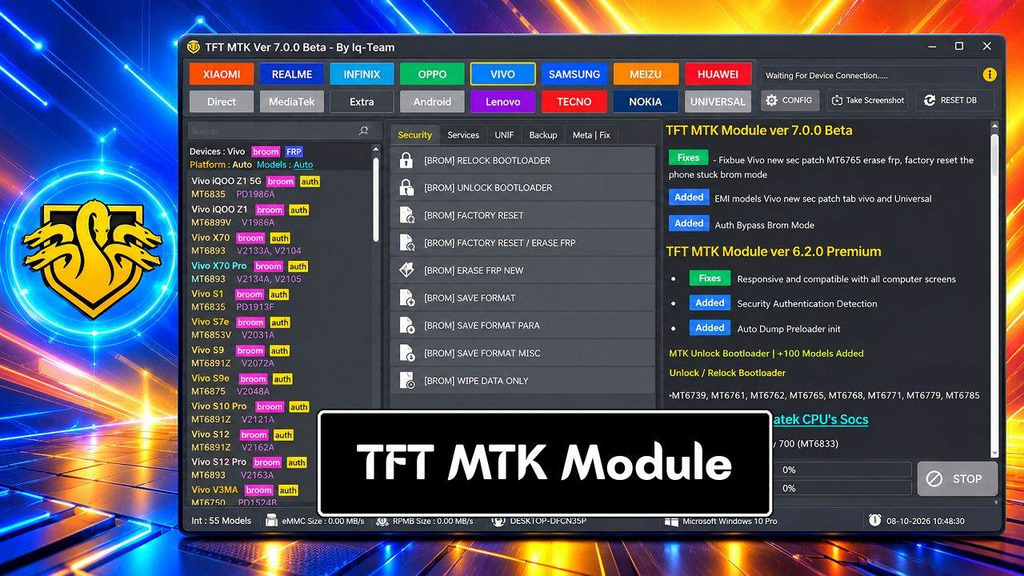
TFT MTK Module Tool is a free Windows-based mobile repair tool mainly for MediaTek (MTK) Android smartphones. that helps users to erase FRP, remove pattern password pin, format, factory reset, erase Vivo demo mode, unlock bootloader, unlock Mi lock, and bypass auth through Flash/MTP/USB VCOM mode. If your phone stuck at the FRP verification screen and don’t want to use any paid or third-party unlock tool, then follow these simple steps and download the TFT MTK Module V5.06 latest version; this will help you unlock the phone for free.
What Is TFT MTK Module
The TFT MTK Tool Module is designed for Android phones using MediaTek (MTK) chips. It supports a wide range of Android versions, including Lollipop 5.0, Marshmallow 6.0, Nougat 7.0, Oreo 8.0, Pie 9. 0, and Q 10. 0, Android 11,12 and Android 13 on devices that support it.
This module can be used for various service and software repair work on compatible phones of different models and chipsets. However, the specific functions available depend on model, chipset, firmware version and security patch level. If you also work with broader Android servicing jobs, check our TFT Unlock Tool latest setup for another repair option.
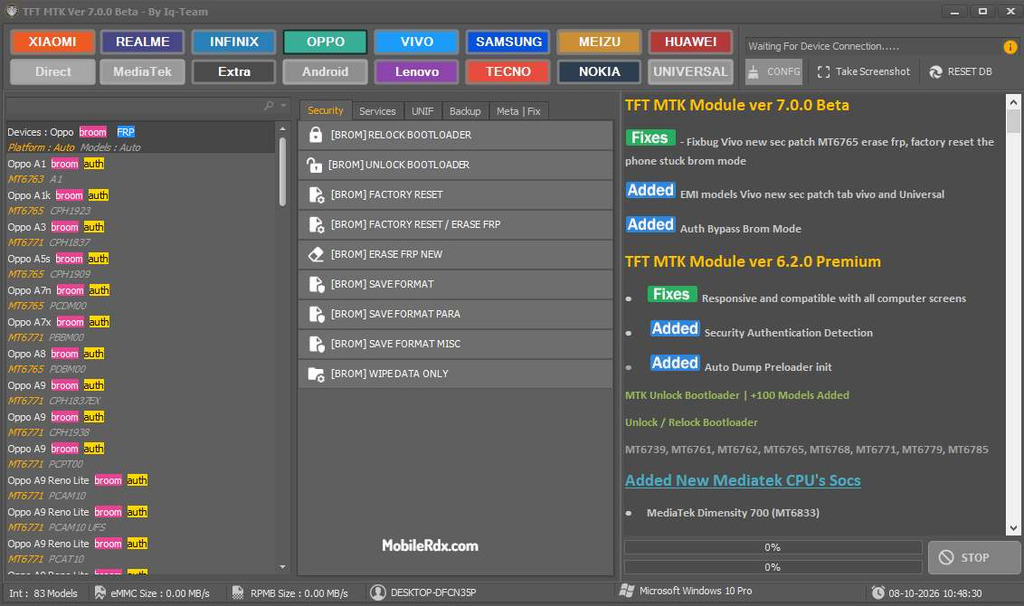
TFT MTK Module Features
- Read detailed device information
- Detect MediaTek chipset and device status
- Support MTK BROM and Preloader modes
- FRP servicing on supported MTK devices
- Factory Reset and user-data reset
- Bootloader Unlock and Relock
- Read and erase supported partitions
- Partition backup and restore
- Boot and Vbmeta backup functions
- Preloader read and backup
- NVRAM backup and restore
- NVDATA backup and restore
- RPMB-related operations on supported devices
- Firmware and dump-related functions
- Device information and hardware identification
- Support for various MediaTek chipsets
- Support for selected Xiaomi, Redmi, Oppo, Realme, Vivo, Tecno, Infinix, itel and other MTK devices
- Simple interface for mobile repair technicians
- Regular updates with new device and chipset support
Supported MediaTek Chipsets
TFT MTK Module is designed for Android devices powered by MediaTek, but the specific chipset compatibility depends on the version of the tool.
Common MediaTek families encountered in Android repair include:
- MT6739
- MT6750
- MT6761
- MT6762
- MT6763
- MT6765
- MT6768
- MT6771
- MT6785
- MT6873
- MT6853
- MT6885
- MT6889
- MT6833
- MT6877
- Other supported MTK platforms
Supported Brands
Depending on the chipset and software version, TFT MTK Module may be useful with MediaTek devices from brands such as:
- Xiaomi
- Redmi
- Oppo
- Realme
- Vivo
- Infinix
- Tecno
- itel
- Samsung
- Huawei
- Meizu
- Lenovo
- Nokia
- Other MediaTek-based Android brands
Download TFT MTK Module Tool V7.0 – Latest Version
In this article, you can download TFT MTK Module Tool V7.0. The module is designed for technicians working with MediaTek (MTK) Android devices and provides many servicing functions for supported models. Install the setup and use it on the computer easily. For a second option when handling FRP jobs, see our SamFW FRP Tool guide.
File Name: TFT_MTK_Module.zip
File Size: 240MB
Type:.exe
License: Free tool
Chipset: MediaTek MTK
Compatible OS: Windows XP (32bit), Windows 7 (32bit & 64bit), Windows 8 (32bit & 64bit), Windows 8.1 (32bit & 64bit), Windows 10, Windows 11 (32bit & 64bit).
Old Versions:
TFT_MTK_Module_Tool_v6.2.0 – Download
TFT_MTK_Module_Tool_v5.0.1 – Download
How to Install TFT MTK Module Tool
- Download the TFT MTK Module v7.0.0 archive to your Windows PC.
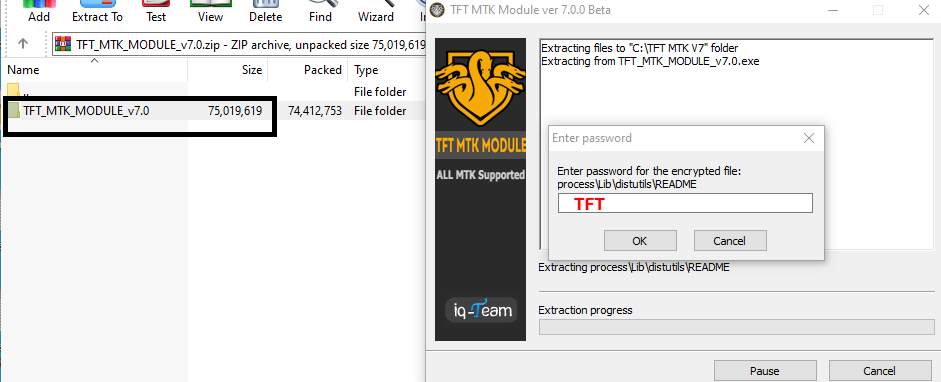
- Extract the ZIP or RAR file into a new folder using 7-Zip or WinRAR.
- If it asks you to enter a Password, type: TFT
- Install the included MediaTek USB driver if your PC does not detect MTK devices.
- Locate the main TFTModule.exe or the tool’s executable file.
- Select Run as administrator and allow the program to open.
- Power off the MediaTek Android phone before connecting it
- Connect the device using a good-quality USB cable
- Use the required BROM, Preloader, Meta, or supported MTK service mode.
- Wait for the tool to detect the connected phone.
- Click Read Info or the device information option to check the model and chipset. You can also compare the detection process with our Android Win Tool guide before selecting a repair function.
- Select the required MTK operation.
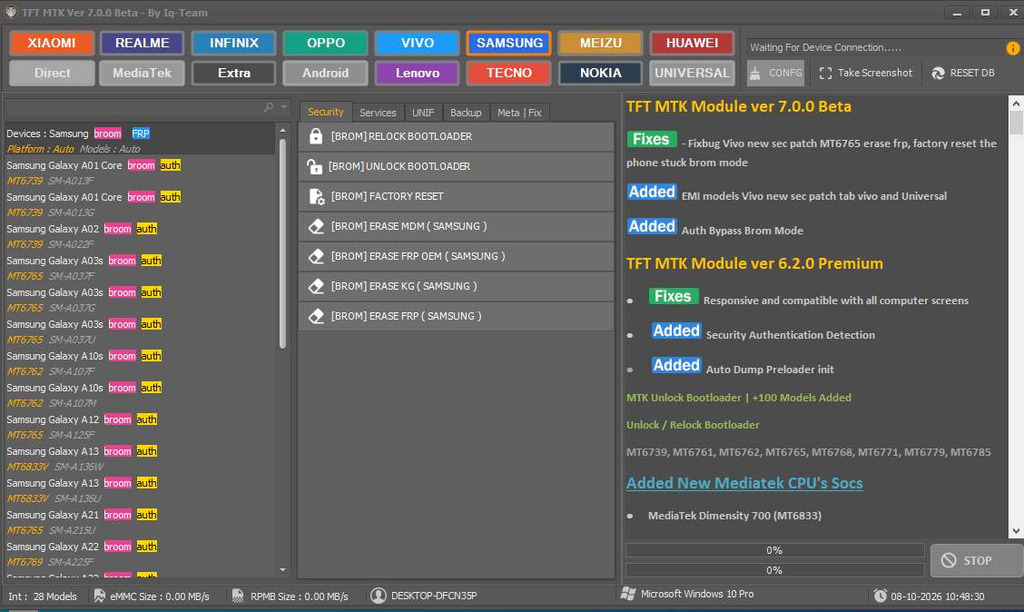
- Do not disconnect the USB cable while the tool is processing the device.
- Wait until the operation shows Success/Completed.
Frequently Asked Questions
TFT MTK Module is a Windows-based MediaTek servicing utility designed for technicians working with compatible MTK Android devices.
It can offer firmware and partition functions on supported devices, but the specific flashing capabilities depend on the version and the device.
Supported versions may offer FRP-related servicing functions. Compatibility varies based on the device, chipset, Android version, and security patch.
No. TFT MTK Module is specifically intended for MediaTek devices. Qualcomm phones require a Qualcomm-compatible servicing method or module.
No individual function works consistently, as they depend on the chipset, model, firmware, Android version, security patch, and connection mode.