
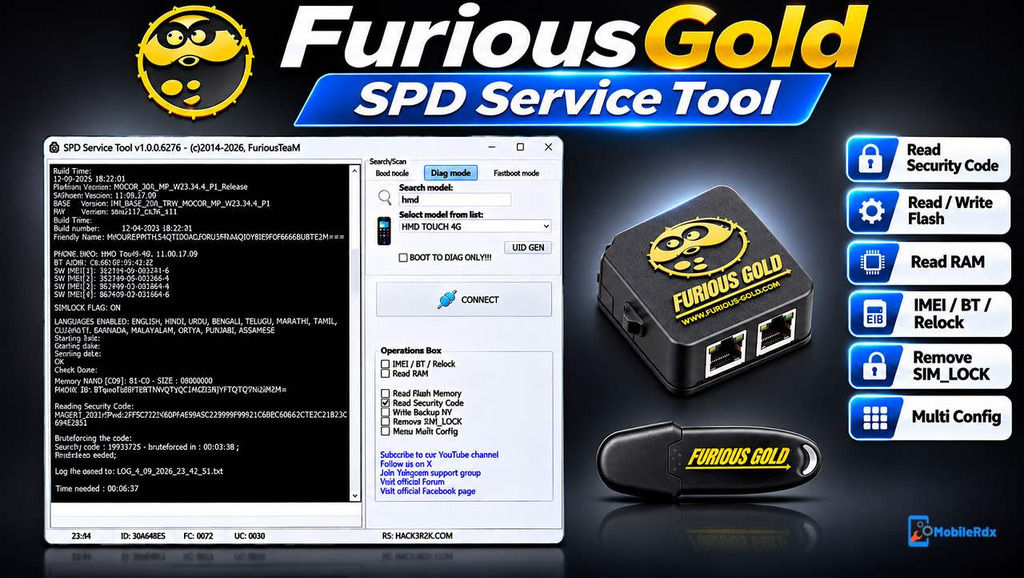
FuriousGold SPD Service Tool is a professional mobile servicing tool designed for repairing and servicing supported Unisoc (Spreadtrum) based mobile phones. It comes with different useful functions for firmware reading and writing, security code reading, device repair, formatting, and language changing.
The latest FuriousGold SPD Service Tool v1.0.0.6304 update brings new support for Nokia and HMD Unisoc-based devices, including AI Assistant models. The new update supports both DIAG Mode and BOOT Mode, making it useful for mobile technicians working with supported Nokia and HMD devices.
In this post, you can learn about FuriousGold SPD Service Tool features, the latest update, supported operations, system requirements, and how to download and install the software.
What is FuriousGold SPD Service Tool?
FuriousGold SPD Service Tool is the Spreadtrum/Unisoc module inside the FuriousGold servicing system. It is used by mobile repair shops for supported feature phones and Android devices that use SPD or Unisoc processors.
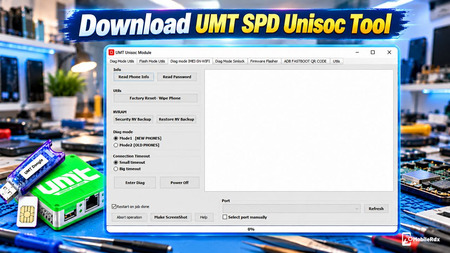
The module can communicate with supported devices in Diag or Boot Mode and provide model-specific unlock, flash, repair, or security operations. For another Unisoc setup, read our UMT Unisoc SPD guide.
FuriousGold SPD Tool Features
- Read Firmware: Read and save supported device firmware for backup and repair purposes.
- Write Firmware: Flash compatible firmware files to supported devices.
- Change Languages: Change the available language configuration on supported models.
- Read Security Code: Read the device security code on supported models.
- Device Repair: Perform supported software repair operations.
- Format File System: Format supported device file systems when required.
- DIAG Mode: Connect and perform supported servicing operations through DIAG Mode.
- BOOT Mode: Access supported devices through BOOT Mode.
- Menu Matrix Configuration: Configure supported menu matrix settings.
What’s New in Update 1.0.0.6304?
The latest update introduces new servicing support for Nokia and HMD devices powered by Unisoc chipsets.
New Features:
- Added support for new Nokia / HMD Unisoc-based devices.
- Added support for AI Assistant models.
- New DIAG Mode support.
- New BOOT Mode support.
- Read Firmware.
- Write Firmware.
- Change Languages.
- Device Repair.
- Read Security Code.
- Format File System.
- Menu Matrix Configuration.
Supported Brands and Process
Nokia and HMD
- Newer Nokia Unisoc feature phones
- HMD Unisoc devices
- Selected AI assistant models
- Diag and Boot Mode operations where listed
- Firmware and unlock service depending on the support entry
TCL and Other SPD Devices
- TCL OTSmart/OTZ-related service ecosystem
- Spreadtrum and Unisoc feature-phone support
- Model-specific firmware operations
- Security or unlock functions where the support list allows them
For a wider Android servicing platform, compare our TSM Tool Pro guide. FuriousGold SPD is focused on supported Spreadtrum and Unisoc operations, while TSM covers multiple chipsets.
FuriousGold SPD Tool Download
Download the SPD Service Tool from the below link and use it with compatible FuriousGold hardware. A commercial activation, logs, box, or supported cable may be required depending on the operation.
Module Name: FuriousGold SPD Service Tool
Version: 1.0.0.6304
Platform: Windows PC
Chipset Family: Spreadtrum/Unisoc
Supported Modes: Diag Mode and Boot Mode on listed models
Hardware: Compatible with the FuriousGold box, or activated setup
License: Commercial FuriousGold service access
Download_FuriousGold_SPD_Service_Tool_v1.0.0.6304Before downloading, check the official supported-model list and activation requirements. Avoid cracked packages or modified loaders that claim to provide free FuriousGold access.
Requirements
- Windows PC
- FuriousGold box or compatible supported hardware
- Valid FuriousGold activation
- SPD/Unisoc USB driver
- Original or good-quality USB cable
- Correct device firmware
- Stable USB port
How to Install FuriousGold SPD Service Tool
- Connect your FuriousGold USB hardware to your Windows computer.
- Download and extract FuriousGold Maintenance software
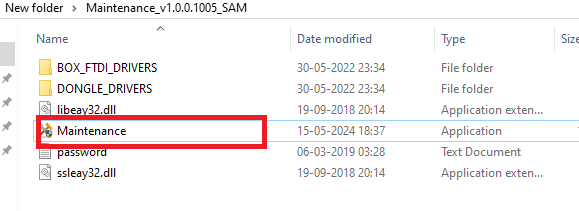
- Open the FuriousGold Maintenance software.
- Check that your FuriousGold hardwaredongle is properly detected.
- Open the official support area.
- Find the SPD Service Tool module under PACK2.
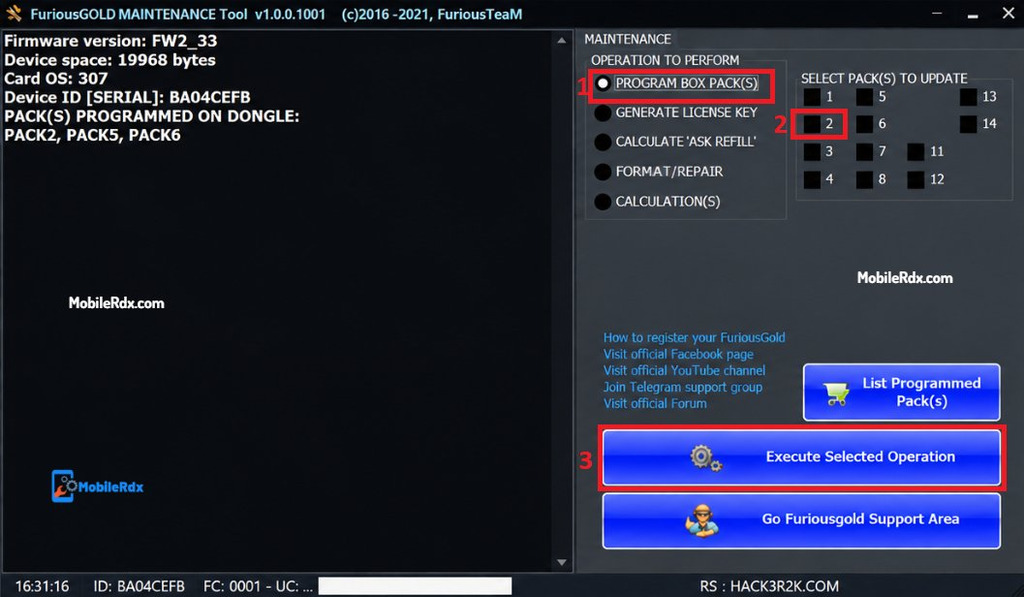
- Download the latest available setup and support files.
- Install the software by following the provided instructions.
- Open SPD Service Tool and connect your supported device.
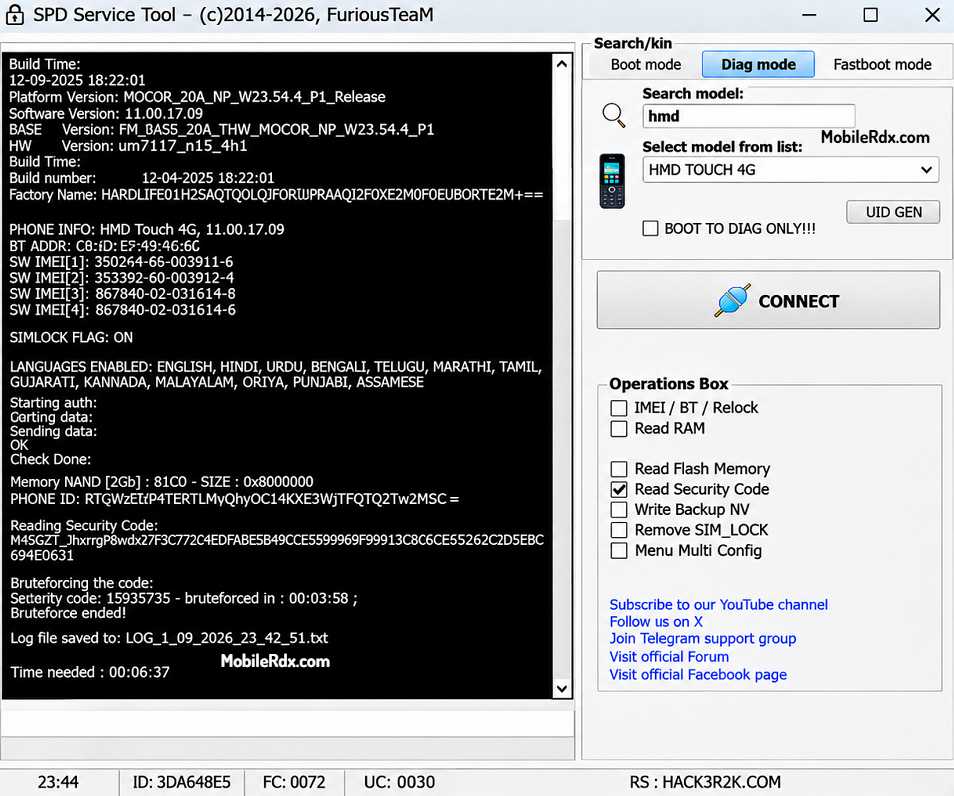
- Select the required servicing function.
- Make sure your PACK2 activation and support status are valid before using the latest module.
Problems and Troubleshooting
- Dongle not detected: Reinstall the FuriousGold maintenance and smart-card drivers.
- Phone not detected: Install the SPD driver and use another USB cable.
- Diag Mode fails: The model, firmware, security version, or activation may not support the operation.
- Boot Mode fails: Check the boot key method, battery, cable, and USB connection.
- Firmware error: Use the correct model firmware and check the supported build version.
- Operation needs logs: Confirm the FuriousGold account, activation.
- Phone Dead: Stop writing random files and restore the original backup through a supported method.
For device information before service work, use our Android Information Tool guide.
If you are a mobile technician and already use FuriousGold hardware with PACK2 activation, this update is worth checking out. Always download the latest files from the official FuriousGold support area.