
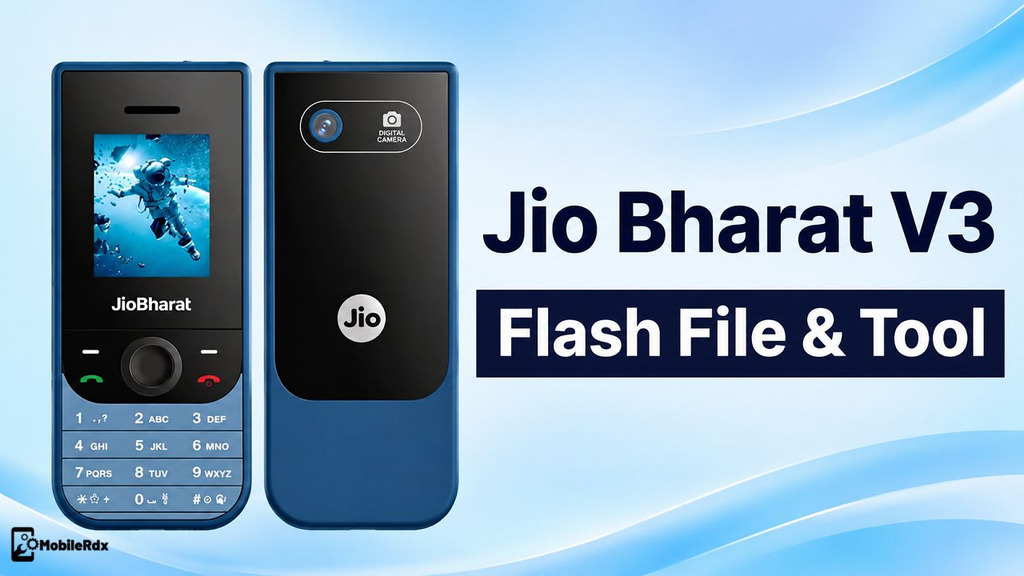
Download the Jio Bharat V3 JBV191M1 Stock Firmware Flash File to fix software-related problems, such as a phone stuck at the logo screen, stuck in a boot loop, or where an update failed. Using a matching SPD flash tool. This post explains to you, with step-by-step instructions, how to install the official Flash File on the Jio Bharat V3 phone without visiting the service center.
In this post, you will get the JBV191M1 firmware information, compatible flash tool, USB driver requirements, and a complete flashing method. Check the model before using the file because JBV191M1 firmware should not be written to another Jio Bharat phone.
Jio Bharat V3 JBV191M1 Firmware
The Jio Bharat V3 JBV191M1 package is a stock PAC firmware for a Spreadtrum or Unisoc-based feature phone. It can be used for fresh software installation, hang-on-logo repair, password or pattern reset after authorised service, and recovery from an incomplete firmware update.
Before flashing firmware, make sure to back up important data. Flashing will clear all user data too. Also remember that flashing cannot fix problems like a broken display, a bad battery, charging glitches or damaged storage.
Download Jio Bharat V3 JBV191M1 Firmware
You can download the Jio Bharat V3 4G Flash File for free from here. The file is available without a password, making it easy to download and use for mobile repair purposes.
| Device | Jio Bharat V3 4G |
| Model | JBV191M1 |
| Software Build | JBV191M1_000_02_16_190225 |
| File Name | Jio_Bharat_V3_JBV191M1_000_02_16_190225_FSPD.zip |
| ROM Type | Stock PAC Firmware |
| File Size | 40MB |
| Flash Tool | SPD Upgrade Tool / SPD Flash Tool |
| Platform | Spreadtrum/Unisoc |
Archive sizes can differ because different file hosts compress or rename the same package. After extraction, confirm the JBV191M1 build name before selecting the PAC file.
Problems Fixed by This Flash File
- Jio Bharat V3 stuck on the boot logo
- Repeated restart or boot loop
- Failed or interrupted software update
- Corrupt system software
- Forgotten password or pattern after authorized service
- Phone not starting after an incomplete flash
- Slow or unstable feature-phone software.
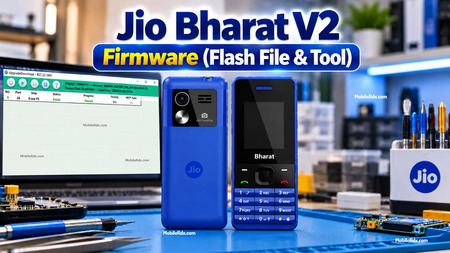
For the older Jio Bharat firmware workflow, read our Jio Bharat V2 JBV161W1 flash file guide. Do not mix the V2 and V3 firmware packages.
Required Files and Tools
- Jio Bharat V3 JBV191M1 PAC firmware
- SPD Upgrade Tool or compatible SPD Flash Tool
- Spreadtrum/Unisoc USB driver
- Good-quality USB data cable
- Windows computer
- Stable USB port
- Battery with sufficient charge
- Backup of important data
Install the correct Unisoc and Spreadtrum driver package before connecting the phone. Without the driver, Windows may not create the required SPD download port.
How to Flash Jio Bharat V3 JBV191M1
Prepare the Firmware
- Download and extract the JBV191M1 firmware with WinRAR or 7-Zip.
- Install the Spreadtrum/Unisoc USB driver.
- Open the extracted SPD Upgrade Tool folder.
- Run the flash tool as Administrator.
- Confirm that the PAC file belongs to Jio Bharat V3 JBV191M1.
Load the PAC File
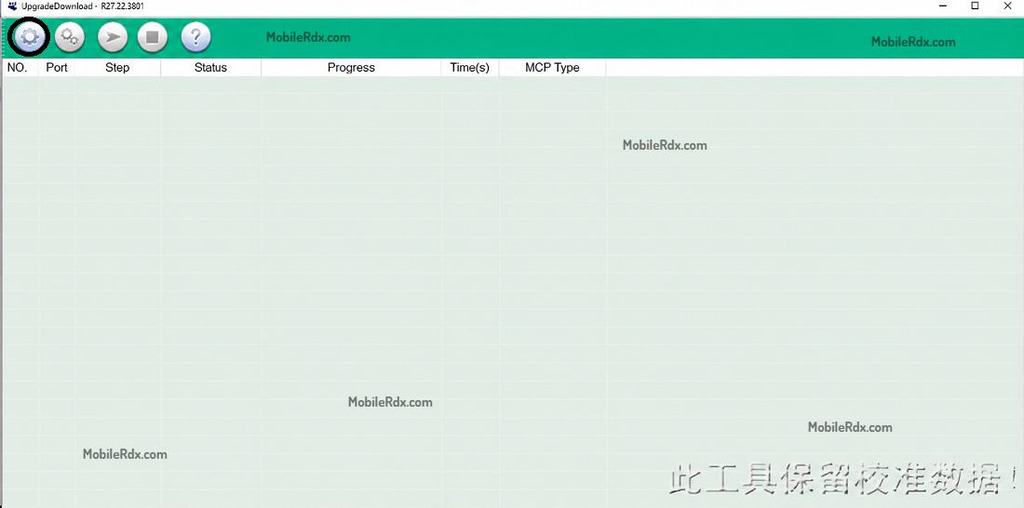
- Click the Load Packet or gear button.
- Select the JBV191M1 PAC firmware file.
- Wait for the tool to read the firmware contents.
- Keep the default partition settings unless a trained technician needs a specific change.
Connect the Phone and Start Flashing
- Power off the Jio Bharat V3 completely.
- Remove and reinstall the battery if the phone does not shut down.
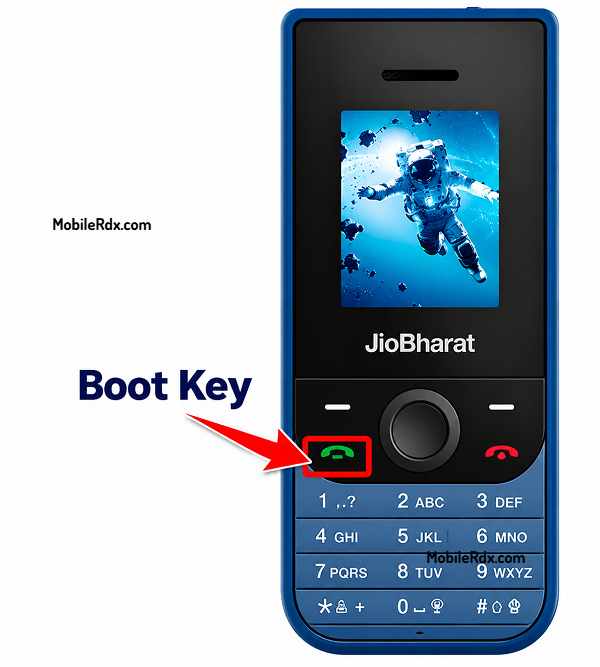
- Press and hold the required Jio boot key.
- Connect the phone to the PC using a USB data cable.
- Wait for the SPD port to appear in the flash tool.
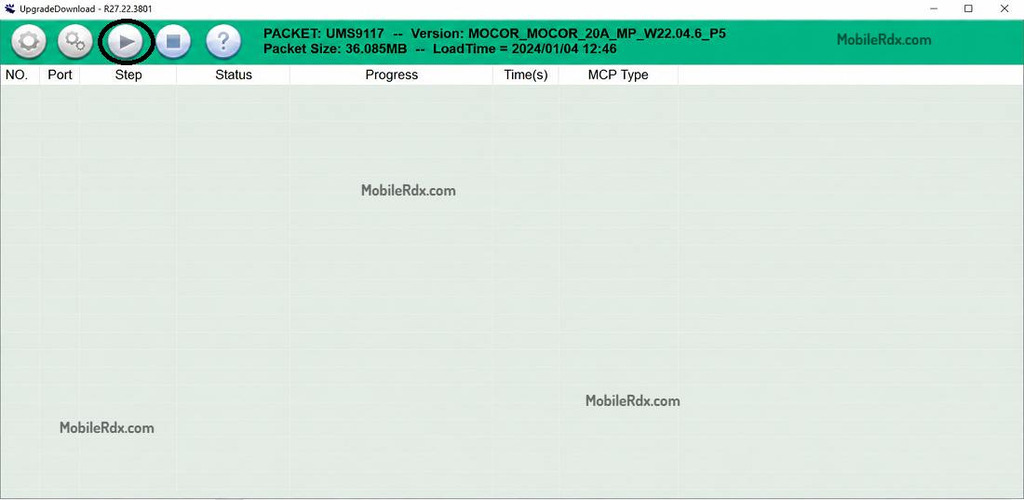
- Click Start, Download, or the play button.
- Now hold the Option and Call buttons together and insert the USB cable into the phone.
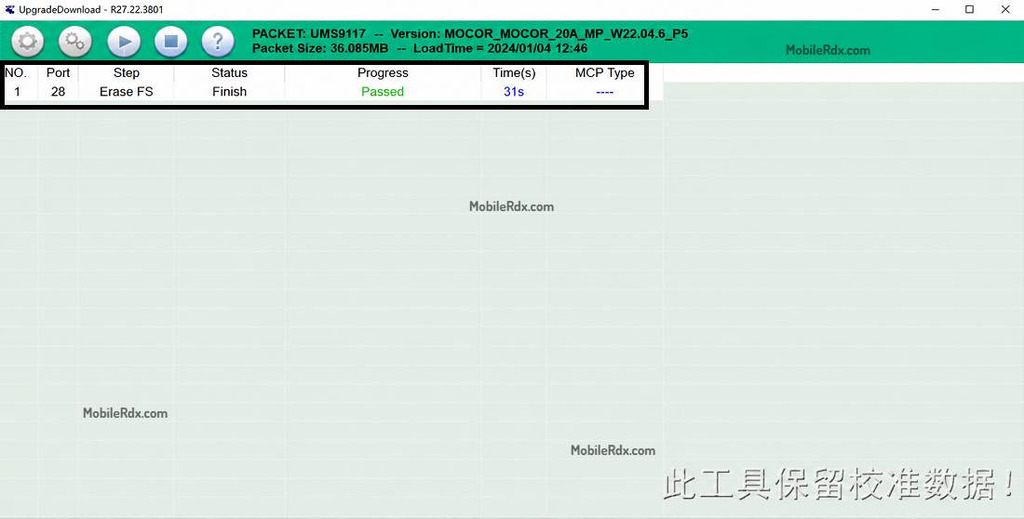
- Wait until the tool shows “Passed” or “Download Complete.
- Disconnect the phone after the flash finishes.
- Reinstall the battery if required and power on the Jio Bharat V3.
The first boot can take a few minutes after flashing. Do not remove the cable while the PAC firmware is being written.
For another professional Unisoc repair setup, see our UMT Tool guide. Always confirm the chipset and firmware before using a service tool.
Disclaimer: Flashing should be performed only on a device you own or are authorised to repair. We are not responsible for data loss, interrupted flashing, or damage caused by an incorrect file or tool.