Mobiistar C1 Lite Flash File (Stock ROM) FRP Lock Remove
We have uploaded the latest Mobiistar C1 Lite firmware, SP Flash Tool and MTK driver so you can download directly from our site. This firmware helps you to many software issues and also unbrick Mobiistar C1 Lite.
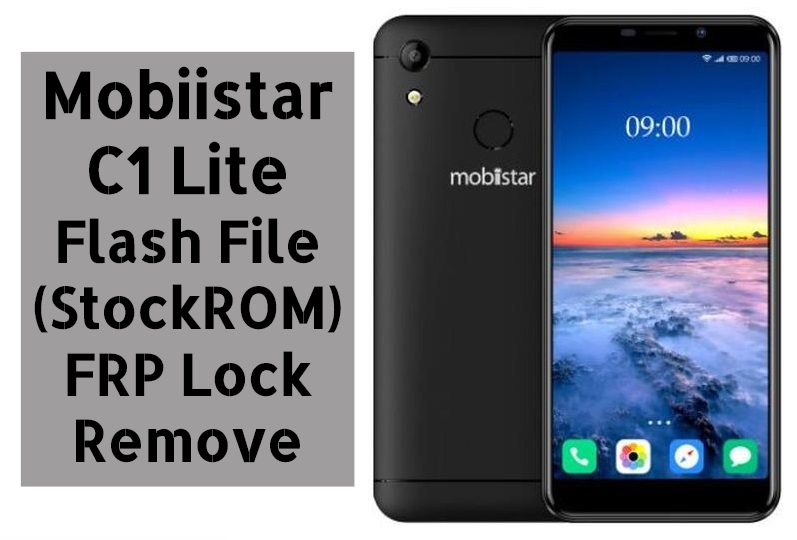
Download Mobiistar C1 Lite Firmware
| Model Name: Mobiistar C1 Lite | Download Links | File Size |
|---|---|---|
| Tool – MTK FLASH | SP_Flash_Tool_v5.1836_Win.zip | 54.04MB |
| Driver – MTK Driver | MTK_USB_All_v1.0.8.zip | 55.27MB |
| Firmware | mobiistar_C1_Lite_IN_V1.15_20180907.rar | 672.MB |
The Advantage of Stock Firmware
- Flash Stock To Unbrick your Mobiistar C1 Lite.
- Flash Stock ROM to Fix the bootloop problem
- Upgrade and Downgrade Mobiistar C1 Lite
- Unroot or Fix Bugs on your phone
- To fix the lag or stutter on Mobiistar C1 Lite
- By flashing Stock ROM, you can solve software problems.
- Revert back to stock to gain your warranty.
Guide To Install Firmware:
- Download Tool, Driver, Firmware
- Then extract firmware.zip, Tool, driver.
- Now install USB drivers.
- After that open the Smart Phone Flash tool (flash_tool.exe).
- Select DA File as DA_SWSEC.bin

- Then click the Scatter-loading button and browse and select the extracted firmware [MT6737M_Android_scatter.txt] file which you have already downloaded.
- Now hit the download button.
- Switch off your phone and connect your phone to the PC by pressing vol down key.
- After the flashing, a green tick will appear.
- Disconnect your phone and turn it on.
Note: The first time it takes 5-10 minutes to boot.
Guide To Remove Mobiistar C1 Lite FRP Lock:
1- Download Mobiistar C1 Lite Flash File with tools & Drivers.
2- Install Driver then run SP Flash Tool.
3- Select DA_SWSEC.bin in Download Agent & then load scatter file.
4- Open Format Tab in SP Flash Tool then select Manual Format Flash.
5- Manually enter address.
In Begin Address: 0x2d88000
Format Lenght: 0x100000
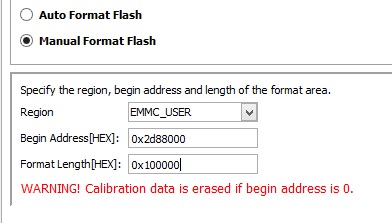
6- Click on Start & Switch off Phone then holding both Volume keys or without any Key. Connect the phone to PC.
7- Disconnect Phone from PC & Enter into Recovery mode then wipe data once to unlock FRP.
Note: It will reset the FRP lock from the phone & If Tool DL Image failed appears on the screen on Startup then it has to be flashed.