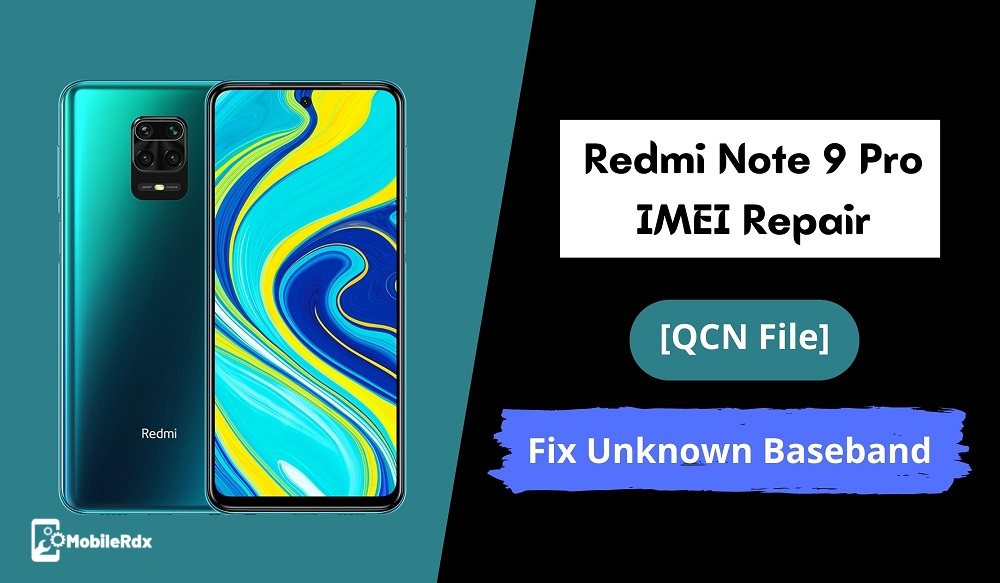
Xiaomi Redmi Note 9 Pro Qcn File For
1. No service problem fix. 2. Imei problem fix. 3. Network unlock problem fix. 4. After flash no service fix.Redmi Note 9 Pro IMEI Repair | Fix Invalid IMEI / Network Issue
For now, just forget everything and let’s see how to repair IMEI on Redmi Note 9 Pro after flash? No root required and no premium professional IMEI repair tool require to flash IMEI on Redmi Note 9 Pro Qualcomm smartphone. Free Pc IMEI tool and QCN file are enough to get a ride on this IMEI problem.Pre-Requiems To Restore IMEI On Redmi Note 9 Pro
- Charge the device approx 80%
- Don’t forget to take the backup of the device before going to apply any changes on the device.
- Do it on your own risk.
- Download tools and files to repair Redmi Note 9 Pro IMEI number [ Check Download Section]
Download Redmi Note 9 Pro QCN File, and Other Files
Redmi Note 9 Pro QCN File QCN IMEI Rebuild Tool QPST ToolStep01: Generate QCN File For Redmi Note 9 Pro Mobile
Run “Rebuilder tool” on pc >> “Open File” >> Browse “Redmi Note 9 Pro QCN File” >>> “Replace IMEI with original IMEI Number” >> Click “Rebuild” button and save new QCN file on pc.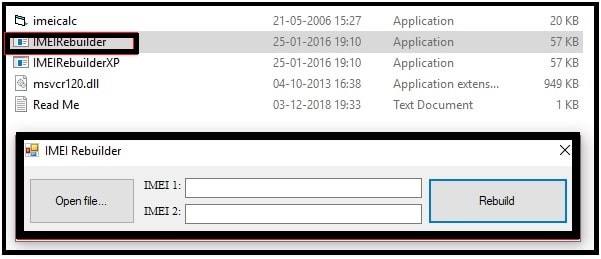
Step02 Write Or Repair Redmi Note 9 Pro IMEI Number
- Download QCN Rebuilder and QCN File From above
- Run QCN Rebuilder Load Download QCN Replace IMEI With the Original IMEI then Rebuild QCN
- Enable USB Debugging From Developer options Connect Phone to PC using USB then Enable Qualcomm USB diag port (using below code over adb)
adb devices su setprop sys.usb.config rndis,diag,adb- Note: if the Phone is Not Rooted Then use EDL and BOX Like UMT
- Or just Dial This Number With Dialer to enable Diag. * #9090#, *#*#13491#*#*, *#*#717717#*#*
- Launch QPST Software Downloaded Tool from above.
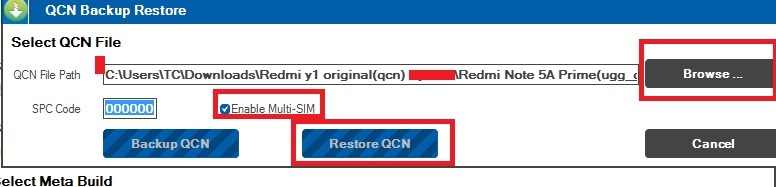
- Click on the Restore Tab.
- Choose Your Phone By Clicking on First Browse.. Button.
- Select Rebuild QCN File ***.xqcn file [Downloaded From above].
- Now Hit the Start Button.
- Done.
if the Dual IMEI Writer unable to Rewrite Correct IMEI Then use hex Converter to Find and Replace Installed IMEI.