Hello technicians, this guide has tested the Samsung M47 5G SM M476B ISP pinout. Phone stuck in a bad boot loop or has network locking or fails to be detected by the PC? ISP lets you access UFS memory directly. You don’t need to remove it from the circuit board. Use it to dump firmware, remove FRP, clear MDM, or fix after a bad flash.
We specifically selected three commonly used smartphone repair and debugging tools in the industry, namely UFI Box, Easy JTAG, and Flash64, to verify whether this set of pin definitions can function properly. In practical testing, all three tools successfully identified the corresponding chip on the first attempt. At no point during the process was it necessary to add additional temporary jumper wires to assist with identification, and the entire process proceeded very smoothly.
What is ISP (In-System Programming)?
You can use ISP to access the UFS or eMMC chip without having to remove it by yourself. Just find right pinouts on the board and connect tools such as Flash64, UFI, Easy JTAG or Medusa Pro. Using such tools does all the work: reading and writing and fixing up partitions.
ISP Pinout is useful when:
- The phone is dead — black screen, no boot, no charging
- FRP is locked and ADB, fastboot, or OTG bypass is not working
- You need to dump firmware from a working unit for backup
- You are doing a boot repair or partition restore
- The device shows “unknown” on PC and Download Mode is not accessible
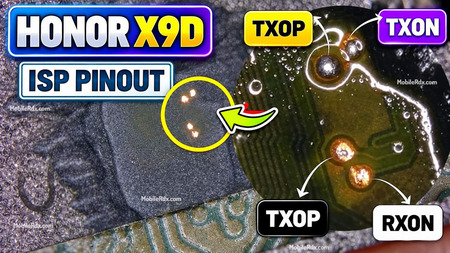
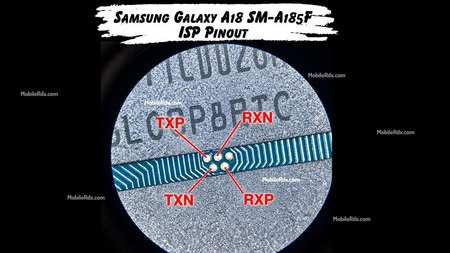
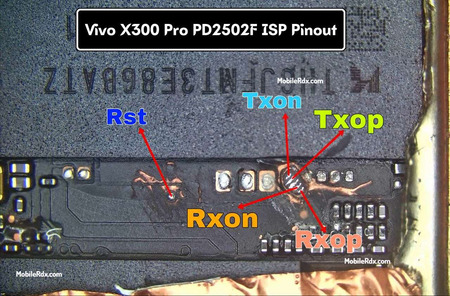
Samsung Galaxy M47 5G UFS ISP Pinout Image:
The ISP pinout is a “CPU drill” style solution because you need to touch the data lines that sit on the board layer. On the M47 5G the test points sit under the metal shield covering the UFS memory chip. You will need to remove the shield and clean the protective mask with isopropyl alcohol to see the labels clearly.

UFS ISP Pin Labels You Need:
- Rst – Reset signal
- TXOP – Transmit Data Positive
- TXON – Transmit Data Negative
- RXOP – Receive Data Positive
- RXON – Receive Data Negative
- GND – Ground (connect to any ground point on the board)
Required Tools for ISP Pinout
Set up your bench correctly before making any jumper connections. Missing one item can cost you hours of debugging.
- UFI Box, Easy JTAG, Flash64, or Medusa Pro
- 0.1mm – 0.3mm jumper wire (insulated preferred)
- Fine tip soldering iron (under 0.5mm tip)
- Soldering flux (no-clean)
- Isopropyl alcohol (IPA 99%) for cleaning
- Multimeter for continuity and short check
Samsung Galaxy M47 5G Key Specifications
| Model | Samsung Galaxy M47 5G |
| Model Number | SM-M476B |
| Chipset | Exynos 1480 (5nm) |
| Storage | UFS – 128 / 256 GB |
| RAM | 6 GB / 8 GB |
| Display | 6.6-inch Super AMOLED, 120Hz |
| Battery | 6000 mAh |
| OS | Android 15 (One UI 7) |
| Announced | 2026 |
Samsung M47 5G FRP Reset Using UFI Box
1. Power off the Samsung A04e and remove the back cover to access the motherboard.
2. Connect the phone to the UFI Box using the appropriate eMMC/UFS ISP connection or supported service method.
3. Open UFI Android ToolBox on the computer.
4. Select the appropriate Samsung/MediaTek device configuration.
5. Identify the device and allow UFI to read the required partitions

6. Open the Special Task section.
7. Use the available Clear FRP / FRP Reset function supported for the device.

8. Wait until UFI completes the operation successfully.
9. Disconnect the device and power it on.
10 Complete the initial Android setup and verify that the previous Google-account verification is no longer requested.
Common Issues and Fixes
- No chip detected – reflow the solder joints and check continuity on TXON/RXON. Often a cold joint on the data lines.
- Wrong pin order – flip TXOP/TXON so the differential pair matches the tool’s expected order.
- FRP not clearing – make sure you pick User Partition → Special Task → Reset FRP, not generic erase.
- Tool shows wrong chip size – check if Rst is properly connected; a floating Rst causes detection issues.
Frequently Asked Questions
The Samsung Galaxy M47 5G uses the Exynos 1480 chipset built on a 5nm process, paired with UFS storage.
The M47 5G uses UFS storage, so you need a UFS-capable ISP tool like Flash64, UFI, Easy JTAG, or Medusa Pro.
This pinout covers the SM-M476B board variant of the Samsung Galaxy M47 5G.
Yes. Connect via ISP and use the User Partition → Special Task → Reset FRP option to clear the lock.