You can find the Realme C75 test points to boot the device in BROM Mode here. The test point plays an extremely important role in mobile repair and software problem-solving, mainly when a device is unresponsive (dead), is locked, or will not be detected by flashing software normally using a common USB connection on a computer.
A test point is a special hardware point on the motherboard of the smartphone. By shortening the test points, you can force the device into (brom) mode, which allows the repair tool to communicate with the phone at a deep level. It is very useful for this:
What is the Realme C75 Test point?
Many Realme C75 5G devices face issues such as dead boot, system corruption or FRP lock. In such cases, normal download or fastboot mode cannot work. When the Realme C75 test point method becomes the only solution. With the help of the test point, you can force the device into brom mode and repair it using tools such as SP flash tool, Hydra tool, CMMTK2, Unlock Tool or UMT. Without using the test point, these devices cannot detect the device when they are completely dead.
- Dead boot issues fixing
- Bypassing FRP lock
- Firmware flashing
- IMEI and security partitions
- Data recovery operation
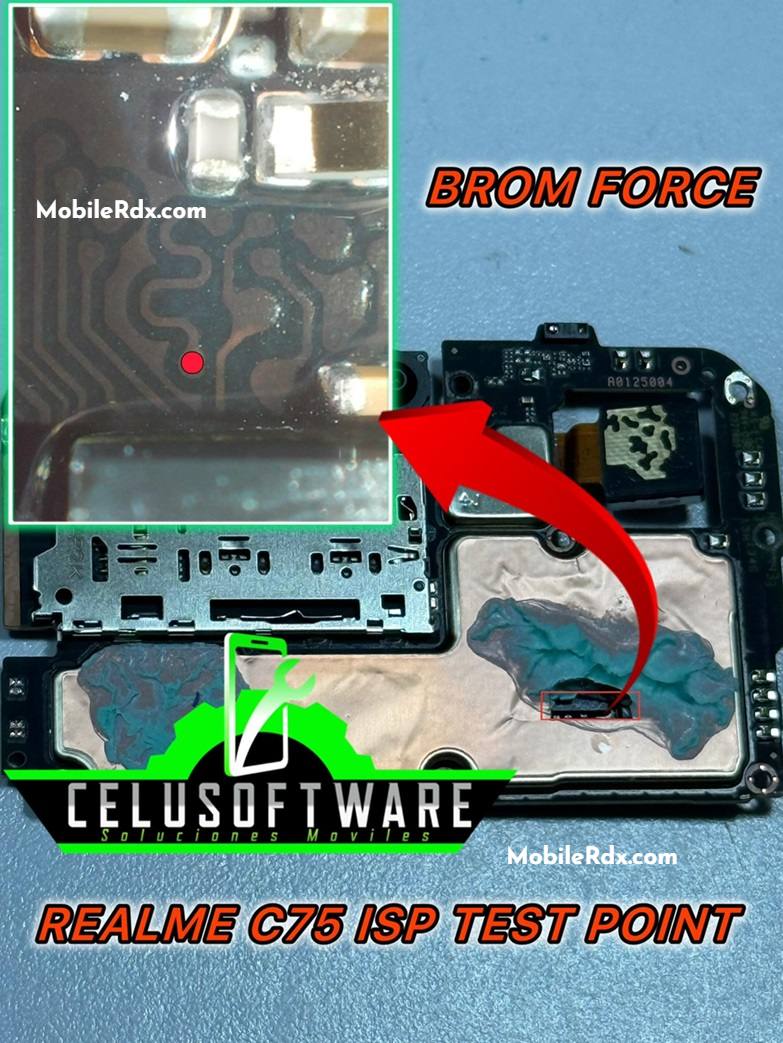
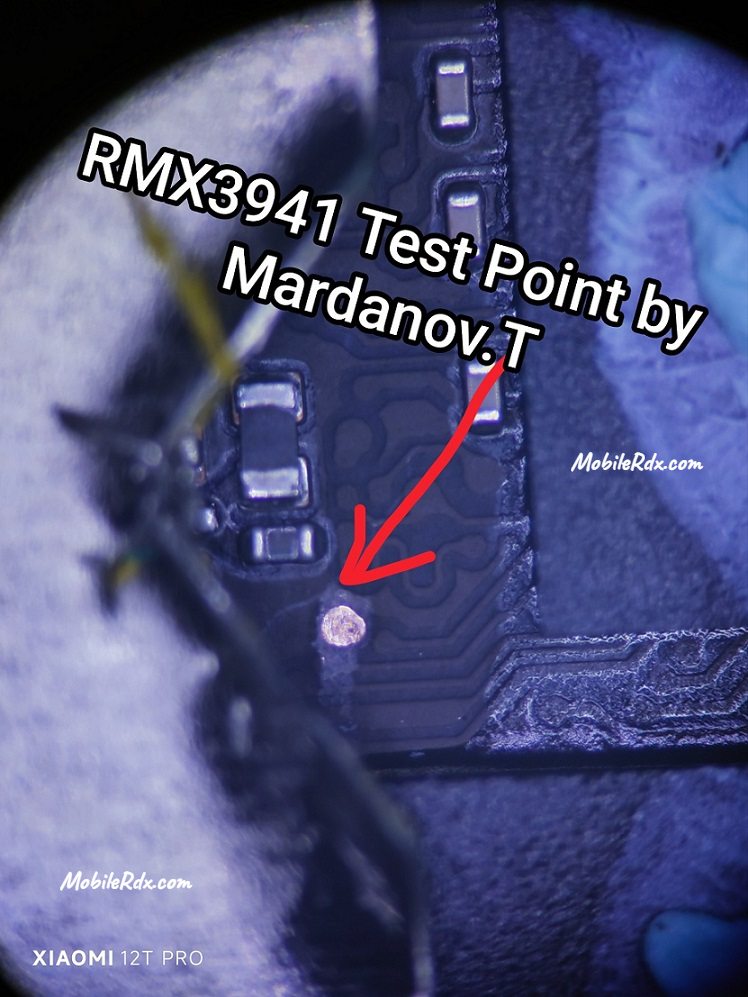
Realme C75 Test Point Image:
The following image will guide you through shorting the pinout and successfully rebooting your Realme C75 to emergency download force brom mode.
Step-by-step Guide to Use Realme C75 Testing Point
- First, switch off the Realme C75 completely and remove the back cover.
- Disconnect the battery connector for safety.
- Find the Realme C75 test point on the motherboard (see the diagram above).
- Use a tweezer or jumper wire to shorten the test point on the ground.
- Connect the device to your PC using a USB cable.
- Open your Mobile Repair tool. and use the function you want.
- This process is not easy, so it is recommended that only technicians with experience attempt it. Running the test point incorrectly can cause permanent damage to the phone.