MobileSea Service Tool (MST) v7.9.3 Download Latest Version
MobileSea Service Tool v7.9.3 is a Windows program specifically designed for Android and Apple phones that helps you remove FRP, flash firmware, factory reset, unlock supported screen locks, manage partitions, and repair software issues. If you are looking for a solution for Qualcomm, MediaTek, Unisoc, Samsung, Xiaomi, or Apple service work, then you can use the tool on supported models.
The tool has features for unlocking, resetting, flashing, and repairing mobile phones. Additionally, it also allows you to work with Xiaomi bootloader, Apple ramdisk, Qualcomm, and Samsung service modules. Below, we listed the main features and the latest v7.9.3 update details.
What is the MobileSea Service Tool?
MobileSea Service Tool is a premium multi-brand mobile service program for Windows. The current v7.9.3 package is portable and works through an online account and activation plan. You can use the available modules to read device information, reset supported locks, flash firmware, manage partitions, and perform model-specific repair tasks.
The tool supports devices from Qualcomm, MediaTek (MTK), UniSoC (SPD), HiSilicon, Samsung, Apple and other selected Android devices but available features depend on the exact model, chipset, firmware version, security patch level, connection mode and access to modules. For basic servicing offline without internet you can also read our guide for Android Utility Tool and see a free offline alternative.
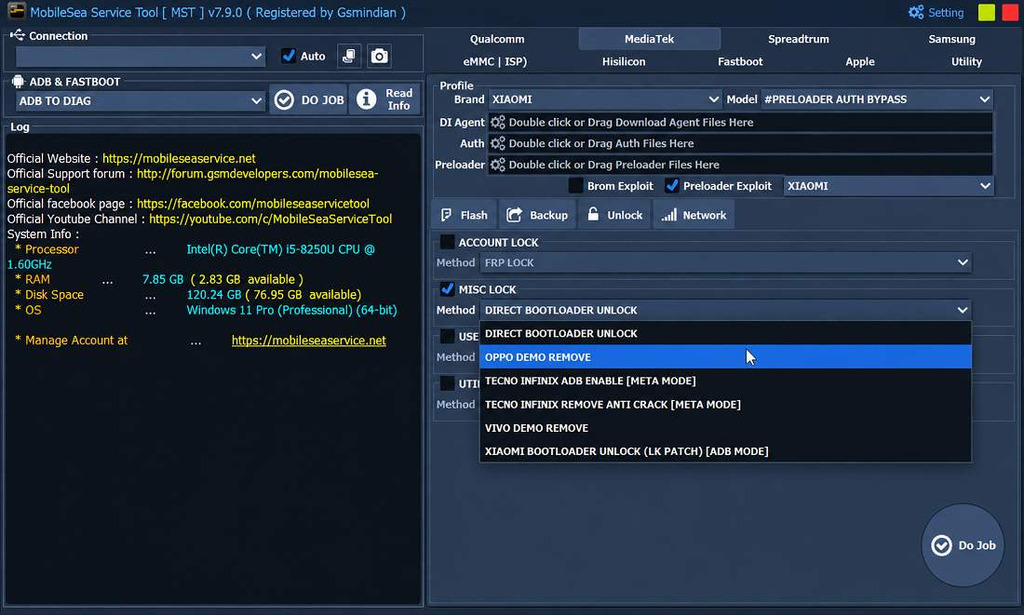
Key Features of MobileSea Service Tool
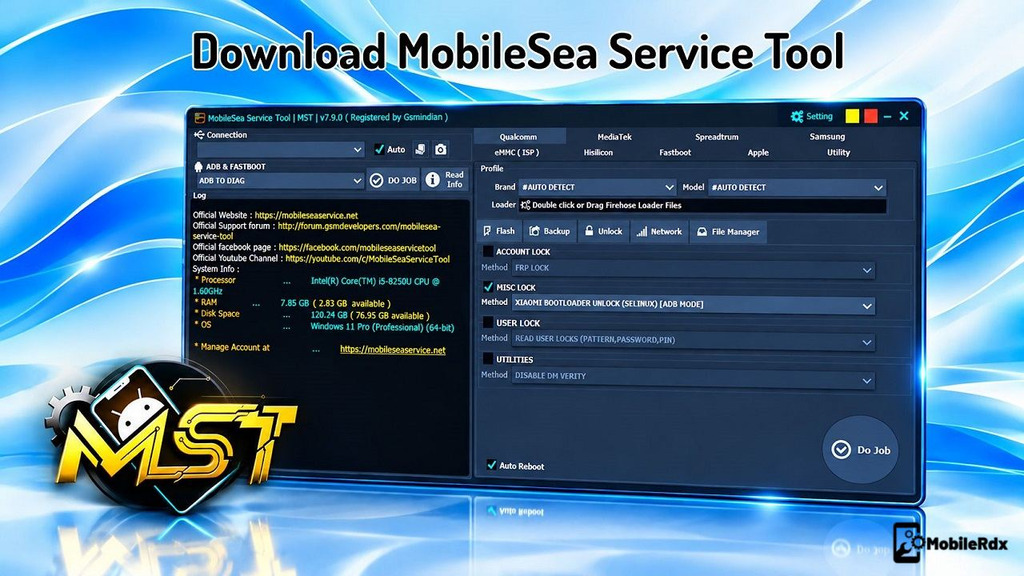
- Multi-Platform Support: Includes dedicated modules for Qualcomm, MediaTek (MTK), Spreadtrum (SPD), Samsung, HiSilicon, and Apple devices.
- eMMC ISP Support: Provides a dedicated eMMC ISP section for supported storage servicing operations.
- ADB and Fastboot Functions: Includes ADB-to-DIAG, device information reading, and other available ADB/Fastboot operations.
- Firmware Flashing: Offers a Flash section for supported device firmware and servicing tasks.
- Backup Functions: Includes backup options for supported devices and operations.
- Unlocking Features: Provides an Unlock module with various device-dependent service options.
- Network Functions: Includes a dedicated Network section for supported servicing operations.
- MediaTek Preloader Support: Displays Download Agent, Authentication, and Preloader file selection fields, alongside BROM and Preloader exploit options.
- Xiaomi Servicing Options: Shows Xiaomi-related options, including preloader authentication bypass and bootloader-related functions.
- FRP and Account Lock Options: Account-lock and FRP-related menus for supported devices.
- Miscellaneous Lock Functions: Includes options such as Direct Bootloader Unlock and selected Oppo, Vivo, Tecno, Infinix, and Xiaomi servicing operations.
- System Information: Displays details such as processor, RAM, available disk space, and operating system.
- Operation Log: Provides a log panel showing software information, official website links, and other displayed details.
- Integrated Job Controls: Uses Do Job buttons to initiate selected operations within the relevant module.
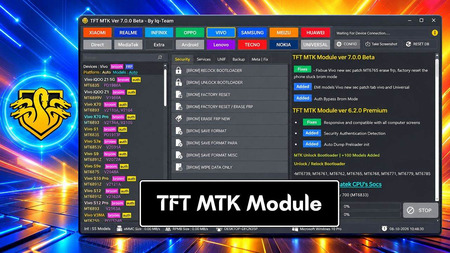
Do read our TFT MTK Module Tool post for another MediaTek-focused program.
What’s New on MobileSea Service Tool v7.9.3?
The v7.9.3 release is mainly focused on Xiaomi and Redmi service improvements. The official changelog lists new ADB-mode functions and selected device support. The exact result still depends on the model and its software version.
- Added MTK Direct Bootloader Unlock in ADB mode
- Added ADB Partition Manager
- Added a new Temporary Root method for selected devices
- Added or improved support for Xiaomi, Redmi, and POCO models
- Added selected Qualcomm Samsung model support
- Added Apple A12/A13 boot ramdisk functions
- Fixed reported Apple A7–A11 mount errors
- Improved module stability and device detection
Download MobileSea Service Tool v7.9.3
Download MobileSea Service Tool v7.9.3 from the link below. It is a premium program, so you need to activate it for all service function. Create an accounton official site, choose a plan, and check the supported-device list before using the tool.
Tool Name: MobileSea Service Tool v7.9.3
Platform: Windows 64-bit
Type: Portable Tool
Modules: Qualcomm, MTK, Unisoc, HiSilicon, Samsung, Apple
Activation: Subscription plan
Internet: Required for account and online functions
Supported Devices: 4,600+ models listed on the official device page
Read our TSM Tool Pro latest setup if you need another premium multi-brand tool for Android repair.
Requirements
- Windows 64-bit computer
- Stable internet connection
- Administrator access
- Correct USB drivers for the connected device
- Good-quality USB cable
- Model-specific firmware, ramdisk, or service files when required
- Active MobileSea account and suitable activation plan
Steps to Install and Use the MobileSea Service Tool
- Download the MobileSea Service Tool v7.9.3 package to your computer.
- Extract the MST Tool Setup.zip & open the extracted folder.
- Run the tool as administrator..
- Register and Activate the tool
- Now the login window will opened.
- Then Click on Register or Login.
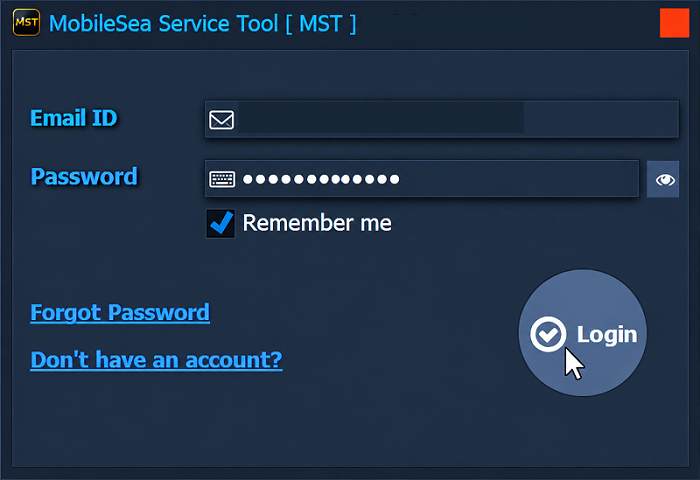
- Now Purchase the Credit balance from reseller.
- After that, type your registered EMAIL ID & PASSWORD in the tool.
- Click Login.
Start using the MobileSea Service Tool
- Now you can use the tool on your computer.
- The below-listed functions you can use on the tool.
- Select your Device Model on the tool.
- Then Select the options.
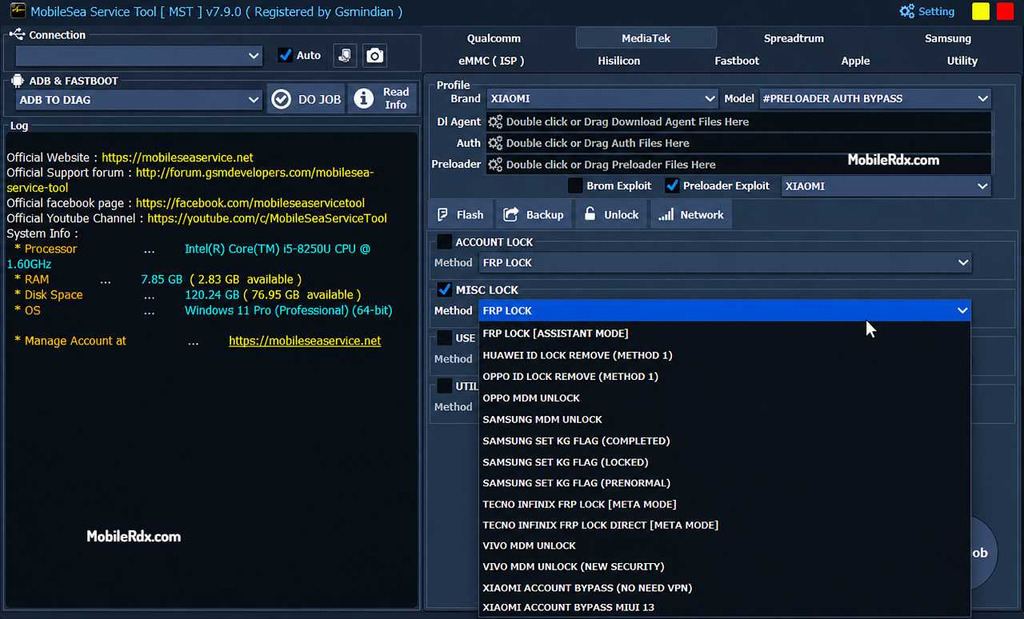
- Choose the options you want to use.
- Then Power Off the Phone.
- Connect it to the PC.
- It will take some time & Fix the phone.
- That’s it…
MobileSea Service Tool Activation & Price
| Months | Price |
| 3 Month Activation | $15 |
| 6 Month Activation $25 | $25 |
| 12 Month Activation | $30 |
| 10 Credit Pack Activation | $1 |
Important Safety Notes
- Back up the phone before using reset, format, FRP, or partition functions.
- Install the correct USB driver before connecting the device.
- Do not disconnect the cable during firmware or bootloader operations.
- Use the exact file and model shown in the tool instructions.
- Use activation from an official source or trusted reseller.
- Service only devices that you own or have permission to repair.
Frequently Asked Questions
MobileSea Service Tool is a premium Windows program for selected Android and Apple repair, unlock, reset, firmware, and service operations.
It supports selected devices powered by Qualcomm, MediaTek (MTK), Unisoc (SPD), and HiSilicon chipsets, along with other supported platforms.
Yes, it supports selected Samsung devices. The available operations depend on the model, chipset, firmware, and security level.
The availability of free and paid features depends on the tool version, license, and module access. Check the official source for current licensing information.
According to the v7.9.3 changelog, the tool includes MTK Direct Bootloader Unlock through ADB mode for selected Xiaomi and Redmi models.
MobileSea Service Tool v7.9.3 is a premium solution for technicians servicing Android and iOS devices. This new version now supports unlocking of bootloader for Xiaomi devices and related partition functions for selected models. Modules for Qualcomm, Samsung and Apple provide additional options for servicing and software repair.