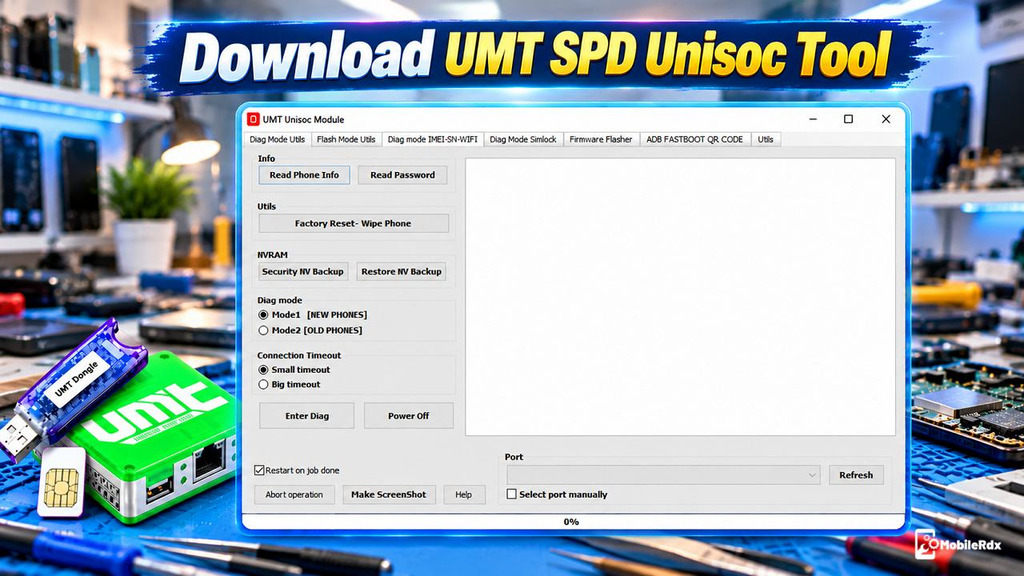
UMTv2 Unisoc Module v2.3 is a useful servicing tool for mobile technicians working with Spreadtrum and Unisoc devices. It performs many tasks, including firmware flashing, FRP reset, factory reset, and security NV backup and restore for supported devices. To use these functions, you need a compatible UMTv2 or UMT Pro dongle with a valid activation.
The UMT Unisoc Module works with UMTv2 and UMT Pro hardware and supports smartphones, tablets and feature phones via Diag modes and firmware. flashing v2.3 update includes new FRP functions for Diag, full backup and restore, wipe user data, and new device support.
What is UMTv2 Unisoc Module?
UMTv2 is a service module for phones running chips from Spreadtrum or Unisoc. It lets you read info about the devices, write factory firmware or PAC firmware, reset FRP support, factory reset and back up or restore security and full flash data.
The module is not a standalone tool. You need a physical UMTv2 or UMT Pro dongle and valid support access to open and use it. For the complete dongle setup, read our UMT Tool setup guide.
UMTv2 Unisoc Module Features
- Enter DIAG Mode
- Read Phone Information
- Read Password
- Factory Reset (Wipe Phone)
- Backup Security NV
- Restore NV Backup
- Remove FRP
- Safe Format
- Low-Level Format
- Read SIM Lock Information (Unlock Codes)
- Remove SIM Lock (Unlock Phone)
- Unlock Phone Using Custom UID
- Restore SIM Lock NV Backup (Lock Phone)
- Regional Unlock
- IMEI 1–4 Repair
- IMEI 1–4 Change
- Change Bluetooth (BT) Address
- Change Serial Number 1–2
- Write Flash
- Read Flash
- Create Custom Loader from Firmware
- Use Custom Loader
- Read Partition Information
- Reboot to Recovery
- EROFS Filesystem Support
Supported Models
- SC6530
- SC6531
- SC6531E
- SC6531EFM
- SC6631
- SC7731C
- SC7731E
- SC7731G
- SC9820E
- SC9832A
- SC9863A
- SC9863A_64
- SC9863A_64 V2
- SC9863A V2
- Tiger T310 (UMS312)
- Tiger T603
- Tiger T606
- Tiger T606 V2
- Tiger T610 (UMS512)
- Tiger T610 (UMS512) V2
- Tiger T612 (UMS9230)
- Tiger T616
- Tiger T616 V2
- Tiger T700
- Tiger T760
What’s New in UMT Unisoc v2.3?
- Added Diag FRP reset for supported Tecno phones.
- Added Diag FRP reset for supported Infinix phones.
- Added Diag FRP reset for supported iTel phones.
- Universal function can detect supported phones automatically.
- Added Full Backup and Restore.
- Added Wipe Userdata in the erase-all-flash.
- Added erase-all-flash before writing a full backup.
- Added Tecno Pop 8 BG6H and BG6I.
- Added Tecno Pop 2F B1G, Pop 5G BD1, and Pop 5X.
- Added Philips PH1 and PH2.
- Added Meizu M10S.
- Added Lenovo K14 Plus.
Read more: MRST Unisoc SPRD Tool
UMTv2 Unisoc Module v2.3 Download
Download the latest UMT Unisoc Module v2.3 setup for Windows. This module requires a compatible UMTv2 or UMT Pro Box/Dongle to work. It is not standalone software and cannot be used for free without the required hardware and activation.
- Module Name: UMTv2 Unisoc Module
- Version: v2.3
- Release Date: 24 October 2026
- Platform: Windows PC
- CPU Support: Spreadtrum and Unisoc
- Hardware: UMTv2 or UMT Pro dongle
- Main Functions: FRP, firmware, reset, backup, restore, and Diag service
Also read: TSM Tool Pro latest setup
How to Install UMT Unisoc Module
- Download the UMTv2 Unisoc v2.3 setup.
- Extract the ZIP or RAR file.
- Install the UMT dongle and smart-card drivers.
- Install the Unisoc or Spreadtrum USB driver.
- Run the setup as an administrator.
- Now an installation wizard will open
- Then select installation directory => Click Next =>
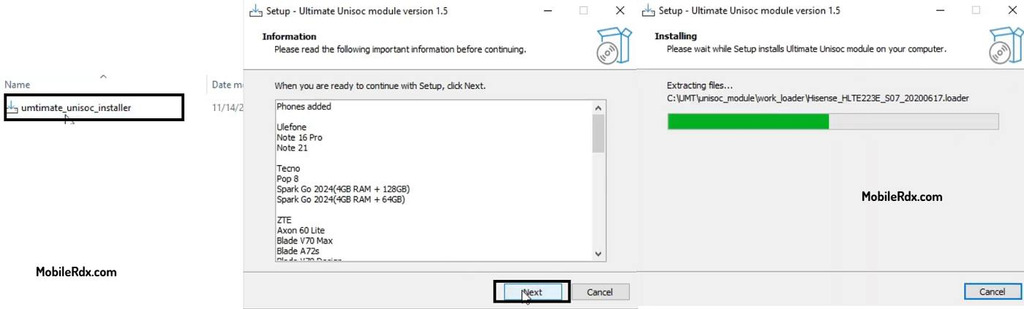
- Tick on Create a Desktop Shortcut => Click Next =>
- Install => Finish
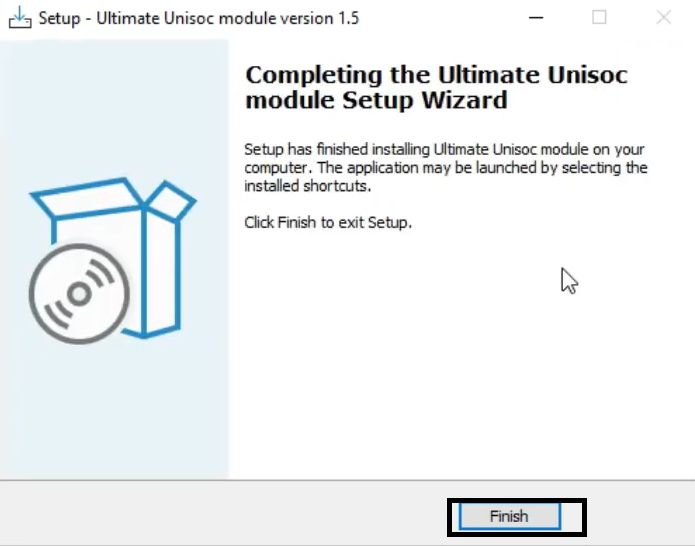
- Now, go back to the desktop screen
- Run the Ultimate Unisoc module.exe.
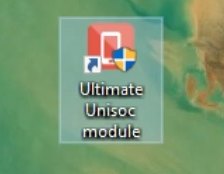
- The tool will open.
- Connect the UMTv2 or UMT Pro dongle.
- Open the Unisoc module and let it detect the hardware.
- Update the module database if requested.
- That’s it.
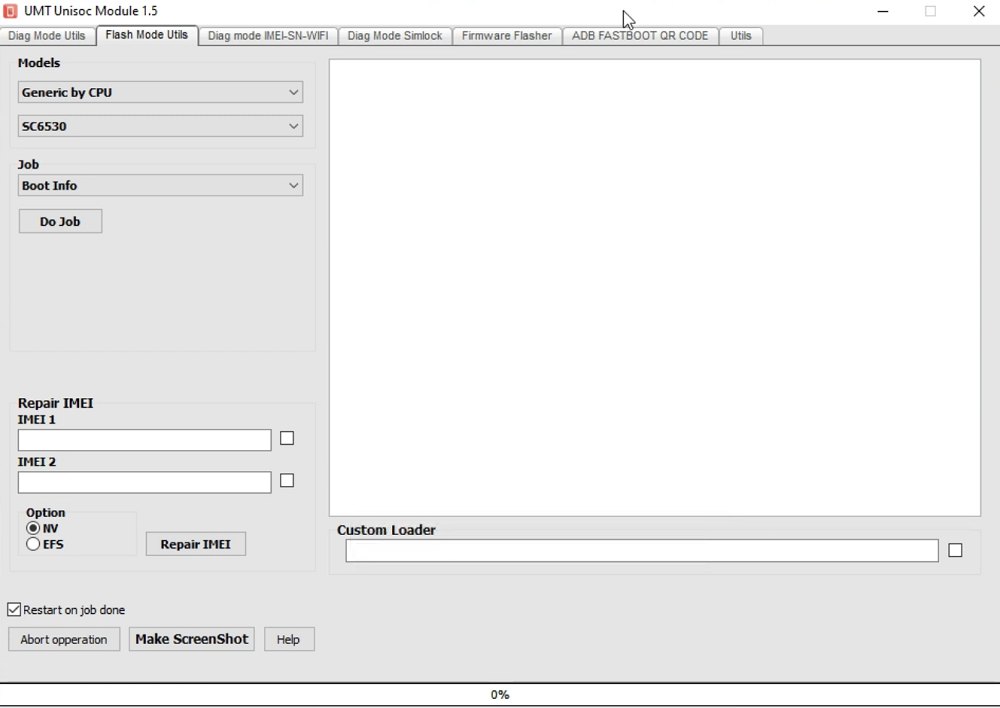
How to Use UMT Unisoc Module v2.3
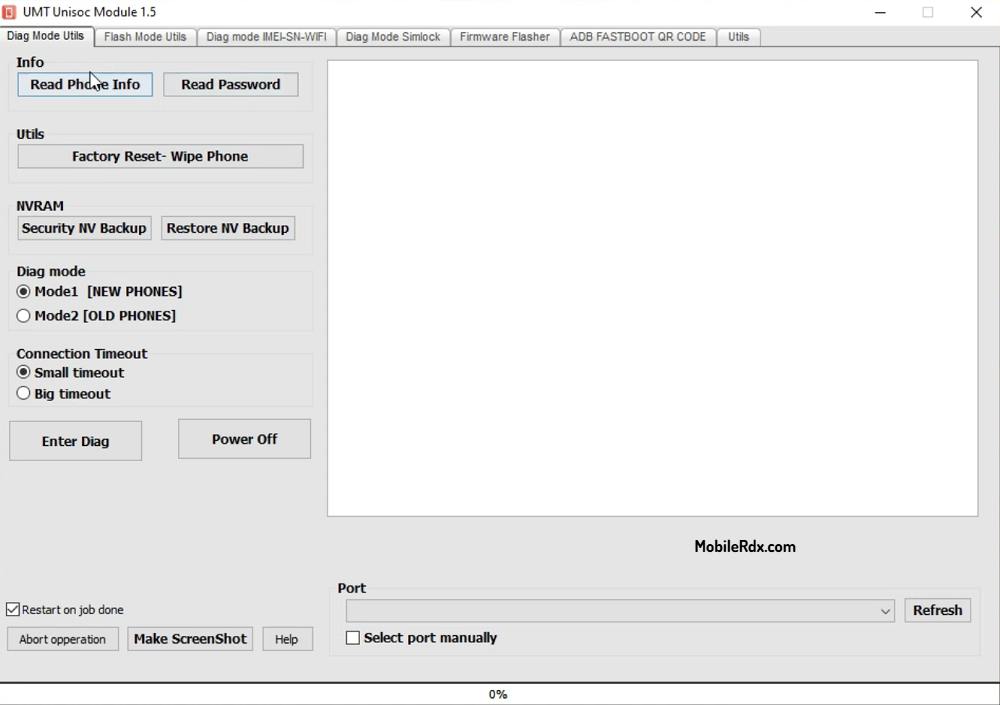
1. Diag Mode Utils
- Enter DIAG Mode
- Read Phone Info
- Read Password
- Factory Reset / Wipe Phone
- Backup Security NV
- Restore NV Backup
- Remove FRP
- Safe Format
- Low-Level Format
2. Flash Mode Utils
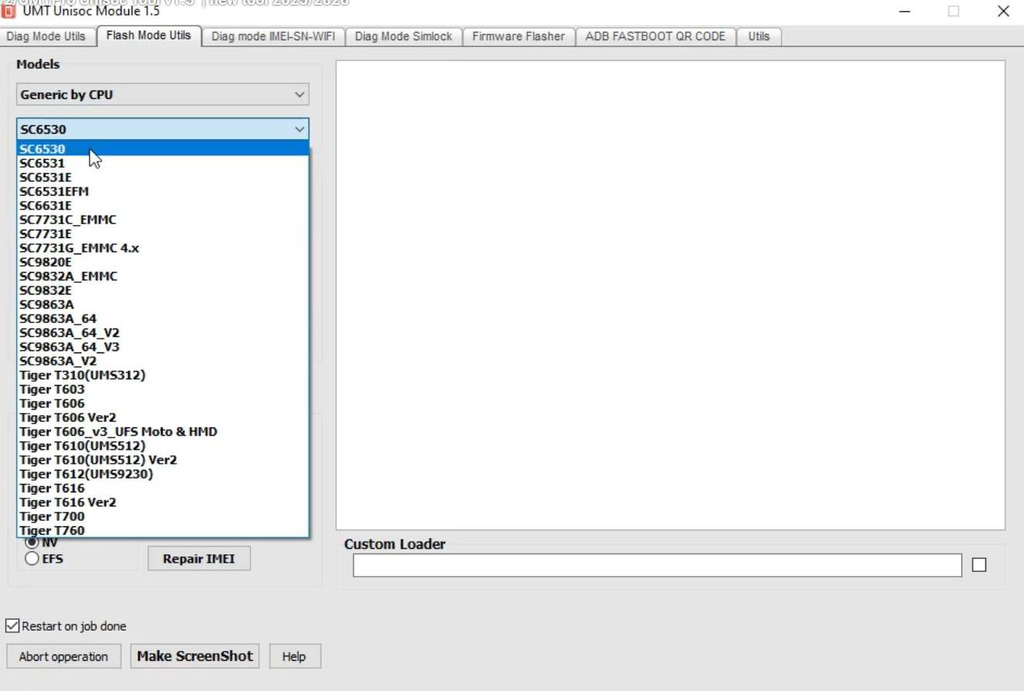
- Read Phone Info
- Read Flash
- Write Flash
- Read Partition Info
- Factory Reset
- Safe Format
- Low-Level Format
- Use Custom Loader
3. Diag Mode IMEI-SN-WIFI
- IMEI 1–4 Repair
- IMEI 1–4 Change
- Bluetooth Address Change
- Serial Number 1–2 Change
- Wi-Fi Information / Servicing
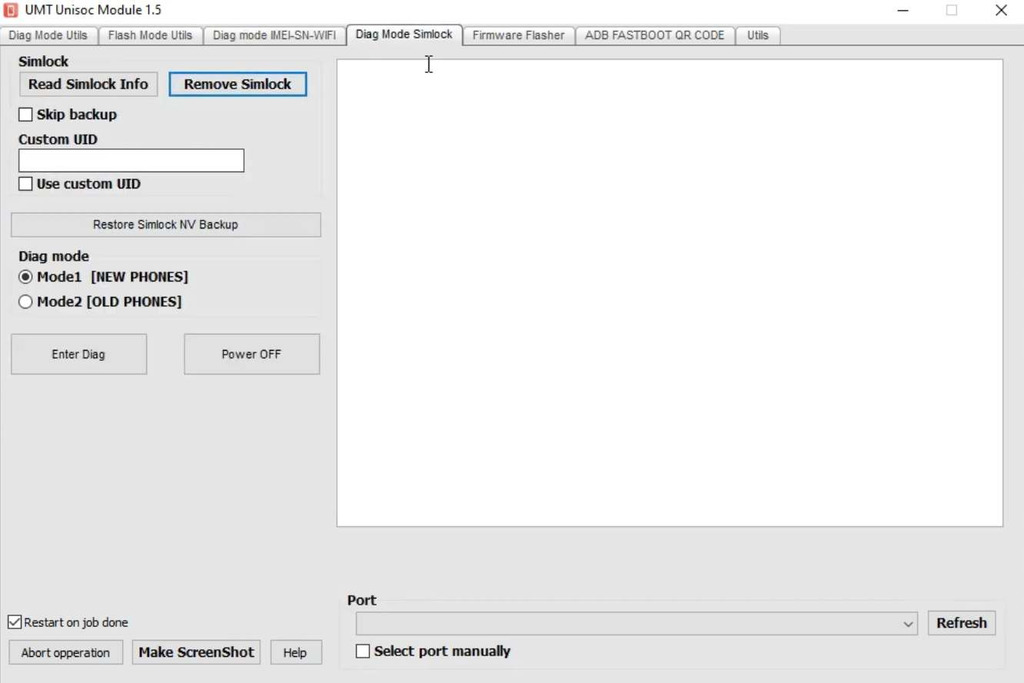
4. Diag Mode Simlock
- Read SIM Lock Info
- Read Unlock Codes
- Remove SIM Lock
- Unlock Phone Using Custom UID
- Restore SIM Lock NV Backup
- Regional Unlock
5. Firmware Flasher
- Load Firmware
- Flash Firmware
- Write Supported Firmware Files
6. ADB FASTBOOT QR CODE
- ADB Operations
- Fastboot Operations
- Reboot to Recovery
- Read Partition Info
- Supported Flash Operations
7. Utils
- Additional Servicing Utilities
- Screenshot
- Help
Warning: Full restore and erasing all flash contents will remove system boot partitions, security partitions, userdata partitions and network partitions. Always backup fully and securely beforehand.
Frequently Asked Questions
It is the Spreadtrum and Unisoc module for UMTv2 or UMT Pro hardware. It supports device information, Diag FRP, backup, restore, factory reset, and firmware operations on supported phones.
The update adds Diag FRP for supported Tecno, Infinix, and iTel devices, Full Backup and Restore, Wipe Userdata, full-flash erase options, and new models.
Yes. A compatible physical UMTv2 or UMT Pro dongle and support access are required to use this module.
Yes, the v2.3 update lists a universal Diag FRP method for supported Tecno, Infinix, and iTel devices. Results depend on the model and security state.
Full Restore can erase user data, while erase-all-flash can remove boot-critical partitions. Make and verify a full and security backup first.