TSM Drivers Installer is a small and simple Windows program that helps your computer detect Android phones during flashing, updating, unlocking, and repair work. It includes the common MTK, Qualcomm, Samsung, SPD, ADB, and brand USB drivers in one package. For a broader driver reference, see our TSM Tool Pro guide.
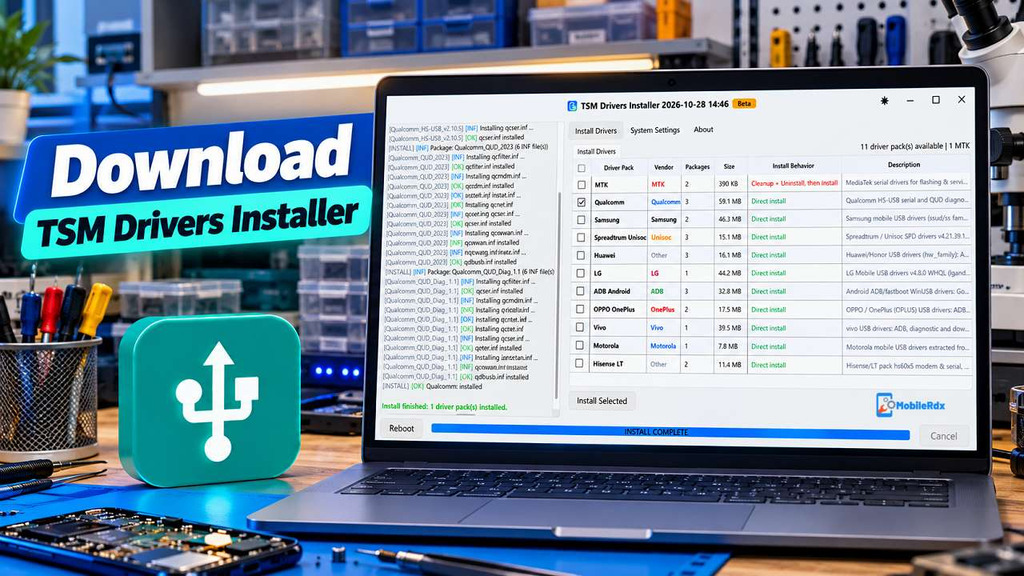
Inside the TSM driver package, you get the mobile USB drivers listed below. The current interface shows MTK, Qualcomm, Samsung, Spreadtrum Unisoc, Huawei, LG, ADB Android, OPPO OnePlus, Vivo, Motorola, and Hisense drivers. Most packs can be installed directly, while the MTK option first cleans old driver entries.
What is TSM Drivers Installer?
TSM Drivers Installer establishes the required USB connection between a mobile phone, Windows PC, and servicing software. When the correct drivers are installed, the computer can detect supported devices in ADB, Fastboot, EDL, Diag, BROM, Download Mode, and other brand service modes. It helps mobile technicians to connect devices for firmware flashing, software repair, and other supported repair operations.
If you regularly repair Android phones, flash firmware, or use professional mobile servicing tools, this installer can help you set up the required USB drivers in one place. It supports multiple mobile brands and chipsets, including MediaTek, Qualcomm, Samsung, Spreadtrum/Unisoc, OPPO, Vivo, Motorola, and more.
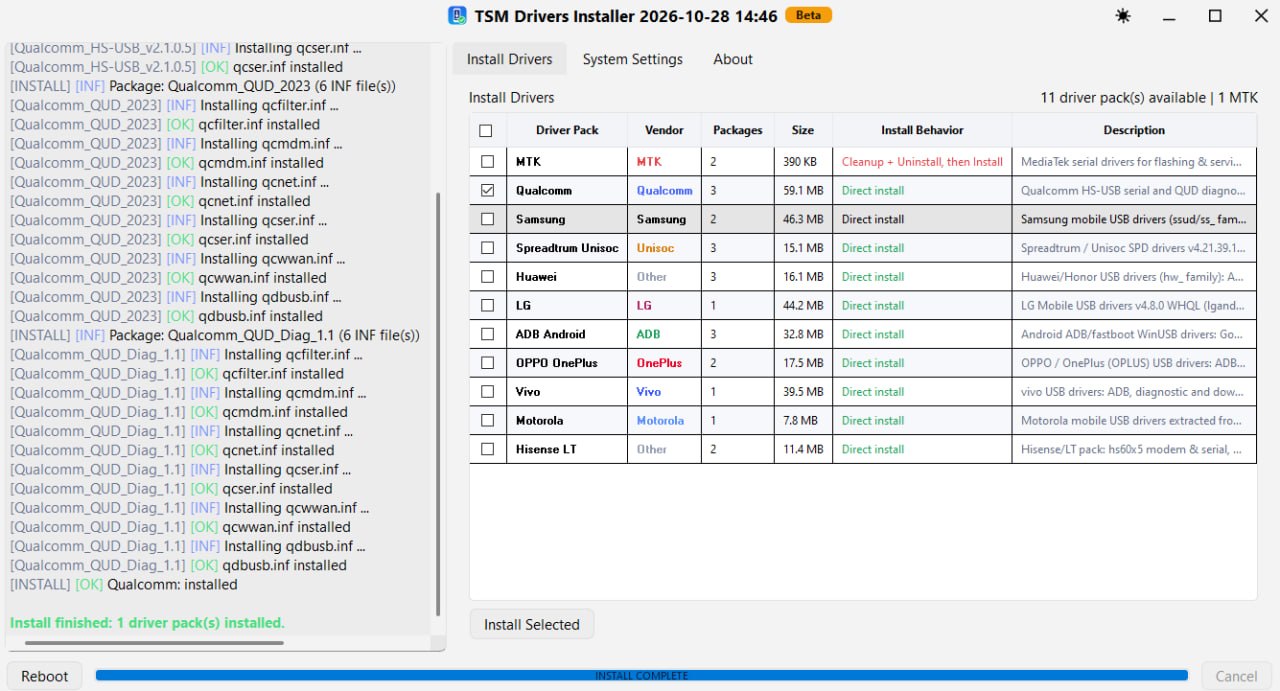
Features of TSM Drivers Installer
- All-in-One Installer: Install multiple mobile USB driver packages from a single executable file.
- One-Click Installation: Select the required driver packs and click Install Selected.
- MediaTek Driver Support: Includes MTK CDC ACM serial and Nokia serial drivers.
- Qualcomm Driver Support: Includes Qualcomm HS-USB, QUD, and EDL 9008 driver packages.
- Samsung USB Drivers: Supports ADB, modem, and Download Mode connections.
- Spreadtrum/Unisoc Drivers: Includes SPD VCOM, diagnostic, and MTP driver support.
- Android ADB Drivers: Includes Google WinUSB and universal Android driver support for numerous device IDs.
- OPPO and OnePlus Drivers: Supports ADB, Fastboot, and RNDIS connections.
- Vivo Drivers: Includes ADB, diagnostic, and download-related driver support.
- Motorola Drivers: Supports ADB, Fastboot, modem, and flash-port connections.
- Huawei and Honor Drivers: Includes ADB, COM, and modem driver packages.
- LG and Hisense Drivers: Provides additional driver packages for supported devices.
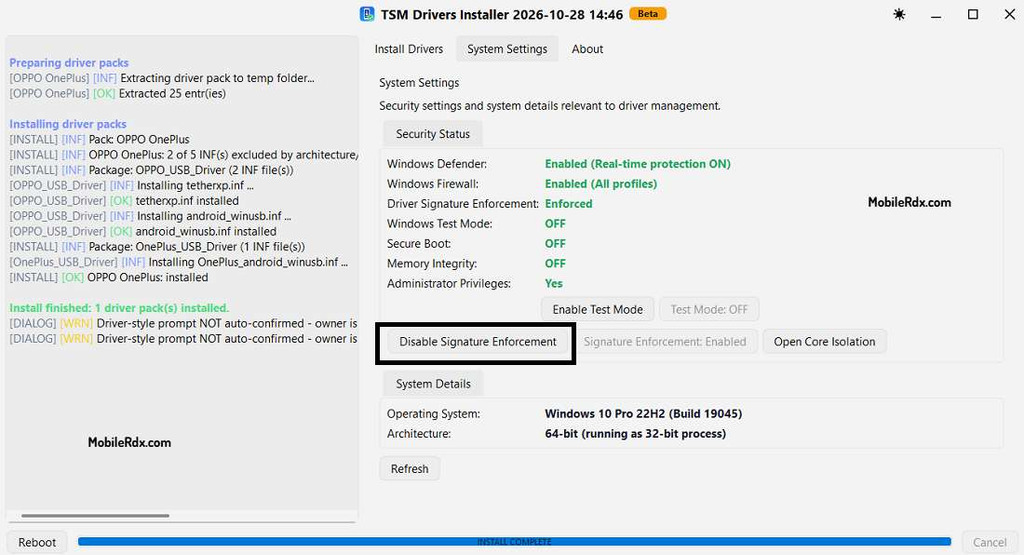
- Security Status: Displays information about Windows Defender, Firewall, driver signature enforcement, and Test Mode.
- Built-in System Options: Provides shortcuts for Core Isolation settings and Windows restart options.
Included Driver Packages
TSM Drivers Installer includes 11 driver packs for different mobile brands and connection modes.
| Driver Package | Supported Connections |
|---|---|
| MediaTek (MTK) | CDC ACM serial and Nokia serial |
| Qualcomm | HS-USB, QUD, EDL 9008 |
| Samsung | ADB, modem, Download Mode |
| Spreadtrum/Unisoc | SPD VCOM, Diag, MTP |
| Huawei/Honor | ADB, COM, modem |
| LG | ADB, modem, Diag, RNDIS |
| Android ADB | Google WinUSB and universal Android drivers |
| OPPO/OnePlus | ADB, Fastboot, RNDIS |
| Vivo | ADB, Diag, download connections |
| Motorola | ADB, Fastboot, modem, flash ports |
| Hisense/LT | Modem, serial, ADB, MTP |
The available connection modes depend on the phone model, chipset, firmware, and the operation supported by your servicing software.
Which Driver Should You Install?
MediaTek: Install MediaTek USB drivers to detect phones in VCOM, Preloader and BROM modes during flashing firmware or software repair.
Qualcomm: Qualcomm uses USB drivers to connect to devices in modes like QDLoader, EDL and other supported service modes.
Samsung: Installs Samsung USB drivers to connect for MTP mode,
Spreadtrum/Unisoc: Download Mode and other supported servicing operations. Spreadtrum/Unisoc use SPD drivers to connect for flashing firmware and diagnostic operations and software repair.
ADB Android: ADB for Android uses USB drivers for ADB and Fastboot. Use these for debugging commands and servicing tools.
OPPO/OnePlus and Vivo: OPPO and OnePlus, along with Vivo, need to install appropriate specific brand drivers to connect for ADB and diagnostic and firmware service.
Huawei, LG, Motorola, and Hisense: Choose the correctrect driver package for the phone brand. Installing the proper driver allows Windows to detect the device and use compatible tools to communicate with it.
TSM Drivers Installer Download
Inside the driver package, you will get the mobile USB drivers listed above. The current release information lists version 2026.10.28.1419.
- Tool Name: TSM Drivers Installer
- Version: 2026.10.28.1419 / 2026.10.28 Beta interface
- Platform: Windows PC
- Type: Mobile USB driver installer
- Driver Packs: 11 shown in the current interface
- Main Use: Install drivers for flashing and mobile service connections
- License: Check the current TSM distribution terms
How to Install TSM Drivers
- Download the TSM Drivers Installer package.
- Extract the required ZIP file.
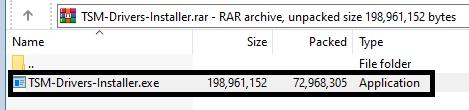
- Run the installer as Administrator.
- Select the required driver packs according to the phone chipset or brand.
- Click Install Selected to start the installation.
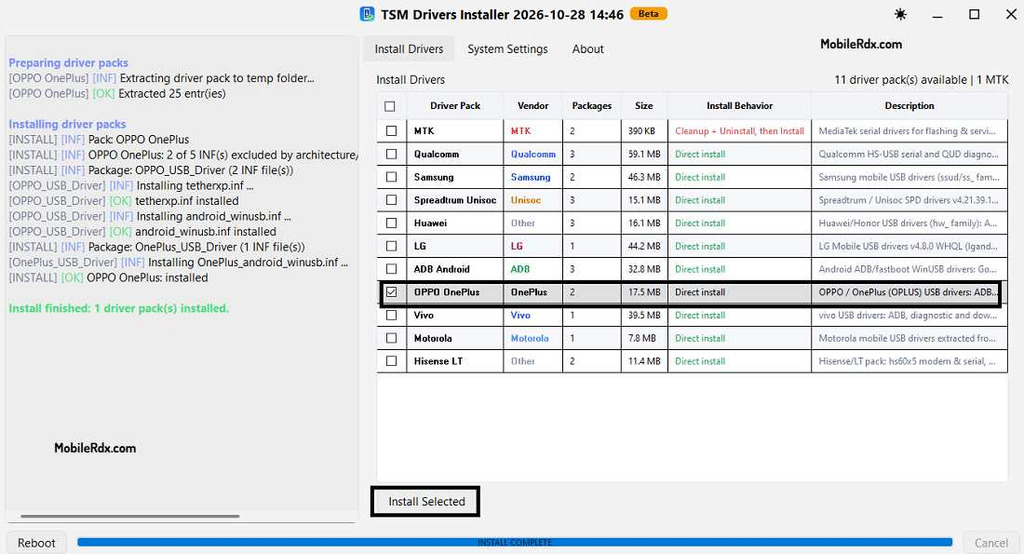
- For MediaTek drivers, wait for the cleanup and uninstall process to finish before installing the new drivers.
- Wait until the installation log shows an OK or installed status.
- Restart Windows if required.
How to Use TSM Drivers for Phone Repair
- Install the driver pack that matches your phone’s chipset or brand.
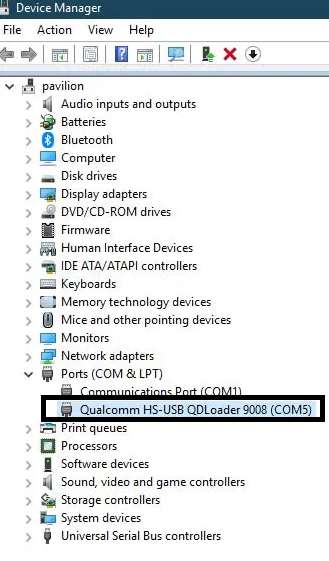
- Open Device Manager and check whether the drivers are installed.
- Power off the phone or switch it to the service mode you want.
- Connect the phone to your PC using a good USB cable.
- Check Device Manager and confirm that the phone is detected correctly.
- Open your preferred flashing or servicing tool.
- Select the required operation, such as firmware flashing, EDL, Fastboot, ADB, Diag, or BROM.
- Start the operation once the phone is detected successfully.