Download Borneo Schematics Tool v1.0.9700.19381 [Latest Version]
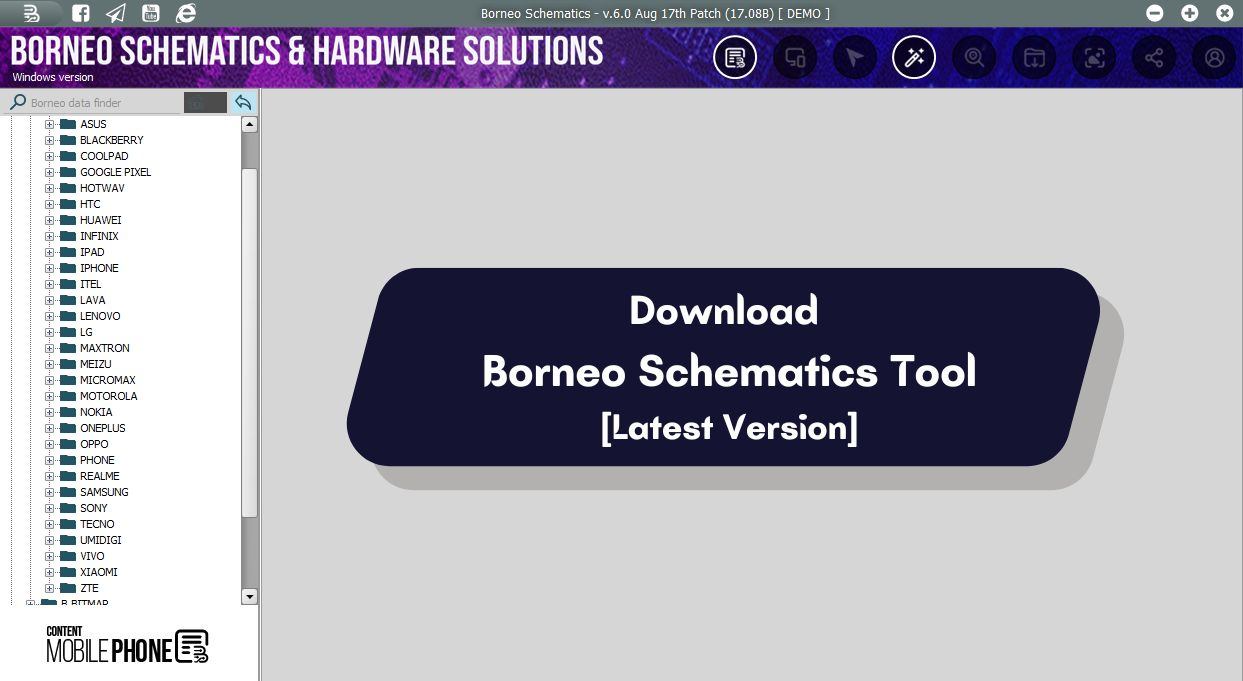
If you are a mobile technician looking for a trusted schematic and hardware solution tool, Borneo Schematics can help you quickly diagnose motherboard faults, charging issues, no power problems, display faults, and other hardware-related issues.
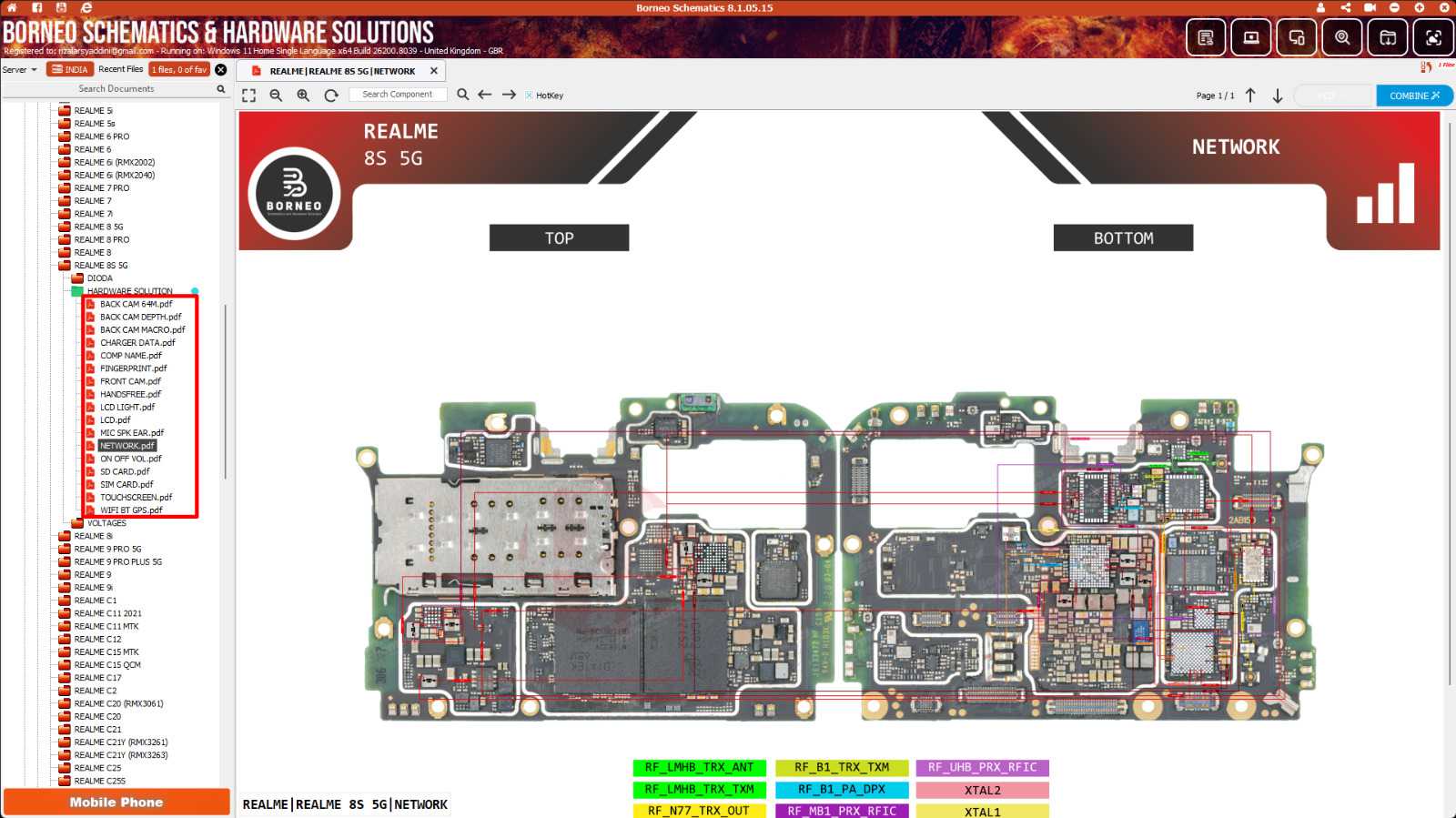
Borneo Schematics Tool provides PCB Bitmaps, Official PDF Schematics, and Hardware Repair solutions for LCD, Charging, Bootloop, Power key, Mic, and finding EDL and test points. It is highly recommended that a mobile technician who wants to quickly diagnose hardware faults on any smartphone download Borneo Schematics and Hardware Solution Tool Latest Version.
The program is premium, with a small activation and usage fee. After registering your account on the tool, contact the Borneo team or reseller to activate it, then use the tool to find your phone’s hardware schematic.
What Is Borneo Schematics Tool
The Borneo Schematics Tool is a user-friendly software designed for creating and editing schematic diagrams. Its intuitive interface and extensive components library allow engineers to efficiently design, analyze, and simulate complex electrical circuits. Whether you are a seasoned professional or a student just starting out, this tool provides a powerful platform for schematic design.
One of the standout features of the Borneo Schematics Tool is its extensive component library. It features many components, including resistors, capacitors, integrated circuits, and microcontrollers. This comprehensive library ensures that engineers can access various parts, facilitating seamless integration into their designs.
Borneo Schematic Tool 2026 Features
The latest version comes with several improvements and new repair resources for technicians. Some key features include:
- Smartphone Hardware Solutions
- Laptop and MacBook Hardware Solutions
- PDF Schematics Library
- PCB Layout & Boardview Files
- Bitmap PCB Viewer
- IC On Board Value Database
- IC Input and Output Voltage Information
- Thermistor and Diode Value Database
- Sub Board Hardware Solutions
- Connector Equivalent Search
- Firmware and BIOS File Support
- Smart Board Hardware Solutions
- Daily Database Updates
- Multi-Language Support
- Faster Database Loading Speed
- New Bitmap Interface & Dual View Support
Hardware Repair Support
- Smartphone Hardware Solutions
- Laptop Hardware Solutions
- MacBook Hardware Solutions
- Smartwatch Hardware Solutions
- Sub Board Hardware Solutions
- SoC Diagram Support
- Connector Equivalent Database
- Component Datasheet Library
- Thermistor and Diode Value Database
- Power and Voltage Data
Bitmap and Schematic Features
- Full PCB Path Tracking
- Signal Line Tracking with Color Separation
- Power and Ground Line Tracking
- Component Connection Mapping
- PDF Schematic Viewer
- Smart Board View
- Board Layout View
- IC Pin Information
Multi-Layer PCB Support
- Multi-Layer Board Tracing
- Hidden Internal Track View
- Advanced PCB Layer Analysis
- Available for selected models, more added regularly
Borneo Data Work (BDW)
- eMMC Files
- UFS Files
- Firmware Downloads
- Repair Files
- Cloud-Based File Library
- New files added regularly
Supported Device Categories
- Mobile Phones (Android and iOS)
- Tablets
- Laptops
- MacBooks
- Desktop PC Devices
Model File Tags (Quick Reference)
- H = Hardware Solution
- B = Bitmap
- S = Schematic / Smart Board
- P = Power Data
Server Options
- Asia Server
- India Server
- US Server
Download Borneo Schematics Tool – Latest Version Setup
You can download Borneo Schematics V1.0.9700.19381 here. It is a premium tool, which means you will need to activate it to use it, and it does not come with any credits.
File Name: Setup_Borneo_Schematics_v1.0.9700.19381.zip
OS: Windows OS
Download_Borneo_Schematics_V1.0.9700.19381Hardware Requirements
| Component | Minimum (Smooth Operation) | Recommended (Best Experience) |
|---|---|---|
| OS | Windows 10 64-bit / Windows 11 64-bit | Windows 11 64-bit |
| Processor | Intel Core i3 or AMD Ryzen 3 | Intel Core i5 or AMD Ryzen 5 |
| Memory | 4 GB RAM | 8 GB RAM |
| Storage | 2 GB free space | SSD with 5 GB+ free space |
| Graphics | Integrated graphics | Dedicated graphics or modern integrated graphics |
| Internet | Stable broadband connection | Fast stable broadband connection |
Hardware schematics are diagrams and pictures used to understand each component and part of a device, and may be used for designing, analyzing, or troubleshooting a smartphone or laptop.
How to use Borneo Schematics
1. Download Borneo Schematics V1.0.9700.19381 on your computer and extract it.

2. Open the extracted folder after extracting Setup.zip
3. Make sure you run the tool as an administrator.
4. Install the tool now on your PC
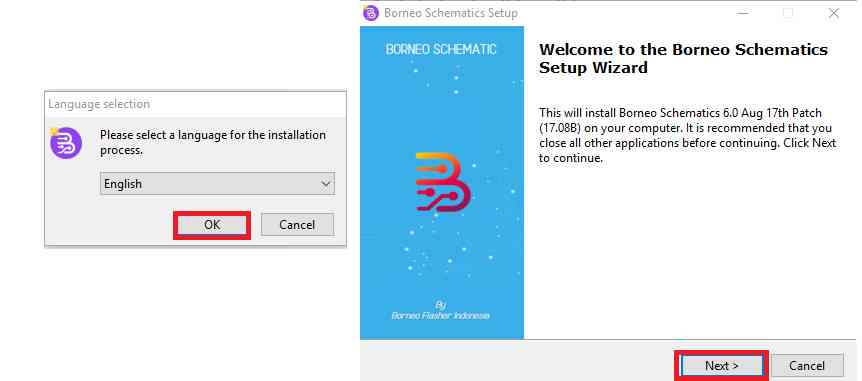
5. Click on OK after selecting your language
6. After that, click Next => Create Desktop Shortcut =>
7. Then click Next => Finish
8. Now that the tool is open, you can use it
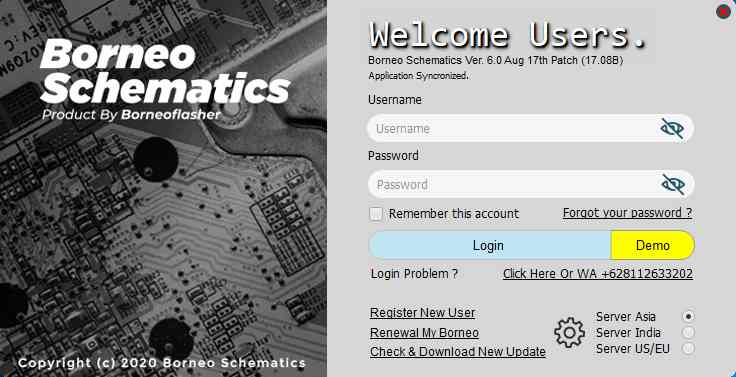
9. The next step is to log in or register an account
10. To activate your account, contact the Borneo Team or your reseller
11. The tool is now available for use
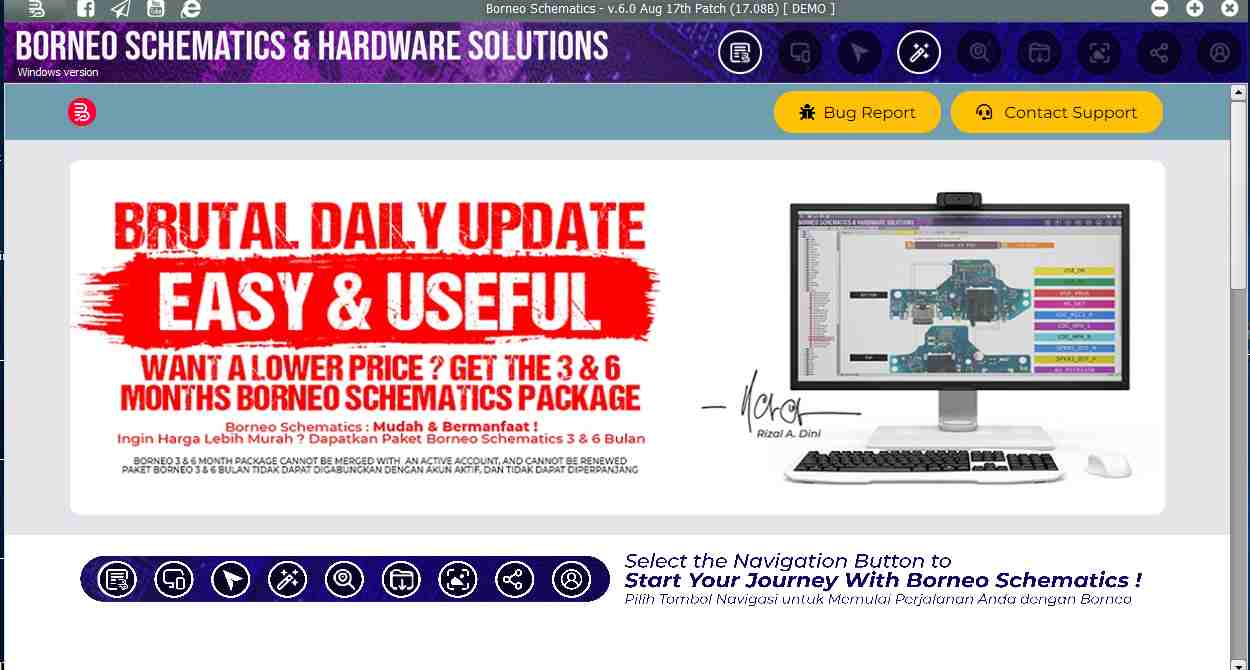
12. Click on the tab of your choice
- Mobile Phone Solution
- Hardware Solution
- Schematics & Service Manual
- System on Chip (SOC)
- DataSheet
- Select the brand and model of your device
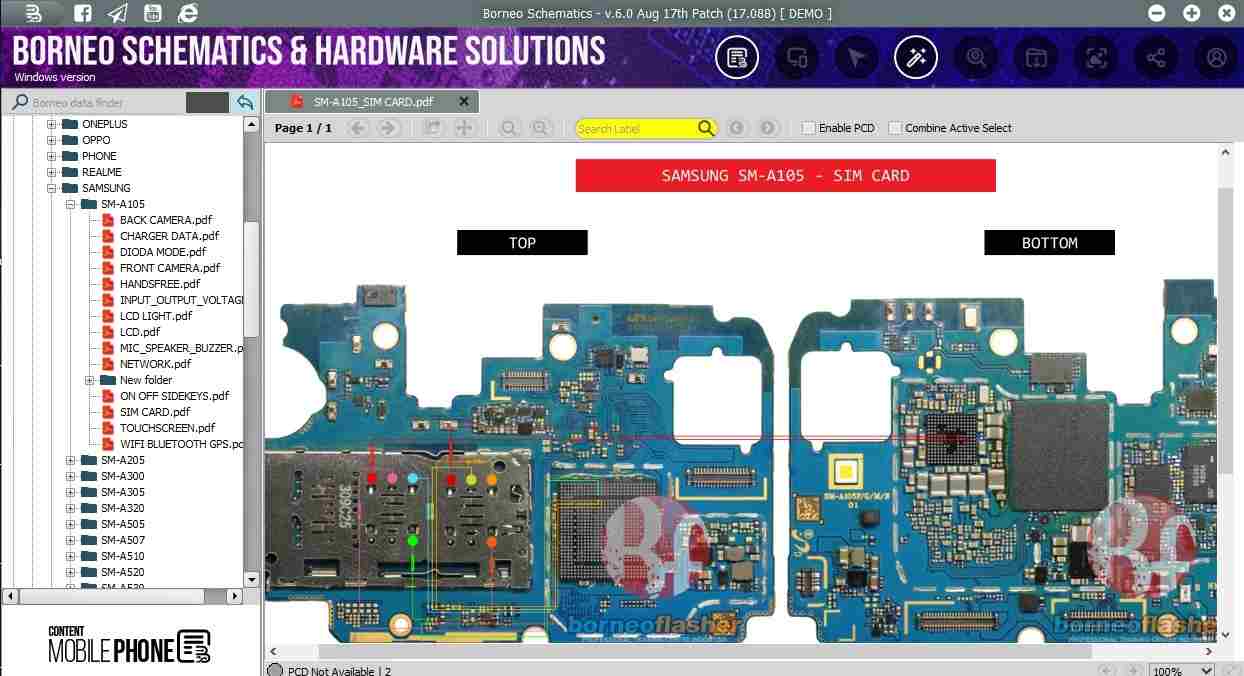
13. You will now be able to see all the hardware diagrams of your phone.
14. All right, that’s it.
Frequently Asked Questions (FAQ)
No, Borneo Schematics requires activation or subscription to access all features.
Yes, it supports laptops, MacBooks, and desktop motherboard repair resources.
Yes, the latest version supports Windows 11 along with Windows 10, 8, and 7.
Mobile technicians, hardware engineers, laptop repair experts, and electronics professionals can benefit from this software.
H = Hardware Solution, B = Bitmap, S = Schematic, P = Power Data. These letters show what is available for each model before you open it.
Samsung, Xiaomi, Redmi, Oppo, Vivo, Realme, Infinix, Apple, Dell, HP, Lenovo and many more. New models are added daily.