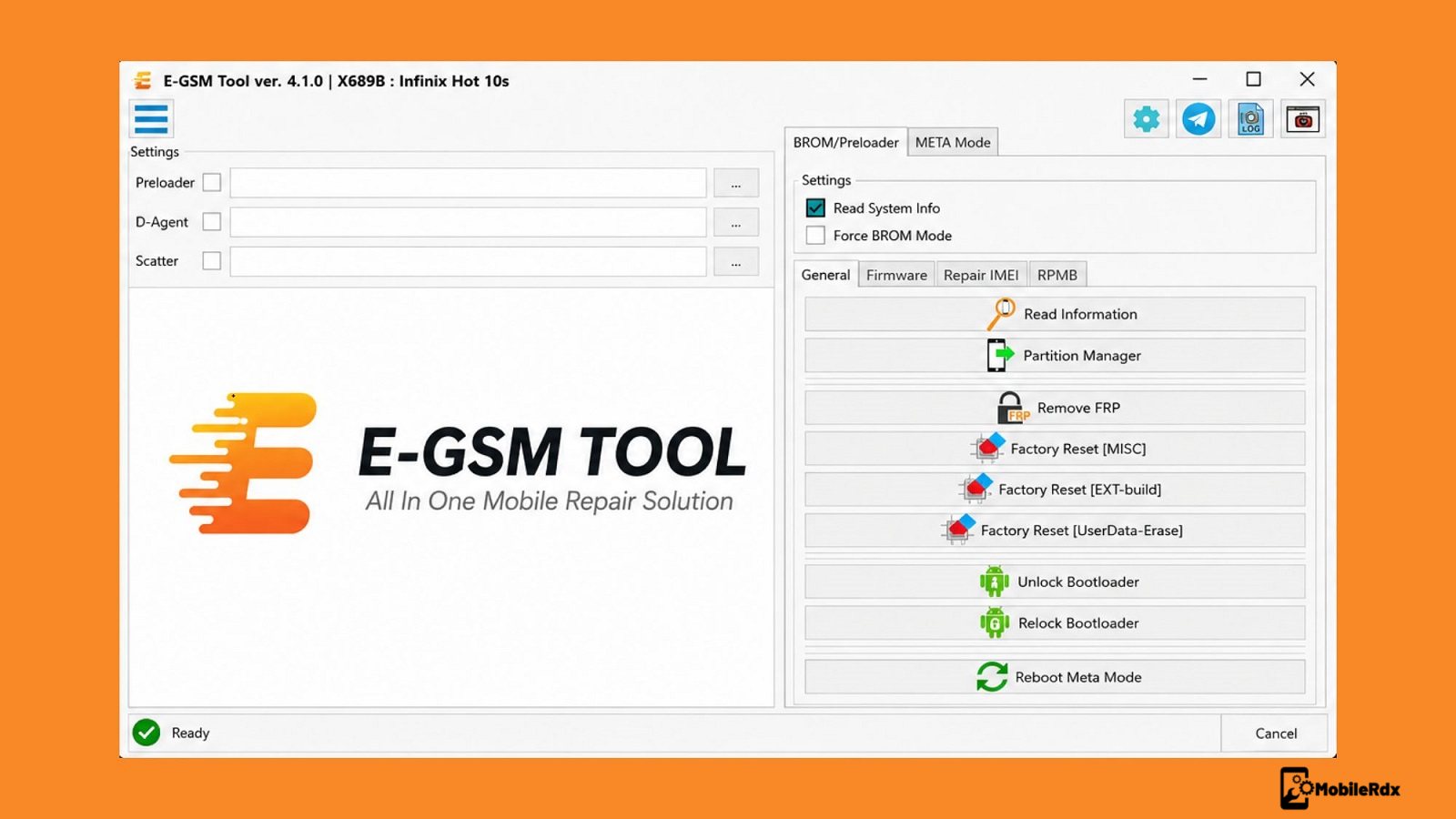
E GSM Tool v4.3.3 is a servicing utility for technicians that supports Samsung, Xiaomi and Huawei. This is a comprehensive utility for daily service needs that handles removal of FRP, repair of IMEI, flashing firmware, unlocking bootloader and account bypass for thousands of different device models.
This tool works with phones from Samsung, Xiaomi, Huawei, OPPO, Vivo, Realme and OnePlus and other brands as well. It supports MediaTek Qualcomm and Exynos Chipset. they just released version 4.3.3. There is a new look and tasks are now quicker and more reliable. New users can try all features free for one month before buying a license.
What Is the E-GSM Tool
E GSM Tool is a Windows app by E GSM Team. It deals with most common phone fixes through ten core functions. If you want to remove a factory protection after a factory reset or restore IMEI numbers for a dual SIM phone or flash stock firmware to a locked device then this app handles all that from a single dashboard.
This tool supports more than 5000 models from 50 different brands. It connects to devices via ADB, Fastboot, Meta Mode, Download Mode and Qualcomm EDL 9008. Most features do not require a hardware dongle or monthly credits. Credits are needed only for a few things such as Xiaomi CPID but for everyday FRP flashing tasks once activated you’re fine.
Key Features of E-GSM Tool
- FRP Remove – Bypass Google Factory Reset Protection on Samsung, Xiaomi, OPPO, Vivo, and Realme devices. Supports Android 12, 13, 14, and the newest 2026 security patches.
- Dual SIM IMEI Repair – Restore IMEI numbers using Flash Mode or Patch method. Works on dozens of models with 15-digit network identifier support.
- Flash Firmware – Flash official and custom firmware on MediaTek and Qualcomm chipsets. Supports Xiaomi Auth Flash and Samsung LZ4 compressed firmware format.
- Unlock Bootloader – Unlock or relock the bootloader for installing custom ROMs, kernels, and system modifications.
- Bypass Mi Account – Remove Xiaomi Mi Account lock from Redmi and Xiaomi devices without needing original credentials.
- Remove Huawei ID – Clear Huawei ID and Honor account locks from supported Huawei and Honor models.
- Remove OPPO ID – Remove OPPO and Realme account locks through a fast and tested process.
- Factory Reset – Wipe user data, remove screen locks, and restore devices to factory state.
- Xiaomi Patch Cert – Patch certification on supported Xiaomi models for dual SIM IMEI repair.
- Device Info Reader – Read model number, IMEI, Android version, serial number, and chipset details before starting any operation.
Supported Brands and Models
The tool supports a wide selection of brands and chipsets. Below is the list of supported brands along with the chipset compatibility for each.
- Samsung – Exynos, Qualcomm, MediaTek chipsets. FRP remove via Meta Mode and ADB. Supports latest Android 16 security.
- Xiaomi – Redmi, POCO, Mi series. Mi Account bypass, Auth Flash, Patch Cert, FRP removal.
- Huawei – Huawei and Honor models. Huawei ID removal, FRP bypass, firmware flashing.
- OPPO and Realme – OPPO ID removal, FRP bypass, factory reset.
- Vivo – FRP removal, account unlock, device reset.
- OnePlus – Bootloader unlock, FRP bypass, diagnostics.
- Motorola, Nokia, TCL – Limited support for FRP and info reading.
What’s New in E-GSM Tool v4.3.3
- Redesigned user interface with cleaner navigation and quicker access to core functions
- Improved MediaTek protocol support for newer chipset models
- Enhanced Qualcomm device detection and flashing stability
- Updated Samsung Exynos FRP workflow for the latest security patches
- Expanded supported model database with 200+ new device profiles
- Faster bootloader unlock process on Xiaomi and OPPO devices
- Free one-month beta trial for all new users with no feature restrictions

Download E-GSM Tool v4.3.3
Download the E-GSM Tool v4.3.3 setup from the official website. The tool comes as a ZIP archive and the beta version offers free access for one month. Installation requires a Windows PC with proper USB drivers for Samsung, Xiaomi, and MediaTek devices.
- File Name: E-GSM_Tool_v4.3.3.zip
- Size: 60 MB
- Platform: Windows 7, 8, 10, 11
- Developer: E-GSM Team
- License: Paid version
How to Use the E-GSM Tool
1 Download the E-GSM Tool setup from the official website or trusted source.
2. Extract the ZIP file using WinRAR or 7-Zip on your Windows PC.
3. Run the installer as Administrator and follow the on-screen instructions.
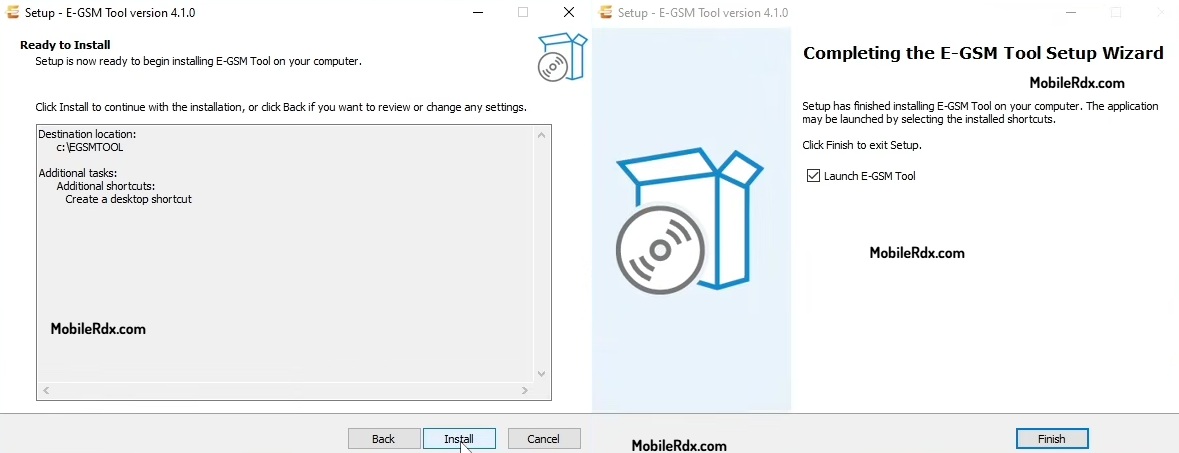
Install the required USB drivers for your device brand (Samsung, Xiaomi, etc.).
Launch the tool and register or activate your free one-month trial.
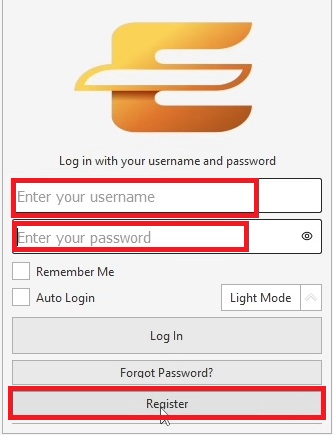
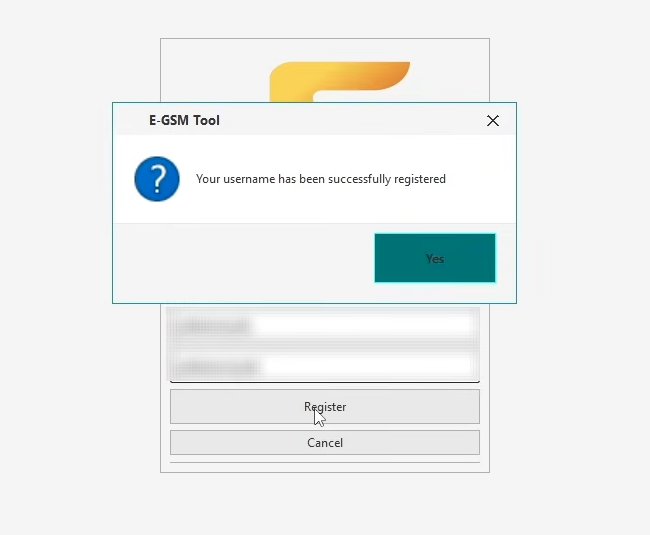
4. Connect your device via USB cable with USB Debugging enabled.
5. Select the function you need – FRP Remove, IMEI Repair, Flash Firmware, etc.
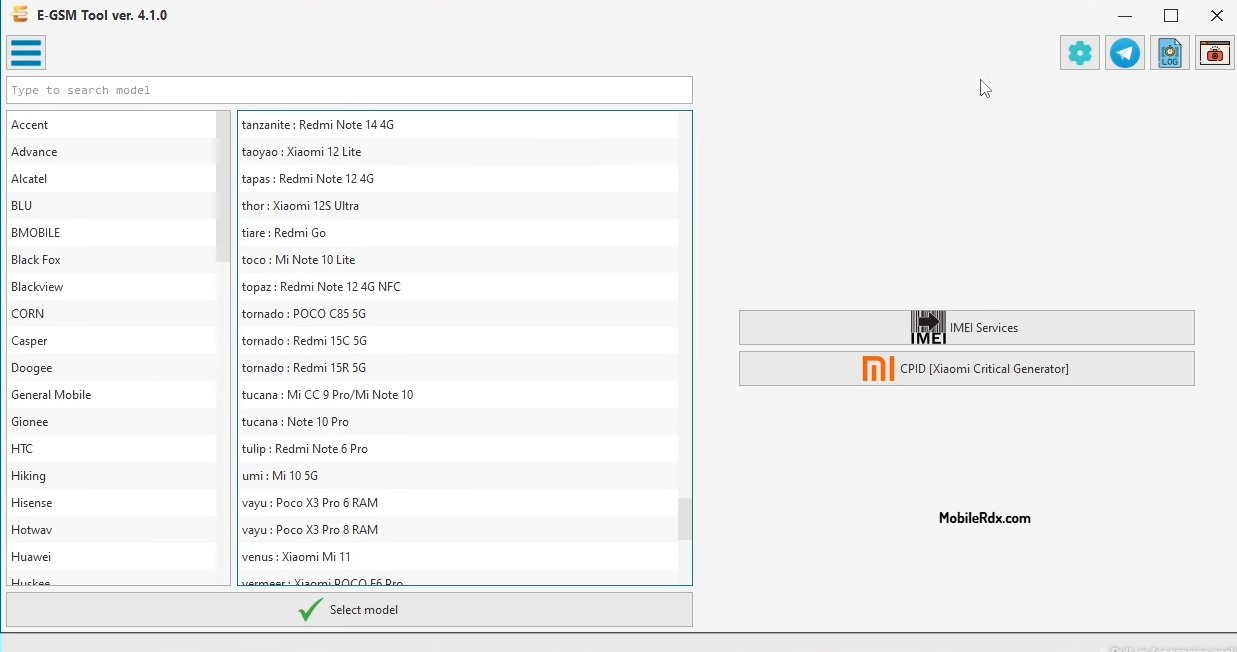
6. Follow the on-screen prompts and wait for the process to complete.
Frequently Asked Questions
E-GSM Tool is a phone repair and flashing software. It removes FRP, repairs IMEI on dual SIM devices, flashes firmware on MTK, Qualcomm, and Samsung phones, and unlocks bootloaders on supported models.
The setup is free to download, but some operations may require credits or activation depending on the module and device you service.
It supports Samsung, Xiaomi, Huawei, OPPO, Vivo, OnePlus, Motorola, Nokia, TCL and 50+ brands across 5000+ models on MTK, Qualcomm, and Unisoc chipsets.
Yes. E-GSM Tool runs on Windows 10 and Windows 11. Install the bundled USB drivers and run the tool as administrator for the best results.