GSM Family Tool is a simple, free Windows program that is specially designed for servicing different brands of Android phones, and it allows you to remove the Samsung KG lock, flash firmware for Huawei, clear PayJoy for Tecno and Infinix, and perform easy Unisoc operations. For those who want a single interface to handle jobs from Samsung, Huawei, Xiaomi, Oppo, Vivo, Realme, Motorola, Tecno and Infinix, this program helps you to solve these issues easily.
The tool includes key and important features for daily use in shops. It also lets you edit dynamic partitions and EROFS on devices by UniSoC and flash Motorola file flash file.xml and remove Mi Account through ADB. Key features are listed below.
What is GSM Family Tool?
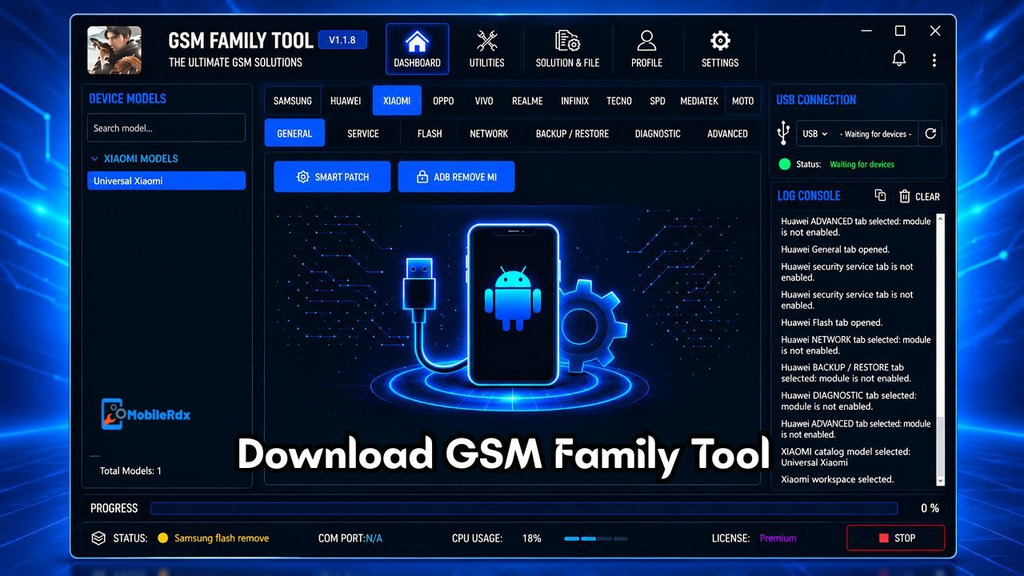
GSM Family Tool is a Windows repair tool for mobiles and supports 11 different brands. It has a clean interface with a sidebar menu from which you can select brands and access areas such as Dashboard, Utilities, Solution Files, Profile and Settings from the top. Live status panel also displays real time logs, USB and COM connection status, CPU usage, license information and status of each operation.
The current v1.1.8 release fixes flashing for Huawei Nova 13i in Update Mode and improves stability for flashing Huawei and Honor phones. New support for PayJoy and FRP has been added for Tecno and Infinix with April 2026 MTK security patch. Tool is free and accepts any username and password for login.
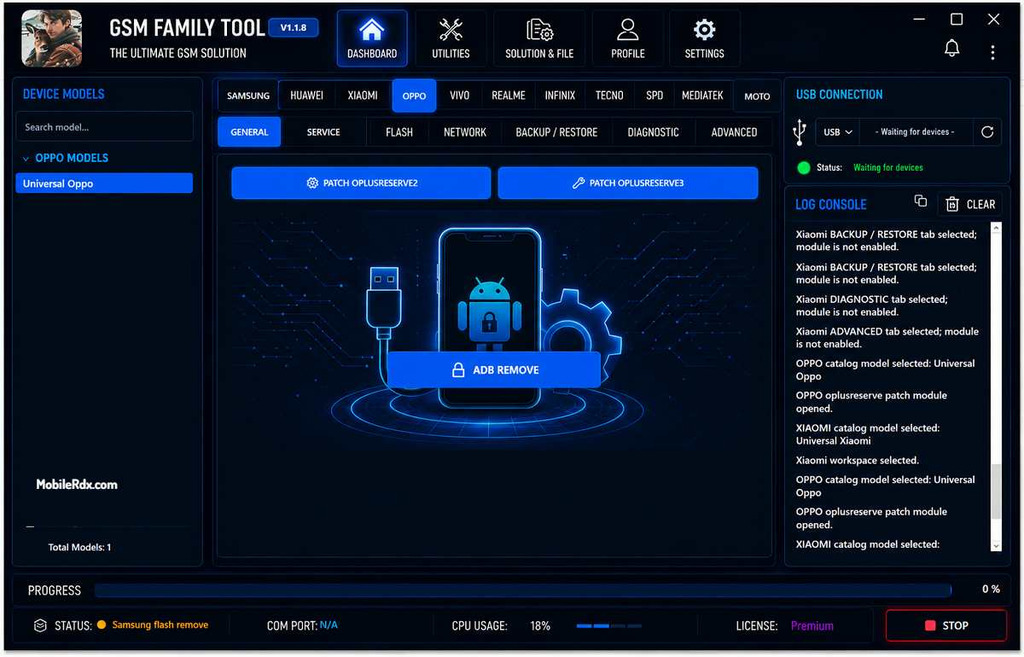
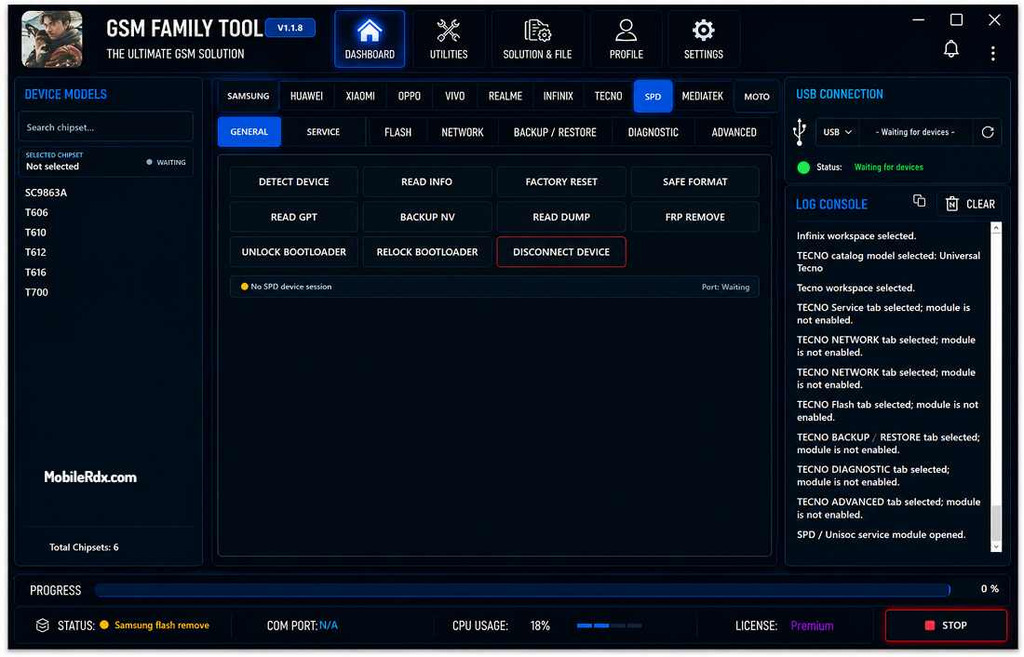
Key Features of GSM Family Tool:
Samsung:
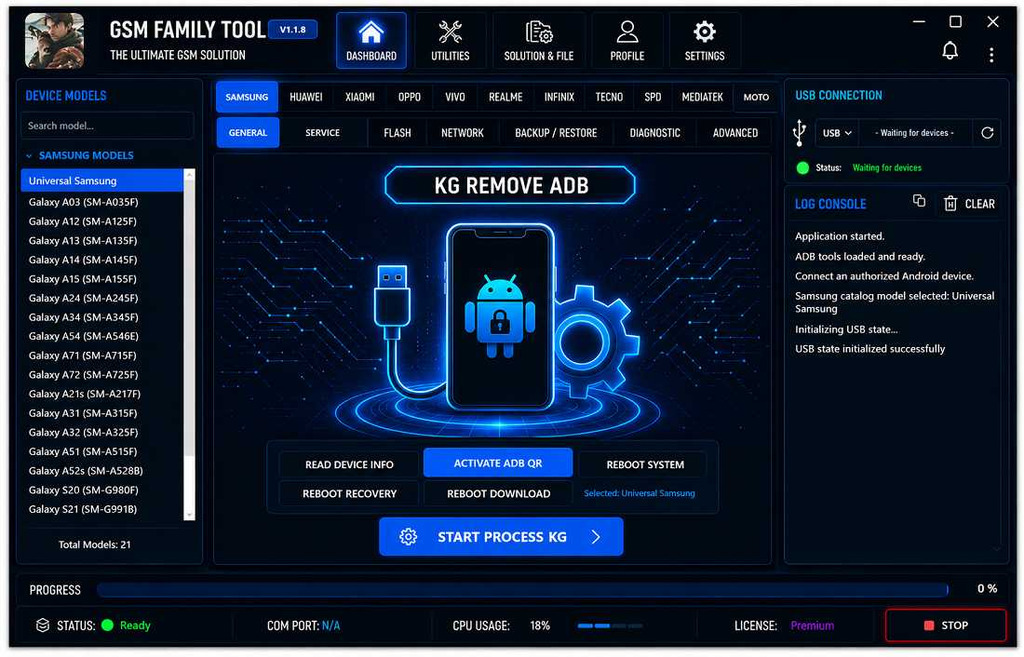
- Universal ADB support + specific models — Galaxy A03, A12, A13, A14, A15, A24, A34, A54, A71, A72, A21s, A31, A32, A51, A52s, S20, S21
- KG Remove ADB — remove Knox Guard lock via ADB (you can also try the ZeroKnox Removal Tool for this job)
- Read Device Info + Activate ADB
- Reboot to System, Recovery, or Download mode
- DNS Credit Service + Generate DNS + Buy Credit
Huawei / HONOR:
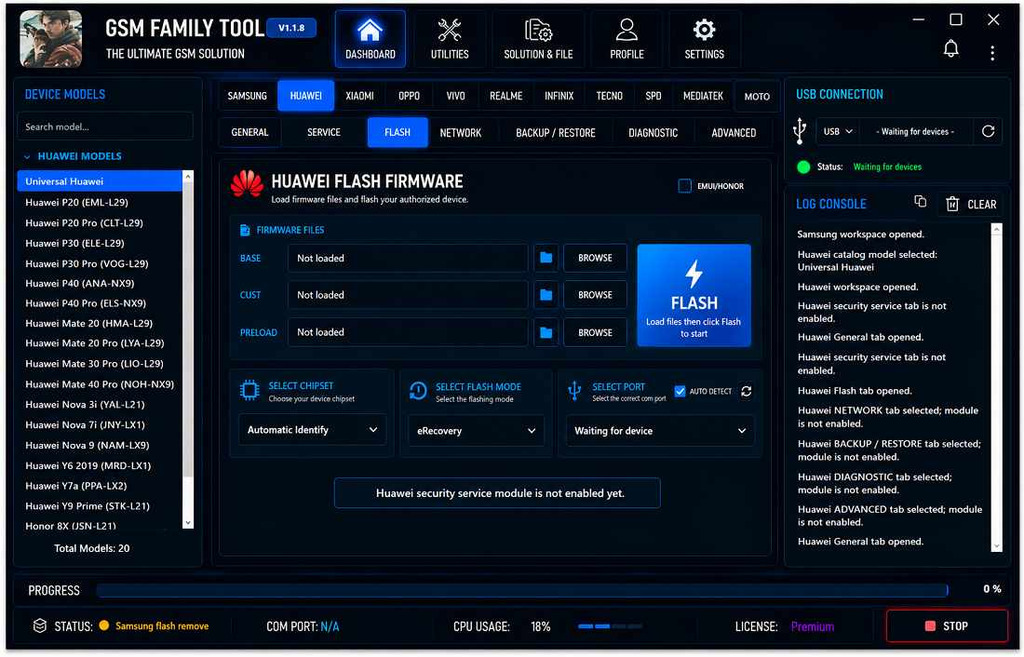
- Firmware flasher with Base, Cust, and Preload partition files (heavy UFS jobs pair well with the Easy JTAG Plus Box)
- Read info via ADB, Fastboot, or Huawei USB Update Mode
- Repartition support
- Specific models — P20–P40 Pro, Mate 20–40 Pro, Nova 5T/7i/9, Y6 2019, Y7a, Y9 Prime, Honor 8X
- Nova 13i Update Mode flashing — fixed in v1.1.8
Xiaomi:
- Smart Patch operations
- ADB Remove Mi — remove Mi Account via ADB (the E-GSM Tool covers more Mi Account jobs)
Oppo:
- ADB Remove
- Patch Oplusreserve2 / Oplusreserve3 partitions
SPD / Unisoc:
- Supported CPUs — SC9863A, T606, T610, T612, T616, T700
- FRP Remove, Factory Reset, Safe Format, Unlock/Relock Bootloader
- Flash PAC files with automatic FDL1/FDL2 identification
- NV backup, Read GPT, Read Dump, partition read/write/erase
- Android Dynamic Partition / EROFS Editor, Super APK Remover, Patch Misc
- APK management — install, uninstall, disable, enable, backup, restore
MediaTek:
- Professional META Mode — Factory Reset, Reset FRP, Patch, Boot/Exit
- META Mode PayJoy removal — Tecno and Infinix on April 2026 patch
- Updated FRP support for latest Tecno and Infinix MTK models
Motorola:
- Bootloader Unlock, Patch Misc, Patch FRP, ADB Activate (for wider coverage check UnlockTool)
- Fastboot Flasher with flashfile.xml and servicefile.xml support
- Single .img partition flash without a full firmware pack
- Specific support — Moto XT2503-4
Other Brands:
- Vivo and Realme — supported via the main interface
- Infinix and Tecno — covered under both MediaTek and the brand tabs
What’s New in GSM Family Tool v1.1.8:
- Fixed Huawei Nova 13i flashing in Update Mode
- Improved Huawei and HONOR flashing stability
- PayJoy support for Tecno MTK — April 2026 security patch
- PayJoy support for Infinix MTK — April 2026 security patch
- Improved MTK META Mode PayJoy operation
- FRP support for latest Tecno and Infinix MTK models
- Faster META Mode FRP operation
Download GSM Family Tool v1.1.8:
Download GSM Family Tool v1.1.8 from the Devdrive link and extract the RAR file with the password. Install USB drivers for the brands you service before running this tool.
| Software Name | GSM Family Tool |
| Version | v1.1.8 |
| File Size | 141.7 MB |
| Platform | Windows PC |
| License | Free (login required — any credentials work) |
| Brands | 11 — Samsung, Huawei, Xiaomi, Oppo, Vivo, Realme, Motorola, Tecno, Infinix, MTK, Unisoc |
| Archive Password | Royal123@ |
How to Install & Use GSM Family Tool:
Installation:
- Download the RAR archive and place it on your desktop.
- Right-click the file and select Extract.
- Enter the password Royal123@ when prompted.
- Open the extracted folder and run the tool as Administrator.
- Allow the EXE through the Windows Security Alert firewall prompt.
- Install the required USB drivers — MTK, Unisoc/SPD, Samsung.
- At the login screen, enter any username and password.
- That’s it.
Samsung — KG Remove:
- Open the Samsung section and connect the device via USB.
- Click Read Device Info to confirm detection.
- Click Activate ADB if ADB is not enabled yet.
- Click KG Remove ADB to strip the Knox Guard lock.
- Use Reboot System, Recovery, or Download as needed.
Tecno / Infinix — PayJoy Remove:
- Open the MediaTek section and boot the device into Tool eRecovery Mode.
- Select META Mode PayJoy.
- Run the operation and wait for the log to confirm completion.
Huawei / HONOR — Firmware Flash:
1. Open the Huawei / HONOR section and connect the device via USB.
2. Click Read Device Info via the right mode — ADB, Fastboot, or Huawei USB Update Mode.
3. Boot the device into Huawei / HONOR Update Mode.
4. Load the Base, Cust, and Preload partition files from your firmware package.
5. Click Flash and wait for the process to finish.
Common Problems and Fixes:
- Tool will not open after extract: run as Administrator and allow the EXE through the firewall alert.
- Login fails: any username and password works — type gsmyogesh in both fields if the custom entry is rejected.
- PayJoy removal fails on MTK: boot the device into Tool eRecovery Mode, not BROM or ADB — the developer lists this mode as required for PayJoy operations.
- Unisoc device not detected: install the SPD/Unisoc USB driver and connect in BROM mode before Detect Device.
Frequently Asked Questions
Yes. The tool is free to download and use. A login screen appears at startup, but any username and password combination is accepted.
The RAR archive password is Royal123@. Enter it during extraction with WinRAR or 7-Zip.
Tool eRecovery Mode is required for PayJoy operations on MediaTek devices. Standard BROM or ADB mode should not be used for PayJoy removal.
The SPD/Unisoc section supports SC9863A, T606, T610, T612, T616, and T700 chipsets with FRP, flashing, and partition operations.
Yes. The Motorola Fastboot Flasher supports full firmware packages through flashfile.xml and servicefile.xml, plus single .img partition flashing without a full pack.