Close Menu
MobileRdx
    Facebook X (Twitter) Instagram
    MobileRdxMobileRdx
    • Hardware
      • Samsung
      • Xiaomi Hardware
      • Huawei Hardware
      • Oppo Hardware
      • Vivo Hardware
    • Box Setup
      • UnlockTool Setup
      • Flash64 Box Setup
      • TFT Unlock Tool
      • Z3x SamsTool Online Tool
      • UFI Box
      • Easy Jtag Plus Box
      • Infinity CM2
    • GsmTools
    • Contact Us
    • Privacy Policy
    |
    MobileRdx
    |

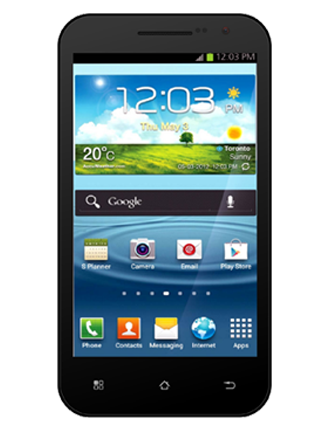
    Fly F51 Hard Reset Solution Remove Pattern Lock

    By PrateetOctober 7, 2014 Android
    How To Hard Reset Fly F51 
    Fly F51 Pattern Lock solution
    529201385832PM 635 fly f51 228x300
    Press And Hold Volume Up + Power 
    You Will See Recovery Menu On Screen
    Select Wipe Data/Factory Reset Using Volume Keys 
    Press Power Key For Select 
    Select Reboot Now 
    Done

    The 5-inch smartphone F51 in the series is pre-loaded with Ice Cream Sandwich and holds a dual core 1GHz processor. A 5-megapixel camera is provided at the back of the handset. The F51 comes with an 1800mAh battery, which can last up to 7 hours on a single charge.

    www.MobileRdx.com

    Read More:-  Sony Experia MT25i Hard Reset Or Pattern Lock Solution

    Related Posts

    Oppo A12 / Pattern / Password / FRP Remove by MRT Dongle

    Flash Redmi Note 6 Pro Without Mi Auth [ Without Authorise MI Account ]

    Xiaomi Redmi Go QCN File For IMEI Repair | Fix Baseband / Network Issue

    Add A Comment
    Leave A Reply Cancel Reply

    All Box Latest Setup
    UnlockTool V2026.08.07.0
    BFT Best Flash Tool V1.7 – Free
    MRT Tool V6.1.0 – Free
    TFT Unlock Tool v6.2.1.1 – Free
    UMT Tool Setup QCFire (v14.0)
    Easy JTAG Plus Box Setup
    Android Utility Pro V202.00.1225
    Z3x SamsTool Online V1.35
    EFT Dongle V5.5.6 Setup
    Facebook Telegram Pinterest Instagram
    • About Us
    • Contact Us
    • Privacy Policy
    © 2026 MobileRdx. Made with โค๏ธ in India

    Type above and press Enter to search. Press Esc to cancel.