Download UMT Samsung Tool v1.1 Setup [Latest version]
UMT Samsung allows you to flash or unlock your Samsung Android phones and tablets. You can also reset FRP, repair IMEI issues, and reset screen locks. For Qualcomm Samsung devices, UnlockTool supports EDL flashing and FRP bypass.
The UMT Samsung can be downloaded from this page, including the latest and previous versions. The Samsung Tool, Samsung Mobile USB Driver, and Tutorial are also included in the zip package.
It is a premium program that costs a small fee to activate and use. The UMT Samsung Module is a good choice for Samsung unlocking. For Android 16 FRP and KG lock removal, EFT Pro Dongle also offers dedicated support.
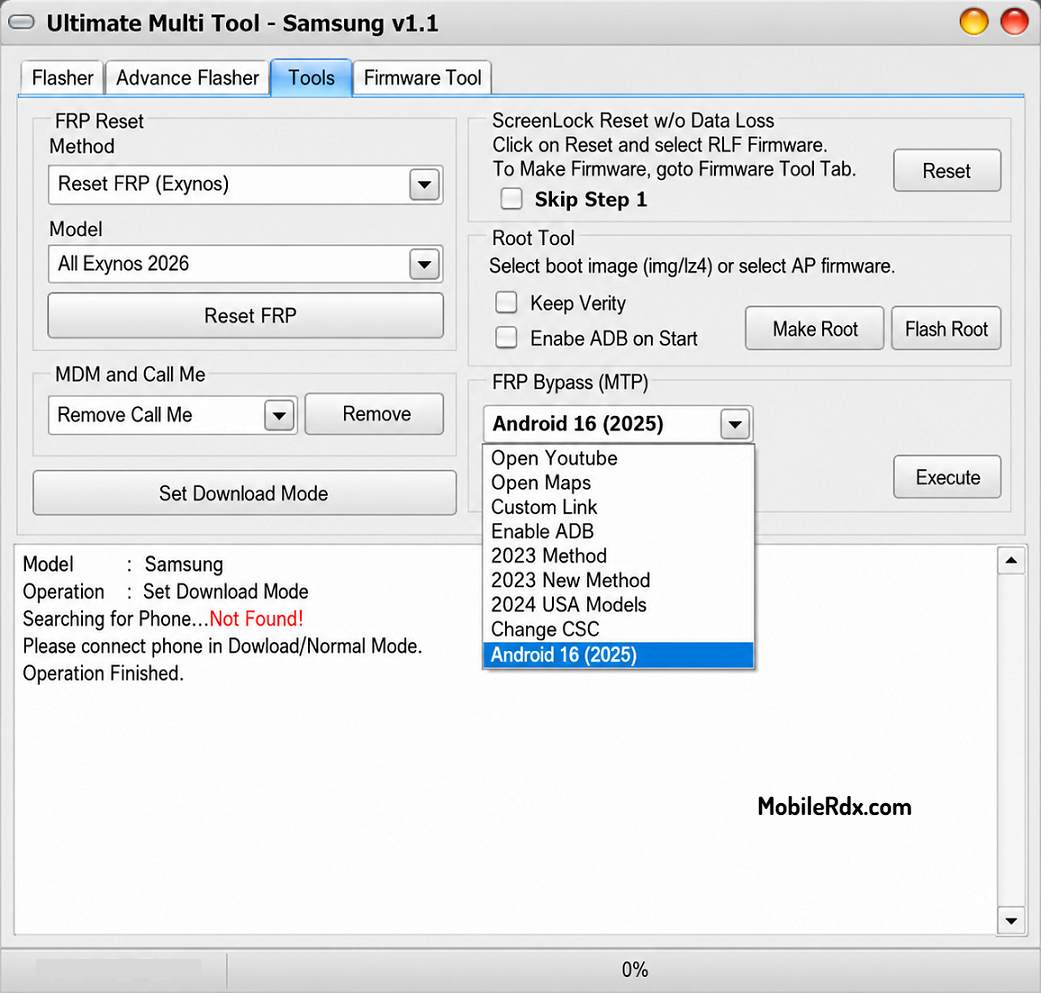
UMT Samsung Tool Supported Functions
- Flash Single / 4 File Firmware
- Fully Customizable Flashing
- Scenario-Based Flashing
- Advance Flasher to Flash partition with files of your choice
- Option to skip reboot, if for example, you are flashing custom recovery
- ENG Root option to root supported models with Factory Binary
- FRP Reset without Data Loss (for supported models)
- FRP Reset (UD Format) for most Samsung Phones
- FRP Reset in ADB Mode, it will auto select method if phone has ENG Root
- Remove MDM Lock (Need Root Access / ENG Root)
- Remove Call Me (Need Root Access / ENG Root) – No Relock Method
- Remove Android Locks (Need Root Access / ENG Root)
- Userlock ByPass without Data Loss with Special Firmware
- FRP Lock ByPass with Special Firmware
- Firmware Tool to Create Special Firmware for FRP / Userlock ByPass
- Make Rooted Boot to Root Samsung Devices
- FRP Bypass over MTP/Modem Port
- FRP Reset in Download (Odin) Mode
- Samsung 2024 USA Variants FRP Reset in MTP Mode
- Samsung CSC Change in MTP Mode
- Samsung Android 16 (OneUI 8) FRP Reset in MTP Mode
- Samsung Exynos FRP Reset for Android 14/15/16
- Samsung Exynos Enable ADB from Download Mode – NEW!
Download UMT Samsung Tool V1.1 [Latest Version]
From the link below, you can download the latest version of UMT Samsung Tool V1.1. The tool is only available for Windows 8, 10, and 11 (32- and 64-bit).
File Name: SamsungToolV1.1.rar
File Size: 56MB
Type: .exe
Supported Samsung Devices
UMT Samsung Tool v1.1 supports most Samsung Galaxy models running Android 5 to Android 16 (OneUI 8), including S series (S7 to S26 Ultra), Note series, A series (A02 to A86), M and F series, and Galaxy Tab series. Both Exynos and Snapdragon variants are supported.
How To Use UMT Ultimate Samsung Tool
- Download UMT Samsung on your computer.
- Next, install the Samsung USB driver. Skip this step if it has already been installed.
- The first step is to open the Samsung tool. Follow the steps below.
- Flash Stock ROM: Go to the Flasher tab > Now, choose stock ROM > Then, connect your device to Download mode > Click on the Flash.
- Reset FRP Lock: Go to the Tools tab > Now, choose device model > Then, connect your device to Download mode > Click on the Reset FRP.
- Reset FRP Latest Security: Go to the Tools tab > Then, connect your device to MTP mode and dial #0# on emergency > Click on the FRP Bypass (Enable ADB).
- Screen Lock Reset: Go to the Tools tab > Then, connect your device to MTP mode > Click on the Factory Reset.
- Repair IMEI: Go to the Service tab > Now, input the original IMEI > Then, connect your device in ADB mode > Now, click on Repair IMEI.
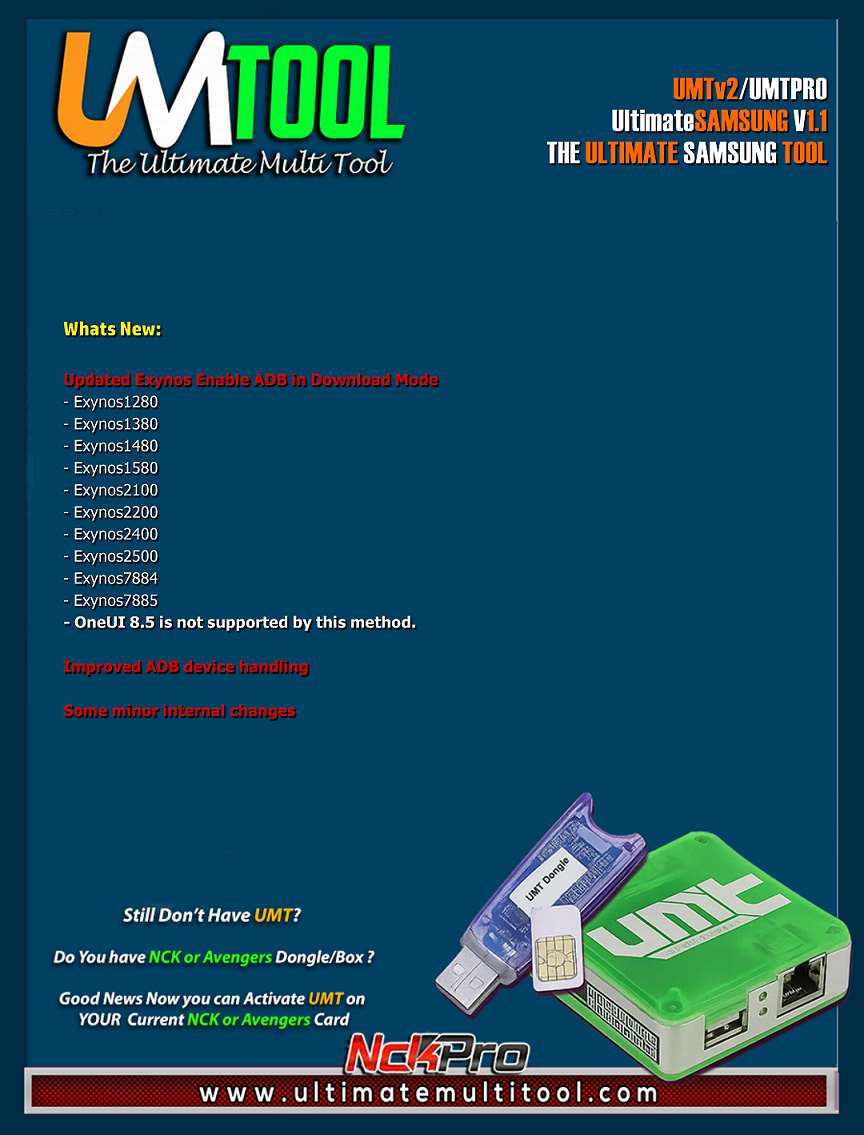
What’s New In the UMT Samsung Tool v1.1 Update:
Whats New:
Updated Exynos Enable ADB in Download Mode
- Exynos1280
- Exynos1380
- Exynos1480
- Exynos1580
- Exynos2100
- Exynos2200
- Exynos2400
- Exynos2500
- Exynos7884
- Exynos7885
- OneUI 8.5 is not supported by this method.
Improved ADB device handling
Some minor internal changes
Notes:
- You may need to Factory Reset if Enable ADB does not work
- Not all devices are tested, Exynos850 is tested to work
- If you SoC is not listed, you can select any from list
- Once ADB is Enabled, use Reset FRP (Exynos) to Reset FRP Lock
- If it fails, you can still try third-party tool to Enable ADB
Watch this tutorial to know how to use this feature:
MOBILedit Forensic Guide
Frequently Asked Questions
It flashes firmware, resets FRP, repairs IMEI, removes screen locks, and enables ADB on Samsung Exynos and Snapdragon devices.
Yes, v1.1 adds Android 16 (OneUI 8) FRP reset in MTP mode and Exynos ADB enable from Download mode.
Yes, UMT Samsung Tool requires a UMT V2 or UMT Pro dongle connected to your PC to function.
Exynos 1280, 1380, 1480, 1580, 2100, 2200, 2400, 2500, 7884, and 7885 are supported for ADB enable.
Yes, go to the Service tab, input the original IMEI, connect in ADB mode, and click Repair IMEI.