Download EME Mobile Tool EMT v4.10.00 Latest Version
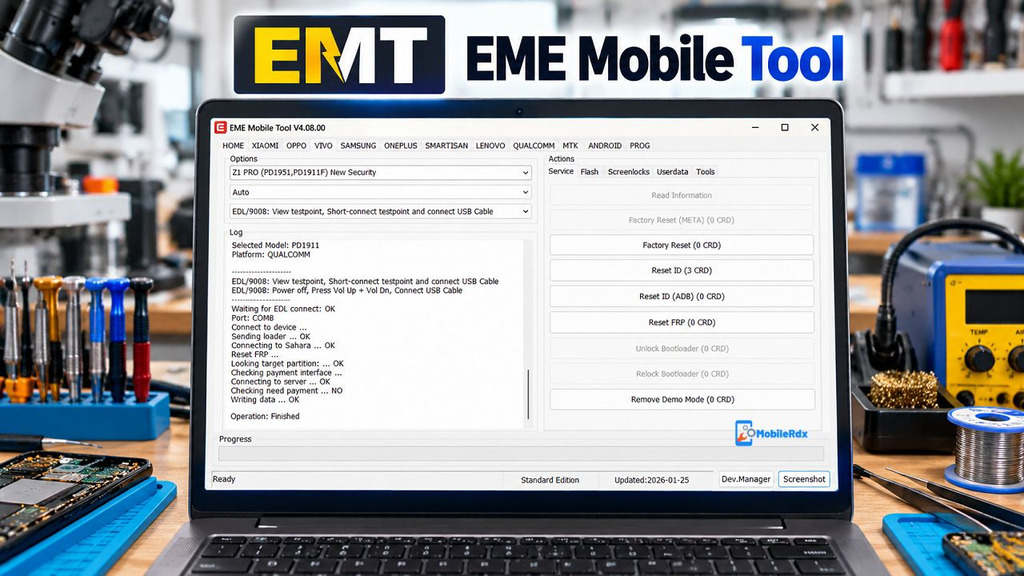
EME Mobile Tool EMT v4. 10. 00 is a professional Windows software program designed specifically for mobile technicians and it help in flashing firmware, resetting FRP, managing partitions and repairing devices of Qualcomm, Xiaomi, OPPO, Realme and OnePlus. If you looking for a solution for EDL, Sideload, Qualcomm, or Xiaomi service work, then this update is worth checking with the required activation.
The EMT v4.10.00 release adds a Xiaomi module, more Snapdragon models, EDL and Sideload functions, and new no-auth solutions for selected OPPO, Realme, and OnePlus devices. This is a licensed service tool, so the available functions depend on the account, credits, supported model, firmware version, and service mode.
What is EME Mobile Tool EMT?
EME Mobile Tool, also called EMT, is a multi-brand Android servicing application for Windows. Technicians use it for device information, firmware flashing, partition work, factory reset, FRP reset, recovery flashing, and selected Qualcomm EDL or Sideload operations.
This tool is developed for professional mobile servicing and repair tasks. Before starting, read the device information, verify the storage type and firmware version, and select the correct module for the specific phone model. If you need another solution for servicing multiple mobile brands, check our TSM Tool Pro Latest Setup guide for more details.
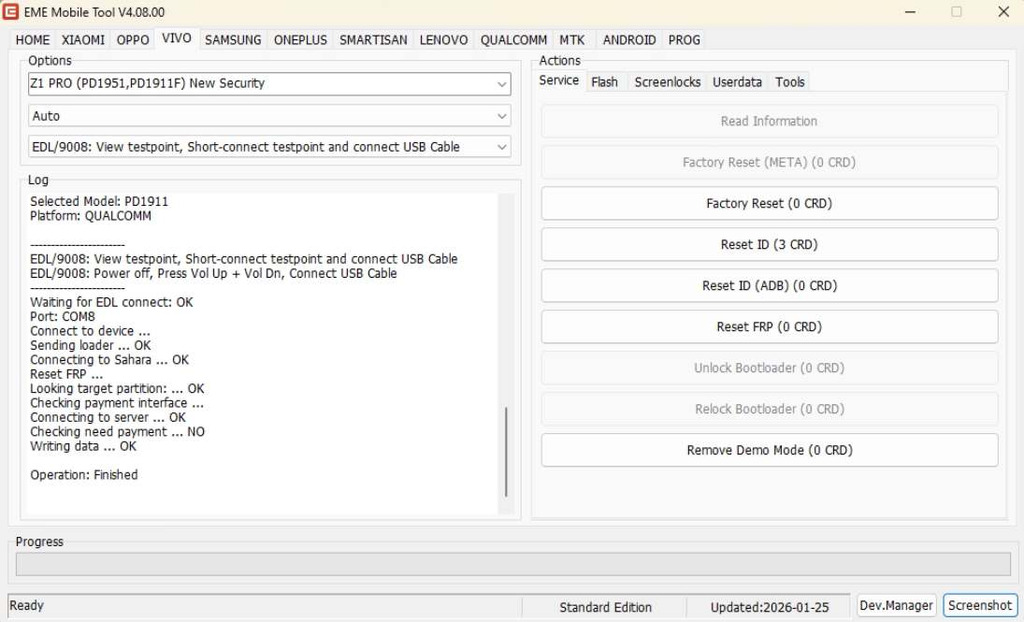
EMT v4.10.00 Main Features
Qualcomm and EDL Service
- Read device information in supported modes
- EDL connection for selected Qualcomm models
- Firmware flashing
- Read, erase, and write partitions
- Factory Reset
- Reset FRP
- Recovery firmware flashing
- Partition file manager on supported devices
- Selected no-auth operations
Xiaomi Module
- Read Xiaomi device information
- Qualcomm EDL service for supported models
- Firmware flashing
- Factory Reset and FRP reset
- Partition read, erase, and write
- Recovery firmware support
- Selected Snapdragon 8 Elite and 8 Gen 2 models
OPPO, Realme, and OnePlus
- Selected Snapdragon 8 Gen 3 and 8 Gen 4 models
- No-auth service functions on supported devices
- EDL and Sideload mode support
- Read, erase, and write partition functions
- Factory Reset and FRP Reset
- Recovery firmware flashing
For another Windows flashing and FRP workflow, check our Android Win Tool guide. Do not use an EMT function only because the model name looks similar; chipset, storage, region, and firmware version must match.
What’s New in EMT v4.10.00?
XIAOMI MODULE
WARNING: Do not try Toshiba/Kioxia flash chips. Check the flash chip before use. Otherwise, it may erase or wipe the entire device partition or chip.
No Auth / No Credits
Supported Models via EDL Mode: Features: Read Info, Flash, Read/Erase/Write Partition, Factory Reset, Reset FRP, Reset ID, Partition File Manager.
- Mi Pad 8 Pro (Piano)
- Mi Pad 6S Pro (Sheng)
- Mi Mix Fold 3 (Babylon)
- Mi Mix Flip 2 (Bixi)
- Mi 15 Ultra (Xuanyuan)
- Mi 15 Pro (Haotian)
- Mi 15 (Dada)
- Mi 13 Ultra (Ishtar)
- Mi 13 Pro (Nuwa)
- Mi 13 (Fuxi)
- Redmi K90 (Annibale)
- Redmi K80 Pro (Miro)
- Redmi K70 (Vermeer)
- Redmi K60 Pro (Socrates)
- Redmi K90 Ultra (Warsaw)
- POCO F8 Pro (Annibale)
- POCO F7 Ultra (Miro)
- POCO F6 Pro (Vermeer)
TIP: Getting Qualcomm device storage information solution: EMT-Getting Qualcomm Device Storage Info Solution_EMT Help Center
No Auth / No Credits
Supported Models via EDL Mode: Features: Read Info, Flash, Read/Erase/Write Partition, Factory Reset, Reset FRP, Reset ID, Partition File Manager.
- Redmi Note 13 NFC 4G (Sapphiren) – BETA
- Redmi Note 13 4G (Sapphire) – BETA
- Redmi Note 12 4G (Tapas) – BETA
- Redmi Note 12 NFC 4G (Topaz) – BETA
- Redmi 15 4G (Creek) – BETA
- POCO M7 4G (Creek) – BETA
- POCO X3 NFC (Surya) – BETA
Supported Models via EDL/Sideload Mode:
EDL Mode Features Require Auth Service (Find Device must be OFF).
Features: Read Info, Flash, Read/Erase/Write Partition, Factory Reset, Reset FRP, Flash Recovery Firmware, Partition File Manager.
- Mi Civi 5 Pro (Luming)
- Mi Pad 8 (Yupei)
- Redmi Pad 2 SE WiFi (Guitar)
- Redmi Pad 2 SE 4G (Erhu)
- Redmi Pad 2 Pro WiFi (Flute)
- Redmi Pad 2 Pro 5G (Organ)
- Redmi Pad 2 9.7 (Guitar)
- Redmi Turbo 4 Pro (Onyx)
- Redmi Note 15 5G (Kunzite)
- Redmi Note 15 Pro+ (Flourite)
- Redmi 15/Note 15R 5G (Spring)
- POCO Pad M1 (Flute)
- POCO Pad C1 (Guitar)
- POCO M7 Plus 5G (Spring)
- POCO F7 (Onyx)
Supported Models via Sideload Mode:
Features: Factory Reset, Flash Recovery Firmware, Fix Demo/Enterprise.
- Mi 17T Pro (Warhol)
- Mi 17T (Chagall)
- Mi 17 Ultra (Nezha)
- Mi 17 Max (Byron)
- Mi 5C (Meri)
- Redmi Turbo 5 Max (Dash)
- Redmi Turbo 5 (Klee)
- Redmi R70/R70M 5G (Somalia)
- Redmi Note 15 Pro 4G (Charoite)
- Redmi Note 15 4G (Spinel)
- Redmi K90 Pro Max (Myron)
- Redmi K90 Max (Prague)
- Redmi K Pad 2 (Yili)
- Redmi A7 Pro 5G (Somalia)
- Redmi A7 Pro 4G (Arctic)
- Redmi A5 (Serenity)
- Redmi A3X (Klein)
- Redmi 17 5G (Somalia)
- Redmi 15A 5G (Somalia)
- POCO X8 Pro Max (Dash)
- POCO X8 Pro (Klee)
- POCO F8 Ultra (Myron)
- POCO C85X 5G (Somalia)
- POCO C81X (Serenity)
- POCO C81 Pro (Arctic)
- POCO C81 (Arctic)
- POCO C71 (Serenity)
OPPO MODULE
No Auth / No Credits
Supported Models via EDL Mode: Features: Flash, Read/Erase/Write Partition, Factory Reset, Reset FRP, Partition File Manager.
- Realme P2 Pro (RMX3987)
- Realme GT8 (RMX6699)
- Realme GT Neo5 SE (RMX3700, RMX3701)
- Realme 14 Pro Lite (RMX3990)
- Realme 13 Pro (RMX3988, RMX3989, RMX3990)
- Realme 13 Pro+ (RMX3920, RMX3921)
- Realme 12 Pro+ (RMX3840, RMX3841)
ONEPLUS MODULE
No Auth / No Credits
Supported Models via EDL Mode: Features: Flash, Read/Erase/Write Partition, Factory Reset, Reset FRP, Partition File Manager.
- OnePlus Turbo 6 (PLU110)
- OnePlus Nord 6 (CPH2793, CPH2795)
CHANGED
- Added Xiaomi Snapdragon 8 Elite and 8s Gen 2 series models with No Auth solutions. Supported functions include Flash, Read/Erase/Write Partition, Factory Reset, Reset FRP, Reset ID, and more.
- Added Xiaomi Snapdragon 732G and 685 series models with No Auth solutions. Supported functions include Flash, Read/Erase/Write Partition, Factory Reset, Reset FRP, Reset ID, and more.
- Added Xiaomi Fix Demo/Enterprise (Sideload) models. Supports converting custom MIUI devices from Demo/Enterprise/Carrier Edition to stable firmware.
- Added OPPO/Realme/OnePlus Snapdragon 8 Gen 4 V2 and 8 Gen 3 V1.0.21-2 series models with No Auth solutions. Supported functions include Flash, Read/Erase/Write Partition, Factory Reset, Reset FRP, and more.
- Added OPPO/Realme/OnePlus Snapdragon 7+ Gen 2 and 7s Gen 2 series models with No Auth solutions. Supported functions include Flash, Read/Erase/Write Partition, Factory Reset, Reset FRP, and more.
- Improved OPPO/Realme flashing functions for Snapdragon 768G and 765G models.
- Improved the Qualcomm flash protocol.
- Fixed known bugs.
EME Mobile Tool EMT v4.10.00 Download
Download the EME Mobile Tool latest version, v4.10.00, from here. It is exclusively available on Windows computer and you need to activate it or buy credit in order to use the tool with your Android phone.
- Tool Name: EME Mobile Tool
- Short Name: EMT
- Version: v4.10.00
- Platform: Windows PC
- Focus: Qualcomm, Xiaomi, OPPO, Realme, and OnePlus
- Modes: EDL, Sideload, and other model-specific modes
- License: Licensed service tool
- Activation: Account, credits, or service access may be required
For MediaTek and offline Android repair, you can also read our Android Utility Tool guide. EMT and Android Utility Tool are different products with different compatibility and license models.
How to Install EME Mobile Tool EMT
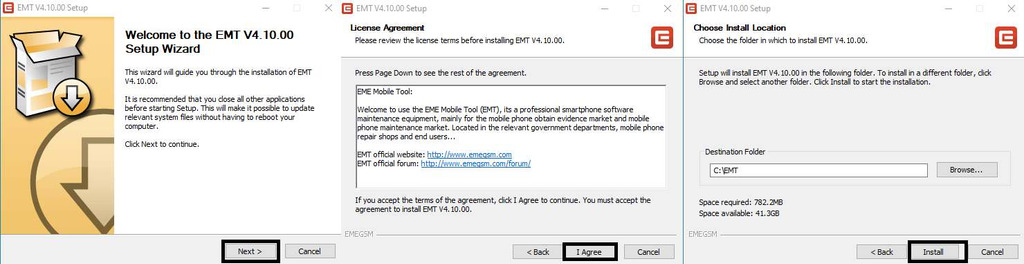
- Download the latest EME Mobile Tool setup to your computer.

- Run EMEv4.10.00.exe as administrator.
- The installation window will open.
- Click Next, then I Agree, and click Install.
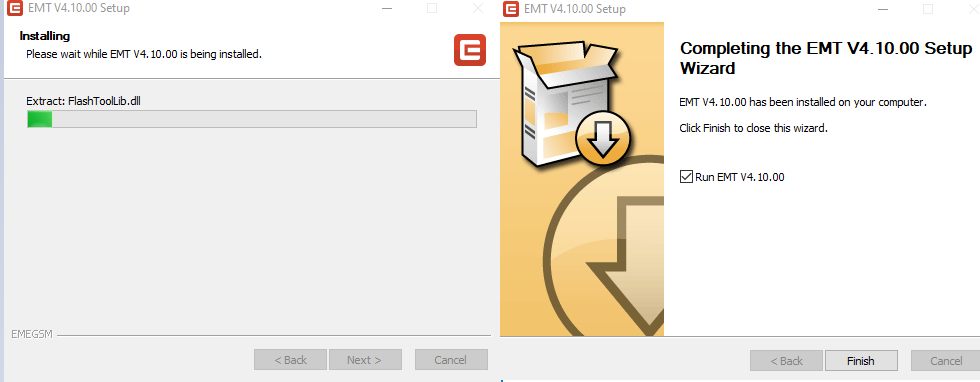
- Wait for the installation process to finish.
- Click Finish to complete the installation.
- Open the EME Mobile Tool on your computer.
- If you already have an account, enter your email and password to log in.
- If you are a new user, click Register to create an account.
- Enter your email address, password, name, and phone number.
- Click Register and complete the account activation process.
- Once your account is activated, return to the login window.
- Enter your login details and click Login.
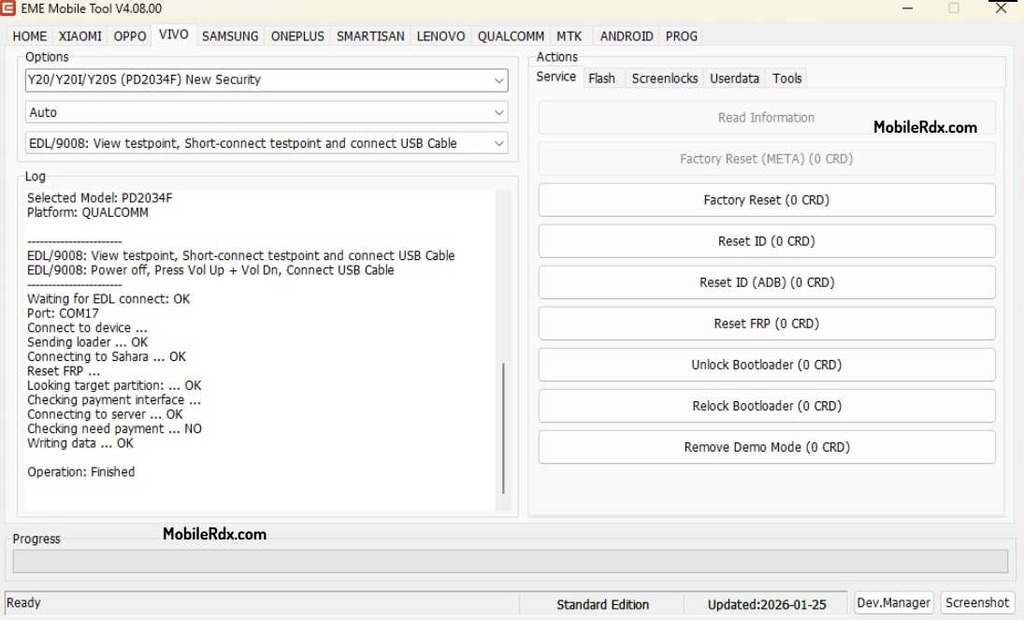
- Now you can use the EME Mobile Tool on your computer.
Common EMT Problems
- Device not detected: Reinstall the driver and change the USB cable or port.
- EDL connection fails: Check the correct mode, test point, driver, and authorization.
- FRP option is unavailable: The model, firmware, or security patch may not be supported.
- Flash stops: Check the firmware, storage chip, region, and programmer requirements.
- Login or activation error: Check the account, internet, license, and credits.
- Partition write failure: Restore the original backup and confirm the file is for the exact device.
EME Mobile Tool EMT FAQs
EMT v4.10.00 is a Windows mobile servicing tool for supported Qualcomm, Xiaomi, OPPO, Realme, and OnePlus repair operations.
The update adds a Xiaomi module, more Snapdragon models, EDL and Sideload functions, partition operations, FRP reset, recovery flashing, and bug fixes.
Yes. The update includes Xiaomi functions for selected Qualcomm models and supported firmware or service operations.
Selected Snapdragon models from OPPO, Realme, and OnePlus are listed with EDL, Sideload, partition, reset, FRP, and flashing functions.
The setup may be available through service channels, but professional functions can require an account, activation, credits, or a valid license.
Check the flash chip before using the Xiaomi module. Wrong operations on Toshiba or Kioxia storage can erase or damage the device partitions.