
If you are a mobile repair technician looking for an all-in-one Android servicing tool, KS Tool V5.0 is worth checking out. It is a multi-brand Windows utility designed to handle different smartphone servicing operations through dedicated chipset and connection modes.
KS Tool supports Qualcomm, MediaTek, Spreadtrum (SPD), HiSilicon, and Samsung devices. It also gives access to ADB and Fastboot interfaces, Samsung Odin-interface flashing options, and MediaTek SP Flash Tool.
This V5.0 release is reported with a redesigned multi-tab interface and newer Xiaomi, Redmi, MTK, Qualcomm, Samsung, and other model entries. The package is distributed through third-party channels, so package safety, license terms, and every advertised function should be checked before using it on a customer device.
What is KS Tool V5.0?
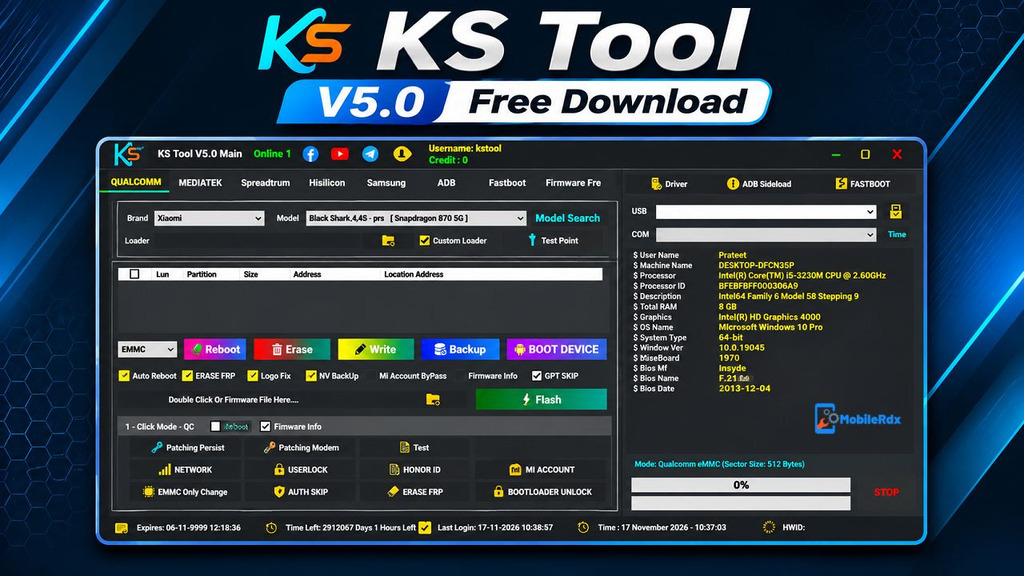
KS Tool is a Windows-based Android mobile servicing utility developed for technicians and advanced Android users. It combines several device servicing interfaces into one application, reducing the need to switch between different programs for every chipset. It includes separate tabs for Qualcomm, MediaTek, Spreadtrum, HiSilicon, Samsung, ADB, and Fastboot operations.
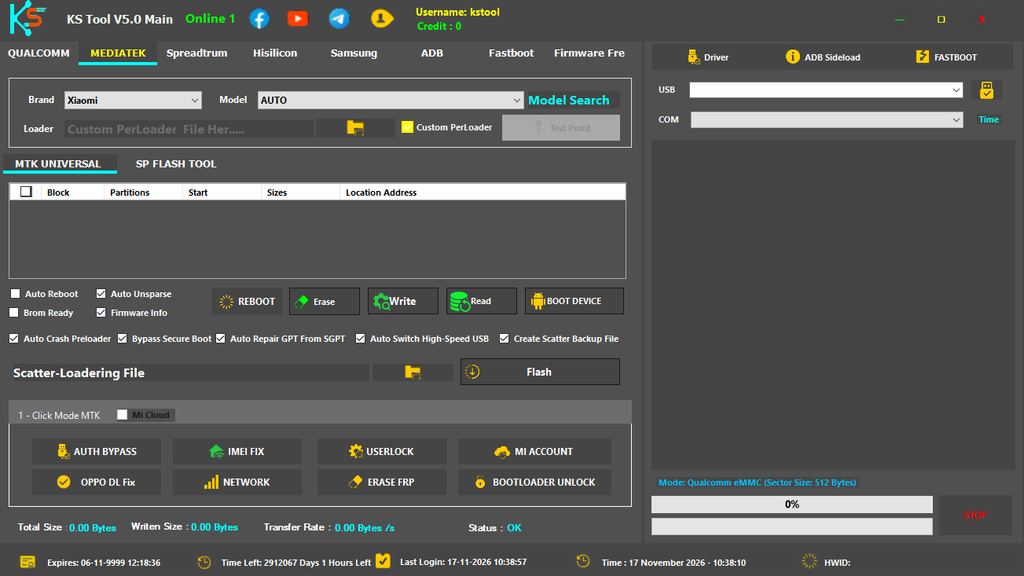
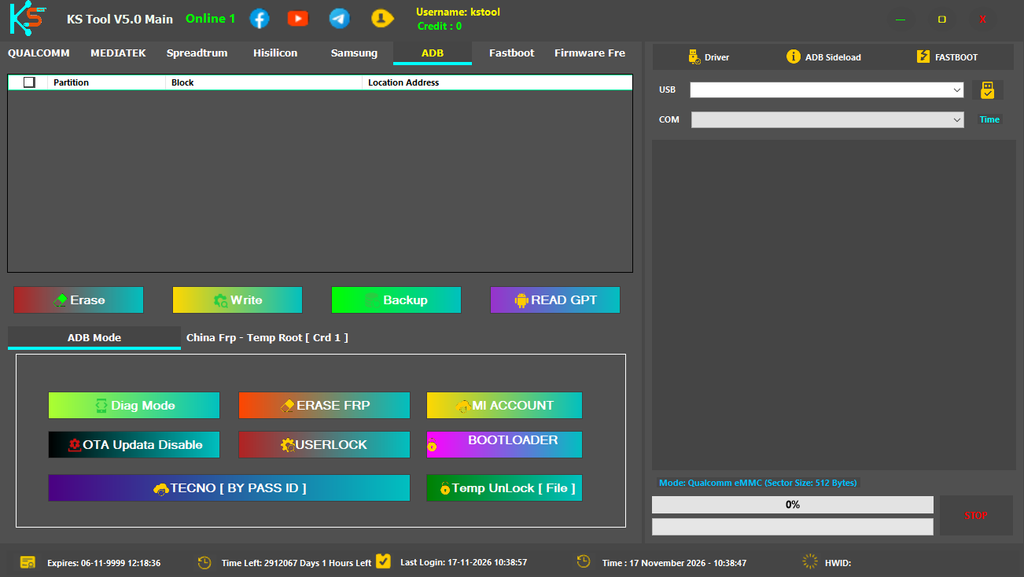
KS Tool V5.0 Features
- Qualcomm partition manager
- Read, write, erase, backup, and boot-device options on supported models
- Custom Qualcomm loader selection
- Qualcomm Auth Skip claims for supported operations
- Persist and modem patch functions
- Network and userlock service options
- MTK Universal Mode.
- MTK SP Flash Tool mode.
- Load custom Preloader files.
- Load Scatter and PAC firmware files.
- Load UPDATE.APP firmware packages.
- Read device information.
- Read and write supported partitions.
- Erase selected partitions.
- Backup device partitions.
- Auto Crash Preloader option.
- Secure Boot and Auth Bypass options.
- Auto Repair GPT from SGPT.
- Qualcomm Persist and Modem patch options.
- IMEI repair options.
- Network repair options.
- FRP servicing options.
- Mi Account servicing options.
- User lock Reset options.
- Bootloader Unlock options.
- Samsung BL, AP, CP, CSC, and USERDATA firmware support.
- Samsung Auto Reboot, Factory Reset, Repartition, and NAND Erase options.
- Custom preloader loading
- Partition block reading
- GPT repair options
- Spreadtrum PAC flashing with FDL1 and FDL2 loader support
- Diag Mode, Auth Bypass, Repartition, and Keep NV options
- HiSilicon UPDATE.APP flashing workflow
- ADB and Fastboot utilities
- Mi Account and Honor ID functions on selected devices
- Driver installation and ADB Sideload shortcuts
What’s New in KS Tool V5.0?
- V5.0 update reported as a free software release.
- No ESP32 WiFi Captive requirement reported for the update.
- Added Redmi Note 15 Pro [lapis].
- Added Redmi Note 14 Pro [malachite].
- Added Redmi Note 14 Pro+ [amethyst].
- Added Redmi Turbo 3 [peridot].
- Added Xiaomi CIVI 3 [yuechu] and Xiaomi Civi 2 [ziyi].
- Added Redmi Note 13 Pro 5G [garnet].
- Added Redmi 14C [pond].
- Added Redmi Note 15 5G [kunzite].
- Added Redmi Note 14 5G [beryl].
- Additional entries are reported as pending or untested, so verify them before service work.
Chipset and Brand Modules
Qualcomm Module
- Load custom loaders
- View test-point information
- Reboot, erase, write, read, and backup partitions
- Patch persist or modem on compatible devices
- Network, userlock, Mi Account, and FRP options
- Bootloader operations according to the device security state
MediaTek Module
- MTK Universal and SP Flash Tool mode
- Custom preloader loading
- Partition block reading
- Auto Crash Preloader option
- Secure Boot bypass for supported devices
- Auto Repair GPT from SGPT
- Auth Bypass, IMEI, userlock, network, FRP, and bootloader options
Spreadtrum/Unisoc Module
- PAC firmware loading
- Custom FDL1 and FDL2 loader support
- Diag Mode
- Auth Bypass claims
- Repartition and Keep NV options
- FRP-only and FRP-plus-data operations
- Recovery wipe and format functions
HiSilicon and Samsung Modules
- Huawei Kirin model selection
- UPDATE.APP firmware loading
- Huawei test-point information
- Samsung BL, AP, CP, CSC, and USERDATA slots
- Samsung Reboot, Factory Reset, Repartition, MD5 check, and NAND Erase options
- Samsung MTP information and Download Mode shortcuts
For another multi-brand Windows solution, see our TSM Tool Pro guide.
Download KS Tool V5.0 – Latest Version
Download KS Tool V5.0 from the Devdrive link and extract the RAR file with the password. Install USB drivers for the brands you service before running this tool.
| Detail | Information |
|---|---|
| File name | KSTool.V5.0.7z |
| File size | 812.4 MB |
| Login username | kstool |
| Login password | v5 |
| Archive password | mobilerdx |
How to Install and Use KS Tool V5.0
- Download & extract the KS Tool V5 tool to your PC.
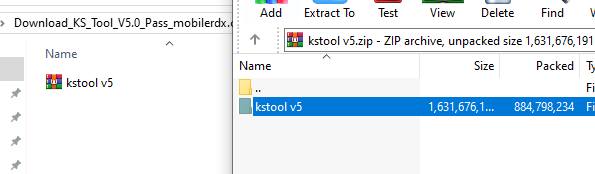
- Then run the KS Tool V3.0 as an administrator.
- Now the setup will ask you to enter a password; type: mobilerdx
Now click. KSTool V5.0 icon and open the tool. - Now you will see the login or register window.
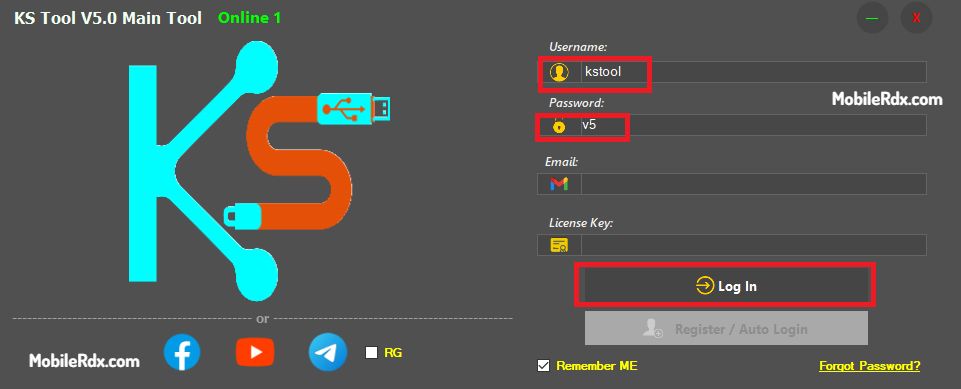
- Enter the following username and password.
- Username: KSTool
- Password: 1234
- Click Login.
- Now the tool will opened.
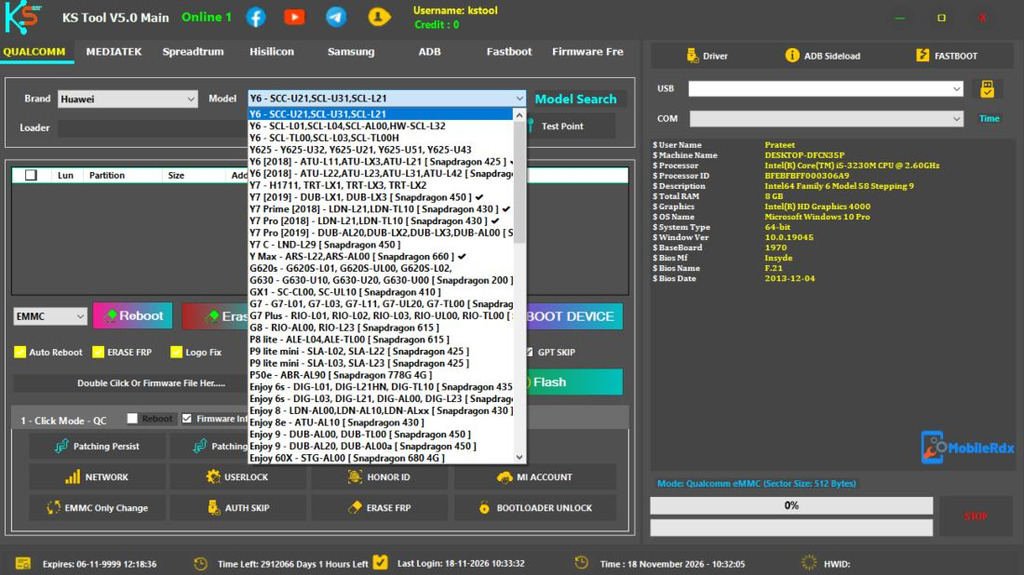
- Next, use any function you want to use on your Windows PC.
- Done