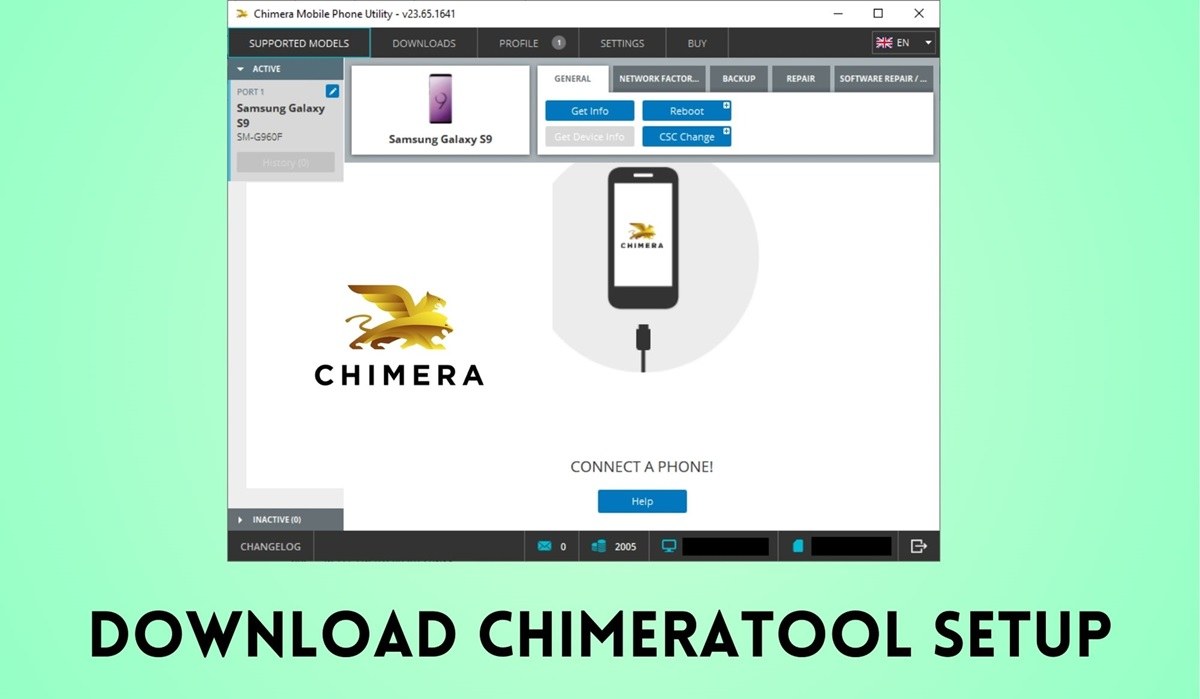
Download ChimeraTool Setup V48.16.1331 [Latest Version]
ChimeraTool is a powerful, professional mobile repair tool for Windows. If you are already involved in mobile repair, then there is no need for you to be told “what ChimeraTool is” and “how it works.” It helps mobile technicians erase FRP, unlock the Bootloader, flash firmware, repair IMEI, format (unlock), remove pattern, PIN, and MDM locks, remove Xiaomi MI Account, write RPMB, install Custom ROMs, etc.
Below is the direct download link to the latest version of ChimeraTool for Windows. Install the ChimeraTool setup file on your computer and start repairing mobile devices efficiently. If you are new to ChimeraTool and don’t know how to use it, don’t worry. ChimeraTool software features an intuitive user interface, making it accessible to users with limited experience, allowing them to easily start repairing mobile devices.
Key Points
FRP & MDM Bypass: Easily bypass factory reset protection and mobile device management locks even with the latest security patches.
IMEI & MAC Repair: Repair or restore original identifiers and fix connectivity issues on thousands of supported models.
Integrated USB Log View: A real-time panel that monitors connected devices, allowing you to track activity without leaving the software.
Latest Samsung Support: Advanced features for Samsung devices, including CSC changes, KnoxGuard bypass, and firmware flashing for both Exynos and Qualcomm phones.
Bootloader Management: Professional tools for unlocking and relocking bootloaders across brands like Xiaomi, Oppo, and Vivo.
Network Factory Reset: Remove carrier locks to allow the use of any SIM card globally.
Supported Brands
ChimeraTool supports over 10,000+ models, including:
Samsung: Galaxy S24, S23 series, and the latest A/M series.
Xiaomi/Poco: Full support for MIUI and HyperOS devices.
Vivo & Oppo: Advanced MTK and Qualcomm support.
Huawei: Kirin chipset support for bootloader and FRP tasks.
ChimeraTool V48.16.1331 Changelog
New Carrier Relock & SSU Unlock Support
We have extended our Samsung Carrier Relock and SSU Unlock solutions with new models and carriers.
Both procedures are now available for the following devices and carrier configurations:
- Samsung Galaxy A27 5G (SM-A276U/U1) (CCT, DSA, DSG, DSH, XMT)
- Samsung Galaxy A57 5G (SM-A576U/U1) (AIO, APP, ATT, CCT, CHA, DSA, DSG, DSH, SPT, TMB, TMK, USC, VPP, VZW, XAU, XMT)
- Samsung Galaxy S26 FE (SM-S741B) (IUS, MXO, TCE, TMM)
- Samsung Galaxy S26 FE (SM-S741U/U1) (AIO, ATT, CCT, CHA, DSA, DSG, DSH, SPT, TFN, TFV, TMB, TMK, VPP, VZW, XAU, XMT)
- Samsung Galaxy S27 FE (SM-S276V) (TFN, TFV)
- Samsung Galaxy Tab S12+ (SM-X848U) (ATT, CCT, TMB, TMK, XAU, XMT) (*)
- Samsung Galaxy Z Flip8 (SM-F776U/U1) (ATT, CCT, CHA, SPT, TMB, TMK, VPP, VZW, XAU, XMT)
- Samsung Galaxy Z Fold8 (SM-F971U/U1) (AIO, ATT, CCT, CHA, SPT, TMB, TMK, VPP, VZW, XAU, XMT)
- Samsung Galaxy Z Fold8 Ultra (SM-F976U/U1) (ATT, CCT, CHA, SPT, TMB, TMK, VPP, VZW, XAU, XMT)
Xiaomi Qualcomm Repair IMEI
Added Repair IMEI support for the following Qualcomm-based Xiaomi, Redmi and POCO devices. Magisk root is required. The solution works for both IMEI 1 and IMEI 2, and it is available from ADB mode.
- Redmi 14R 5G / POCO M7 5G / Redmi 14C 5G (flame)
- Redmi 15 / POCO M7 (creek)
- Redmi K50 Gaming / POCO F4 GT (ingres)
- Redmi K50 Ultra (diting)
- Redmi K60 Pro (socrates)
- Redmi K70 / POCO F6 Pro (vermeer)
- Redmi K70 Pro (manet)
- Redmi K80 / POCO F7 Pro (zorn)
- Redmi K80 Pro (miro)
- Redmi K90 / POCO F8 Pro (annibale)
- Redmi K90 Pro Max / POCO F8 Ultra (myron)
- Redmi Note 12 4G / Redmi Note 12 4G NFC (tapas / topaz)
- Redmi Note 12 Turbo / POCO F5 (marble)
- Redmi Note 12R / Redmi Note 12 5G / POCO M6 Pro 5G (sky)
- Redmi Note 13 / Redmi Note 13 NFC (sapphire / sapphiren)
- Redmi Note 13 Pro (garnet)
- Redmi Note 13R / Redmi Note 13 5G / POCO M6 Plus 5G (breeze)
- Redmi Note 14 Pro+ (amethyst)
- Redmi Note 15 5G (kunzite)
- Redmi Note 15 Pro+ 5G (fluorite)
- Redmi Turbo 3 (peridot)
- Redmi Turbo 4 Pro (onyx)
- Xiaomi 12 (cupid)
- Xiaomi 12 Pro (zeus)
- Xiaomi 12S Pro (unicorn)
- Xiaomi 13 (fuxi)
- Xiaomi 13 Pro (nuwa)
- Xiaomi 13 Ultra (ishtar)
- Xiaomi 14 (houji)
- Xiaomi 14 Pro (shennong)
- Xiaomi 14 Ultra (aurora)
- Xiaomi 15 (dada)
- Xiaomi 15 Pro (haotian)
- Xiaomi 15 Ultra (xuanyuan)
- Xiaomi CIVI 4 (chenfeng)
- Xiaomi CIVI 5 Pro (luming)
- Xiaomi Mix Flip (ruyi)
- Xiaomi Mix Flip 2 (bixi)
- Xiaomi Mix Fold 3 (babylon)
- Xiaomi Mix Fold 4 (goku)
- Xiaomi Pad 8 Pro (piano)
Download ChimeraTool Latest Setup v48.16.1331.
File Name: ChimeraTool_Setup_V48.16.1331.zip
OS: Windows OS
Password: Latest ChimeraTool Software Setup Without Password
License: Official ChimeraTool Setup Download
Free or Paid: Paid
Release date: 3 October 2026
Download_ChimeraTool_V48.16.1331.zipHow To Install And Use ChimeraTool
- First, read the requirements and install the .NET Framework and the Visual C++ Redistributable. Disable Anti-Virus or Windows Security.
- Download and extract the “ChimeraTool.zip” file to the desktop and then install it by following the on-screen instructions.
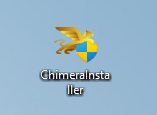
- Now, please right-click on the ChimeraTool_Setup.exe file and run it as administrator.
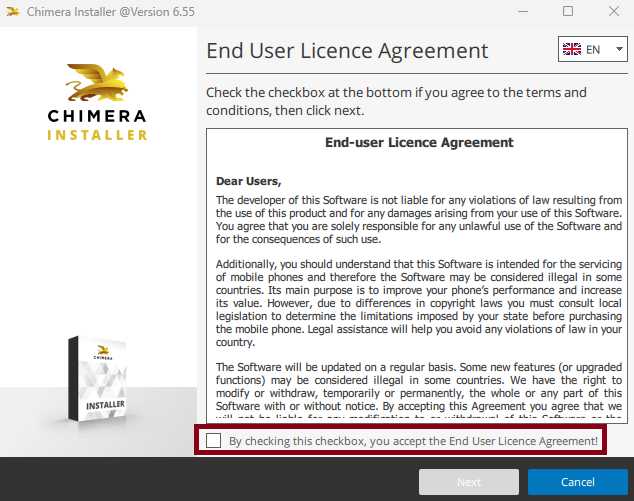
- Click on “NEXT” from the “Welcome to ChimeraTool Setup Wizard” window.
- Read the license agreement and click on the “I Agree” button and select Full install to continue to the next step.
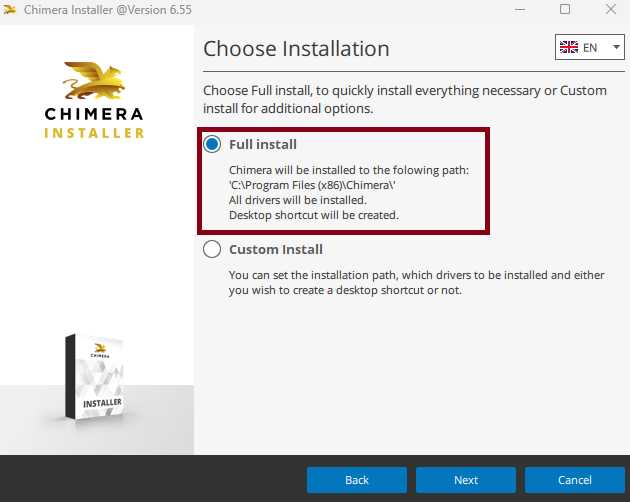
- Please Note: In case the “install” button is not visible, then create a new folder as “ChimeraTool” in the desired location first.
- Please wait while ChimeraTool is being installed.
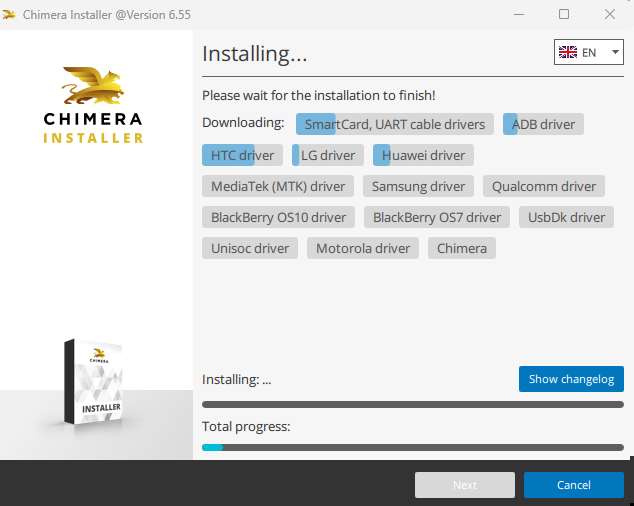
- After the installation, a “Device Driver Installation Wizard” will open in front of you. Click on the “next” button from this window.
- Now follow the on-screen instructions for proper installation and close the window once you are able to see the “FINISH” button.
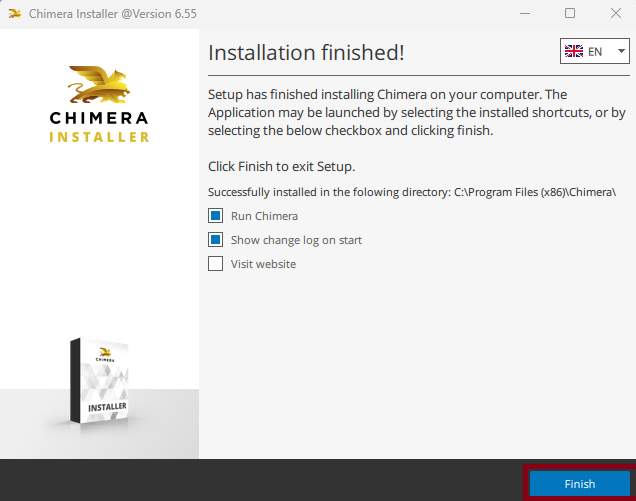
- Done!! The latest ChimeraTool setup installation was completed successfully.
- A login window will appear
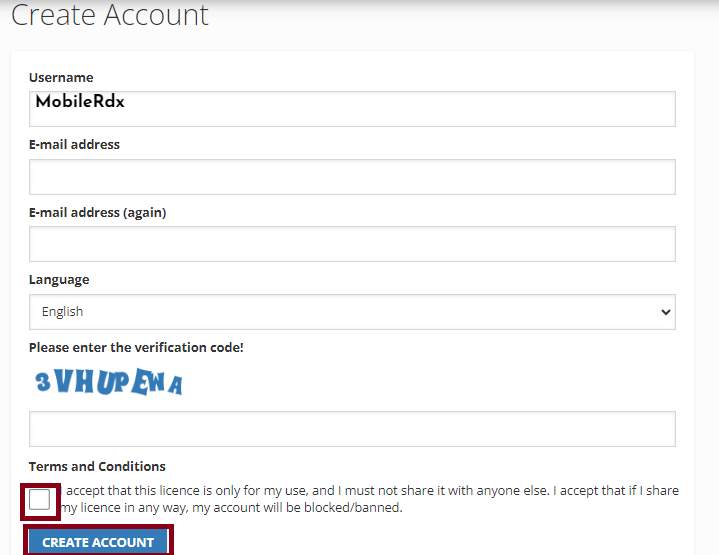
- Visit https://chimeratool.com/en/signup to sign up
- Now, you can purchase the Activation, which is available for six months, one year, and two years.
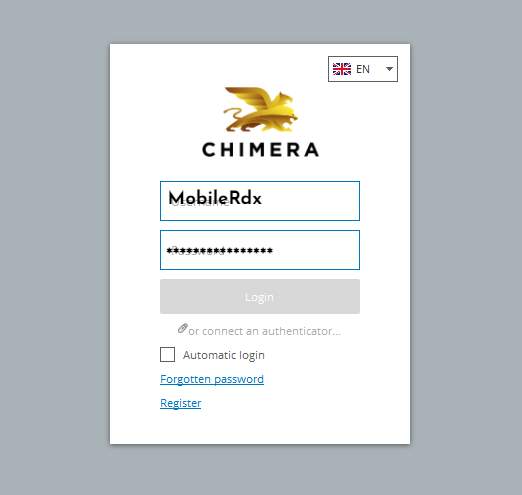
- In the tool, enter your registered EMAIL ID & PASSWORD
- The Login button will appear
- Chimera tool now supports the following functions
- Connect your phone to your PC using a USB cable first
- The tool will then detect your Android device
- Select the functions you want to use
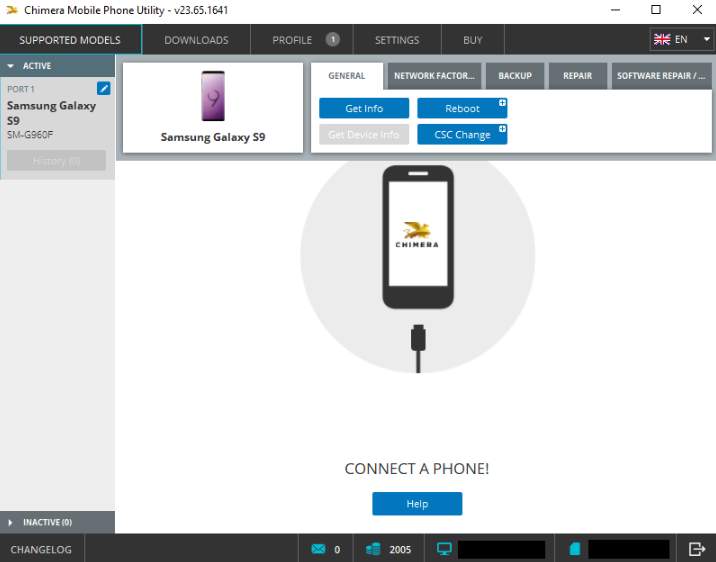
- We will begin the process
- Wait for the finish
- Disconnect your phone and turn it on again
- Completed.
Frequently Asked Questions (FAQ)
A: No. You can just use a username and password with a digital license.
No. It only works on Windows 10 and 11.
A: No. You must buy a license (Basic, Pro, or Premium) to use the features.
A: It supports 10,000+ models, including Samsung, Xiaomi, and Vivo. Check their list before buying.
A: Usually, you need to install the correct drivers or use a better USB cable.
A: Yes, but only to restore the original number.