In this article, we’ll show you Xiaomi Redmi A7 EMMC ISP Pinout that allows you to write DUMP file, chip reprogramming, or flash firmware, bypass FRP, remove locks, and flash the stock firmware using any eMMC repair tool.
What is the eMMC ISP Pinout?
The ISP (In-System Programming) allows the flash chip to be programmed without removing it from the PCB. It uses a specific pinout and protocol to communicate with the computer.
A test point is a copper point on the PCB that allows you to boot the phone into the emergency download mode to perform flashing, unlocking or repairing the phone.
Redmi A7 eMMC ISP PinOUT Diagram Image:
The Redmi A7 ISP and Test Point enable you to carefully boot into Flash Mode. So, follow the methods below to successfully boot to ISP mode.
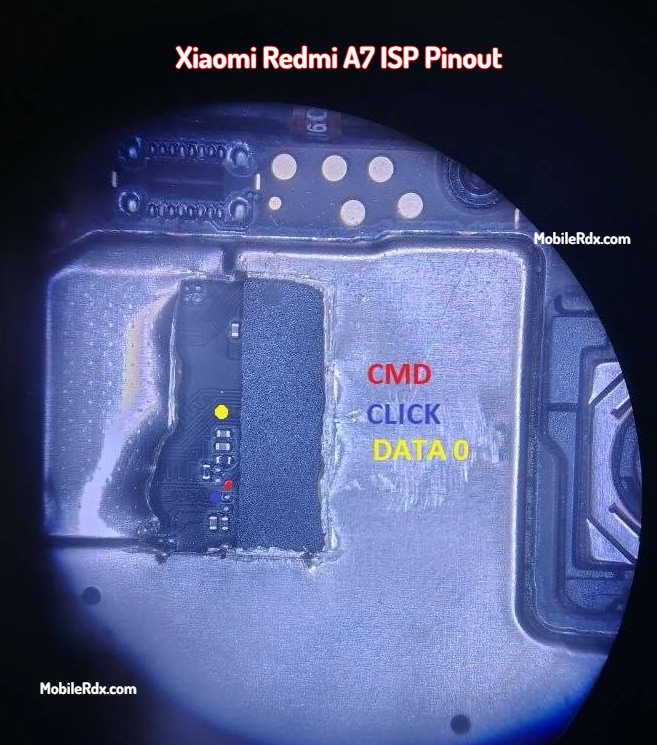
eMMC ISP Pin Labels You Need:
- CMD – Command Line
- CLK – Clock
- DAT0 – Data line 0
- VCC / VCCQ – Power supply for eMMC
- GND – Ground
Tip: You can use a microscope or a 10x magnifier to identify the points correctly.
Required Tools for ISP Pinout Method
Make sure your workstation includes:
- UFI Box, Easy JTAG Plus, or Medusa Pro
- 0.1mm – 0.3mm jumper wires
- Fine-tip soldering iron
- Soldering flux
- Isopropyl Alcohol (IPA 99%)
- Multimeter
- Microscope or magnifier
How to Connect ISP to eMMC Box
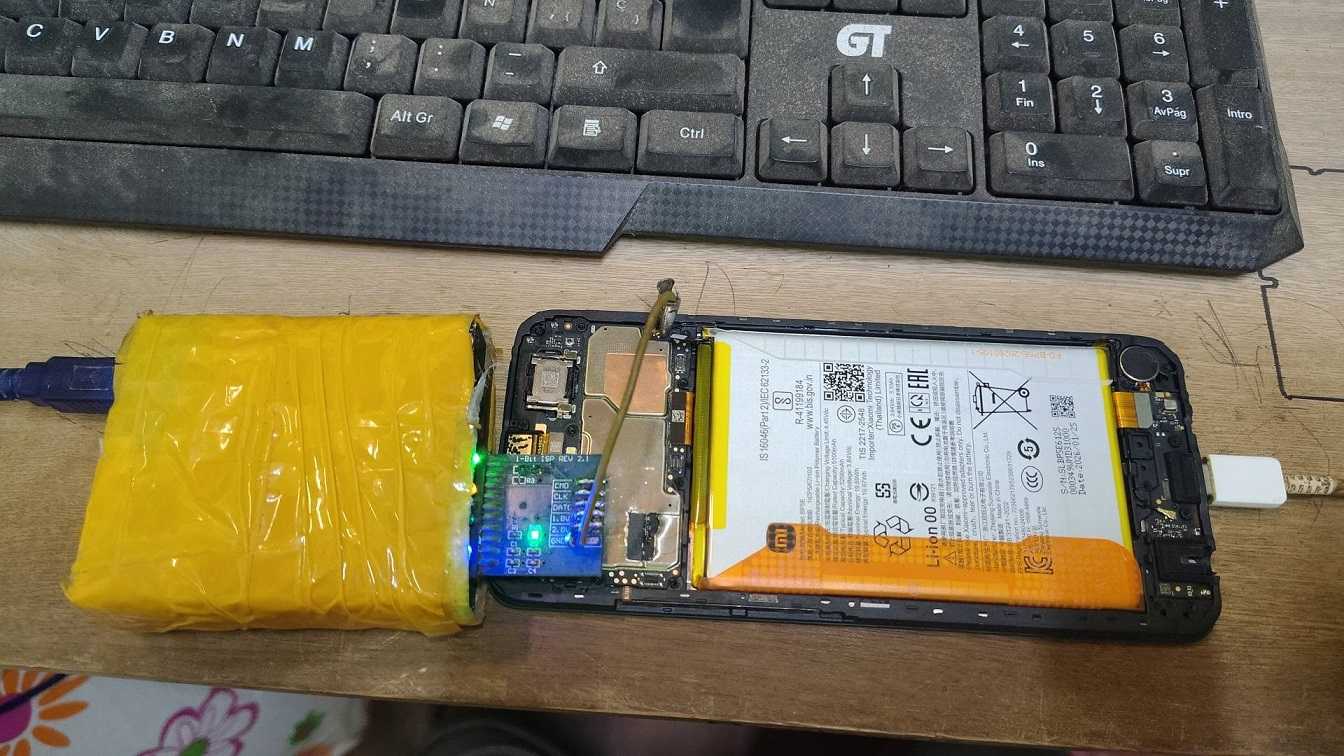
- Open the back panel of the Xiaomi Redmi A7.
- Disassemble the phone and disconnect the battery.
- Locate the eMMC chip area on the PCB.
- Find & solder to the ISP points – use the diagram to identify these pins: CLK, CMD, DAT0, VCC, VCCQ and GND.
- Connect to UFI or Easy JTAG Plus.
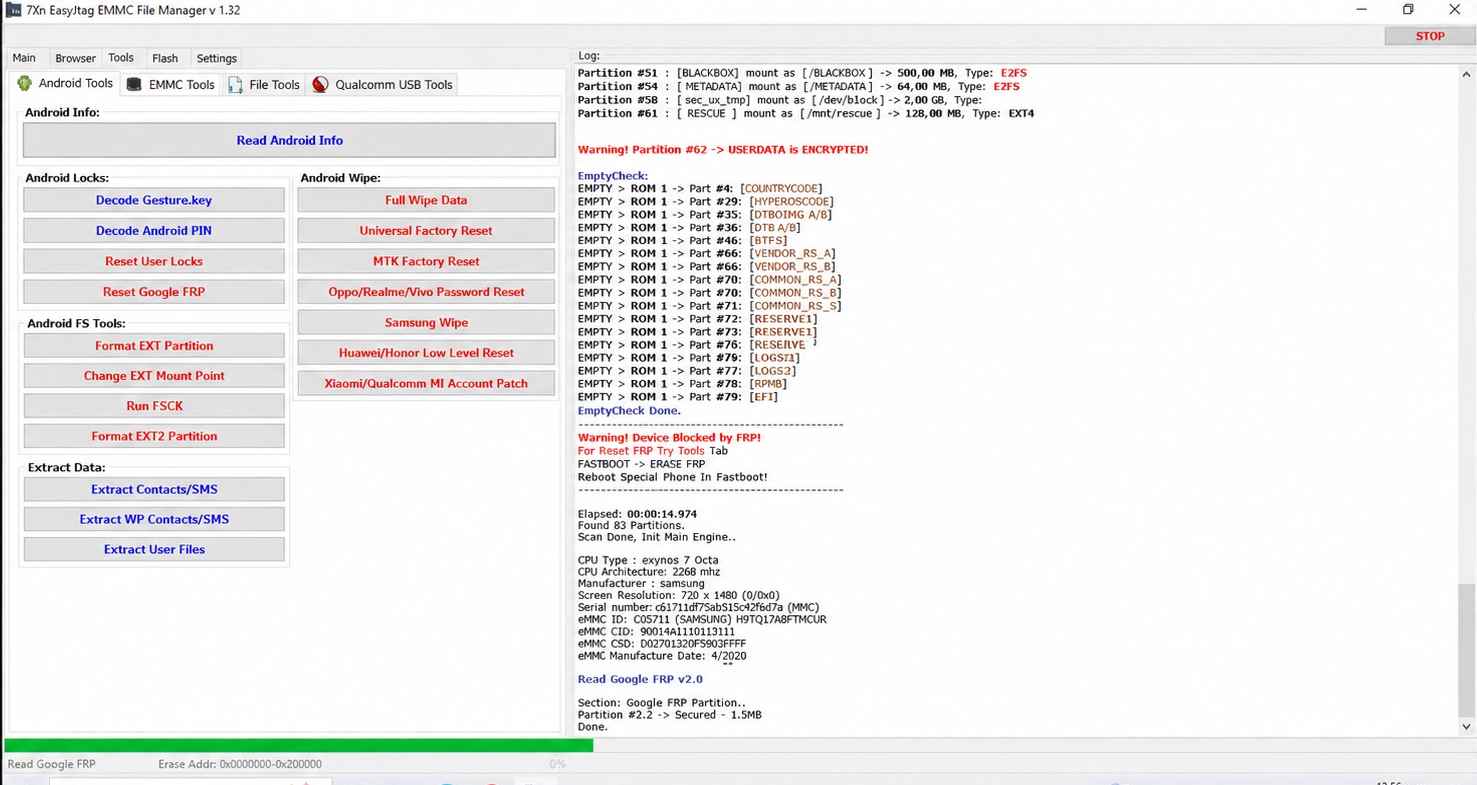
- In the UFI or Easy JTAG software, click Identify eMMC.
- Bypass FRP: navigate to User Partition – Special Task – Reset FRP.
- Fix Dead Boot: select the firmware and click flash.
- That’s it.
Warning: Incorrectly shorting test points can damage the Redmi A7. Proceed with caution!
Redmi A7 Key Specifications
| Model | Xiaomi Redmi A7 |
| Chipset | Unisoc T7250 |
| Storage Type | eMMC 5.1 (64 GB) |
| RAM | 3 GB (up to 6 GB extended) |
| Display | 6.88-inch |
| Battery | 5200 mAh |
| Announced | April 2026 |
Frequently Asked Questions
Redmi A7 is powered by the Unisoc T7250 chipset with 64 GB eMMC 5.1 storage.
Yes. Connect via ISP using UFI or Easy JTAG, then navigate to User Partition > Special Task > Reset FRP to clear the FRP lock.
UFI Box, Easy JTAG Plus and Flash64 all handle eMMC ISP work well.
You need CMD, CLK, DAT0, VCC, VCCQ and GND. Power off the phone and disconnect the battery before soldering.