Download Infinity CM2SP3 v2.50 Setup [Latest Version]
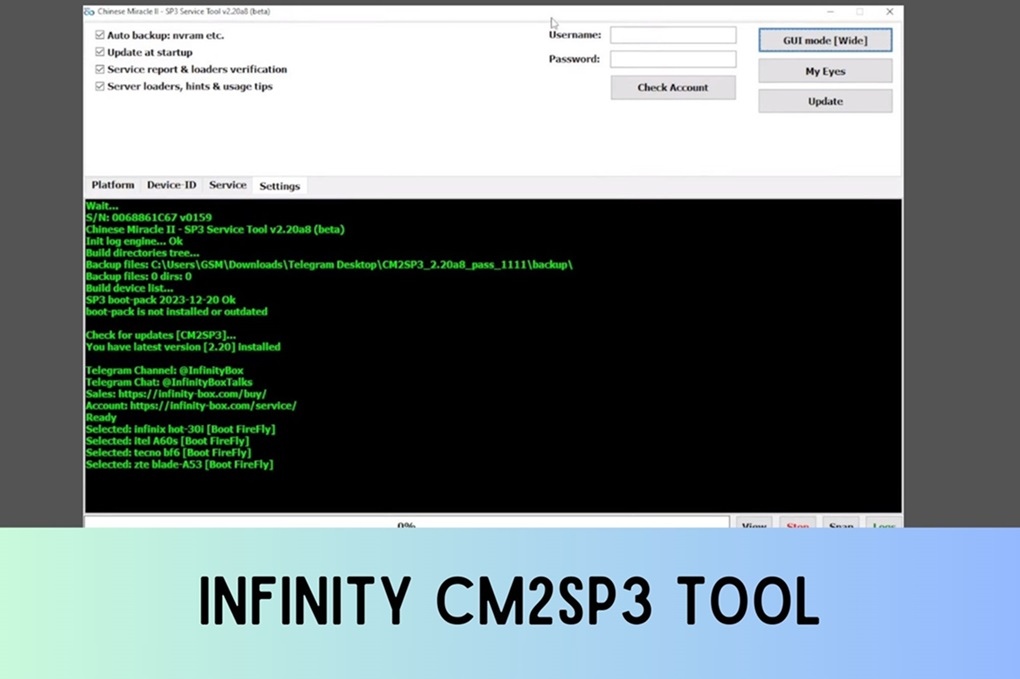
Infinity CM2SP3 is a powerful and professional tool. It works with Infinity dongles and supports devices powered by SPD (Spreadtrum/UniSOC) chipsets and allows you unlock FRP locks, repair IMEI number, and read PIN codes and flash firmware easily. In this article we will give you a link to download setup files of Infinity CM2SP3 along with key features and how to install and activate it smoothly.
The Infinity CM2SP3 SPD module Setup is a premium program that can quickly and cost-effectively unlock SPD-based Android phones. For Samsung SPD devices, EFT Pro Dongle also supports FRP and firmware flashing on Exynos chipsets.
What is Infinity CM2SP3?
Infinity CM2SP3 is a powerful & professional SPD module of the Infinity CM2 (Chinese Miracle 2) suite that helps you to unlock FRP locks, repair IMEI and NV data, read PIN codes, and flash firmware on Spreadtrum/Unisoc devices easily.
The module deals with firmware flashing with files .pac and .pac.sc and removing FRP via the Service tab. It also handles read, write and repair of NVRAM for faults such as “No Service” or “Invalid IMEI”, unlocking and locking bootloaders, managing partition RPMB and fixing locks for MDM and IT Admin and backing up and restoring proinfo. Platform Detection Tool identifies SoC before you begin and flashing mode entry is easy: power off device and hold volume down button and then plug in USB cable.
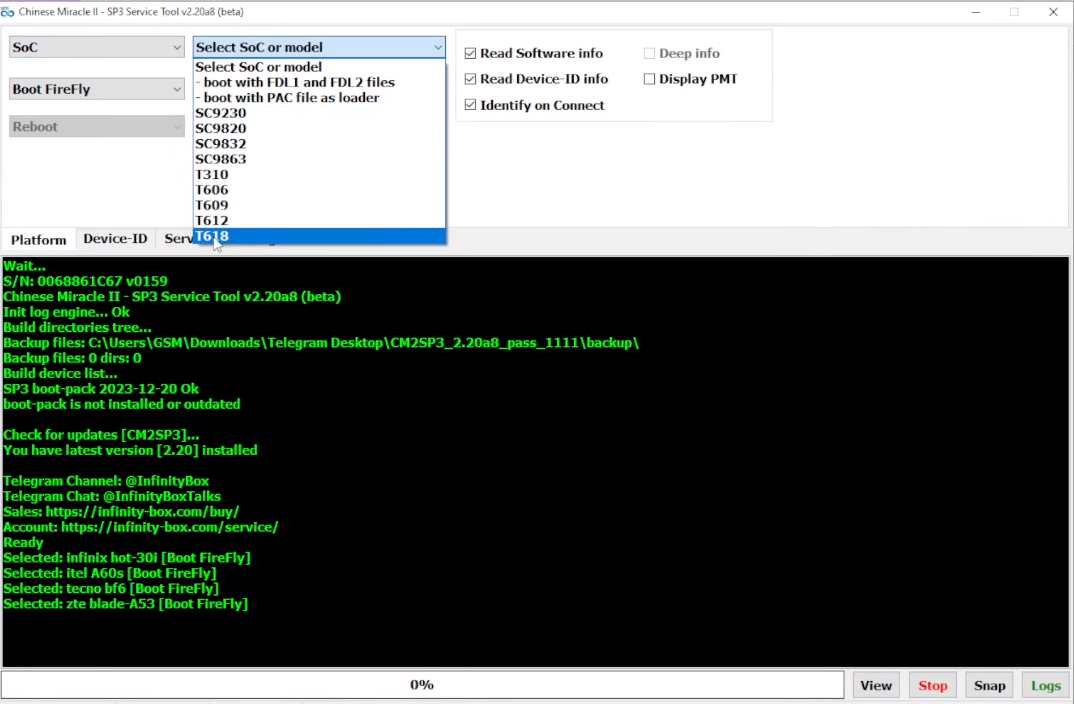
Infinity CM2SP3 Features
- Remove FRP: One-click FRP/Google Lock removal via the Service tab (also try the AnonySHU Tool for MDM and KG locks).
- Repair IMEI & NV: Complete Read/ Write/Repair functions for NVRAM and security data to fix “No Service” or “Invalid IMEI” issue
- Unlock Bootloader: Unlock/Relock the bootloader on supported Spd and Unisoc devices (for wider brand coverage see UnlockTool).
- RPMB Support: Advanced management of RPMB partitions for modern security methods.
- PAC.SC Dump Support: It allows reading and writing .pac.sc files, which are high-fidelity dumps that include security information often missed by standard PAC files.
- Flash stock firmware (.pac/.pac.sc files), IMEI repair, and hard reset/format.
- MDM/IT Admin lock fixes, bootloader unlock, and RPMB read.
- Additional: ADB functions, filesystem management, and proinfo backup/restore.
Usage Tips
Power off the device, hold Volume Down, and connect the USB in Flash Mode for FRP bypass and flashing. Use the Platform Detection Tool for SoC identification on phones, head units, or IoT devices. Always verify dongle activation and valid Infinity credentials for full access.
Download Infinity CM2SP3 Tool v2.50 Setup – Latest Version
Click the link below to download the latest setup version of Infinity CM2SP3 Tool v2.50. The tool is available exclusively for Windows 8, 10, and 11 (both 32—bit and 64-bit).
File Name: Infinity_cm2sp3v2.50.rar
File Size: 22MB
Type:.exe
Credit: Infinity Team
Password: 1111
What’s New In Infinity CM2SP3 Tool V2.50 Update
– [AppTool] file list save issue fixed
– Fastboot functions updated
– EROFS loader updated for latest firmware images
– Log files store method returned back to “old good” one file per session
– Issue report to Chat removed
– RPMB read/write functions updated
– Oppo/Realme regionlock reset
– Hisense devices methods updated
– ZTE/Nubia DA and TP databases updated
– Firmware read function updated with Firmware/DUMP selection
– Firmware read function updated with inactive slot ignore option
– Open target directory after firmware read
– Firmware write function updated as per new firmware structures
– Firmware (read) layout file structure updated with more info
– Test-Point database updated
– Many internal fixes and improvements
📱 New Models Supported
Dexp: A440, E170, EX111, H270, B21, B38, H410, S770i, M170, N180i, N210, N280i, S280, S670, S770, VA210
iTel: A100C
DCode: Cygnal-Ultra, Cygnal-X, DS-CL4-Lite, DS-CL-X, DS-CL-Ultra, DS-CL4, DS-CL4-Pro
Dghrti: Tab20, Tab30
Me-Mobile: Grace-10
ZTE: Blade-A36, V97L, Blade-A35-Lite, Blade-A33-core, A55, Z2474, Z2473, Z2472, Z2466, Z2459, Z2458, Z2455, Z2450, Z2357N, Z2356, Z3, P660, P656, P651-2021, P602, P545, P503, P501, P500
Doogee: Note59-Pro
Pritom: Touch-7
Oukitel: G5
Ravoz: Z3-Lite
Symphony: V99
ZZB: ZB10
Zuum: Stellar-P8, Rocket-III, Mango-Pro, Aura-Pro
🔧 Improvements
Updated Format/Reset methods for latest HMD and Xiaomi devices
Updated [it admin] and [mdm] functions for new devices
Updated [AppTool] for latest devices
GUI improved with more hints and suggestions for easier work
Reports known (previously connected) device immediately after boot
How to Use the Infinity CM2SP3 Tool?
- Download the latest version of the Infinity CM2SP3_2.50 Module to your computer (the CM2MT2 module is also available for MTK devices).
- Open the Setup.zip file after extracting it
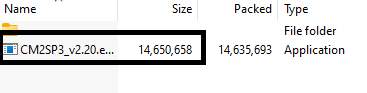
- Next, connect the Infinity CM2 dongle
- As an administrator, run the Infinity_cm2sp3.exe file
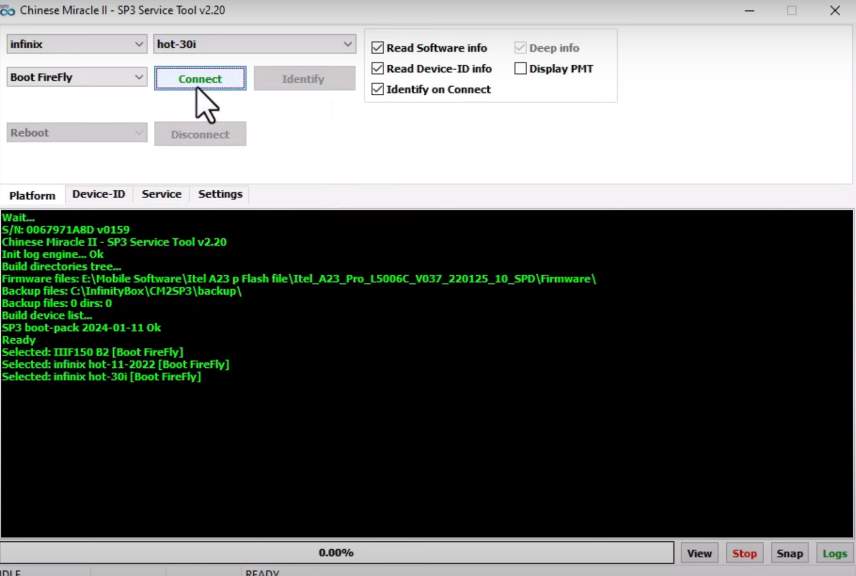
- This tool will be opened
- With the tool, you can now perform the following functions
Frequently Asked Questions (FAQ)
It is a specialized software module for the Infinity Dongle. It is used to repair, flash, and unlock mobile phones that use SPD (Spreadtrum) or UniSOC processors.
It supports both Android smartphones and feature phones (button phones) from brands like iTel, ZTE, Symphony, Infinix, and many others.
Yes. This is a premium tool. You must have the Infinity hardware dongle connected to your PC to activate and run the program.
The password to extract the downloaded file is 1111.
Yes. The tool features a “One-Click FRP Removal” button. You just click it and connect your phone to the PC to bypass the lock.
Flash Stock Firmware (software installation).
Repair IMEI issues.
Perform a Hard Reset (Format).
Fix MDM or “IT Admin” locks on newer devices.
First, download the v2.48 rar file. Extract it using the password 1111, then run the .exe file as an administrator while your Infinity dongle is plugged in.