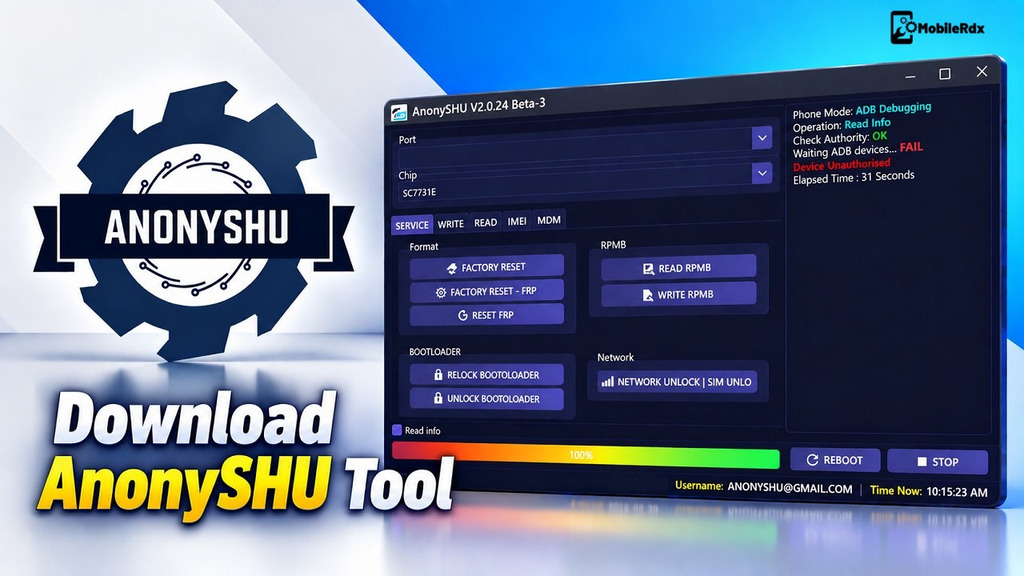
Download AnonySHU Tool – FRP, MDM & KG Unlock Tool [Latest Version]
AnonySHU Tool is a simple, handy Windows program that works smoothly with Samsung and MTK/SPD devices. It helps you easily bypass FRP, MDM, and key guards (KG).The tool can also help with IT admin restrictions and other supported device security operations, making it a simple option for mobile repair technicians.
This tool has some great features for Android phones. The tool enables you to bypass authentication, remove MDM, OTA Disable, Unlock Screen, Xiaomi Mi Cloud Reset, reset IT Admin, factory reset, remove FRP, read info, etc., and more on any MediaTek- or Spreadtrum-powered smartphone & tablet.
What is the AnonySHU Tool?
AnonySHU Tool is a Windows application designed to help technicians service supported Android devices. It provides functions for handling FRP locks and other device restrictions on compatible models. The tool has a simple and clean interface and its easy to use for both beginners and experienced mobile repair technicians.
AnonySHU created this tool. It runs on servers like HalabTech and receives regular updates. The developer regularly pushes new builds, including new models, and implements newer security patches with each release.
Key Features of AnonySHU Tool
- Samsung MDM and KG Unlock
- MTK MDM Bypass
- SPD/Unisoc Support
- FRP Operations
- ADB Enable via QR Code
- Android 14/16 Support
- Anti-Relock Functions
- Factory Reset
- IT Admin Reset
- OTA Disable
- Meta Mode Support
- Partition Read, Write and Erase
- Super, Miscdata and Proinfo Operations
- Samsung Firmware Flashing
- Black Screen MDM Support
- Play Store Fix
- Multi-Brand Support
Supported Devices and Brands
- Samsung — FRP, MDM, and KG locks from Android 9 to Android 14
- Xiaomi and Redmi devices
- Huawei smartphones and tablets
- Oppo and Realme devices
- Vivo smartphones
- Tecno, Infinix, Itel — MDM unlock via ADB
- ZTE and Nokia — including newer supported variants
- Google Pixel — network unlock across all models
What’s New in AnonySHU Updates
- MDM auto-disable and IT Admin auto-reset within 2 hours
- Anti-relock MDM fix for relocked Samsung devices
- Android 14 ADB Enable QR added — no credit needed
- securitycom and blackscreen MDM unlock via ADB for Tecno, Infinix, Itel, ZTE, and Nokia
- Reset all on Android 11–14 devices
- SPD region lock and bootloader unlock improvements
- MTK bootloader unlocker for mt6789 and similar chips
AnonySHU Tool Download (Latest Version)
Getting the latest version of AnonySHU Tool is important for better performance, new features, and support for newer Android devices. Always download from official sources to avoid errors and unsafe files.
| Tool Name | AnonySHU Tool |
| Latest Version | v2.0.24.34 |
| Platform | Windows PC |
| License | Activation required (6/12 months via HalabTech or distributors) |
| Main Uses | FRP, MDM, KG Unlock, IMEI Repair, Firmware Flash |
| Developer | AnonySHU |
Driver for Fix Unable to establish a connection to the server
Important Notes Before Download
- AnonySHU Tool supports Windows 32-bit and 64-bit systems.
- Temporarily disable antivirus only if it incorrectly blocks the tool.
- Download the tool from the official website to avoid fake or modified versions.
- If you get the “Unable to establish a connection to the server” error, download the Driver 1 and Driver2 driver fix packages from the official site.
How to Install & Use AnonySHU Tool
- Download & extract the AnonySHU Tool to your Windows computer.
- Launch the tool as an administrator.
- Select the correct CPU type of your device: MTK (MediaTek), SPD (Spreadtrum), or Qualcomm.
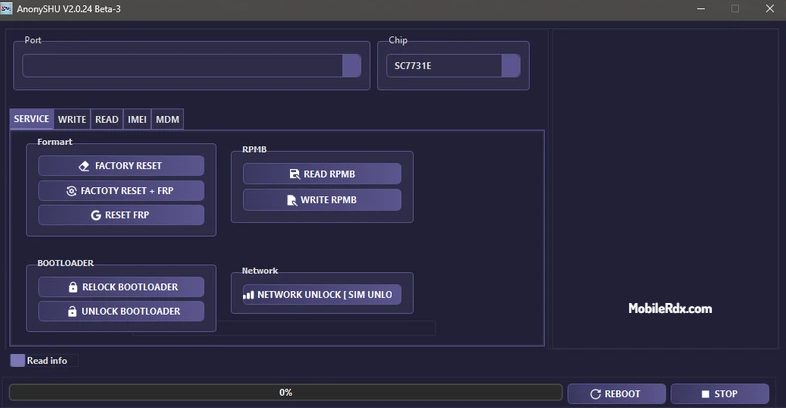
- Open the Services tab, where you can access main functions: Factory reset (Format), FRP bypass (Google lock removal), Bootloader lock or unlock, and Network unlock.
- Choose your required option, such as Remove FRP.
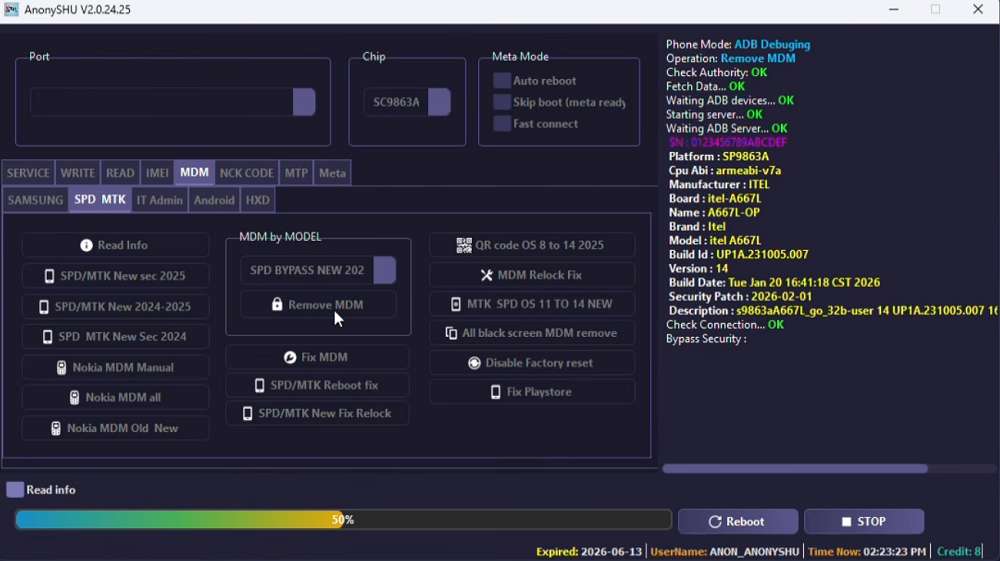
- Connect your Android device using a USB cable.
- Explore additional tabs for advanced actions: the Write tab flashes or installs firmware, the Read tab backs up firmware data, and the MDM tab handles Samsung QR code FRP bypass, KG lock removal, ADB over wireless, and MDM unlock for Tecno, Infinix, Itel, ZTE, and Nokia.
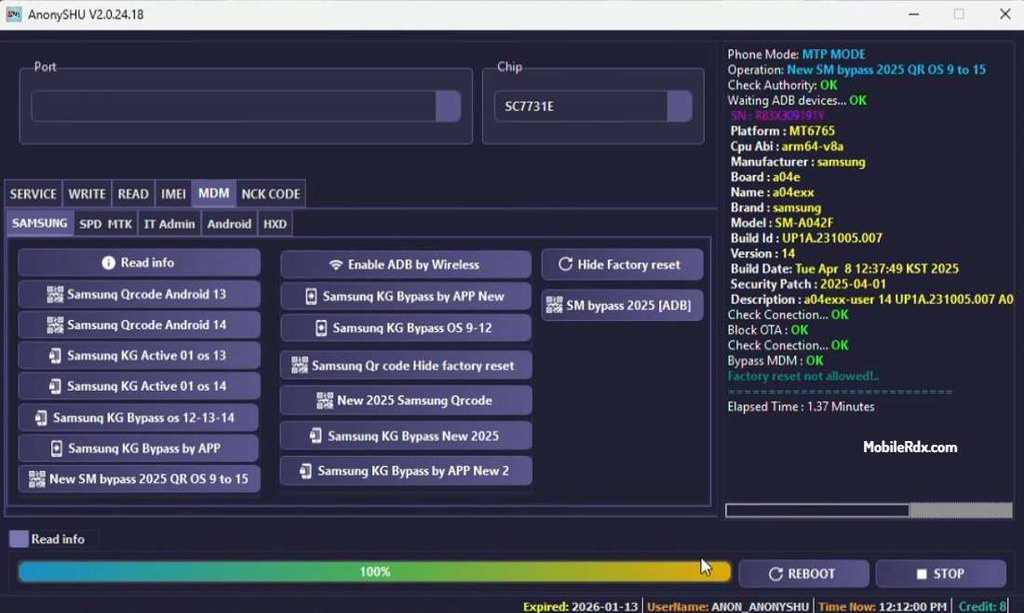
- Click Start and carefully follow the on-screen instructions.
- Wait while the tool processes your request. Do not disconnect your device.
- Once completed, your device will restart. Set it up and log in with your own account.
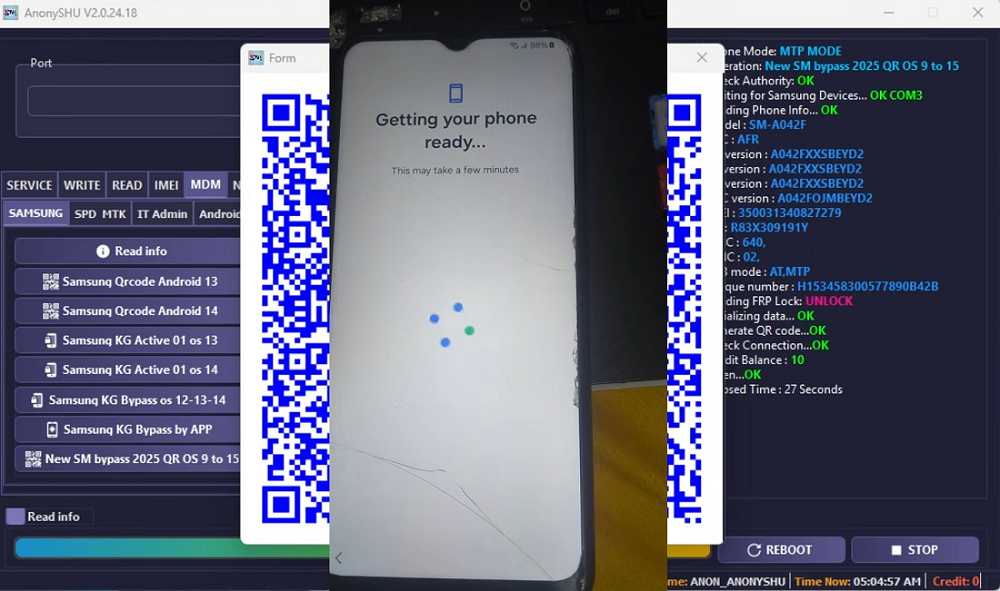
Warning: Using AnonySHU requires high-level system access, such as ADB and firmware changes. Following the wrong steps can result in errors, data loss, and damage to your device. Carefully follow each screen.
Frequently Asked Questions
AnonySHU Tool is an Android repair software designed to remove FRP, MDM, and KG-related locks on supported devices. It includes features such as IT Admin Reset, Samsung KG operations, and MDM auto-disable functions Flash Firmware. The tool supports Samsung, Xiaomi, Tecno, Infinix, and ZTE phones.
The tool needs activation for full module access. Licenses are available for 6 or 12 months through HalabTech and authorized distributors. Some functions like Android 14 ADB Enable QR work without credit.
It supports Samsung (Android 9–14), Xiaomi, Huawei, Oppo, Realme, Vivo, Tecno, Infinix, Itel, ZTE, Nokia, and Google Pixel for network unlock.
Download the driver fix packages (Drive and Drive2) from the official AnonySHU site. They resolve the “Unable to establish a connection to the server” error.