MRST Unisoc SPRD Tool V1.0 is a free Windows program specially designed for Unisoc SPD Spreadturm-based Android
phones to remove FRP, factory reset, firmware flashing, partition, and unlock pattern password, PIN lock, etc., easily.
Apart from this, the MRST team also offers the MRST Pro Tool for MTK and Qualcomm devices. It is a premium mobile servicing tool designed for advanced repair and servicing tasks. In this post, we will show its complete feature list, supported CPU, and step-by-step installation process on Windows PC.
What Is MRST Unisoc SPRD Tool?
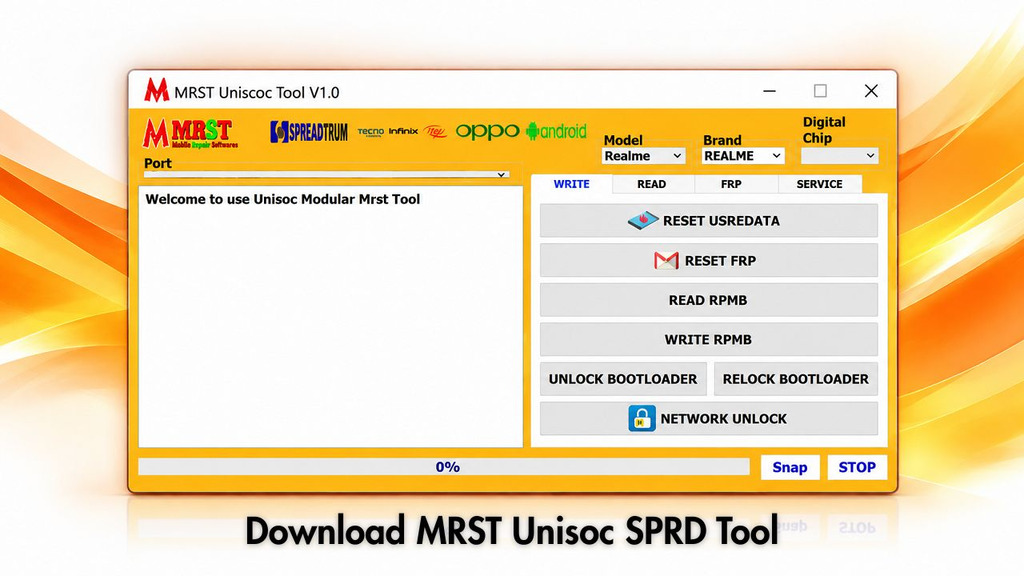
MRST Unisoc SPRD V1.0 is a Windows tool for technicians servicing mobile phones. It performs several service tasks like FRP removal, factory reset and firmware flashing for phones from Spreadtrum and Unisoc. You also can back up and restore partitions and unlock SIM cards. The user interface is simple: choose brand, model and chipset and start the job.
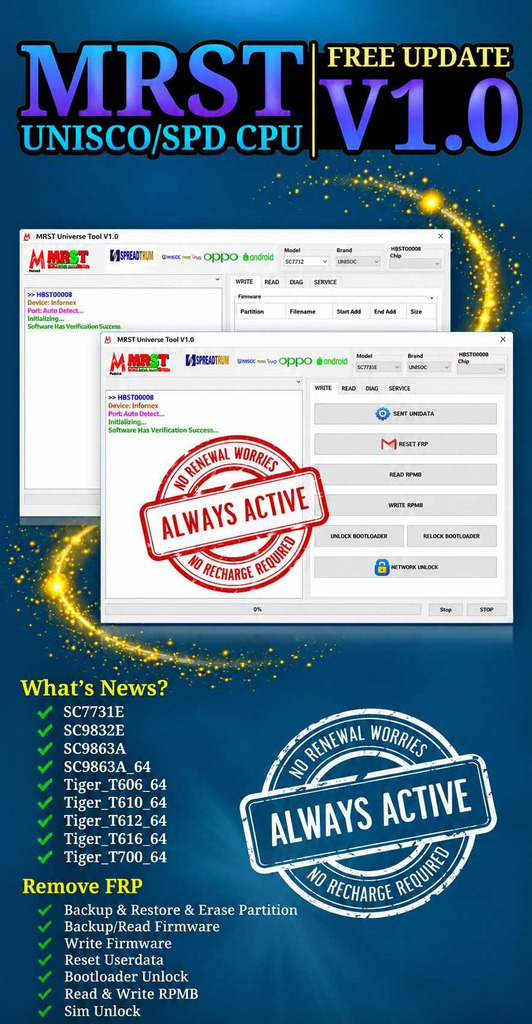
Two features set it apart from other SPD tools. For one, it is totally free. Unlike other powerful modules it does not require dongles or activation. The supported chipsets are clearly specified and include both SC and Tiger SoCs series. This allows technicians to check supported chipsets in advance and begin work on the device accordingly.
Key Features of MRST Unisoc SPRD V1.0
- Completely free—no dongle, no activation, no credits
- Remove FRP on SPD-based phones in one click
- Flash stock firmware to upgrade or downgrade the OS
- Factory reset on supported devices
- Backup, restore, and erase partitions—full partition control
- SIM unlock on supported models
- Read device information
- SN change and ADB mode operations on Samsung phones
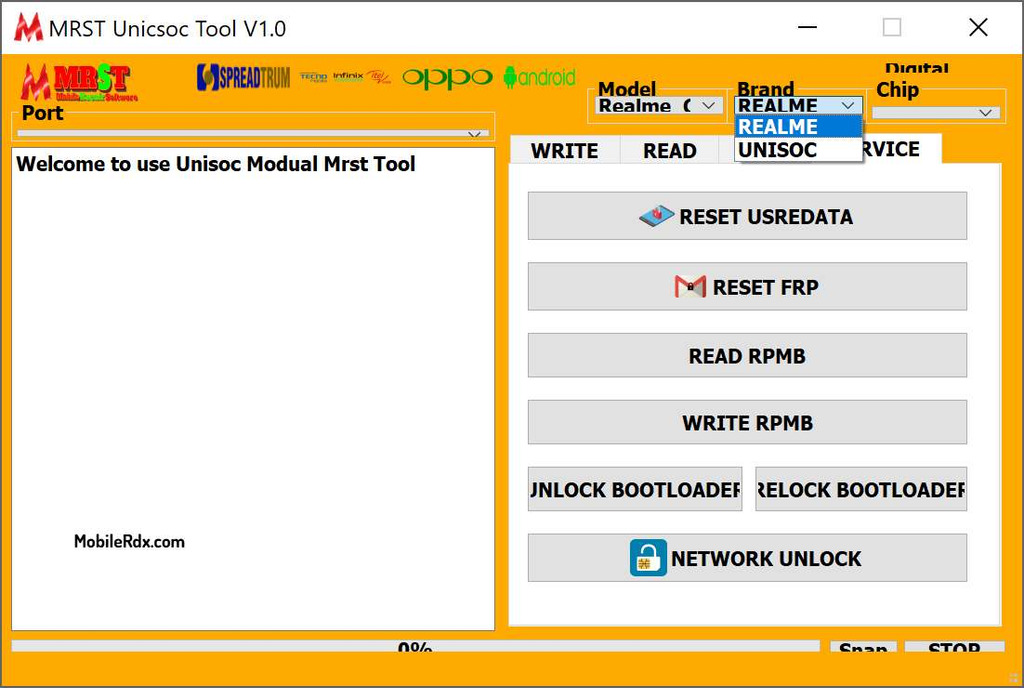
- Brand selection—UNISOC and REALME
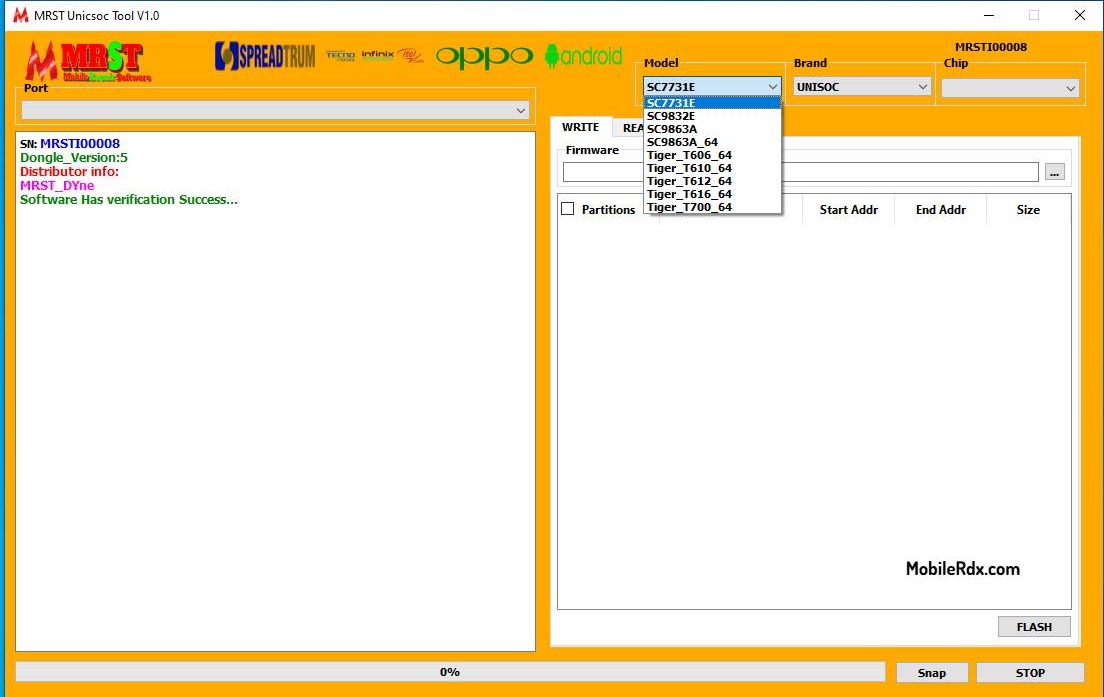
- Model and chip dropdowns for easy targeting
- USB port selection for stable device connection
Function and Supported Chipsets — Full List
SC-Series SoCs
- SC7731E
- SC9832E
- SC9863A
- SC9863A_64
Tiger-Series SoCs
- Tiger T606 / T606_64
- Tiger T610 / T610_64
- Tiger T612 / T612_64
- Tiger T616 / T616_64
- Tiger T700 / T700_64
Tabs & Operations
- WRITE: Flash partitions, format, reset
- READ: Extract data from device
- FIRMWARE: Flash selected partitions with address range
- IMEI: Repair IMEI 1 and IMEI 2
- SERVICE: Perform advanced service tasks
Service Functions
- RESET USERDATA
- RESET FRP
- WRITE RPMB
- UNLOCK BOOTLOADER
- RELOCK BOOTLOADER
- NETWORK UNLOCK
Connection & Boot Modes
- Connect via Volume Down + Volume Up buttons
- Supports Test Point method for special boot modes
- Live status log for connection feedback
Download MRST Unisoc SPRD Tool
Download the MRST Unisoc SPRD V1.0 Latest Setup Version from the link below. It is exclusively available for Windows 8, 10, and 11 (32 & 64-bit) OS platforms.
| Tool Name | MRST UniSoc Tool |
| Version | V1.0 |
| File Size | 17 MB |
| Platform | Windows PC |
| Activation | Not required—free tool |
| Main Uses | FRP, Flash, Factory Reset, Partition, SIM Unlock |
| Password | mobilerdx.com |
How to Install the MRST Unisoc SPRD Tool
- Download UMT Pro SPD V1.7 Tool latest setup version to your computer.
- Extract the Setup.zip & open the extracted folder
- Run the tool as administrator.
- Click on Register or Login.
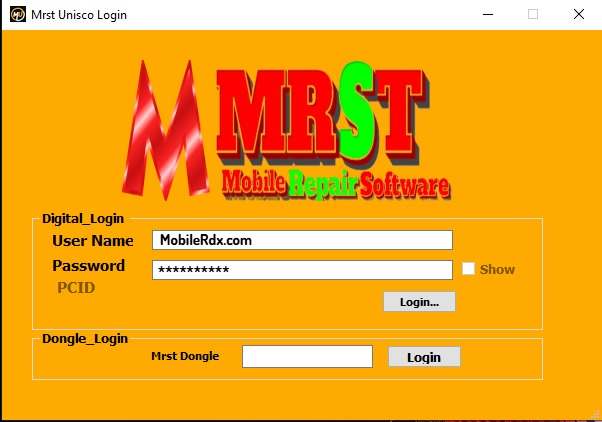
- Enter your registered Email ID and Password in the tool.
- Click Login .
- Power off the phone completely.
- Connect the phone to the PC using a USB cable.
- Wait for the tool to detect the device and complete the required operation.
- Once the process is finished, the phone should be ready. That’s it!
Common Problems and Fixes
- Device not detected: install the proper SPD USB drivers first — most connection errors are driver issues.
- Operation fails at start: wrong chip version selected — match the exact SoC including the _64 suffix.
- Flash stops midway: use a better cable and a rear USB port; avoid hubs.
- Tool does not open: run as administrator and check that antivirus did not quarantine a file.
Frequently Asked Questions
Yes. The tool is completely free — no dongle, no activation, and no credits are required for its operations.
It supports SC-series chips (SC7731E, SC9832E, SC9863A, SC9863A_64) and Tiger-series chips (T606, T610, T612, T616, T700) including their 64-bit variants.
Yes. The tool removes FRP in one click on supported SPD-based devices after you select the correct brand and chip version.
The tool is around 17 MB, making it a quick download compared to full-service suites.
Install the correct Unisoc/SPD USB drivers on your Windows PC first. Most detection problems come from missing or wrong drivers, or from selecting the incorrect chip version.