Download TF MTK Tool v1 Latest Version
TF MTK Tool is a simple and free program for Windows, specially designed for MediaTek (MTK) phones, that allows users to flash firmware, bypass FRP locks, unlock the bootloader, and manage partitions easily. If you are looking for a way to flash stock ROMs, to remove FRP locks or fix RPMB on a device of MediaTek, then you can use this tool to fix issues very easily.
The tool has important and useful features for flashing and servicing MediaTek-based phones. It also lets you read and write partitions, handle NV items and update bootloaders. Here we list key features of the software:
TF MTK Tool Key Features:
- MediaTek firmware flashing — Download Only mode
- Auto device selection or manual brand/model choice
- DA file, AUTH file, and Preloader selection
- Crash Preloader and Patch DA options
- SLA/DAA Bypass Mode
- Bootloader Unlock and Relock
- Bypass SLA/DAA and SBC
- Bypass FRP
- Format Device
- Read Partition Tables, Read Partition, Erase Partition
- Read/Write Raw Firmware, Read/Write GPT, Read/Write Preloader
- Read RPMB, Write RPMB, Erase RPMB
- Read Keys
- Read/Write/Erase NV Items, Write OemInfo
- Bootloader/LK Patcher for Xiaomi chips — Patch Image, Export Config, Verify File
TF MTK Tool Main Interface:
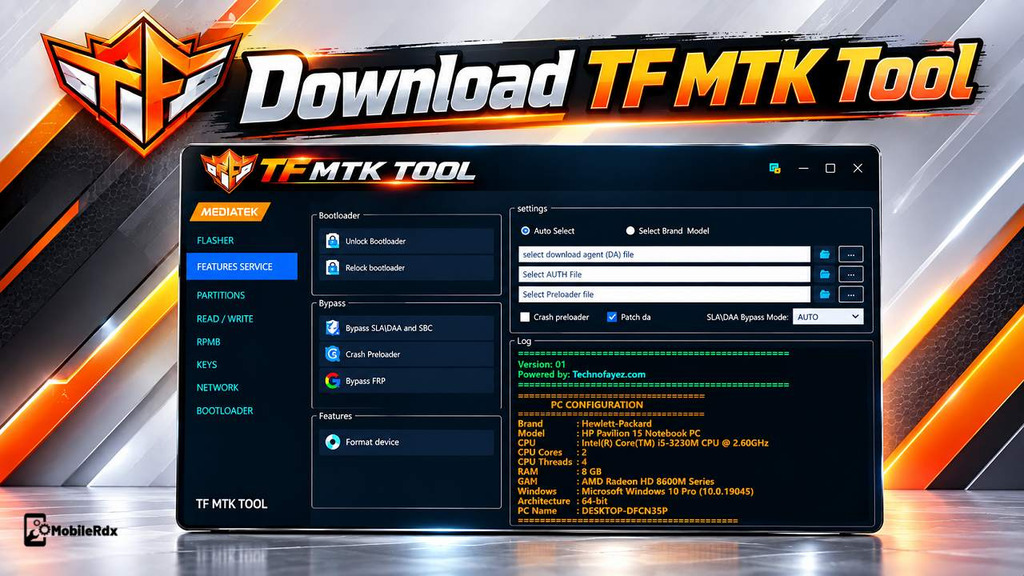
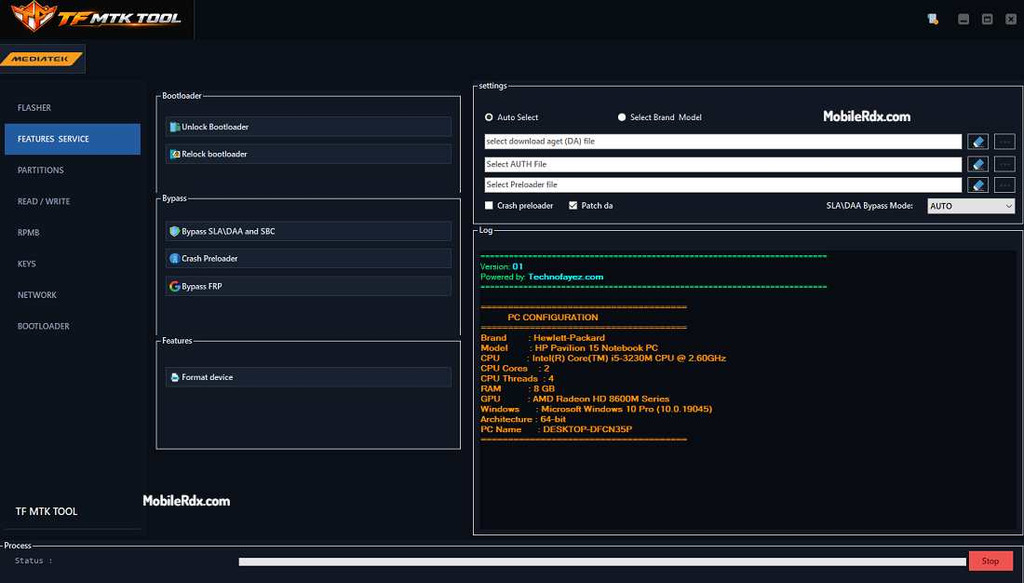
After logging in the tool displays the main interface of MediaTek services. On the left side are main service sections and on the right side are common device settings and a window for logs. Sections that are available include Flasher, Feature Services, Partitions, Reading/Writing, RPMB, Keys, Network and Bootloader.
1. Flasher:
The Flasher section handles firmware work. Select Auto and choose brand and model. Load firmware file, add files for DA, AUTH and Preloader if needed. Choose flash mode and press Flash. Check log panel for status during operation.
2. Features Service:
- Bootloader Services: Unlock Bootloader, Relock Bootloader
- Bypass Services: Bypass SLA/DAA and SBC, Crash Preloader, Bypass FRP
- Device Operation: Format Device
3. Partitions:
Read partition tables loads information about partitions including names and start and end addresses. From there you can then read a partition or erase one if a job service calls for it: use erase only if really necessary.
4. Read / Write:
- Raw Firmware: Read Raw Firmware, Write Raw Firmware
- GPT: Read GPT, Write GPT
- Preloader: Read Preloader, Write Preloader
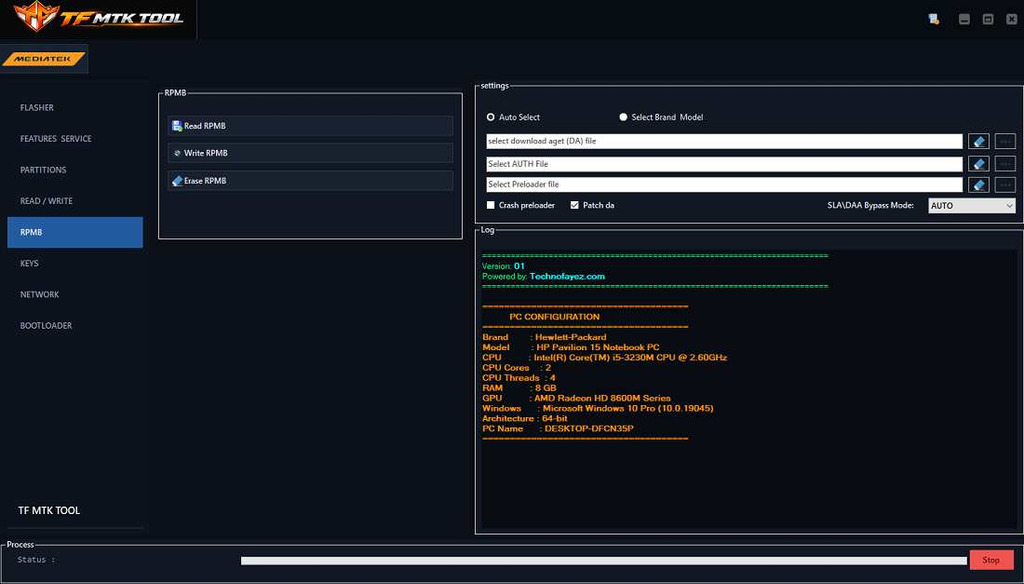
5. RPMB:
Three separate operations: Read RPMB, Write RPMB and Erase RPMB. Important data is stored in RPMB so carefully inspect the device and operation before using write or erase.
6. Keys:
A single Read Keys option for reading supported key information from the device.
7. Network:
- NV Items: Read NVItems, Write NVItems, Erase NVItems
- OEM Information: Write OemInfo
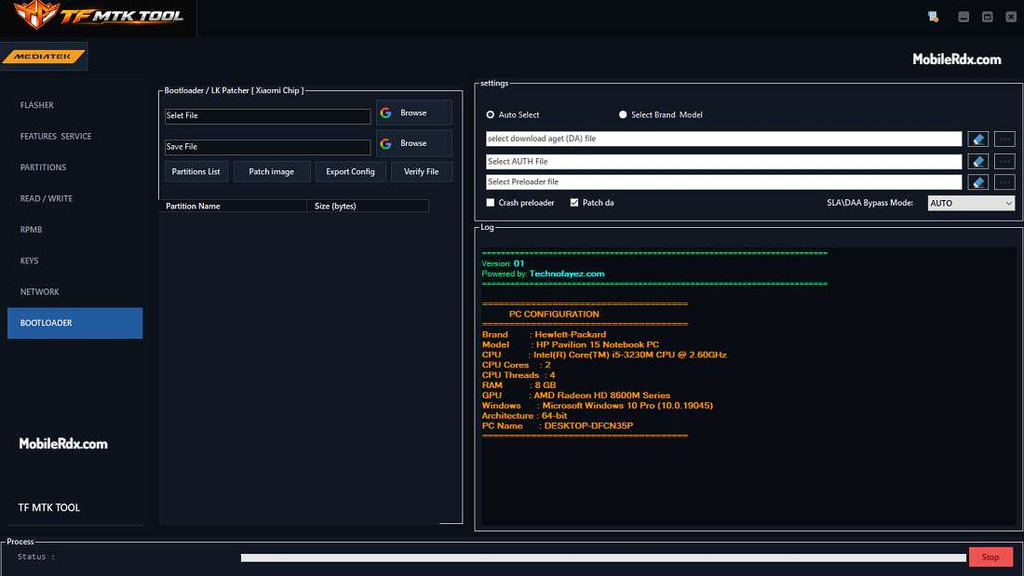
8. Bootloader / LK Patcher (Xiaomi Chip):
Pick the file with Browse, load it into tool then see the partition list and use Verify File to check. Patching is done by Image Patch and Config Export saves. Save result with Save File.
What’s New in TF MTK Tool v1:
- Updated to the latest v1 (version shown inside too)
- Free user registration added — create your own account and save login details
- Minor issues fixed
- Interface divided into 8 service sections
- Credits Technofayez.com
Download TF MTK Tool v1 Setup – Latest Version
Download latest setup version of TF MTK Tool v1 from below link. This is exclusive for Windows OS platform only.
Filename: TF_MTK Tool v1.zip.
File size: Check after extraction.
File Type: .exe.
OS compatibility: Windows 8, 10 and 11 (32 bit and 64 bit). S
Source: Technofayez.com.
Free or Paid: Registration is free and no cost to activate
How to Use TF MTK Tool for Servicing:
- Download the TF MTK Tool v1 latest setup to your computer.
- Extract the Setup.zip and open the extracted folder.
- Run the tool as an administrator.
- Wait for the login window to appear.
- Click on CREATE NEW ACCOUNT.
- Click REGISTER.
- After successful registration, return to the login screen with the BACK TO LOGIN option.
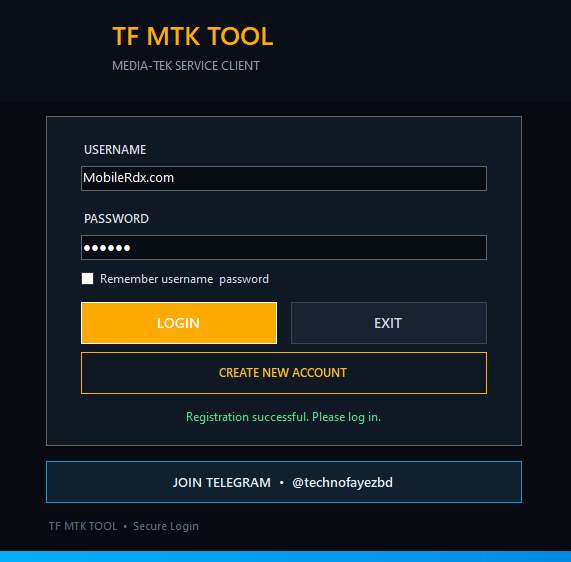
- Login with your registered account.
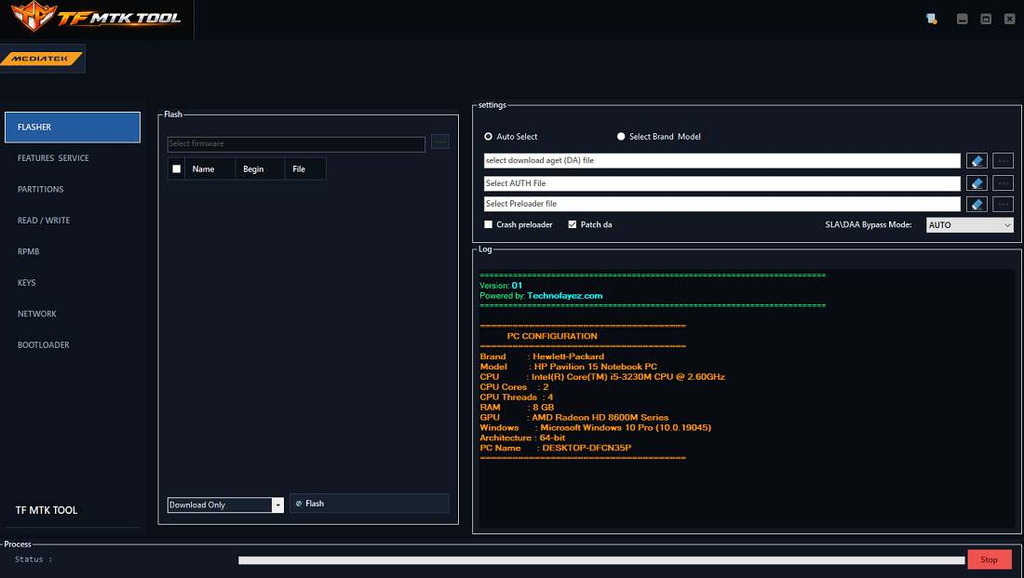
- Select the device model — auto select or manual brand/model.
- Select the section you want: Flasher, Features Service, Partitions, Read/Write, RPMB, Keys, Network, or Bootloader.
- Connect the device in the required mode (BROM/Preloader).
- Click Start on the operation.
- Watch the log panel while the process runs.
- That’s it.
Frequently Asked Questions
TF MTK Tool is a free Windows service tool for MediaTek devices. It handles firmware flashing, FRP bypass, bootloader unlock and relock, partition read/erase, RPMB operations, and NV item management across eight service sections.
Yes. The latest v1 update adds free self-registration, so you can create your own account from the login window and use the tool without paying for activation.
Open the tool, click CREATE NEW ACCOUNT on the login window, enter your username, email, and password, then click REGISTER. Return to the login screen with the BACK TO LOGIN option and sign in.
It supports MediaTek chipset devices with auto device selection or manual brand and model choice. The Bootloader/LK Patcher section also covers Xiaomi MTK chips.
The RPMB section provides Read, Write, and Erase operations for the RPMB partition. Since RPMB holds important device data, verify the device and operation before using write or erase.
TF MTK Tool v1 covers basic maintenance of MTK devices including flashing, FRP unlock, bootloader unlocking, partition handling and RPMB. It offers free self registration that other paid tools often skip. Eight sections keep different operations separate and the log panel makes it easy to track errors. For free utility, it performs well for daily bench work.